Our Short List of 3

- Best for: Players who want an ultralight wireless mouse for fast flicks and clean, low DPI aiming in Valorant.
- HERO 2 sensor with up to 44,000 DPI
- Weight of 60 grams, polling up to 8 kHz
- LIGHTSPEED wireless connection with USB-C charging
- Five programmable buttons, on-board memory for DPI stages

- Best for: Palm grip players who want a comfortable ergonomic shape, steady low DPI aim, and long battery life.
- Focus Pro 30K optical sensor with up to 30,000 DPI
- Weight of 63 grams, HyperSpeed wireless connection
- Polling at 1000 Hz in the standard model
- Gen-3 optical switches, battery life up to 90 hours

- Best for: Players who want dedicated DPI buttons, extra programmable controls, adjustable weight, and a wired setup with no battery to manage.
- HERO 25K sensor with up to 25,600 DPI
- 11 programmable buttons, dedicated DPI shift and cycle buttons
- On-board memory for up to five DPI stages
- Adjustable weights, wired connection with no charging
All 3 Picks at a Glance
| Product | Specs | Action |
|---|---|---|
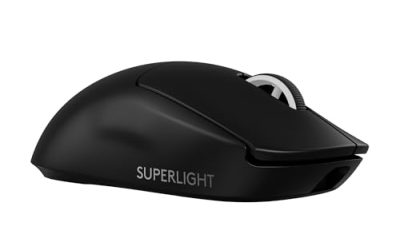
| Logitech G PRO X Superlight 2 |
| Check price on Amazon |
| Razer DeathAdder V3 Pro |
| Check price on Amazon |
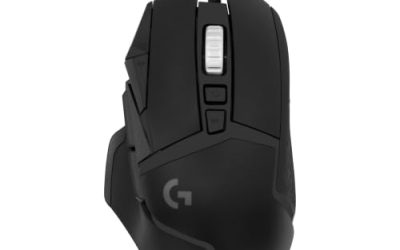
| Logitech G502 HERO |
| Check price on Amazon |
Our Top Picks
- Logitech G Pro X Superlight 2 Lightspeed WirelessClassic1.57 x 2.5 x 4.92 inches0.1 poundsCheck on Amazon
Pros & cons
- 95-hour battery life reduces how often you need to charge
- 60-gram weight suits fast, low-effort mouse movement
- HERO 2 sensor tracks up to 44,000 DPI with no smoothing
- POWERPLAY wireless charging pad is sold separately
- Premium features add a more complex setup than basic mice
- Razer DeathAdder V3 Pro Wireless Gaming Mouse1000 Hz5.01 x 2.65 x 1.69 inches0.1 poundsCheck on Amazon
Pros & cons
- 11 programmable buttons add extensive control customization
- Adjustable weights let you fine-tune balance and feel
- LIGHTSYNC RGB syncs lighting with other Logitech gear
- Wired connection limits cable-free desk setups
- Heavier than typical lightweight esports mice at 0.27 pounds

Valorant rewards calm, precise aim. A single headshot can end a round, and a steady crosshair can hold an angle for an entire push. Your mouse DPI setting sits at the center of that: it decides how far your crosshair moves for every inch your hand moves.
Many players copy a professional player, set the same DPI and sensitivity, then wonder why it feels different. DPI is personal: it depends on your grip, your arm movement, your desk space, and the way you aim. A setting that feels right for a wrist aimer can feel slow for an arm aimer.
This guide explains the best gaming mouse DPI for Valorant in plain terms: what DPI does, which ranges suit most players, how DPI and in-game sensitivity work together, and how to pick a mouse that makes your setting feel natural. It also covers four gaming mice for the most common Valorant setups.
Disclosure: As an Amazon Associate, we earn from qualifying purchases.
At a glance
| Product | Key spec | Best for |
|---|---|---|
| Logitech G PRO X Superlight 2 | HERO 2 sensor, up to 44,000 DPI, 60 grams, 8 kHz polling | Lightweight wireless aim with fast flicks |
| Razer DeathAdder V3 Pro | Focus Pro 30K sensor, up to 30,000 DPI, 63 grams, ergonomic shape | Palm grip players who want a comfortable right-handed shape |
| Razer Viper V3 Pro | Focus Pro 35K sensor, up to 35,000 DPI, 54 grams, 8K polling | Symmetrical ultralight aim for claw and fingertip grips |
| Logitech G502 HERO | HERO 25K sensor, up to 25,600 DPI, 11 programmable buttons, adjustable weights | Players who want DPI buttons, extra controls, and a wired setup |
How to choose
1. Understand what DPI means in Valorant
DPI stands for dots per inch: how many counts your mouse sensor reports when you move the mouse one inch across your desk. Higher DPI means your crosshair moves further for the same hand movement, while lower DPI means it moves less.
In Valorant, most players use low to medium DPI because the game rewards small, controlled adjustments. Low DPI gives finer control when holding a tight angle. High DPI gives faster turns for checking corners, but it makes small corrections harder to control.
DPI alone does not decide your aim. It works with your in-game sensitivity: 400 DPI at 0.8 sensitivity feels similar to 800 DPI at 0.4. That combined value is called eDPI, and it compares settings better than DPI alone.
2. Pick a DPI range that suits your aim style
For most Valorant players, a DPI between 400 and 1600 covers the useful range. Within it, 400 and 800 are the most common choices among competitive players, and 1600 suits players who want a slightly faster feel.
A DPI of 400 suits arm aimers on a large mousepad. The low DPI keeps small hand tremors from moving the crosshair too far, which helps with holding angles. A DPI of 800 suits a mix of arm and wrist aiming, and it pairs well with a sensitivity between 0.3 and 0.6 in Valorant.
A DPI of 1600 suits wrist aimers and players with limited desk space. The trade-off is that micro-adjustments need to be steadier. DPI above 3200 is rarely useful, because it makes the small corrections that decide duels too hard to control.
3. Match DPI to in-game sensitivity with eDPI
To compare settings fairly, multiply your DPI by your in-game sensitivity. The result is your eDPI: 800 DPI at 0.4 sensitivity gives 320, and so does 400 DPI at 0.8, so both settings feel similar in turning speed.
Many Valorant players settle in an eDPI range between 200 and 400. Lower eDPI suits angle holders, while higher eDPI suits entry players. If your aim feels shaky, lower your eDPI in small steps. If you run out of mousepad when you turn, raise it.
Change one value at a time. Pick a DPI, keep it fixed, and adjust only your in-game sensitivity for a few days. Once you find a combination that feels steady in the practice range and in deathmatch, keep it for at least a week so muscle memory can settle.
4. Look for a sensor that tracks cleanly at low DPI
A good Valorant mouse needs a sensor that tracks accurately at the DPI you actually use, not just at the maximum number on the box. Modern flagship sensors from Logitech and Razer track cleanly across the full DPI range, with no smoothing, no angle snapping, and no acceleration that changes aim speed with hand speed.
Look for a high maximum DPI, a high IPS rating, and a high acceleration rating, which together mean plenty of headroom at 400, 800, or 1600 DPI. More important is consistent tracking: flicks should land in the same place every time, and slow tracking should feel smooth rather than jittery. A central sensor also gives a more predictable feel when you rotate the mouse, and all four mice in this guide use one.
5. Check DPI steps and on-board DPI switching
DPI steps decide how finely you can adjust your setting: a mouse that moves in steps of 50 DPI gives more control than one that jumps in steps of 400. Most modern gaming software lets you set DPI in fine increments.
On-board DPI switching lets you change DPI with a button on the mouse, without opening software. This is useful if you want one DPI for normal play and a lower DPI for holding a long angle with an operator. The Logitech G502 HERO is the strongest option here, with dedicated DPI buttons and on-board memory.
The wireless mice in this guide also store DPI stages in on-board memory, so your setting travels with the mouse to another computer. Check that the mouse lets you set at least three DPI stages: a main setting, a lower one, and a higher one.
6. Consider polling rate, weight, and shape
Polling rate measures how often your mouse reports its position to your computer: 1000 Hz means 1000 reports per second, and 8000 Hz means 8000 per second. Higher polling gives smoother cursor movement and slightly lower input latency. For Valorant, 1000 Hz is already smooth for most players, and 8000 Hz can feel even smoother on a high refresh rate monitor. Treat polling rate as a bonus.
Weight affects how quickly you can start and stop a flick. Lighter mice feel faster and need less effort, which helps in long sessions, and most competitive Valorant players prefer a mouse between 50 and 70 grams. Shape affects comfort most of all: a symmetrical mouse suits claw and fingertip grips, while an ergonomic right-handed mouse suits palm grip players. Pick the shape that lets you hold the mouse loosely, without tensing your fingers or wrist.
7. Decide between wired and wireless
Wireless gaming mice have closed the gap with wired mice. Modern wireless models use fast connections with low latency, long battery life, and no cable drag, and a good wireless mouse feels just as responsive as a wired one in Valorant.
Wired mice still have advantages: they never need charging, they are simple to set up, and they work the moment you plug them in. Your DPI setting works the same on wired and wireless mice, so choose based on your desk and habits. If you want the simplest setup with no charging, a wired mouse is hard to beat.
Top picks
Logitech G PRO X Superlight 2
- Best for: Players who want an ultralight wireless mouse for fast flicks and clean, low DPI aiming in Valorant.
- HERO 2 sensor with up to 44,000 DPI
- Weight of 60 grams, polling up to 8 kHz
- LIGHTSPEED wireless connection with USB-C charging
- Five programmable buttons, on-board memory for DPI stages
Players who want an ultralight wireless mouse for fast flicks and clean, low DPI aiming in Valorant.
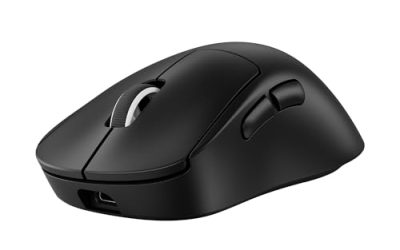
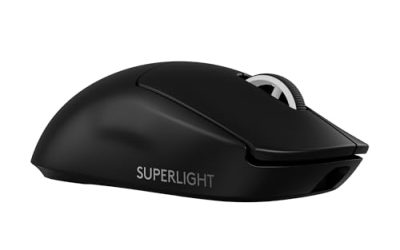
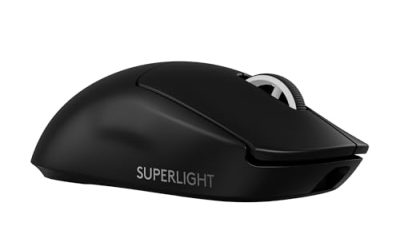
The Logitech G PRO X Superlight 2 is a light wireless mouse that disappears in the hand. At 60 grams, fast flicks and quick resets feel effortless. The symmetrical shape suits claw and fingertip grips, and it also works for palm grip players with medium hands.
The HERO 2 sensor supports up to 44,000 DPI, with tracking that stays clean at low DPI. You can set DPI in fine steps through Logitech G HUB software, save stages to on-board memory, and switch between them mid-match. Polling reaches up to 8 kHz, battery life lasts many days of play, and the mouse charges over USB-C.
Key specs:
Considerations: The symmetrical shape has no thumb rest, so palm grip players who like a deep ergonomic curve may prefer a shaped mouse. The button layout is minimal, so players who want extra side buttons must map those actions to the keyboard.
Razer DeathAdder V3 Pro
- Best for: Palm grip players who want a comfortable ergonomic shape, steady low DPI aim, and long battery life.
- Focus Pro 30K optical sensor with up to 30,000 DPI
- Weight of 63 grams, HyperSpeed wireless connection
- Polling at 1000 Hz in the standard model
- Gen-3 optical switches, battery life up to 90 hours
Palm grip players who want a comfortable ergonomic shape, steady low DPI aim, and long battery life.
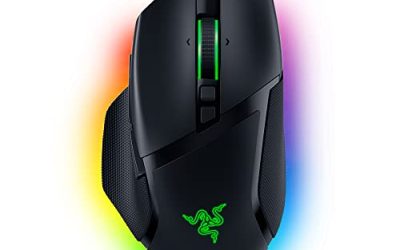
The Razer DeathAdder V3 Pro is an ergonomic wireless mouse built around comfort and control. At 63 grams, its long, curved shape fills the hand, supports the thumb, and lets you hold the mouse loosely during long Valorant sessions.
The Focus Pro 30K optical sensor supports up to 30,000 DPI, with clean tracking at 400, 800, and 1600 DPI. You can set DPI in fine steps through Razer Synapse software and save stages to on-board memory. The mouse uses HyperSpeed wireless, the standard model runs at 1000 Hz polling, and battery life reaches up to 90 hours.
Key specs:
Considerations: The shape is right-handed only, so left-handed players need a symmetrical mouse instead. The standard model does not include 8K polling out of the box, so players who want the highest polling rate need a separate HyperPolling dongle.
Razer Viper V3 Pro
The Razer Viper V3 Pro is the lightest wireless mouse in this guide, at 54 grams. The symmetrical shape suits claw and fingertip grips, and the low weight makes it easy to lift, reset, and flick without dragging your aim. It is a strong choice for low DPI arm aimers on a large mousepad, because the light body keeps arm aiming from feeling tiring.
The Focus Pro 35K optical sensor supports up to 35,000 DPI, with precise tracking at the DPI settings Valorant players use most. The mouse supports 8K polling for very smooth cursor movement. You can set DPI in fine steps through Razer Synapse software and save stages to on-board memory. Battery life reaches up to 95 hours, and the eight programmable controls give more mapping options.
Key specs:
- Focus Pro 35K optical sensor with up to 35,000 DPI
- Weight of 54 grams, 8K polling
- Battery life up to 95 hours, Gen-3 optical switches
- Eight programmable controls, symmetrical shape
Best for: Claw and fingertip players who want the lightest symmetrical mouse in this guide, with 8K polling and long battery life.
Considerations: The symmetrical shape has no thumb rest, so players who rest their thumb on a deep curve may need time to adjust. The low weight can feel too light at first, so give yourself a few days to settle in before changing your DPI.
Logitech G502 HERO
- Best for: Players who want dedicated DPI buttons, extra programmable controls, adjustable weight, and a wired setup with no battery to manage.
- HERO 25K sensor with up to 25,600 DPI
- 11 programmable buttons, dedicated DPI shift and cycle buttons
- On-board memory for up to five DPI stages
- Adjustable weights, wired connection with no charging
Players who want dedicated DPI buttons, extra programmable controls, adjustable weight, and a wired setup with no battery to manage.
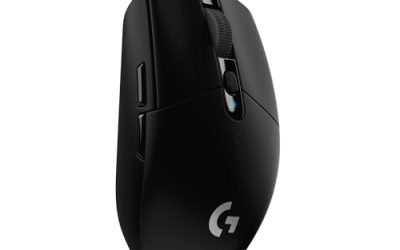
The Logitech G502 HERO is a wired mouse for players who want control over every part of their setup. Its HERO 25K sensor supports up to 25,600 DPI and tracks cleanly at the low DPI settings Valorant players use. The wired connection means no charging.
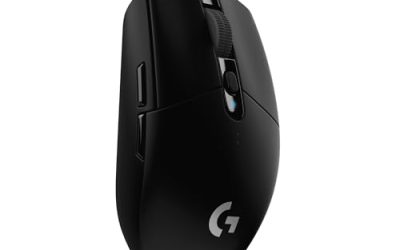
What sets the G502 HERO apart is its DPI control. Dedicated DPI buttons below the scroll wheel let you raise or lower DPI mid-match without opening software, and three indicator lights show which stage you are on. On-board memory stores up to five DPI stages and your button assignments. With 11 programmable buttons, you can map utility or voice chat to a thumb button, and adjustable weights tune the balance and feel.
Key specs:
Considerations: The G502 HERO is heavier and larger than the ultralight wireless mice in this guide, so players who want the fastest flicks may prefer a lighter model. The shape is right-handed only, and the extra buttons take time to learn.
Which one fits
Start with your grip. If you use a palm grip and want comfort over many hours, the Razer DeathAdder V3 Pro is the natural fit. Its ergonomic curve supports your hand, its 63 gram weight feels steady, and its sensor tracks cleanly at 400 or 800 DPI.
If you use a claw or fingertip grip and want the lightest mouse you can find, the Razer Viper V3 Pro is the natural fit. At 54 grams, it moves with very little effort, and its 8K polling keeps fast flicks smooth on a large mousepad.
If you want a light wireless mouse with a neutral shape and a proven sensor, the Logitech G PRO X Superlight 2 is the natural fit. At 60 grams, its symmetrical shape works for a wide range of hand sizes.
If you want DPI buttons, extra controls, and a wired mouse, the Logitech G502 HERO is the natural fit. Its dedicated DPI buttons make it easy to switch to a lower DPI for holding angles. Once you choose a mouse, set your DPI first and leave it alone: pick 400, 800, or 1600 DPI, tune your sensitivity until your eDPI feels steady, and practice for a few days before changing anything.
FAQ
What is the best DPI for Valorant?
There is no single best DPI for every player, but most Valorant players use 400, 800, or 1600 DPI. A DPI of 400 suits arm aimers with a large mousepad, 800 suits a mix of arm and wrist aiming, and 1600 suits wrist aimers with limited desk space. Pair your DPI with a sensitivity that gives an eDPI between 200 and 400.
Should I use 400 or 800 DPI in Valorant?
Both work well, and they feel similar if you adjust sensitivity to match: 400 DPI at 0.8 sensitivity gives the same eDPI as 800 DPI at 0.4. Choose 400 DPI for the finest micro-adjustments when you have plenty of desk space, and 800 DPI for a balanced feel on most desks. Try each setting for a few days before you decide.
Does higher DPI mean better aim in Valorant?
No. Higher DPI means faster cursor movement, not better aim. Very high DPI makes small corrections harder, because a tiny hand movement moves the crosshair a long way. Most competitive players use low to medium DPI for finer control over headshots and angle holds.
How do I change DPI on my gaming mouse?
Most gaming mice let you change DPI in companion software, such as Logitech G HUB or Razer Synapse. Open the software, select your mouse, and set DPI stages in small steps. Some mice, such as the Logitech G502 HERO, also have dedicated DPI buttons, so you can switch stages mid-match without opening software.
What eDPI do most Valorant players use?
Many Valorant players settle in an eDPI range between 200 and 400. To find your eDPI, multiply your DPI by your in-game sensitivity: 800 DPI at 0.35 sensitivity gives an eDPI of 280. Lower eDPI suits angle holders and operator players, while higher eDPI suits entry players who clear corners quickly.
Bottom line
The best gaming mouse DPI for Valorant is the one that lets you aim steadily and turn comfortably. For most players, that means a DPI of 400, 800, or 1600, with a sensitivity that gives an eDPI between 200 and 400. Start at 800 DPI and 0.4 sensitivity, and adjust in small steps until your crosshair feels calm and controlled.
The Logitech G PRO X Superlight 2 suits players who want a light, neutral wireless mouse. The Razer DeathAdder V3 Pro suits palm grip players who want comfort and a steady ergonomic shape. The Razer Viper V3 Pro suits claw and fingertip players who want the lightest symmetrical mouse with 8K polling. The Logitech G502 HERO suits players who want DPI buttons, extra controls, and a wired setup.
Set your DPI, keep it fixed while you learn it, and practice crosshair placement, angle holds, and clean flicks. The right DPI will not aim for you, but it removes one source of inconsistency in a game where one headshot can decide a round.
FAQ
What is the best DPI for Valorant?
Should I use 400 or 800 DPI in Valorant?
Does higher DPI mean better aim in Valorant?
How do I change DPI on my gaming mouse?
What eDPI do most Valorant players use?
More from Amazon
Programs that pair well with the guide above. Offers and eligibility are set by Amazon and may change.
Free shipping on eligible items, Prime Video and more. Eligible new members can start with a free trial.
Start a Prime free trialAd-free music streaming. Eligible new subscribers can start with a free trial.
Try Music Unlimited freeA Prime membership for ages 18-24 with a trial period. Eligibility is set by Amazon.
See Prime for Young AdultsAudiobooks and podcasts to listen to on the go. Eligible new members can start with a free trial.
Try Audible freeAs an Amazon Associate we earn from qualifying purchases.