Our Short List of 3

- Best for: Players who want a heavy, stable wired mouse with plenty of buttons for many game types.
- HERO 25K optical sensor with up to 25,600 DPI
- Tunable weight system with five 3.6g weights
- Base weight of 121 grams
- 11 programmable buttons
- Best for: FPS and MOBA players who want precise control over weight, balance and center of gravity.
- Custom PixArt PMW3391 optical sensor with up to 18,000 DPI
- Smart tunable weight system with two sets of weights and six mounting locations
- Weight adjustable between 119g and 141g
- 120 weight and balance configurations

- Best for: Left-handed players and anyone who wants a simple light-or-heavy weight choice in a wireless mouse.
- HERO 25K optical sensor with up to 25,600 DPI
- Optional 10g removable weight
- Base weight of 107 grams
- Up to 140 hours of battery life on a full charge
All 3 Picks at a Glance
| Product | Specs | Action |
|---|---|---|
| Logitech G502 HERO |
| Check price on Amazon |
| Corsair NIGHTSWORD RGB |
| Check price on Amazon |
| Logitech G903 LIGHTSPEED |
| Check price on Amazon |
Our Top Picks
Pros & cons
- 11 programmable buttons add extensive control customization
- Adjustable weights let you fine-tune balance and feel
- LIGHTSYNC RGB syncs lighting with other Logitech gear
- Wired connection limits cable-free desk setups
- Heavier than typical lightweight esports mice at 0.27 pounds
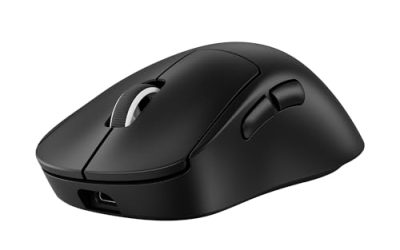
- CORSAIR NIGHTSWORD RGB Adjustable Weight FPS MOBA PC5.08 x 3.38 x 1.71 inches0.3 poundsCheck on Amazon

A gaming mouse with weights asks a different question than a standard mouse. Instead of only comparing sensors and button counts, you decide how heavy the mouse should feel in your hand, where that weight should sit, and whether a planted glide or a quick flick suits the games you play most. Get the balance wrong and your aim feels sluggish or twitchy, even when the sensor itself is excellent.
This guide is for shooter players who want steadier tracking, strategy and MMO players who want a solid mouse under long sessions, and anyone who has never liked a one-weight-fits-all design. Every pick below was chosen from the product name and specifications shown on its Amazon listing, with the weight system, sensor, buttons and connection type checked against that listing.
Quick Picks
As an Amazon Associate we earn from qualifying purchases
| Product | Best for | Key spec from title |
|---|---|---|
| Logitech G502 HERO | Button-heavy games and a planted wired feel | HERO 25K sensor, 25,600 DPI, adjustable weights |
| Logitech G502 LIGHTSPEED | Wireless play with the same tunable G502 shape | HERO 25K sensor, 25,600 DPI, adjustable weights |
| Corsair NIGHTSWORD RGB | Fine balance tuning for FPS and MOBA games | 18,000 DPI sensor, weight system, 10 programmable buttons |
| Logitech G903 LIGHTSPEED | Ambidextrous use with a simple weight choice | HERO 25K sensor, 25,600 DPI, 107g plus 10g optional weight |
How to Choose
Start With the Weight Range, Not the Weight Alone
A mouse that starts at 97 grams and one that starts at 121 grams feel like different tools, even before you add a single weight. Check the base weight first, then look at how much you can add. Small weights of two or four grams let you change the feel in fine increments, while a single large weight only gives you a light or heavy choice. Also think about balance: weights toward the front make the nose feel heavier during flicks, while weights toward the rear steady the palm during slow tracking. Several mounting spots give you more control over that balance than a single slot in the middle.
Match the Sensor to Your Sensitivity
High maximum DPI numbers look impressive, but most players use a far lower setting in daily play. What matters more is clean tracking at your chosen sensitivity, adjustable steps that let you land on the exact value you want, and a sensor that holds its line during fast swipes. Look for a listing that states the sensor model and the DPI range, then check whether the software lets you set sensitivity in small steps. If you play at low sensitivity and make wide arm movements, tracking stability at speed matters more than a headline DPI figure. If you play at high sensitivity, fine low-speed control matters more.
Shape and Buttons Decide Comfort Before Specs Do
A weight system cannot fix a shape that fights your hand. Right-handed mice with a thumb rest suit palm grips and long sessions, while ambidextrous shapes suit players who switch hands or prefer claw and fingertip grips. Count the buttons you will actually use: extra side buttons help in strategy and MMO games, but buttons placed where your thumb rests can cause accidental presses in shooters. Check the grip texture and the scroll wheel design too, since a wheel that spins freely suits fast weapon switching while a notched wheel suits precise scrolling through inventories and menus.
Decide Between Wired Certainty and Wireless Freedom
Wired mice never need charging and keep the same feel every session, which suits players who sit at one desk and want zero upkeep. Wireless mice remove cable drag and suit players who move the mouse across a large pad, but they add battery management to your routine. If you go wireless, check the stated battery life on a full charge and whether the mouse works with a wireless charging pad, since that removes most charging chores. Also confirm whether the mouse can run wired while charging, so a flat battery never ends a session early.
The 4 Best Options
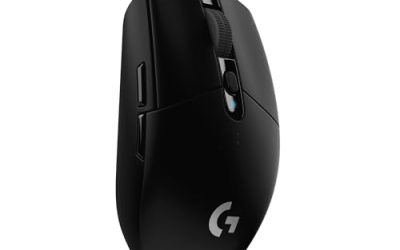
Logitech G502 HERO
- Best for: Players who want a heavy, stable wired mouse with plenty of buttons for many game types.
- HERO 25K optical sensor with up to 25,600 DPI
- Tunable weight system with five 3.6g weights
- Base weight of 121 grams
- 11 programmable buttons
Players who want a heavy, stable wired mouse with plenty of buttons for many game types.
The base weight is already heavy before you add weights, and the right-handed shape does not suit left-handed players.
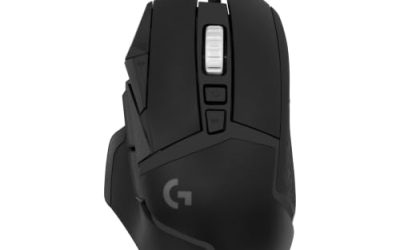
The G502 HERO suits players who want one wired mouse that covers shooters, strategy games and everyday work without compromise. Its right-handed shape, thumb rest and dedicated sniper button give your hand a stable platform, and the five removable weights let you tune the balance until flicks and slow tracking both feel natural. Eleven programmable buttons cover ability bars and macros, while onboard memory keeps your profiles on the mouse itself. If you like a planted, deliberate feel and you play at a fixed desk, this is the most versatile weighted mouse in this guide.
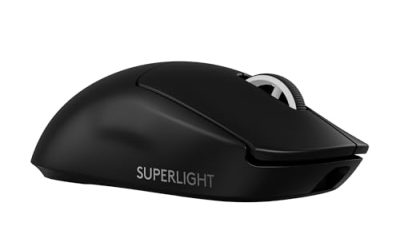
Logitech G502 LIGHTSPEED
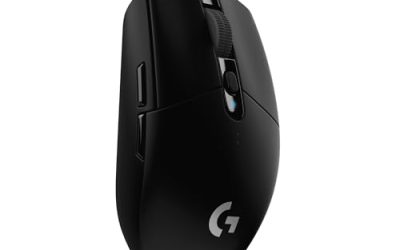
The G502 LIGHTSPEED takes the familiar G502 shape and cuts the cable, which suits players who want the same weight tuning with freer movement across the desk. Six adjustable weights in two sizes let you build a lighter setup for fast flicks or a heavier one for controlled tracking, and the wireless link keeps the response quick. Battery life stretches across many sessions on a full charge, and compatibility with a wireless charging pad means the mouse can top up between games. If you love the G502 layout but hate cable drag, this is the wireless version to pick.
Specs
- HERO 25K optical sensor with up to 25,600 DPI
- Tunable weight system with six adjustable weights, two 4g and four 2g
- Base weight of 114 grams
- 11 programmable buttons
- LIGHTSPEED wireless with 1 ms report rate
- Up to 60 hours of battery life on a full charge
- POWERPLAY wireless charging compatible
- LIGHTSYNC RGB lighting
Best for: Players who want G502 weight tuning and buttons without a cable pulling at the mouse.
Watch out for: The mouse still needs charging, so check the battery level before a long session if you do not use a charging pad.
ASIN: B07S4JRHNJ
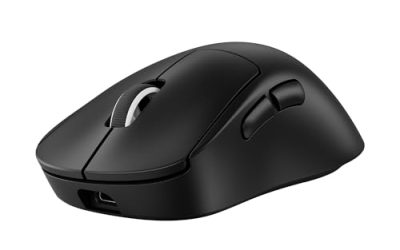
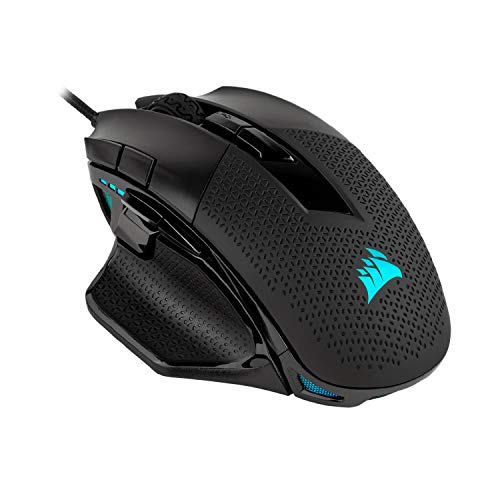
Corsair NIGHTSWORD RGB
- Best for: FPS and MOBA players who want precise control over weight, balance and center of gravity.
- Custom PixArt PMW3391 optical sensor with up to 18,000 DPI
- Smart tunable weight system with two sets of weights and six mounting locations
- Weight adjustable between 119g and 141g
- 120 weight and balance configurations
FPS and MOBA players who want precise control over weight, balance and center of gravity.
The tuning software adds setup time, and the mouse is heavy at its lowest setting compared with lighter wireless options.
The NIGHTSWORD RGB suits players who enjoy fine-tuning gear as much as playing with it. Two sets of weights and six mounting locations create a large number of weight and balance combinations, and the companion software shows the detected center of gravity so you can adjust the feel with real feedback instead of guesswork. The contoured shape and rubber grips hold steady during long matches, and ten programmable buttons cover the commands most FPS and MOBA players need. If you want the most detailed weight calibration in this guide, start here.
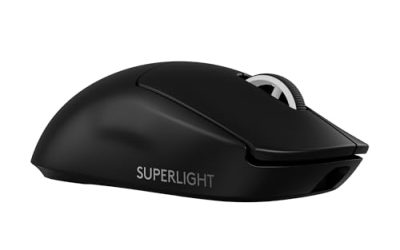
Logitech G903 LIGHTSPEED
- Best for: Left-handed players and anyone who wants a simple light-or-heavy weight choice in a wireless mouse.
- HERO 25K optical sensor with up to 25,600 DPI
- Optional 10g removable weight
- Base weight of 107 grams
- Up to 140 hours of battery life on a full charge
Left-handed players and anyone who wants a simple light-or-heavy weight choice in a wireless mouse.
The single weight gives you only two feel options, so players who want fine balance tuning should look at the other picks.
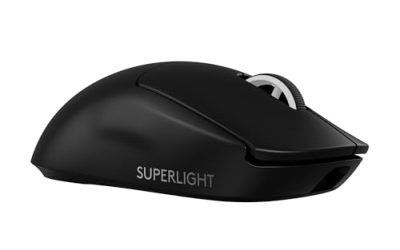
The G903 LIGHTSPEED suits players who want weight choice without a complicated system. Instead of a tray of small weights, it ships with a single optional 10g weight, so the decision is simple: use the light setup for speed or add the weight for a steadier feel. The ambidextrous design with a configurable button layout works for left-handed and right-handed players, which few weighted mice offer. Long battery life and a sensor that tracks cleanly at high sensitivity make it a strong pick for competitive play and for players who switch hands or grips.
Which One Fits Your Situation
You Play Shooters and Want a Steady Aim
Pick the Corsair NIGHTSWORD RGB. Its weight range and mounting locations let you shift the balance until the mouse tracks smoothly without drifting, and the software feedback helps you repeat a setup that works. The high sensor ceiling and ten buttons cover the rest of what a shooter demands. Test a few layouts over several matches before settling, since a setup that feels good on one map can feel off on another.
You Play Many Game Types at One Desk
Pick the Logitech G502 HERO. Eleven buttons handle ability bars, macros and everyday shortcuts, the wired link needs no charging, and the five weights let you set a planted feel that works across shooters, strategy games and long work sessions alike. Onboard memory keeps your setup ready when you move between computers, so your profiles travel with the mouse itself.
You Want Wireless Freedom With Full Tuning
Pick the Logitech G502 LIGHTSPEED. It keeps the G502 shape and button layout, adds six weights in two sizes for fine balance control, and runs for many sessions on a charge. A charging pad removes the last chore if you use one. The six weights also let you rebuild the balance for different games, so one mouse can feel light for fast shooters and heavier for slower strategy sessions.
You Are Left-Handed or Switch Grips Often
Pick the Logitech G903 LIGHTSPEED. Its ambidextrous design and configurable buttons suit either hand, and the single optional weight keeps the choice simple. Long battery life means the mouse keeps up with extended play in either grip. The configurable buttons let you mirror your usual layout on either side, so switching hands does not force you to relearn your controls.
Common Mistakes
- Adding every weight at once instead of starting light and adding one weight at a time until the feel settles.
- Judging a mouse by its maximum DPI instead of how cleanly it tracks at the sensitivity you actually use.
- Ignoring grip style and hand size, then blaming the weight system when the shape itself causes fatigue.
- Choosing a wireless mouse without checking battery life or whether it can run wired while charging.
- Forgetting to save your sensitivity and button setup to onboard memory, so a new computer resets everything.
Frequently Asked Questions
Do heavier gaming mice improve aim?
A heavier mouse can steady slow tracking and reduce small shakes, but it can also slow down fast flicks and tire your wrist during long sessions. The right weight depends on your sensitivity, grip and the games you play. Start with the base weight, add one weight at a time, and keep the setup that feels controlled without making large movements feel like work.
How many weights do I actually need?
Most players settle on two or three weights after some testing, even when the mouse ships with five or six. More weights matter when you want to shift balance forward or backward, not just add total grams. A system with several mounting spots gives you that balance control, while a single weight only changes the total heft.
Is a wireless weighted mouse as responsive as a wired one?
Modern wireless gaming mice use a fast wireless link with a 1 ms report rate, which matches wired responsiveness in normal play. The real difference is upkeep: a wireless mouse needs charging, while a wired mouse does not. If you keep the battery topped up or use a charging pad, the wireless experience feels the same during a match.
Can I change the weights during a gaming session?
Yes, on most weighted mice you can remove the cover or side grip, move the weights and keep playing within a minute. Some designs make this easier than others, so check whether the weights sit under a magnetic cover or need a tool. Keep a note of the layout you like, since it is easy to forget which slots you used.
FAQ
Do heavier gaming mice improve aim?
How many weights do I actually need?
Is a wireless weighted mouse as responsive as a wired one?
Can I change the weights during a gaming session?
More from Amazon
Programs that pair well with the guide above. Offers and eligibility are set by Amazon and may change.
Free shipping on eligible items, Prime Video and more. Eligible new members can start with a free trial.
Start a Prime free trialAd-free music streaming. Eligible new subscribers can start with a free trial.
Try Music Unlimited freeA Prime membership for ages 18-24 with a trial period. Eligibility is set by Amazon.
See Prime for Young AdultsAudiobooks and podcasts to listen to on the go. Eligible new members can start with a free trial.
Try Audible freeAs an Amazon Associate we earn from qualifying purchases.