Our Short List of 3
All 5 Picks at a Glance
| Product | Specs | Action |
|---|---|---|
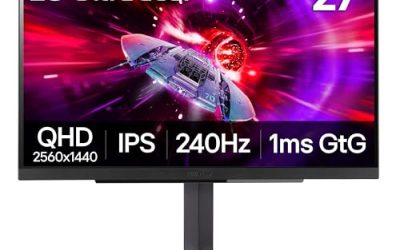
 LG UltraGear 27GP950-B | Check price on Amazon | |
 Gigabyte M28U | Check price on Amazon | |
 Gigabyte M32U | Check price on Amazon | |
 Samsung Odyssey Neo G7 (LS32BG752NNXGO) | Check price on Amazon | |
 Alienware AW3225QF | Check price on Amazon |
Key takeaways
- The best UHD monitors for gaming, compared on maker specs: 3840 x 2160 panels at 144Hz and beyond, with HDMI 2.1, VRR and HDR in 27, 28 and 32 inch sizes.
As an Amazon Associate, we earn from qualifying purchases made through links on this page.
UHD on a monitor box means one specific thing: a 3840 x 2160 panel. That is the resolution every monitor in this guide runs, confirmed in each maker’s own specification sheet, and it is the same pixel count most brands print as 4K on the box. What separates the picks below from a general 4K screen is the frame they were chosen under. This is a gaming guide, so every model here pairs the UHD panel with a refresh rate of 144Hz or higher, HDMI 2.1 for console play at 4K and 120Hz, and variable refresh support from AMD, NVIDIA, or both. Sizes run from 27 to 32 inches, and the panel mix covers fast IPS, a Mini-LED VA panel with deep local dimming, and a QD-OLED flagship.
That frame matters because UHD gaming is demanding in a way UHD desk work is not. A graphics card has to draw 8.3 million pixels every frame, and holding high frame rates at this resolution takes a strong GPU or help from upscaling features in the games themselves. The sections below explain how to judge the numbers that decide whether a UHD monitor suits your rig, then walk through five models fitted to different players: a sharp 27 inch all-rounder, two KVM-equipped IPS screens for mixed gaming and work desks, a curved Mini-LED built for HDR, and a 240Hz QD-OLED at the top of the range.
What to look for in a UHD gaming monitor
Resolution and size. Every pick here is 3840 x 2160, so the choice is about pixel density. At 27 inches that resolution works out to roughly 163 pixels per inch, which is very sharp at desk distance but usually needs display scaling in Windows or macOS to keep text comfortable. At 32 inches the density drops to about 140 pixels per inch, still crisp, and many people run a 32 inch UHD screen with no scaling at all. Bigger panels also ask for more desk depth, since the screen sits closer to filling your field of view.
Refresh rate and your graphics card. A 144Hz panel only shows its advantage if the GPU can feed it. In demanding recent games, native 4K at triple-digit frame rates is the territory of high-end cards, and many players lean on DLSS, FSR, or XeSS upscaling to get there. If your card is a mid-range model, a UHD monitor still makes sense for slower-paced games and media, but check the maker’s stated minimum and recommended hardware for the titles you play most before assuming 144Hz is within reach.
HDMI 2.1 versus DisplayPort. On PC, DisplayPort 1.4 with Display Stream Compression carries 4K at 144Hz and beyond from a single cable. For a PlayStation 5 or Xbox Series X, the port that matters is HDMI 2.1, because the consoles need its bandwidth for 4K at 120Hz with variable refresh. Every pick below includes at least one full HDMI 2.1 input, and the product sections note the exact port counts from each maker’s sheet.
Variable refresh. FreeSync Premium Pro and G-Sync Compatible badges both mean the panel can match its refresh to the frame rate the GPU is actually producing, which smooths stutter when a game cannot hold a fixed rate. All five picks carry at least one of the two certifications, and several carry both, which keeps them flexible if you change GPU brand later.
Panel type and HDR tier. Fast IPS panels give wide viewing angles and strong colour but modest contrast, and their HDR badges (DisplayHDR 400 or 600) describe peak brightness more than true local dimming. A Mini-LED backlight with over a thousand dimming zones, as on the Samsung below, is what produces convincing HDR highlights and black levels from an LCD. QD-OLED goes further, with per-pixel light control and the fastest response figures in this guide, at the cost of extra care around static images. Read the HDR line on each spec sheet as a tier, not a promise: the sections flag where a badge is entry level.
Extras that change daily use. A built-in KVM switch lets one keyboard and mouse hop between a gaming PC and a work laptop. USB-C with DisplayPort Alt Mode can carry picture, data, and charging over one cable, though the charging wattage varies by model and is worth checking against your laptop. Stand adjustment, especially height and pivot, decides long-session comfort more than most spec-sheet numbers.
LG UltraGear 27GP950-B
See the LG UltraGear 27GP950-B on Amazon
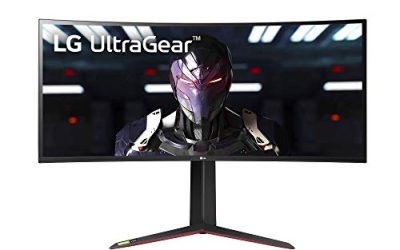
The 27GP950-B is the compact pick in this guide: a 27 inch Nano IPS panel at 3840 x 2160 with a native 144Hz refresh rate that LG lists as overclockable to 160Hz over DisplayPort with DSC active. Response time is quoted at 1ms grey-to-grey. Connectivity is the strong suit for a mixed desk: two HDMI 2.1 ports handle 4K at 120Hz with variable refresh for current consoles, one DisplayPort 1.4 input serves the PC, and a USB hub ties peripherals together. The panel carries a VESA DisplayHDR 600 badge and covers 98 percent of the DCI-P3 colour space per LG’s sheet, and it is certified as both NVIDIA G-Sync Compatible and AMD FreeSync Premium Pro. LG’s Sphere Lighting ring on the back adds bias lighting behind the screen, and the stand adjusts for height, tilt, and pivot.
This suits a player with limited desk space who splits time between a PC and a console and wants one screen that treats both properly. The 27 inch size keeps pixel density at its highest in this guide, which is also the main limitation to weigh: text at native scaling is small, so plan on display scaling for reading and work. The second limitation is contrast. LG lists a typical contrast figure of 1000:1, in line with other IPS panels, so dark scenes will not reach the depth of the Mini-LED or OLED picks below, and the DisplayHDR 600 tier, while a step above basic badges, still works without the zone-level dimming that gives HDR its punch.
Gigabyte M28U
See the Gigabyte M28U on Amazon
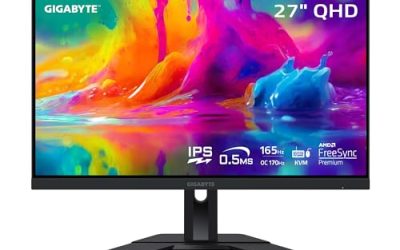
Gigabyte’s M28U stretches the same idea to 28 inches. Its SuperSpeed IPS panel runs 3840 x 2160 at 144Hz with a 1ms grey-to-grey figure, two HDMI 2.1 ports, one DisplayPort 1.4 input, and a USB-C port that carries picture and data for the built-in KVM switch, so a single keyboard and mouse can control a gaming PC and a laptop in turn. Gigabyte lists AMD FreeSync Premium Pro support, a VESA DisplayHDR 400 badge, 94 percent DCI-P3 coverage, and built-in stereo speakers. The stand adjusts for height and tilt, and the maker’s gaming extras include an on-screen crosshair overlay, a frame counter, and a black-equaliser control for shadow detail.
The M28U fits a desk that works double duty: gaming in the evening, laptop work in the day, with the KVM removing the cable shuffle between the two. Two limitations come straight from the spec sheet. DisplayHDR 400 is the entry tier of the VESA programme, with no local dimming behind it, so treat HDR here as compatibility rather than a headline feature. Brightness is listed at 300 nits typical, the lowest figure in this guide, which makes the M28U a better match for a controlled-light room than a sun-facing desk. Check the USB-C power figure on the current listing if you expect the screen to charge your laptop, since Gigabyte positions that port around picture and KVM duty.
Gigabyte M32U
See the Gigabyte M32U on Amazon
The M32U is the 31.5 inch sibling of the model above, and the recipe is similar: a SuperSpeed IPS panel at 3840 x 2160 and 144Hz, a 1ms grey-to-grey figure, two HDMI 2.1 ports, DisplayPort 1.4, USB-C with the same KVM switch, AMD FreeSync Premium Pro, and a VESA DisplayHDR 400 badge. Gigabyte lists 90 percent DCI-P3 and 123 percent sRGB coverage, 350 nits typical brightness, built-in speakers, and a fuller stand than the smaller model, with height, tilt, swivel, and pivot adjustment all on the sheet.
Choose the M32U if you want the bigger canvas for both games and documents and like the idea of running UHD without scaling. The extra width over the 28 inch model is genuinely useful for side-by-side windows, and 144Hz keeps it a proper gaming panel rather than a work screen that games on the side. The limitations mirror its sibling: the DisplayHDR 400 tier again means no local dimming, IPS contrast stays in the usual range for the panel type, and a 32 inch screen needs a deeper desk than the 27 inch picks so the panel does not crowd your seating position. If HDR impact is your priority, the Samsung below is the step up; if it is not, this is the balanced large IPS option in the guide.
Samsung Odyssey Neo G7 (LS32BG752NNXGO)
See the Samsung Odyssey Neo G7 on Amazon
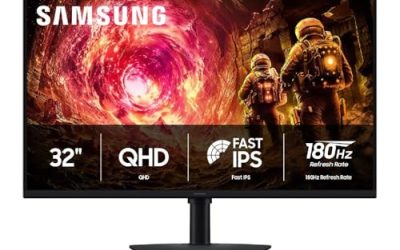
Samsung’s Odyssey Neo G7 is the HDR centrepiece here. It is a 32 inch VA panel with an aggressive 1000R curve, lit by a Quantum Mini-LED backlight with 1,196 local dimming zones and a Quantum HDR 2000 badge, the highest HDR tier in this guide. Refresh rate runs to 165Hz with a 1ms grey-to-grey figure, sync support covers both AMD FreeSync Premium Pro and NVIDIA G-Sync Compatible, and the port set is two HDMI 2.1 inputs plus DisplayPort 1.4. Samsung lists 95 percent DCI-P3 coverage, a height, tilt, swivel, and pivot stand, and CoreSync lighting that projects matching colour behind the panel.
This is the pick for cinematic, single-player gaming in a dim room, where the dimming zones earn their keep in night scenes, space games, and anything with bright highlights against black backgrounds. The limitations are about fit rather than quality. A 1000R curve is the tightest wrap sold in this class, and while many players find it pulls games around them, it can feel wrong for spreadsheets and straight-line design work. VA panels also shift contrast more at wide angles than IPS, which matters if the screen is shared. There is no USB-C input or KVM on this model, so multi-computer desks should look at the Gigabyte picks instead.
Alienware AW3225QF
See the Alienware AW3225QF on Amazon
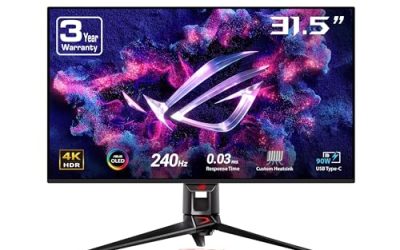
The AW3225QF is the flagship of this guide and the fastest panel in it. Alienware fits a 31.6 inch QD-OLED panel with a gentle 1700R curve, running 3840 x 2160 at 240Hz with a 0.03ms grey-to-grey figure that no LCD here can approach. HDR support includes Dolby Vision and a VESA DisplayHDR True Black 400 badge, with per-pixel dimming doing the work that backlight zones approximate on LCD models. Dell lists 99 percent DCI-P3 coverage, two HDMI 2.1 ports (one with eARC for a soundbar), DisplayPort 1.4, a USB-C port with DisplayPort Alt Mode, and both NVIDIA G-Sync Compatible and AMD FreeSync Premium Pro certification. The warranty runs three years and, per Dell’s terms for this model, covers OLED burn-in.
Pick it if your GPU budget matches the panel: 240Hz at 4K needs Display Stream Compression and a very strong graphics card, and this screen is built for players who chase high frame rates in fast genres as much as image quality. The limitations are the known OLED trade-offs. Static elements left on screen for long stretches carry a burn-in risk over time, which the panel’s built-in protection routines and the warranty terms are designed around, but mixed use with varied content is still the safer pattern. QD-OLED’s subpixel layout can also fringe fine text compared with the IPS picks, so heavy document work is better served by the Gigabyte or LG models above.
UHD gaming monitors compared
| Monitor | Size | Panel | Refresh rate | HDR tier (maker) | Key connections | Sync |
|---|---|---|---|---|---|---|
| LG UltraGear 27GP950-B | 27 inch | Nano IPS | 144Hz (160Hz overclock) | VESA DisplayHDR 600 | 2 x HDMI 2.1, DisplayPort 1.4, USB hub | G-Sync Compatible, FreeSync Premium Pro |
| Gigabyte M28U | 28 inch | SuperSpeed IPS | 144Hz | VESA DisplayHDR 400 | 2 x HDMI 2.1, DisplayPort 1.4, USB-C with KVM | FreeSync Premium Pro |
| Gigabyte M32U | 31.5 inch | SuperSpeed IPS | 144Hz | VESA DisplayHDR 400 | 2 x HDMI 2.1, DisplayPort 1.4, USB-C with KVM | FreeSync Premium Pro |
| Samsung Odyssey Neo G7 | 32 inch | VA Quantum Mini-LED, 1000R | 165Hz | Quantum HDR 2000, 1,196 zones | 2 x HDMI 2.1, DisplayPort 1.4 | FreeSync Premium Pro, G-Sync Compatible |
| Alienware AW3225QF | 31.6 inch | QD-OLED, 1700R | 240Hz | DisplayHDR True Black 400, Dolby Vision | 2 x HDMI 2.1, DisplayPort 1.4, USB-C | G-Sync Compatible, FreeSync Premium Pro |
Frequently asked questions
Is UHD the same as 4K on a monitor?
For the panels sold for desks, yes in practice. UHD is the broadcast name for 3840 x 2160, and that is the resolution monitor makers print as 4K on the box. The cinema version of 4K is slightly wider at 4096 x 2160 and is not what any monitor in this guide uses, so check the pixel count on the spec sheet rather than the badge if you ever see the two names side by side.
What graphics card do I need to game at 3840 x 2160?
It depends on the game and the settings you accept. Recent high-end cards can hold high frame rates at native 4K in many titles, while mid-range cards usually need DLSS, FSR, or XeSS upscaling, or lower settings, to stay smooth at this resolution. A practical approach is to pick the monitor for the desk you want long term and let upscaling bridge the gap until your next GPU upgrade.
Should I use HDMI 2.1 or DisplayPort for a UHD gaming monitor?
On a PC, DisplayPort 1.4 with Display Stream Compression is the usual route to 4K at 144Hz and beyond. On a PlayStation 5 or Xbox Series X, HDMI 2.1 is required for 4K at 120Hz with variable refresh, which is why every pick in this guide includes at least one HDMI 2.1 port. If you run both a PC and a console, the models with two HDMI 2.1 inputs save you swapping cables.
Is 27 inches too small for a 4K monitor?
No, but it changes how you set up the screen. A 27 inch UHD panel is extremely sharp, and most people use display scaling of 125 to 150 percent for text-heavy work, which keeps the clarity while making words readable. A 32 inch panel at the same resolution can often run at 100 percent scaling, which suits people who want maximum window space without scaling artefacts in older software.
Does a QD-OLED gaming monitor need special care?
Some, and the makers say so themselves. The AW3225QF includes panel-protection routines that run automatically, and Dell’s three-year warranty for the model covers burn-in, but the guidance for any OLED is to vary what stays on screen, use the built-in screen-saving features, and avoid leaving the same static toolbar or HUD up for many hours a day. For mixed gaming and media use, that routine care is all most owners need to think about.
Conclusion
A UHD monitor is a long-term desk decision, so match the panel to the games and the machine you actually have. The LG 27GP950-B is the sharp, compact all-rounder for PC and console play in one place. The Gigabyte M28U and M32U add KVM switching and USB-C for desks that double as workstations, in 28 and 31.5 inch sizes. The Samsung Odyssey Neo G7 is the HDR pick, with Mini-LED dimming that no plain IPS here can match. The Alienware AW3225QF sits at the top for speed and contrast, provided your graphics card can feed 240Hz at 4K. Whichever you choose, confirm the port list, the sync certification, and the HDR tier on the current listing before ordering, because those three lines decide how the screen behaves with your rig.
More from Amazon
Programs that pair well with the guide above. Offers and eligibility are set by Amazon and may change.
Free shipping on eligible items, Prime Video and more. Eligible new members can start with a free trial.
Start a Prime free trialAd-free music streaming. Eligible new subscribers can start with a free trial.
Try Music Unlimited freeA Prime membership for ages 18-24 with a trial period. Eligibility is set by Amazon.
See Prime for Young AdultsAudiobooks and podcasts to listen to on the go. Eligible new members can start with a free trial.
Try Audible freeAs an Amazon Associate we earn from qualifying purchases.