Our Short List of 3

- Best for: A compact 1440p build where a smaller card with full x16 lanes is the priority.
- NVIDIA GeForce RTX 5070 graphics, Blackwell architecture
- 12 GB GDDR7 memory, 192-bit bus
- Boost clock up to 2542 MHz
- Graphics Card Interface: PCI-Express x16, PCIe 5.0

- Best for: A balanced 1440p card with sixteen gigabytes of memory in a case-friendly size.
- AMD Radeon RX 9070 graphics, RDNA 4 architecture
- 16 GB GDDR6 memory
- Dual-fan Pulse cooler
- DisplayPort and HDMI outputs

- Best for: High-refresh 1440p and 4K gaming from the fastest card in this guide.
- NVIDIA GeForce RTX 5070 Ti graphics, Blackwell architecture
- 16 GB GDDR7 memory, 256-bit bus
- Boost clock up to 2497 MHz
- 3x DisplayPort 2.1a and 1x HDMI 2.1b
All 3 Picks at a Glance
| Product | Specs | Action |
|---|---|---|
| ASUS Prime RTX 5070 |
| Check price on Amazon |
| Sapphire Pulse RX 9070 |
| Check price on Amazon |
| MSI Ventus RTX 5070 Ti |
| Check price on Amazon |
Our Top Picks
- ASUS SFF-Ready Prime NVIDIA GeForce RTX 5070 GraphicsRTX507012 x 5 x 2 inches3.3 poundsCheck on Amazon
A PCI Express x16 graphics card uses the full sixteen lanes of the motherboard’s main slot, which is the widest link a consumer graphics card can use. The real decision is not the slot itself, since every modern card fits it, but which card deserves those lanes: how much memory it carries, how fast it runs, and whether your power supply and case can actually hold it. The four cards below were chosen from the names and specifications shown on their Amazon pages, and each one earns its place as a current-generation card that runs at full x16 width.
This guide is for builders putting together a new gaming PC, for owners upgrading an older card, and for anyone who wants to understand what the x16 slot actually gives them. Every product below was chosen from the name and specifications shown on its Amazon page. The picks cover two graphics makers and four performance tiers, so you can match the card to your monitor, your games, and your power supply.
Quick Picks
As an Amazon Associate we earn from qualifying purchases
| Product | Best for | Key spec from title |
|---|---|---|
| ASUS Prime RTX 5070 | A compact 1440p card for most builds | PCIe 5.0 with 12GB GDDR7 and 3 DisplayPort outputs |
| XFX Swift RX 9060 XT | 16GB of memory for high textures | 16GB GDDR6 with 3320MHz boost and RDNA 4 |
| Sapphire Pulse RX 9070 | A strong all-round 1440p card | 16GB GDDR6 with AMD RDNA 4 architecture |
| MSI Ventus RTX 5070 Ti | The fastest card here for high-refresh play | 16GB GDDR7 with 256-bit bus and 2497MHz boost |
How to Choose
Confirm the slot and the lane width first
Almost every modern graphics card uses a PCI Express x16 physical slot, but the electrical lane count can differ, and that is the number that matters. A card that runs at x8 uses half the lanes of a full x16 card, which can cost a few frames in demanding games and more when the card’s memory runs short. The cards in this guide all run at full x16 width, and their listings state the PCI Express interface directly, so you can check the claim on the page. Before ordering, confirm your motherboard has a free x16 slot and that no other card or drive is already using its lanes.
Match memory to your resolution
Video memory decides how high texture settings can go before a card starts swapping data and stuttering. Twelve gigabytes covers 1440p gaming with high textures in current titles, while sixteen gigabytes gives you headroom for the most demanding games and for creative work alongside play. The cards here carry twelve or sixteen gigabytes, and the wider bus on the sixteen-gigabyte cards feeds the chip more evenly. For a card you plan to keep for years, treat sixteen gigabytes as the safer floor, and treat twelve as enough for 1440p today with sensible settings tomorrow.
Check power, size, and cooling together
A graphics card is only useful if your power supply can feed it and your case can hold it. Read the recommended power supply wattage and the power connector type on each listing: some cards here need a single 16-pin connector, while others use standard 8-pin leads, and the wrong connector is a problem you only discover at build time. Then measure the case: card length, slot width, and fan count all matter, and a triple-fan card that does not fit is not a bargain at any tier. A dual-fan card fits smaller cases, while a triple-fan card runs cooler and quieter in a roomy one.
Read the outputs and the generation
Outputs decide how many screens you can drive and at what refresh rate. The cards here carry three DisplayPort outputs and one HDMI output, which covers a main gaming monitor plus side screens without adapters. Generation decides which image-quality tools you get: the newest cards bring current upscaling, ray tracing, and hardware encoding, while older designs depend on raw speed alone. Check the listing for the exact model string and the outputs, because the same model name can hide different port layouts, and a missing DisplayPort only shows up when you try to plug in.
The 4 Best Options
ASUS Prime RTX 5070
- Best for: A compact 1440p build where a smaller card with full x16 lanes is the priority.
- NVIDIA GeForce RTX 5070 graphics, Blackwell architecture
- 12 GB GDDR7 memory, 192-bit bus
- Boost clock up to 2542 MHz
- Graphics Card Interface: PCI-Express x16, PCIe 5.0
A compact 1440p build where a smaller card with full x16 lanes is the priority.
Twelve gigabytes of memory is the smallest here, so the most demanding games may ask for lower texture settings; confirm your power supply has the right connector before ordering.
The ASUS Prime RTX 5070 is the compact pick in this guide, built for builders who want a current-generation card that fits smaller cases. The listing states a PCI Express x16 interface, twelve gigabytes of GDDR7 memory, a boost clock of 2542 MHz, and three DisplayPort 2.1b outputs plus one HDMI 2.1b output. The 2.5-slot design with three Axial-tech fans keeps the card cool in a compact build, and the card ships from Amazon.com. It suits builders putting together a 1440p gaming PC in a case where a triple-fan flagship would not fit.
Watch out for: Twelve gigabytes of memory is the smallest here, so the most demanding games may ask for lower texture settings; confirm your power supply has the right connector before ordering.
XFX Swift RX 9060 XT
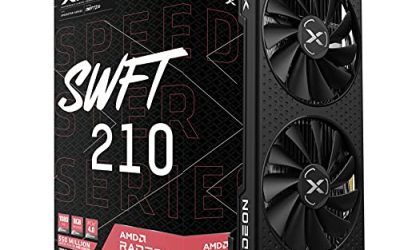
The XFX Swift RX 9060 XT is the memory pick, pairing sixteen gigabytes of GDDR6 with a triple-fan cooler and a boost clock of up to 3320 MHz. The listing describes an AMD RDNA 4 card with HDMI and two DisplayPort outputs, built for 1440p gaming with high textures and modern upscaling support. The triple-fan design keeps temperatures down during long sessions, and the sixteen gigabytes of memory give you headroom that the twelve-gigabyte cards here cannot match. It suits players who run texture-heavy games and want the memory to match.
Specs
- AMD Radeon RX 9060 XT graphics, RDNA 4 architecture
- 16 GB GDDR6 memory
- Boost clock up to 3320 MHz
- Triple-fan cooler
- HDMI and 2x DisplayPort outputs
- Model RX-96TS316BA
Best for: High textures and long sessions from sixteen gigabytes of memory and a triple-fan cooler.
Watch out for: Stock signals conflict between sources, with one tracker showing the listing out of stock and another showing it in stock, so confirm the live listing before ordering; the card is long, so measure your case first.
Sapphire Pulse RX 9070
- Best for: A balanced 1440p card with sixteen gigabytes of memory in a case-friendly size.
- AMD Radeon RX 9070 graphics, RDNA 4 architecture
- 16 GB GDDR6 memory
- Dual-fan Pulse cooler
- DisplayPort and HDMI outputs
A balanced 1440p card with sixteen gigabytes of memory in a case-friendly size.
Do not confuse it with the XT version, which is a different card with a different model number; confirm the exact 11349-03-20G model on the listing before ordering.
The Sapphire Pulse RX 9070 is the all-round pick, balancing sixteen gigabytes of memory, a dual-fan cooler, and a current-generation RDNA 4 chip in a card that fits most cases. The listing states a Pulse-series card with sixteen gigabytes of GDDR6, built for 1440p gaming with modern upscaling and hardware encoding. The dual-fan design is quieter and shorter than the triple-fan cards here, which suits builders who want strong performance without a giant card. It suits players who want one card that does everything well without a standout weakness.
Watch out for: Do not confuse it with the XT version, which is a different card with a different model number; confirm the exact 11349-03-20G model on the listing before ordering.
MSI Ventus RTX 5070 Ti
- Best for: High-refresh 1440p and 4K gaming from the fastest card in this guide.
- NVIDIA GeForce RTX 5070 Ti graphics, Blackwell architecture
- 16 GB GDDR7 memory, 256-bit bus
- Boost clock up to 2497 MHz
- 3x DisplayPort 2.1a and 1x HDMI 2.1b
High-refresh 1440p and 4K gaming from the fastest card in this guide.
This is the most power-hungry card here, so confirm your power supply wattage and connectors first; the triple-fan cooler makes it the longest card in the guide, so measure your case.
The MSI Ventus RTX 5070 Ti is the fastest card in this guide, pairing sixteen gigabytes of GDDR7 with a 256-bit bus and a boost clock of up to 2497 MHz. The listing describes a triple-fan Blackwell card with three DisplayPort 2.1a outputs and one HDMI 2.1b output, built for high-refresh 1440p play and 4K gaming at sensible settings. The wide bus feeds the chip evenly, and the large cooler keeps the card quiet under load. It suits players who want the strongest card here and have the power supply and case space to match it.
Watch out for: This is the most power-hungry card here, so confirm your power supply wattage and connectors first; the triple-fan cooler makes it the longest card in the guide, so measure your case.
Which One Fits Your Situation
You are building a compact 1440p gaming PC
Pick the ASUS Prime RTX 5070. Its 2.5-slot design and shorter length fit cases that reject longer cards, while its full x16 interface and twelve gigabytes of GDDR7 cover 1440p gaming well. The three DisplayPort outputs handle a main monitor and side screens, and the card ships from Amazon.com. Measure the case first, then order, because a card that fits on paper is the only kind that fits in practice.
You play texture-heavy games at 1440p
Choose the XFX Swift RX 9060 XT. Its sixteen gigabytes hold high textures in the most demanding titles, and the triple-fan cooler keeps it quiet during long sessions. The RDNA 4 chip brings modern upscaling support, and its memory headroom means it will age better than the twelve-gigabyte options here. Confirm the live listing before ordering, since stock signals conflict.
You want one balanced card for everything
Take the Sapphire Pulse RX 9070. It pairs sixteen gigabytes with a dual-fan cooler that fits most cases, and it handles 1440p gaming, streaming, and creative work without a weak point. The Pulse design is quieter than the triple-fan cards here, and the shorter card suits builders who want strong performance in a normal-sized case. Confirm the exact model number, since the XT version is a different card.
You want the fastest card and have the build to match
Go with the MSI Ventus RTX 5070 Ti. Its sixteen gigabytes of GDDR7, wide bus, and high boost clock make it the strongest card here for high-refresh 1440p and 4K play. Check your power supply and connectors before ordering, and measure the case, because this triple-fan card is the longest and most power-hungry pick here. If the build can hold it, it will not hold you back.
Common Mistakes
- Buying a card without checking whether its electrical lane count is x16 or only x8.
- Ordering a card that needs a power connector your supply does not have.
- Skipping the case measurements and discovering the card is too long for the chassis.
- Assuming every listing under a familiar model name is new stock, instead of checking the seller and condition fields.
- Confusing the XT version of a card with the standard version and receiving a different chip.
Frequently Asked Questions
Does a PCI Express x16 card need a PCI Express 5.0 slot?
No, the interface is backward compatible, so an x16 card works in an older slot, just slower. A current card in an older slot loses little at 1080p and 1440p, though the gap grows at 4K. Building new, a current motherboard gives you the full link, but an older board is no reason to delay an upgrade.
Is x16 always faster than x8 for gaming?
In most cases the difference is small, a few frames, but it grows when the card’s memory runs short. Cards with less memory show a bigger gap, so the sixteen-gigabyte cards here benefit more from their full x16 link. If you are choosing between two cards, prefer the full x16 link, but do not pay a large premium for it.
How much power supply do I need for these cards?
It depends on the card and your system, so read the wattage and add headroom. The cards here range from mid-range to high-end power draw, and the fastest needs the most. Check the connector type too, since some need a 16-pin lead and others use 8-pin leads, and an adapter is not the same as a native lead.
Can I install one of these cards in a prebuilt PC?
It depends on the prebuilt’s power supply, case size, and slot. Measure the case, check the power supply wattage and spare connectors, and confirm a free x16 slot with enough lanes. Slim prebuilts often fail on all three counts, so a compact dual-fan card is the safer choice, while a full-size tower usually takes any card here.
FAQ
Does a PCI Express x16 card need a PCI Express 5.0 slot?
Is x16 always faster than x8 for gaming?
How much power supply do I need for these cards?
Can I install one of these cards in a prebuilt PC?
More from Amazon
Programs that pair well with the guide above. Offers and eligibility are set by Amazon and may change.
Free shipping on eligible items, Prime Video and more. Eligible new members can start with a free trial.
Start a Prime free trialAd-free music streaming. Eligible new subscribers can start with a free trial.
Try Music Unlimited freeA Prime membership for ages 18-24 with a trial period. Eligibility is set by Amazon.
See Prime for Young AdultsAudiobooks and podcasts to listen to on the go. Eligible new members can start with a free trial.
Try Audible freeAs an Amazon Associate we earn from qualifying purchases.