Our Short List of 3

- Best for: Everyday calls on a desktop or laptop.
- 30mm audio drivers
- Noise-canceling microphone with rotating boom
- In-line volume and mute controls
- USB-A plug-and-play connection

- Best for: Focused work in busy offices.
- 40mm speakers
- 3-microphone call technology
- Passive noise cancellation
- Busylight indicator

- Best for: Modern laptops with USB-C ports.
- USB-C connection with USB-C to USB-A adapter
- Flexible microphone boom
- Hi-fi stereo sound
- 180-degree pivoting speakers
All 4 Picks at a Glance
| Product | Specs | Action |
|---|---|---|
| Logitech H390 |
| Check price on Amazon |
| Jabra Evolve2 40 |
| Check price on Amazon |
| Poly Blackwire 3320 |
| Check price on Amazon |
 Logitech Zone Wired |
| Check price on Amazon |
Key takeaways
- Compare the best usb headsets for work by mic clarity, comfort, noise control, and controls, and pick the headset that keeps every call clear all day long.
A work headset lives on your head for hours, and the difference between a good one and a bad one shows up in tired ears, misunderstood words, and calls that drag. The microphone matters most, because your colleagues hear it far more than you hear the speakers, but comfort runs a close second when the third meeting of the afternoon begins. The four headsets below were picked from the names and specifications shown on their Amazon pages, and each one suits a different kind of working day.
This guide is for remote workers on daily video calls, office staff in open rooms, and anyone who wants their voice heard clearly the first time. Comfort, microphone clarity, and simple controls matter more here than gaming features. Every headset below was chosen from the name and specifications shown on its Amazon page, with microphone design, driver size, and weight checked against the listing before it made the cut.
Quick Picks
As an Amazon Associate we earn from qualifying purchases
| Product | Best for | Key spec from title |
|---|---|---|
| Logitech H390 | Everyday calls | Noise-canceling microphone |
| Jabra Evolve2 40 | Focused office work | 3-microphone call technology |
| Poly Blackwire 3320 | Modern USB-C laptops | USB-C with USB-A adapter |
| Logitech Zone Wired | Microsoft Teams users | Microsoft Teams certified |
How to Choose
Judge the Microphone First
Your colleagues hear your microphone far more than you hear the speakers, so it deserves the first look. A noise-canceling boom mic that sits close to your mouth rejects keyboard clicks, nearby voices, and room echo far better than a mic built into the earcup. Dual-microphone designs go further, using a second mic to measure and cancel background noise in real time. Look for listings that describe the mic technology rather than just saying a mic is included, and favor a boom you can position and tuck away. Test the mic on a real call before an important meeting, because a mic that sounds fine to you can sound distant to everyone else.
Wear It Through a Full Working Day
A headset that hurts after an hour will cost you focus, so comfort deserves the same attention as sound. Memory foam ear cushions and a padded headband spread pressure evenly, while a lighter frame reduces neck strain across a long day. On-ear designs breathe better in warm rooms, while over-ear designs seal in sound and block more of the office around you. Check the weight in the listing, and favor a headset with an adjustable headband that fits your head without squeezing. A headset you forget you are wearing is the one that keeps you in the meeting instead of counting the minutes.
Check Noise Control for Your Room
Open offices and busy homes demand different noise control from a quiet study. Passive noise cancellation comes from the ear cushions themselves, sealing out sound without electronics, and it suits most rooms. Active noise cancellation uses microphones to hush the world further, which helps on planes and in loud offices but adds cost and complexity. A busylight on the earcup tells colleagues you are on a call, which is worth more than any spec in a shared space. Match the noise control to the room you actually work in, not the one you wish you had.
Read the Connection and Controls
A USB headset should work the moment you plug it in, so check the connector before you buy. USB-A suits older machines and desktops, while USB-C fits modern laptops, and an included adapter covers both. In-line controls for volume, mute, and call answer keep you from hunting through software mid-call, and a mute indicator prevents the classic mistake of speaking while muted. Check platform certification too, because a headset certified for Microsoft Teams or Zoom will behave predictably in those apps. The right connection is the one that never makes you think about it. A cable of around six feet gives you room to stand without pulling the headset off.
The 4 Best Options
Logitech H390
- Best for: Everyday calls on a desktop or laptop.
- 30mm audio drivers
- Noise-canceling microphone with rotating boom
- In-line volume and mute controls
- USB-A plug-and-play connection
Everyday calls on a desktop or laptop.
USB-A only, so newer laptops may need an adapter.
The H390 is the workhorse of this guide, a simple wired headset that does the everyday job without fuss or a learning curve. Its noise-canceling microphone rotates out of the way when you are not on a call, and the in-line controls put volume and mute at your fingertips. Fine-tuned 30 mm drivers deliver clear stereo audio for voices and music alike, and the padded headband with swivel-mounted leatherette cushions stays comfortable through long meetings. A 6.23 ft cable gives you room to stand and stretch, and the USB-A plug-and-play connection needs no software at all. The headset also carries Works With Chromebook certification for school and office Chromebooks.
Watch out for: USB-A only, so newer laptops may need an adapter.
Jabra Evolve2 40
- Best for: Focused work in busy offices.
- 40mm speakers
- 3-microphone call technology
- Passive noise cancellation
- Busylight indicator
Focused work in busy offices.
On-ear fit seals less deeply than over-ear designs.
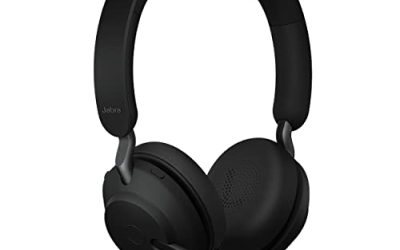
The Evolve2 40 is built for focus, pairing a three-microphone call system with memory foam cushions that seal out the office around you. Its passive noise cancellation comes from an angled earcup design and dense foam, which quiets the room without any battery or processing, and the busylight on the earcup glows red during calls so colleagues know not to interrupt. Powerful 40 mm speakers deliver rich audio for both calls and music, and the headset works with all leading unified communications platforms. A soft pouch is included for carrying the headset between home and office. It is the headset for workers who guard their concentration.
Watch out for: On-ear fit seals less deeply than over-ear designs.
Poly Blackwire 3320
- Best for: Modern laptops with USB-C ports.
- USB-C connection with USB-C to USB-A adapter
- Flexible microphone boom
- Hi-fi stereo sound
- 180-degree pivoting speakers
Modern laptops with USB-C ports.
The light frame can feel less substantial than heavier headsets.
The Blackwire 3320 is the modern pick in this guide, connecting over USB-C with a USB-A adapter in the box, so it works with the newest laptops and the older desktops alike. Its flexible microphone boom bends to fit your face, and the hi-fi stereo speakers deliver clear audio for calls and music. The headset is fully adjustable with a comfort padded headband, pillow-soft ear cushions, and speakers that pivot 180 degrees to rest flat when you take the headset off. It works with Teams and Zoom out of the box, and its light 4.6 oz frame is easy to wear all day.
Watch out for: The light frame can feel less substantial than heavier headsets.
Logitech Zone Wired
- Best for: Microsoft Teams users in open offices.
- 40mm drivers
- Dual noise-canceling microphones
- Microsoft Teams certified
- USB-C with USB-A adapter
Microsoft Teams users in open offices.
The Teams button only lights up inside Microsoft Teams.
The Zone Wired is the headset for teams that live in Microsoft Teams, carrying certification for the platform and a dedicated Teams button on its in-line controller. Its dual noise-canceling microphones suppress distracting sounds as close as two feet away, so keyboard clicks and nearby voices fade from your calls, and the generously sized 40 mm drivers deliver full, clear audio. The Teflon-coated stainless steel headband carries a silicone cushion and memory-foam ear pads for all-day comfort, and the USB-C connection with a USB-A adapter fits any machine. It is the business headset that takes open offices seriously.
Watch out for: The Teams button only lights up inside Microsoft Teams.
Which One Fits Your Situation
Taking Calls All Day from Home
Home workers need a headset that is comfortable, clear, and simple, and the H390 fits that role. Its rotating mic tucks away between calls, the in-line controls keep mute within reach, and the long cable lets you stand and stretch. There is no software to install and no battery to charge. Choose this one when your working day is a string of calls from one desk.
Working in a Busy Open Office
Open offices punish headsets that leak sound and let noise in, and the Evolve2 40 answers with dense memory foam, an angled seal, and a busylight that guards your focus. Its three-microphone system keeps your voice clear while the room buzzes around you, and the 40 mm speakers make music sound good between meetings. Pick this one when concentration is your scarcest resource.
Using a Modern USB-C Laptop
New laptops dropped USB-A, and the Blackwire 3320 is ready for that world with a native USB-C connection and an adapter for older machines. Its flexible boom fits any face, and the pivoting speakers rest flat on the desk between calls. The light frame suits all-day wear. Choose this one when your laptop has only USB-C ports.
Living in Microsoft Teams
Teams users should look at the Zone Wired first, because its certification and dedicated Teams button make joining and managing meetings effortless. Its dual microphones are tuned for open offices, suppressing noise from nearby desks, and the steel headband is built for years of daily use. Pick this one when Teams is where your working day happens.
Common Mistakes
- Choosing a headset by speaker quality and ignoring the microphone your colleagues hear.
- Buying a USB-A headset for a laptop that only has USB-C ports.
- Ignoring weight, then suffering through a full day of calls.
- Forgetting the mute indicator and speaking while muted.
- Skipping the busylight when you work in a shared space.
Frequently Asked Questions
Are USB headsets better than Bluetooth headsets for work?
USB headsets connect with a cable, so they never run out of battery, never drop a connection mid-call, and need no pairing. Bluetooth headsets offer freedom to move around the room, but they need charging and can suffer interference in busy offices. For a fixed desk with back-to-back calls, USB is the more reliable choice.
What does a busylight do on a work headset?
A busylight is a light on the earcup that glows red when you are on a call, telling colleagues nearby not to interrupt. The Jabra Evolve2 40 in this guide includes one, and it is useful in open offices and homes. It turns on with the call and off when you hang up, so you never need to remember it.
Do I need a noise-canceling microphone for home calls?
A noise-canceling microphone helps whenever your room has background sound, from keyboard clicks to a washing machine, a dog, or children in the next room. It focuses on your voice and reduces the rest, so your colleagues hear you clearly. Every headset in this guide includes noise-canceling mic technology.
How do I stop my headset from hurting after long calls?
Start with a lighter headset and memory foam cushions, which spread pressure more evenly than thin foam. Adjust the headband so the weight sits on top of your head rather than squeezing your ears, and take the headset off for a few minutes between calls. On-ear designs breathe better in warm rooms, while over-ear designs distribute pressure differently.
FAQ
Are USB headsets better than Bluetooth headsets for work?
What does a busylight do on a work headset?
Do I need a noise-canceling microphone for home calls?
How do I stop my headset from hurting after long calls?
More from Amazon
Programs that pair well with the guide above. Offers and eligibility are set by Amazon and may change.
Free shipping on eligible items, Prime Video and more. Eligible new members can start with a free trial.
Start a Prime free trialAd-free music streaming. Eligible new subscribers can start with a free trial.
Try Music Unlimited freeA Prime membership for ages 18-24 with a trial period. Eligibility is set by Amazon.
See Prime for Young AdultsAudiobooks and podcasts to listen to on the go. Eligible new members can start with a free trial.
Try Audible freeAs an Amazon Associate we earn from qualifying purchases.