Our Short List of 3

- Best for: Big libraries that move between consoles and PC.
- 4TB capacity, portable HDD
- USB 3.2 Gen 1, up to 5Gb/s
- Up to 130MB/s sequential read speed
- Works with PlayStation, Xbox, PC, and Mac
- Best for: Portable console storage that travels between machines.
- 4TB capacity, portable HDD
- USB 3.0 connection
- 2.5-inch portable design
- For PlayStation, Xbox, PC, and Mac

- Best for: Simple plug-and-play storage for every machine in the house.
- 4TB capacity, portable HDD
- USB 3.0 connection
- For PC, Mac, Xbox, and PlayStation
- Slim portable design
All 3 Picks at a Glance
| Product | Specs | Action |
|---|---|---|
| WD Black P10 Game Drive 4TB |
| Check price on Amazon |
| Toshiba Canvio Gaming 4TB |
| Check price on Amazon |
| Seagate Portable 4TB |
| Check price on Amazon |
Key takeaways
- Our guide to the best hard drives for xbox series x compares four console-ready drives, with capacity, speed and connections, plus how to choose the right one.
An Xbox Series X holds a lot of games, and modern titles are large enough that the internal drive fills faster than most players expect. Deleting and re-downloading games gets old quickly, especially when a download takes an evening. An external hard drive adds room for the library, holds older titles ready to play, and moves games between consoles without another download. The choice is about capacity, speed, and how the drive fits the way you actually play. A drive that matches your play stays out of the way.
This guide is for Xbox Series X owners whose library has outgrown the internal drive, players who keep older titles installed, and households where more than one console shares the same games. It also suits anyone who wants a backup of the library before a console move. Each drive below was picked from the name and specifications shown on its Amazon page. The four picks below cover Xbox-first and multi-platform designs, so every player finds a fit.
Quick Picks
As an Amazon Associate we earn from qualifying purchases
| Product | Best for | Key spec from title |
|---|---|---|
| WD Black P10 Game Drive 4TB | Big game libraries | 4TB, USB 3.2 Gen 1, up to 130MB/s |
| Toshiba Canvio Gaming 4TB | Portable console storage | 4TB, USB 3.0, 2.5-inch portable |
| Seagate Game Drive for Xbox 4TB | Xbox-ready storage | 4TB, USB 3.0, for Xbox |
| Seagate Portable 4TB | Simple plug-and-play | 4TB, USB 3.0, PC/Mac/Xbox/PlayStation |
How to Choose
Console compatibility first
A drive for Xbox Series X must work with the console the moment it is plugged in, so check the listing for Xbox support before ordering. Most USB drives are recognized automatically and formatted by the console on first use, which takes a minute. Any compatible USB drive works the same way once formatted. A drive built for Xbox often carries a green design and a setup that matches the console, but any compatible USB drive works the same way. The key test is simple: plug it in, let the console format it, and the library has room.
Capacity and the library
Four terabytes is the sweet spot for a console library because it holds dozens of large titles with room for new releases. Add up the games you play regularly, then leave space for the next few releases and their updates, because updates alone can swallow tens of gigabytes. A smaller drive fills quickly when games and updates grow. A smaller drive forces the same delete-and-download cycle the external drive was meant to end. If the household shares one console, the library grows faster, and capacity matters even more.
Speed and load times
External hard drives load older games well, but they do not match the internal solid-state drive for the newest titles. A USB 3.2 Gen 1 connection moves data at up to 5Gb/s, and a sequential read speed around 130MB/s keeps loading times reasonable for the games stored on the drive. Keep the newest, most demanding titles on the internal drive, and store the rest on the external one. The internal drive keeps the fastest loads. That split gives the library room without giving up fast loading where it matters most.
Portability and design
A portable drive moves between the living room console, a second console, and a friend’s house without a power cable, which suits players who game in more than one place. A compact 2.5-inch drive fits a pocket or a console shelf, while a larger desktop drive needs mains power and a permanent spot. The drive will sit beside the console for years, so a design that matches the setup and a cable that reaches the port both matter more than they seem. A compact drive fits a pocket, while a desktop drive needs mains power.
The 4 Best Options
WD Black P10 Game Drive 4TB
- Best for: Big libraries that move between consoles and PC.
- 4TB capacity, portable HDD
- USB 3.2 Gen 1, up to 5Gb/s
- Up to 130MB/s sequential read speed
- Works with PlayStation, Xbox, PC, and Mac
Big libraries that move between consoles and PC.
Newest Series X titles play best from the internal drive, not an external one. Move them back to play.
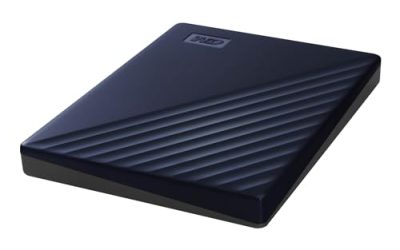
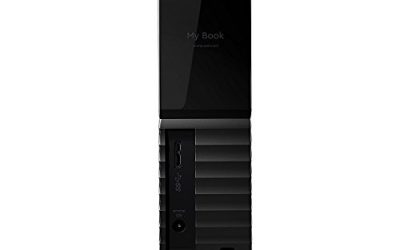
The WD Black P10 Game Drive 4TB is a portable drive built for large game libraries. Its USB 3.2 Gen 1 connection moves data at up to 5Gb/s, and the sequential read speed reaches up to 130MB/s, which keeps loading times reasonable for the titles stored on it. The drive works with PlayStation, Xbox, PC, and Mac, so one drive serves every machine in the house. At 118 by 88 by 20.8 millimeters and 0.23 kilograms, it fits a console shelf or a travel bag, and the three-year warranty covers the drive for years of play. It is the fastest drive in this group.
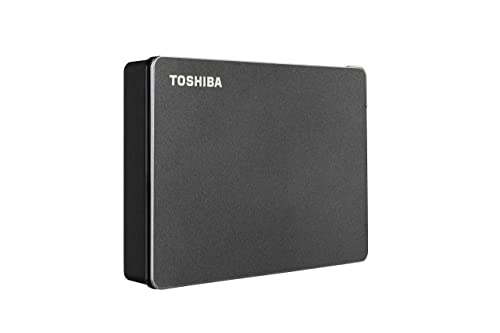
Toshiba Canvio Gaming 4TB
- Best for: Portable console storage that travels between machines.
- 4TB capacity, portable HDD
- USB 3.0 connection
- 2.5-inch portable design
- For PlayStation, Xbox, PC, and Mac
Portable console storage that travels between machines.
A portable drive, so keep it still while games load from it. Bumps can interrupt a load.
The Toshiba Canvio Gaming 4TB is a portable drive made for console players who want storage that travels. Its 2.5-inch design fits a pocket, and the USB 3.0 connection plugs straight into the console without extra power. The drive works with PlayStation, Xbox, PC, and Mac, so the same library moves between machines. The gaming styling suits a console shelf, and the 4TB capacity holds dozens of titles with room for new releases. Setup takes a minute: plug it in, let the console format it, and the library has room. The 4TB capacity holds dozens of titles.
Seagate Game Drive for Xbox 4TB
The Seagate Game Drive for Xbox 4TB is the Xbox-first pick in this group, designed to match the console and its setup. Its 4TB holds a large library of Xbox titles, and the USB 3.0 connection plugs into the console for instant extra room. The drive is built for Xbox, so the console recognizes it quickly and the setup matches the system. The compact design sits neatly beside the console, and the drive works as a home for older titles while the newest games stay on the internal drive. It matches the console and its setup.
Specs
- 4TB capacity, portable HDD
- USB 3.0 connection
- Designed for Xbox
- Compact portable design
- Works with Xbox Series X|S and Xbox One
- Bus-powered through USB
- Compact design sits beside the console
Best for: Xbox-first storage that matches the console and its setup.
Watch out for: Built for Xbox, so PC use needs a reformat first. That erases the drive.
ASIN: B01BV13S7S
Seagate Portable 4TB
- Best for: Simple plug-and-play storage for every machine in the house.
- 4TB capacity, portable HDD
- USB 3.0 connection
- For PC, Mac, Xbox, and PlayStation
- Slim portable design
Simple plug-and-play storage for every machine in the house.
A basic drive with no gaming styling or extra features. Simplicity is the trade-off.
The Seagate Portable 4TB is the simplest drive in this group: a compact portable hard drive that plugs in and works. Its USB 3.0 connection serves PC, Mac, Xbox, and PlayStation, so one drive covers every machine in the house. The 4TB capacity holds a full console library with room left over, and the slim design fits a shelf or a bag. A one-year Rescue Service plan comes with the drive, which adds a safety net for a library that took years to build. No software or setup stands between the drive and the first game moved onto it. It is the simplest drive in this group.
Which One Fits Your Situation
A library that has outgrown the console
Pick the P10 when the goal is room for dozens of games at once. Its 4TB holds the library with space for new releases, and the fast USB connection keeps loading reasonable. Move the older titles onto the drive and keep the newest ones internal, and the delete-and-download cycle ends. The drive also works with a PC, so the same storage serves the whole household. The library stays ready.
Gaming in more than one place
The Canvio Gaming suits players who move between consoles. Its pocket-sized design travels in a bag, and the USB connection plugs into any console without extra power. Take the library to a friend’s house, plug in, and the games are there. The games travel with the drive. The drive is light enough to forget in a bag, which is exactly what a travel drive should be.
An Xbox-only household
Choose the Seagate Game Drive for Xbox when the console is the only machine that matters. Its Xbox-first design matches the system, the console recognizes it quickly, and the setup feels like part of the console rather than an add-on. The drive holds the older titles while the internal drive keeps the newest ones fast. Keep it beside the console and the library stays ready. The setup feels like part of the console.
One drive for the whole household
The Seagate Portable fits homes where the drive serves a console, a laptop, and a PC in turn. Its plain design works everywhere, the USB connection plugs into any machine, and the 4TB capacity covers the library with room left. The Rescue Service plan adds a safety net for files that took years to collect. It is worth having for a library this size. Simplicity is the feature here, and the drive delivers it.
Common Mistakes
- Buying a drive that only works on one console when the household has two.
- Expecting an external hard drive to load the newest titles as fast as the internal drive. Keep those titles internal.
- Choosing too little capacity and returning to the delete-and-download cycle within months.
- Forgetting that a portable drive needs to sit still while games load from it. Let it finish loading.
- Skipping the backup plan and treating the external drive as the only copy of the library.
Frequently Asked Questions
Can I play Xbox Series X games from an external hard drive?
Older Xbox games and Xbox One titles play directly from an external hard drive. Newer Series X titles optimized for the internal drive usually need to move back to internal storage before they play. Keep the newest titles internal and store the rest on the external drive, and move games between the two as needed.
How much capacity do I need for an Xbox library?
Four terabytes is a comfortable size because it holds dozens of large titles with room for updates and new releases. Smaller drives fill quickly when games and updates grow, and the delete cycle returns. Add up the games you play regularly, then leave room for the next few releases before deciding. Leave room for updates.
Does an external drive slow down loading times?
An external hard drive loads games more slowly than the internal solid-state drive, but the difference is modest for older titles. A USB 3.0 or faster connection keeps loading reasonable, and the convenience of a full library usually outweighs the extra seconds. Keep the most demanding titles on the internal drive for the fastest loads. Older titles load well.
Can I move the drive between two Xbox consoles?
Yes, a portable drive moves between consoles: unplug it, plug it into the other console, and the games travel with it. The games need the same account and licenses on the second console, and the drive may need a quick check by the system. The library itself stays on the drive, so no re-download is needed. The account must match.
FAQ
Can I play Xbox Series X games from an external hard drive?
How much capacity do I need for an Xbox library?
Does an external drive slow down loading times?
Can I move the drive between two Xbox consoles?
More from Amazon
Programs that pair well with the guide above. Offers and eligibility are set by Amazon and may change.
Free shipping on eligible items, Prime Video and more. Eligible new members can start with a free trial.
Start a Prime free trialAd-free music streaming. Eligible new subscribers can start with a free trial.
Try Music Unlimited freeA Prime membership for ages 18-24 with a trial period. Eligibility is set by Amazon.
See Prime for Young AdultsAudiobooks and podcasts to listen to on the go. Eligible new members can start with a free trial.
Try Audible freeAs an Amazon Associate we earn from qualifying purchases.