Our Short List of 3

- Panel: 34-inch QD-OLED, 1800R curved
- Resolution: 3440 x 1440 (21:9)
- Refresh rate: 165Hz
- Response time: 0.1ms gray-to-gray

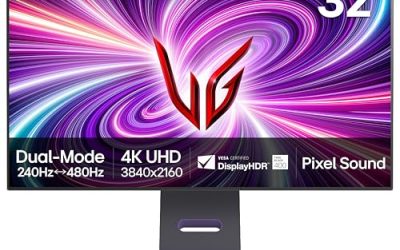
- Panel: 34-inch OLED, 800R curved
- Resolution: 3440 x 1440 (21:9)
- Refresh rate: 240Hz
- Response time: 0.03ms gray-to-gray

- Panel: 34-inch VA, 1500R curved
- Resolution: 3440 x 1440 (21:9)
- Refresh rate: 180Hz
- Response time: 1ms gray-to-gray
All 5 Picks at a Glance
| Product | Specs | Action |
|---|---|---|
| Alienware AW3423DWF — QD-OLED Color and Contrast |
| Check price on Amazon |
| LG UltraGear 34GS95QE-B — The 240Hz OLED Sprinter |
| Check price on Amazon |
| ASUS TUF Gaming VG34VQL3A — Fast VA Value With a Real Stand |
| Check price on Amazon |
 MSI MAG 345CQR — 180Hz With the Tightest VA Curve |
| Check price on Amazon |
 Gigabyte G34WQC A — The Budget Door Into 34-Inch Gaming |
| Check price on Amazon |
Key takeaways
- Compare the best 34 monitors for gaming and work, from QD-OLED flagships to fast VA ultrawides, with panel, refresh and port specs for each pick.
The 34-inch ultrawide has settled into a sweet spot that smaller and larger screens both miss. At 3440 x 1440 in a 21:9 frame, a 34-inch monitor gives you the horizontal room of two smaller displays with no bezel down the middle, yet it still fits on an ordinary desk and runs at frame rates a 49-inch super ultrawide cannot match without a flagship graphics card behind it. It is wide enough for a game world to wrap into your peripheral vision, wide enough for a timeline, a spreadsheet and a chat window to share one panel, and sharp enough that text stays crisp at a normal viewing distance.
The catch is that the 34-inch class covers a lot of ground. The five monitors below range from a budget curved VA panel built for a first ultrawide setup to two OLED flagships with near-instant response times, and the differences that matter are not the diagonal size they share but the panel technology, the refresh rate, the curve and the ports each one carries. This guide walks through five 34-inch monitors that are all currently sold on Amazon US, explains what separates them, and finishes with the buying checks that decide which one belongs on your desk.
As an Amazon Associate, we earn from qualifying purchases.
Alienware AW3423DWF — QD-OLED Color and Contrast
- Panel: 34-inch QD-OLED, 1800R curved
- Resolution: 3440 x 1440 (21:9)
- Refresh rate: 165Hz
- Response time: 0.1ms gray-to-gray
The Alienware AW3423DWF is the monitor that made 34-inch OLED mainstream, and it still anchors the premium end of this class. Its QD-OLED panel pairs the perfect black levels of OLED with a quantum dot layer that pushes color volume higher than a conventional OLED, so dark scenes in games hold detail instead of crushing to grey and bright highlights keep their saturation. The 1800R curve is gentle, enough to bring the edges of the 21:9 frame into a natural viewing arc without distorting straight lines in desktop work.
For gaming, the numbers that matter are the 165Hz refresh rate and the near-instant pixel response that OLED delivers by nature. Motion stays clean at high frame rates, and AMD FreeSync Premium Pro keeps the panel in step with the graphics card. Alienware backs the panel with a three-year warranty that includes OLED burn-in coverage, which is the detail that makes an OLED far easier to recommend for a desk that also runs static desktop windows all day.
LG UltraGear 34GS95QE-B — The 240Hz OLED Sprinter
- Panel: 34-inch OLED, 800R curved
- Resolution: 3440 x 1440 (21:9)
- Refresh rate: 240Hz
- Response time: 0.03ms gray-to-gray
If the Alienware is the balanced OLED, the LG UltraGear 34GS95QE-B is the aggressive one. Its OLED panel runs at 240Hz, the fastest refresh rate in this roundup, and pairs it with an 800R curve — the tightest wrap on any 34-inch monitor here. That deep curve fills more of your peripheral vision, which suits racing games, flight sims and shooters where the edges of the frame carry information. Players who sit close and play fast tend to love it; people who mostly read text should know the curve is pronounced.
The response time is rated at 0.03ms, effectively removing pixel transition from the motion equation, so at 240Hz the image is limited by the frame rate itself rather than the panel. Connectivity is a step ahead of the Alienware as well: two HDMI 2.1 ports accept full-bandwidth signals from current consoles and PCs, and the stand offers height, tilt and swivel adjustment. Like every OLED, it carries a burn-in consideration for static content, so it fits best on a desk where gaming leads and desktop work follows.
ASUS TUF Gaming VG34VQL3A — Fast VA Value With a Real Stand
- Panel: 34-inch VA, 1500R curved
- Resolution: 3440 x 1440 (21:9)
- Refresh rate: 180Hz
- Response time: 1ms gray-to-gray
The ASUS TUF Gaming VG34VQL3A is where the 34-inch class gets serious about value without giving up speed. Its VA panel runs at 180Hz with a 1ms gray-to-gray rating and ASUS Extreme Low Motion Blur, a backlight strobing mode that sharpens moving objects for players who prioritize clarity over brightness in fast scenes. The 1500R curve sits between the gentle Alienware and the deep LG, a middle ground that works for mixed gaming and desktop use.
What separates the TUF from cheaper VA ultrawides is the supporting detail. The stand adjusts for height instead of only tilting, the color gamut stretches well past the standard sRGB space for more saturated game worlds, and DisplayHDR 400 certification gives HDR content a workable foundation even if VA contrast, rather than HDR brightness, is this panel’s real strength. FreeSync Premium Pro covers both AMD and console variable refresh. For a first 34-inch gaming monitor that does not ask you to compromise on refresh rate, this is the balanced pick of the VA group.
MSI MAG 345CQR — 180Hz With the Tightest VA Curve
- Panel: 34-inch Rapid VA, 1000R curved
- Resolution: 3440 x 1440 (21:9)
- Refresh rate: 180Hz
- Response time: 1ms MPRT
MSI’s MAG 345CQR takes the VA formula and sharpens two edges of it. The curve is 1000R, noticeably deeper than the 1500R panels above, so the screen wraps further into your field of view and the far corners sit closer to the same focal distance as the center. The refresh rate matches the ASUS at 180Hz, and the Rapid VA panel is tuned for a 1ms MPRT response that keeps fast pans readable.
The rest of the package is deliberately focused. Brightness is modest, the HDR support is basic rather than certified to a high tier, and the stand adjusts for tilt and height without swivel. In exchange, the MAG 345CQR concentrates its budget on the panel itself: a big, fast, deeply curved 34-inch screen for players who want immersion first. Console players are covered too, since the monitor accepts a downscaled 4K signal for 120Hz console play. It is the pick for a dedicated gaming corner rather than a hybrid office desk.
Gigabyte G34WQC A — The Budget Door Into 34-Inch Gaming
- Panel: 34-inch VA, 1500R curved
- Resolution: 3440 x 1440 (21:9)
- Refresh rate: 144Hz
- Response time: 1ms MPRT
The Gigabyte G34WQC A is the monitor that proves a 34-inch ultrawide does not have to be a flagship purchase. It keeps the essentials intact: the full 3440 x 1440 resolution, a 144Hz refresh rate that still feels like a major step up from a 60Hz or 75Hz office screen, a 1500R curve and FreeSync Premium to keep motion smooth and tear-free. The VA panel delivers the deep native contrast this technology is known for, so night scenes and dark interiors hold up well.
The compromises live where you would expect them. The stand tilts but does not adjust for height, so a monitor arm or a riser may join the shopping list, and the built-in speakers are serviceable rather than room-filling. Brightness is adequate for a normally lit room rather than a sun-drenched one. None of that undermines the core proposition: as a budget-tier entry into 34-inch gaming, the G34WQC A spends its money on screen size, resolution and refresh rate, which are the three things you cannot upgrade later.
How to Choose
Start with panel technology, because it decides almost everything else. OLED panels — the Alienware QD-OLED and the LG UltraGear here — deliver perfect blacks, near-instant response and the best HDR in this class, at premium prices and with a burn-in caveat for static desktop content. VA panels trade that contrast ceiling and response speed for far lower prices, deeper native contrast than IPS, and no burn-in concern at all. For a mixed desk that games in the evening and works all day, a good VA is the rational default; for a gaming-first desk, OLED earns its premium.
Refresh rate comes next, and it should match your graphics card honestly. A 34-inch monitor at 3440 x 1440 pushes close to five million pixels, so holding 165Hz or 240Hz in demanding games takes a strong GPU. If your card realistically delivers 100 to 144 frames per second at this resolution, the 144Hz Gigabyte or a 180Hz VA gives you everything you can use. The 240Hz LG only justifies itself behind a high-end card and in the fast, lighter titles that can actually feed it.
Then check the curve. A gentle 1500R to 1800R curve suits mixed work and gaming and keeps spreadsheets and design layouts looking true. A deep 800R to 1000R curve maximizes immersion for gaming but bends horizontal lines more visibly, which some people notice in productivity apps. There is no wrong answer, only a match or a mismatch with how you spend your hours at the desk.
Finally, audit the ports and the stand before you buy. Console players should look for HDMI 2.1 to unlock 120Hz modes; PC players should confirm a DisplayPort connection for the panel’s full refresh rate. A height-adjustable stand matters more than it sounds over long sessions, and if the stand only tilts, check for a VESA mount so an arm can fix the ergonomics later. Laptop users who want a single-cable desk should note that gaming-focused 34-inch monitors rarely include USB-C video with power delivery, so a dock may still be part of the setup.
Frequently Asked Questions
Is a 34-inch ultrawide better than two smaller monitors?
For gaming, yes: a 34-inch ultrawide shows one continuous world with no bezel in the middle, and games render to it natively. For work, it holds two or three windows side by side comfortably, though two separate screens still win if you need one display in portrait orientation or a full-screen app plus a full-screen second app at all times. The ultrawide also needs only one cable, one stand and one power outlet, which keeps a desk simpler.
What graphics card do I need for a 34-inch 3440 x 1440 monitor?
Treat 3440 x 1440 as a step above standard 1440p and a step below 4K. A mid-range current-generation card handles esports titles and older games at high frame rates, while demanding modern releases at high settings and 144Hz or beyond call for an upper-tier card. If your GPU is modest, the resolution still works — you will simply run some games at medium settings or lean on upscaling — and the monitor will outlast your next card upgrade.
Does the curve matter on a 34-inch monitor?
At 34 inches wide, yes, more than it does on a small screen. A flat panel this wide puts its corners at a noticeably sharper angle to your eyes, which can wash out color at the edges on VA panels. A curve brings the edges inward and evens out viewing distance. Gentle curves around 1500R to 1800R suit mixed use; deep curves around 800R to 1000R are gaming-focused and take a little adjustment for text-heavy work.
Should I worry about OLED burn-in on a 34-inch gaming monitor?
Burn-in is a real but manageable characteristic of OLED. Both OLED picks here include panel care features such as pixel shifting and refresh cycles, and the Alienware’s warranty explicitly covers burn-in for three years. Varying your content, hiding the taskbar and letting the panel run its maintenance cycles keeps the risk low for typical gaming-led use. If your screen shows the same static spreadsheet for ten hours a day, a VA panel is the safer long-term choice.
Final Verdict
The 34-inch class rewards buyers who match the panel to the desk. The Alienware AW3423DWF is the premium all-rounder: QD-OLED color and contrast, a sensible curve and a burn-in-inclusive warranty make it the easiest high-end recommendation. The LG UltraGear 34GS95QE-B is the specialist, trading a gentler experience for 240Hz speed and the deepest curve here, and it is the one competitive players should look at first. Among the VA models, the ASUS TUF VG34VQL3A offers the most complete package with its 180Hz rate and height-adjustable stand, the MSI MAG 345CQR answers with the tightest curve and an immersion-first design, and the Gigabyte G34WQC A remains the budget-tier way into genuine 34-inch gaming without surrendering resolution or a high refresh rate. Any of the five will transform a desk; the right one is the one whose panel, speed and curve fit how you actually play and work.
Product and ASIN Reference
| Product | ASIN |
|---|---|
| Alienware AW3423DWF 34-inch QD-OLED Gaming Monitor | B0BP94J8VD |
| LG UltraGear 34GS95QE-B 34-inch OLED Gaming Monitor | B0CV27X9K7 |
| ASUS TUF Gaming VG34VQL3A 34-inch Curved Monitor | B0C7BBG2QB |
| MSI MAG 345CQR 34-inch UWQHD Gaming Monitor | B0CY78HJL4 |
| Gigabyte G34WQC A 34-inch Ultra-Wide Gaming Monitor | B09JBLHBWJ |
FAQ
Is a 34-inch ultrawide better than two smaller monitors?
What graphics card do I need for a 34-inch 3440 x 1440 monitor?
Does the curve matter on a 34-inch monitor?
Should I worry about OLED burn-in on a 34-inch gaming monitor?
More from Amazon
Programs that pair well with the guide above. Offers and eligibility are set by Amazon and may change.
Free shipping on eligible items, Prime Video and more. Eligible new members can start with a free trial.
Start a Prime free trialAd-free music streaming. Eligible new subscribers can start with a free trial.
Try Music Unlimited freeA Prime membership for ages 18-24 with a trial period. Eligibility is set by Amazon.
See Prime for Young AdultsAudiobooks and podcasts to listen to on the go. Eligible new members can start with a free trial.
Try Audible freeAs an Amazon Associate we earn from qualifying purchases.