Key takeaways
- For your OS and games: Choose an SSD every time. The faster boot and load times are the single most noticeable upgrade you can make.
- For bulk media storage: A large HDD gives you the most terabytes per dollar for movies, backups, and rarely-touched files.
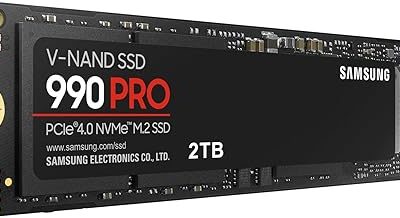
- For maximum speed: An NVMe SSD like the SIX PCIe 4.0 drive outpaces both SATA SSDs and HDDs for demanding workloads.
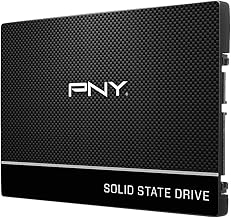
- For a tight budget: A small SATA SSD such as the PNY CS900 as your boot drive delivers the biggest real-world improvement for the least money.
- For portability: A rugged external SSD like the SANDISK Extreme travels well and transfers files far faster than a portable HDD.
What's inside
The debate between a traditional disk drive and a solid state drive comes down to a simple trade-off: raw capacity per dollar versus sheer speed. Spinning hard disk drives have powered computers for decades and still offer enormous storage for very little money, while SSDs use flash memory to load games, boot systems, and move files several times faster. For gamers and everyday users alike, understanding which one belongs in your build can transform how your machine feels day to day.
To keep this practical, we anchor the discussion around real SSD upgrade picks such as the Samsung 870 EVO, the WD Blue SA510, the PNY CS900, and high-speed NVMe options like the SIX 1TB PCIe 4.0 drive. These represent the modern storage most people should be buying, and comparing them against the classic disk drive shows exactly why the shift to solid state happened.
As an Amazon Associate we earn from qualifying purchases.


🎮 Get More From Your Setup — Free
Prime Gaming gives you free PC games every month, in-game loot, and a free Twitch channel sub — plus fast free shipping on all the gear above. New members get a 30-day free trial.
Quick Verdict
For your operating system, games, and anything you open regularly, a solid state drive wins decisively on speed and responsiveness. A traditional disk drive still makes sense as cheap bulk storage for backups and large media libraries. The ideal setup for many people is an SSD as the primary drive with a HDD alongside for archives.
Traditional Disk Drives (HDD)
A hard disk drive stores data on spinning magnetic platters read by a moving mechanical arm. That design is what makes HDDs so affordable per terabyte, which is why they remain popular for storing huge photo, video, and game libraries you do not need to access instantly.
The downside is speed. Mechanical seek times mean slower boot-ups, longer game loads, and sluggish file transfers compared to flash storage. The moving parts also make HDDs more vulnerable to shock damage and a bit noisier under heavy use.
Solid State Drives (SSD)
SSDs like the Samsung 870 EVO and WD Blue SA510 use flash memory with no moving parts, delivering read speeds up to around 560MB/s over SATA. Stepping up to an NVMe drive such as the SIX PCIe 4.0 model pushes sequential reads toward 7,000MB/s, which is a night-and-day difference for load times and large transfers.
Beyond speed, SSDs run silently, sip less power, and shrug off bumps because nothing spins inside. Value picks like the PNY CS900 and Bestoss NVMe make it cheap to put your operating system and most-played games on flash, while portable options like the SANDISK Extreme add rugged, fast external storage.
Head-to-Head: Which Should You Buy?
- For your OS and games: Choose an SSD every time. The faster boot and load times are the single most noticeable upgrade you can make.
- For bulk media storage: A large HDD gives you the most terabytes per dollar for movies, backups, and rarely-touched files.
- For maximum speed: An NVMe SSD like the SIX PCIe 4.0 drive outpaces both SATA SSDs and HDDs for demanding workloads.
- For a tight budget: A small SATA SSD such as the PNY CS900 as your boot drive delivers the biggest real-world improvement for the least money.
- For portability: A rugged external SSD like the SANDISK Extreme travels well and transfers files far faster than a portable HDD.
Frequently Asked Questions
Will an SSD make my games run faster?
An SSD dramatically cuts load times and reduces texture pop-in, though it will not raise your frame rate, which depends on your GPU and CPU. The responsiveness gain is still very much worth it.
Can I use both an SSD and an HDD together?
Absolutely, and many people do. Install your OS and favorite games on the SSD for speed, then use a large HDD for backups and media you access less often.
What is the difference between SATA and NVMe SSDs?
SATA SSDs cap around 560MB/s and fit older systems easily, while NVMe drives plug into an M.2 slot and can be many times faster. NVMe is ideal if your motherboard supports it.
Are SSDs reliable for long-term storage?
Modern SSDs are very reliable for everyday use and come with multi-year warranties. For cold archival storage kept unpowered for years, HDDs are still a common backup choice.
Final Verdict
If you can only add one drive, make it a solid state drive. The speed uplift for booting, loading games, and daily tasks is immediate and dramatic, and affordable picks like the Samsung 870 EVO, WD Blue SA510, and PNY CS900 make the switch painless. Keep a traditional disk drive around only if you need cheap bulk capacity for backups and media, and let the SSD handle everything you touch regularly.