Key takeaways
- Interface and PCIe Generation: NVMe drives use PCIe lanes, and newer generations mean faster speeds. PCIe 3.0 is budget-friendly, PCIe 4.0 hits the sweet spot for most gamers, and PCIe 5.0 offers extreme throughput for heavy workstations, though it comes at a premium price.
- Form Factor Compatibility: Most modern motherboards support M.2 2280 NVMe drives, but compact builds and handheld gaming devices may require shorter lengths. Verify your motherboard’s available slots and physical clearance before purchasing.
- Capacity Needs: Modern game installs regularly exceed 100GB. A 1TB drive is the practical minimum for a dedicated gaming rig, while 2TB or more is recommended if you stream, capture video, or maintain a large library.
- Endurance and NAND Type: Look at the drive’s TBW rating and NAND configuration. TLC NAND offers the best balance of performance and longevity for gaming, while QLC drives are cheaper but slow down significantly under heavy write workloads.
- DRAM Cache vs. HMB: Drives with a dedicated DRAM cache handle sustained writes and game asset loading more smoothly. DRAM-less drives rely on system memory via HMB, which is fine for typical gaming but may struggle during large file transfers or heavy multitasking.
What's inside
Choosing between an NVMe and a SATA SSD is one of the most impactful decisions you can make when building or upgrading a gaming rig. SATA drives have been the reliable workhorse for years, but modern NVMe drives leverage the PCIe bus to deliver exponentially higher bandwidth. For PC gamers and creators juggling massive game libraries, high-resolution textures, and asset-heavy applications, the difference in load times and system responsiveness is immediately noticeable. The problem is that the market is flooded with options spanning multiple PCIe generations, form factors, and price points, making it difficult to know where to invest.
As an Amazon Associate we earn from qualifying purchases.




This guide breaks down the top NVMe and SATA SSDs available right now, focusing on real-world gaming performance, endurance, and value. Whether you need a blazing-fast PCIe 5.0 drive for a flagship build or a budget-friendly NVMe to replace a sluggish boot drive, we have tested and reviewed the best options to help you make the right call for your system.
🛒 Best Price Today on Amazon
Prime members get fast, free shipping on everything above, plus member-only deals. New members get a 30-day free trial — cancel anytime.
Watch: NVMe vs SATA SSD: 2026 Speed Comparison — Video Review
How to Choose an NVMe vs SATA SSD
- Interface and PCIe Generation: NVMe drives use PCIe lanes, and newer generations mean faster speeds. PCIe 3.0 is budget-friendly, PCIe 4.0 hits the sweet spot for most gamers, and PCIe 5.0 offers extreme throughput for heavy workstations, though it comes at a premium price.
- Form Factor Compatibility: Most modern motherboards support M.2 2280 NVMe drives, but compact builds and handheld gaming devices may require shorter lengths. Verify your motherboard’s available slots and physical clearance before purchasing.
- Capacity Needs: Modern game installs regularly exceed 100GB. A 1TB drive is the practical minimum for a dedicated gaming rig, while 2TB or more is recommended if you stream, capture video, or maintain a large library.
- Endurance and NAND Type: Look at the drive’s TBW rating and NAND configuration. TLC NAND offers the best balance of performance and longevity for gaming, while QLC drives are cheaper but slow down significantly under heavy write workloads.
- DRAM Cache vs. HMB: Drives with a dedicated DRAM cache handle sustained writes and game asset loading more smoothly. DRAM-less drives rely on system memory via HMB, which is fine for typical gaming but may struggle during large file transfers or heavy multitasking.
The Best NVMe vs SATA SSDs Reviewed
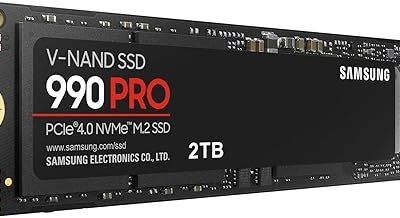
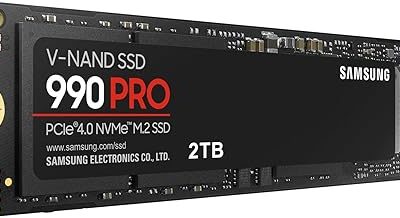
Samsung 990 PRO 1TB
The Samsung 990 PRO remains the gold standard for PCIe 4.0 gaming performance, delivering blistering 7,450 MB/s sequential reads alongside excellent sustained write endurance. Its optimized controller and integrated DRAM cache make it the top choice for gamers who demand near-instant load times and rock-solid reliability.
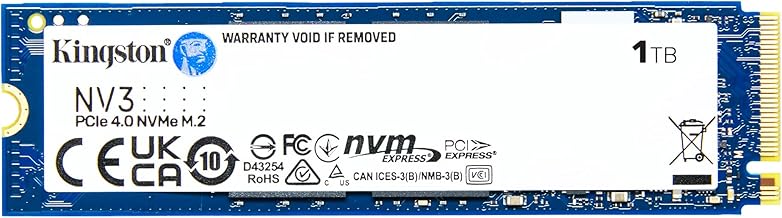
Kingston NV3 1TB
Kingston’s NV3 offers an outstanding balance of price and performance, hitting up to 6,000 MB/s read speeds on a PCIe 4.0 interface. It is a highly capable drive for budget-focused builds where you want flagship-tier speeds without paying a premium.
Samsung 9100 PRO 1TB
As a PCIe 5.0 powerhouse, the Samsung 9100 PRO achieves staggering 14,700 MB/s read speeds tailored for AI computing and heavy-duty workstations. While overkill for standard gaming today, it provides immense headroom for data-intensive workflows and next-generation game engines.
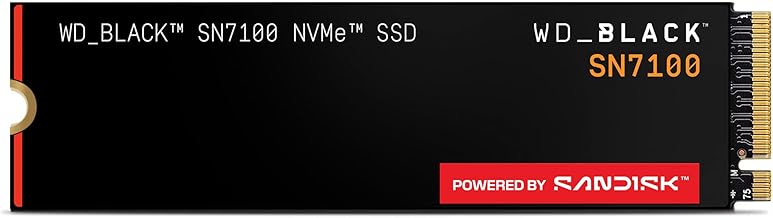
WD_Black SN7100 1TB
The WD_Black SN7100 is purpose-built for laptops and handheld gaming devices, offering 7,250 MB/s read speeds with next-gen TLC 3D NAND that keeps power consumption low. Its thermal efficiency and compact design make it the ideal upgrade for portable gaming setups that need desktop-class storage.
Sandisk Optimus 5100 500GB
The Sandisk Optimus 5100 provides solid PCIe 4.0 performance with up to 6,600 MB/s read speeds in a smaller 500GB capacity. It serves well as a high-speed secondary drive for your operating system or most-played titles when budget constraints prevent a larger primary drive.
Frequently Asked Questions
Is NVMe faster than SATA for gaming?
Yes, NVMe drives are significantly faster. While SATA III is capped at 600 MB/s, PCIe 4.0 NVMe drives can exceed 7,000 MB/s. In gaming, this translates to faster initial game loads and quicker level transitions, though the difference in average frame rates is negligible.
Can I put an NVMe SSD in a SATA port?
No, the two interfaces are physically and electrically different. NVMe drives connect directly to PCIe lanes via an M.2 slot on your motherboard, while SATA drives connect via standard SATA data and power cables. Always check your motherboard manual for compatible slots.
Does PCIe 5.0 matter for PC gaming?
Currently, PCIe 5.0 is not necessary for gaming. Most modern titles cannot fully utilize the bandwidth of PCIe 4.0 drives, let alone PCIe 5.0. PCIe 5.0 is primarily beneficial for professional workloads involving large dataset transfers, heavy AI computing, and 8K video editing.
How much SSD storage do I need for a gaming PC?
For a dedicated gaming build, 1TB is the recommended starting point. This allows room for your operating system, essential applications, and several large modern game installs. If you play a variety of massive titles simultaneously, consider a 2TB drive to avoid constantly uninstalling games.
Final Thoughts
For most PC gamers, the Samsung 990 PRO 1TB and the Kingston NV3 1TB represent the best overall value, offering top-tier PCIe 4.0 speeds without the steep premium of newer PCIe 5.0 options. If budget is not a concern and you want maximum future-proofing for heavy-duty workloads, the Samsung 9100 PRO 1TB is an exceptional, forward-looking investment.