Key takeaways
- Curvature Radius: Measured in R (e.g., 1000R, 1500R), a lower number means a more aggressive curve. 1000R matches the human eye’s natural curvature for maximum immersion, while 1500R to 1800R offers a gentler bend suitable for mixed-use scenarios.
- Refresh Rate and Response Time: For competitive esports titles, aim for 240Hz or higher with 1ms response times. For immersive single-player gaming, 165Hz to 180Hz is typically sufficient and allows more budget for better panel quality or larger screen sizes.
- Aspect Ratio: Standard 16:9 displays work well for most games and are preferred for competitive play. Ultrawide 21:9 panels benefit greatly from curvature, wrapping the image around your peripheral vision for a more enveloping experience.
- Panel Type: VA panels deliver deep blacks and high contrast ratios ideal for dark-room gaming, while IPS panels provide superior color accuracy and viewing angles. Some modern fast VA panels narrow the response time gap significantly.
- Screen Size and Desk Depth: Curved monitors generally require a deeper desk to realize their immersion benefits properly. A 34-inch ultrawide curved panel needs at least 24 inches of depth from your eyes, while flat panels can sit closer without distortion issues.
What's inside
Choosing between a curved and flat gaming monitor has become one of the most debated topics among PC gamers building or upgrading their rigs. Flat panels remain the standard for competitive play, offering predictable geometry and minimal distortion, while curved displays promise deeper immersion, wider perceived field of view, and reduced eye strain during extended sessions. The right choice depends heavily on the types of games you play, your typical viewing distance, and how much desk real estate you have available.
As an Amazon Associate we earn from qualifying purchases.


This guide breaks down the key differences between curved and flat gaming monitors and highlights six standout options currently available. Whether you prioritize competitive frame rates, ultrawide immersion, or budget-friendly value, the monitors below cover the full spectrum of what modern display technology offers. We have tested and evaluated each model based on panel quality, refresh rate, feature set, and overall gaming performance.
🛒 Best Price Today on Amazon
Prime members get fast, free shipping on everything above, plus member-only deals. New members get a 30-day free trial — cancel anytime.
Watch: Curved vs Flat Gaming Monitor: 2026 Guide — Video Review
How to Choose a Curved vs Flat Gaming Monitor
- Curvature Radius: Measured in R (e.g., 1000R, 1500R), a lower number means a more aggressive curve. 1000R matches the human eye’s natural curvature for maximum immersion, while 1500R to 1800R offers a gentler bend suitable for mixed-use scenarios.
- Refresh Rate and Response Time: For competitive esports titles, aim for 240Hz or higher with 1ms response times. For immersive single-player gaming, 165Hz to 180Hz is typically sufficient and allows more budget for better panel quality or larger screen sizes.
- Aspect Ratio: Standard 16:9 displays work well for most games and are preferred for competitive play. Ultrawide 21:9 panels benefit greatly from curvature, wrapping the image around your peripheral vision for a more enveloping experience.
- Panel Type: VA panels deliver deep blacks and high contrast ratios ideal for dark-room gaming, while IPS panels provide superior color accuracy and viewing angles. Some modern fast VA panels narrow the response time gap significantly.
- Screen Size and Desk Depth: Curved monitors generally require a deeper desk to realize their immersion benefits properly. A 34-inch ultrawide curved panel needs at least 24 inches of depth from your eyes, while flat panels can sit closer without distortion issues.
The Best Curved vs Flat Gaming Monitors Reviewed
KTC H27S5 27″ Curved
This monitor stands out with its innovative dual-mode functionality, switching between QHD at 200Hz for detailed gaming and HD at 400Hz for maximum competitive frame rates. It is an excellent choice for gamers who want a single display that adapts to both immersive and competitive scenarios without compromise.
Hikers 34″ UWQHD Ultrawide
Delivering a 240Hz refresh rate on a fast VA panel with ultrawide 21:9 format, this monitor is built for gamers seeking immersion without sacrificing speed. The inclusion of two HDMI 2.1 ports and AI crosshair functionality makes it a versatile and value-packed option for both PC and console gaming.
SANSUI 32″ Curved 240Hz
Featuring a 1500R curvature and a blistering 240Hz refresh rate at an affordable price point, this FHD panel is tailored for budget-conscious competitive gamers. The metal stand and HDR support add build quality and visual punch that punch above its price bracket.
Samsung 32″ Odyssey G55C
Samsung’s 1000R curved QHD panel offers the most aggressive curvature on this list, matching the natural shape of the human eye for unmatched immersion. With a 165Hz refresh rate, HDR10 support, and glare-free coating, it balances cinematic visuals with solid gaming performance.
Sceptre 34″ Curved Ultrawide
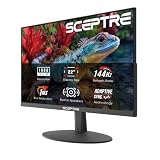
This 34-inch WQHD ultrawide delivers up to 180Hz with 99% sRGB coverage and a 1500R curve, making it a strong contender for immersive gaming on a budget. Built-in speakers and dual DisplayPort inputs round out a feature set that delivers excellent value for ultrawide-curious gamers.
Frequently Asked Questions
Is a curved monitor better for gaming than a flat monitor?
It depends on your gaming preferences. Curved monitors excel at immersion and reduce eye strain during long sessions, making them ideal for single-player and simulation games. Flat monitors are generally preferred for competitive esports where image geometry and edge-to-edge consistency matter most.
What curvature is best for a gaming monitor?
A 1000R curve most closely matches the human eye’s natural field of curvature and provides the most immersive experience. 1500R offers a more moderate curve that works well for mixed productivity and gaming, while 1800R is barely noticeable and suitable for those unsure about curved displays.
Do curved monitors cause distortion or color shift?
Quality curved monitors with VA or IPS panels minimize color shift effectively. Some geometry distortion can occur at extreme viewing angles, but when viewed from the optimal centered position, curved panels actually reduce distortion at the edges compared to large flat displays.
Are ultrawide curved monitors good for competitive gaming?
Ultrawide monitors can work for competitive gaming, but many esports titles have limited 21:9 support or place UI elements uncomfortably far into peripheral vision. For serious competitive play, a 16:9 flat panel at 240Hz or higher remains the preferred choice among professional gamers.
Final Thoughts
For gamers seeking the ultimate immersive experience, the Samsung Odyssey G55C with its 1000R curvature and QHD resolution is a top pick that delivers cinematic gameplay. The KTC H27S5 earns a recommendation for its unique dual-mode functionality, offering unmatched flexibility for gamers who switch between competitive and immersive titles. For budget-conscious buyers wanting ultrawide gaming, the Hikers 34″ UWQHD provides an impressive 240Hz refresh rate and robust feature set at a compelling value.