Key takeaways
- Refresh Rate: The Xbox Series X supports up to 120Hz natively at 4K and higher refresh rates at lower resolutions. Look for monitors with at least 144Hz, but know that anything beyond 120Hz only matters if you’re willing to drop to 1080p or 1440p output from the console.
- Resolution: 4K is ideal for single-player visuals, but 1440p hits a strong middle ground between sharpness and frame rate. 1080p is acceptable for competitive play on a budget. Match the resolution to your gaming habits, not just the spec sheet.
- Panel Type and Curvature: VA panels offer deep contrast and high refresh rates, making them common in curved gaming monitors. Curved panels like 1000R or 1500R suit immersive play but are subjective for competitive shooters. Flat panels remain preferable for minimal distortion.
- Response Time: 1ms MPRT or GtG response times reduce motion blur and ghosting. This matters most in fast-paced games like shooters and racing titles where the Xbox Series X can push high frame rates at 1080p or 1440p.
- Ports and Compatibility: Ensure the monitor has HDMI 2.1 for full 4K/120Hz support, or at minimum HDMI 2.0 with DisplayPort for 1440p/1080p high-refresh. Built-in speakers and VESA mounting add flexibility for console setups without a soundbar.
What's inside
Finding the best gaming monitor for Xbox Series X in 2026 means navigating a sea of specs that don’t always translate to real-world performance. The Xbox Series X outputs at up to 4K/120Hz, supports variable refresh rate (VRR) via FreeSync, and handles HDR10 content with ease — but not every monitor on the market takes full advantage of that pipeline. Buyers regularly overspend on features they can’t use, or underspend and end up bottlenecking a premium console.
As an Amazon Associate we earn from qualifying purchases.





This guide cuts through the noise. We’ve rounded up six monitors that cover the spectrum from budget 1080p panels to high-refresh QHD curved displays, all compatible with the Xbox Series X’s feature set. Whether you want an ultrawide immersion rig or a compact, high-refresh secondary screen, these picks balance refresh rate, response time, panel type, and price to match realistic Xbox gaming scenarios.
🛒 Best Price Today on Amazon
Prime members get fast, free shipping on everything above, plus member-only deals. New members get a 30-day free trial — cancel anytime.
Watch: Best Gaming Monitor For Xbox Series X — Video Review
How to Choose a Gaming Monitor For Xbox Series X (2026)
- Refresh Rate: The Xbox Series X supports up to 120Hz natively at 4K and higher refresh rates at lower resolutions. Look for monitors with at least 144Hz, but know that anything beyond 120Hz only matters if you’re willing to drop to 1080p or 1440p output from the console.
- Resolution: 4K is ideal for single-player visuals, but 1440p hits a strong middle ground between sharpness and frame rate. 1080p is acceptable for competitive play on a budget. Match the resolution to your gaming habits, not just the spec sheet.
- Panel Type and Curvature: VA panels offer deep contrast and high refresh rates, making them common in curved gaming monitors. Curved panels like 1000R or 1500R suit immersive play but are subjective for competitive shooters. Flat panels remain preferable for minimal distortion.
- Response Time: 1ms MPRT or GtG response times reduce motion blur and ghosting. This matters most in fast-paced games like shooters and racing titles where the Xbox Series X can push high frame rates at 1080p or 1440p.
- Ports and Compatibility: Ensure the monitor has HDMI 2.1 for full 4K/120Hz support, or at minimum HDMI 2.0 with DisplayPort for 1440p/1080p high-refresh. Built-in speakers and VESA mounting add flexibility for console setups without a soundbar.
The Best Gaming Monitor For Xbox Series X (2026)s Reviewed
Samsung 32″ Odyssey G55C
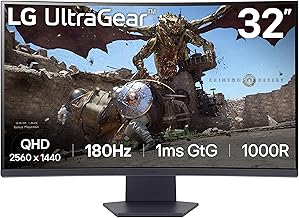
This 32-inch QHD curved monitor delivers a 1000R curvature and 165Hz refresh rate, making it a strong pick for immersive Xbox titles that benefit from wide field-of-view and smooth motion. HDR10 support and AMD FreeSync round out a feature set that plays well with the Series X’s output capabilities.
Sceptre Curved 24.5″ Prime (C255B-FWT240)
For competitive Xbox players willing to run at 1080p, this 240Hz panel offers exceptional motion clarity at a budget-friendly price point. The R1500 curve is mild enough for fast-paced gameplay while still adding peripheral immersion for racing and action games.
Sceptre Prime Curved 30″ (C305B-200UN)
This ultrawide 2560×1080 monitor running at 200Hz is ideal for cinematic Xbox games where horizontal immersion matters more than raw pixel density. The built-in speakers and FreeSync support make it a convenient all-in-one console gaming setup.
Samsung 27″ Odyssey G5 (G51F)
A 1440p panel at 180Hz with a height-adjustable stand, this monitor hits the sweet spot for Xbox Series X owners who want sharper visuals than 1080p without paying for 4K. The auto source switch and Black Equalizer features add quality-of-life benefits for console-first setups.
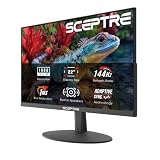
Sceptre 22″ Gaming (E225W-FW144)
Compact and affordable, this 1080p 144Hz monitor is a solid choice for a secondary screen or a tight-space Xbox setup. Built-in speakers and a small footprint make it practical for dorm rooms or bedside console gaming where space is at a premium.
Frequently Asked Questions
Does the Xbox Series X support 1440p output?
Yes, the Xbox Series X supports native 1440p output at up to 120Hz, making QHD monitors a viable and popular middle ground between 1080p and 4K for console gaming.
Do I need HDMI 2.1 for an Xbox Series X monitor?
HDMI 2.1 is required for 4K at 120Hz. If you’re using a 1080p or 1440p monitor at 120Hz or below, HDMI 2.0 is sufficient, though 2.1 future-proofs your setup.
Is FreeSync useful on Xbox monitors?
Yes. The Xbox Series X supports AMD FreeSync, which eliminates screen tearing and stuttering when frame rates fluctuate. It’s especially valuable on high-refresh monitors running console games with unlocked frame rates.
Are curved monitors better for Xbox gaming?
Curved monitors are subjective. They enhance immersion in racing, RPG, and cinematic titles, but some competitive players prefer flat panels for minimal geometric distortion. There’s no performance advantage — it comes down to preference.
Final Thoughts
For most Xbox Series X owners, the Samsung 27″ Odyssey G5 (G51F) strikes the best balance of resolution, refresh rate, and console compatibility at a reasonable price. If immersion is the priority, the Samsung 32″ Odyssey G55C delivers a standout curved QHD experience, while the Sceptre Curved 24.5″ Prime (C255B-FWT240) remains the top budget pick for competitive players who value raw refresh rate over pixel density.