Our Top Picks
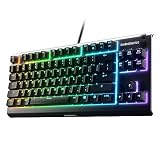
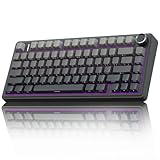
 DIERYA DK63 60% Wireless Mechanical Gaming KeyboardRed Switch11.5 x 4.02 x 0.98 inches1.41 poundsCheck on Amazon

The ASUS ROG Strix Scope II 96 Wireless is the best overall wireless mechanical gaming keyboard in this group. It keeps a numpad inside a compact 96% body, offers three connection modes, and uses hot-swappable, pre-lubed linear switches. If you want a smaller board with a volume knob, the AULA F75 Pro is the stronger value-minded pick. “Wireless mechanical” here means a keyboard with real per-key mechanical switches that can run over Bluetooth or a 2.4 GHz dongle, with USB-C as a wired fallback. Below, six listed models are sorted by layout, connection options and the kind of player each one suits.
Quick List
- ASUS ROG Strix Scope II 96 Wireless – best for players who still want a numpad in a trimmed-down body
- Redragon K671KS – best for tri-mode flexibility with PBT keycaps, if you confirm the layout first
- AULA F75 Pro – best for a 75% gasket-style board with a knob and RGB
- Redragon K556 PRO – best for a full 104-key aluminum board on a fixed desk
- DIERYA DK63 – best for a 60% board when mouse space matters most
- Redragon K673 PRO – best for an 81-key gasket layout on a budget-minded setup
Which One Is Right for You?
| If you… | Choose |
|---|---|
| want a numpad but a smaller footprint than full size | ASUS ROG Strix Scope II 96 Wireless |
| prefer a 75% layout with a knob and a softer, gasket-style typing feel | AULA F75 Pro |
| want a similar gasket-and-knob concept from a brand with wide switch support | Redragon K673 PRO |
| need every key of a full-size board and like a metal top | Redragon K556 PRO |
| want a PBT-keycap tri-mode board and will check the exact layout on the listing | Redragon K671KS |
| play low-sensitivity FPS and need maximum mouse room | DIERYA DK63 |
| move between a PC, a laptop and a tablet during the day | ASUS ROG Strix Scope II 96 Wireless or AULA F75 Pro |
Layout is the first filter because it changes how you sit, how far your mouse travels and which keys you lose. After layout, look at the connection modes and how the board handles switch swaps. If you are torn between the ASUS and the AULA, the deciding question is whether you use a numpad at all.
All 6 Picks in Detail
1. ASUS ROG Strix Scope II 96 Wireless – Best for a numpad in a compact body
As an Amazon Associate we earn from qualifying purchases at no extra cost to you.

This is the most complete board in the list for someone who plays competitively but also types, edits spreadsheets or uses a numpad for macros. The 96% layout keeps the function row, the arrow cluster and the number pad, but shaves the dead space that a full-size board carries. ASUS pairs that with a tri-mode setup and pre-lubed ROG NX Snow switches that you can pull and swap without soldering. It suits players who want one keyboard for everything and are willing to pay for the polish that a larger brand tends to bring.
- Layout: 96%, full-size feature set in a shorter body
- Connectivity: Bluetooth, 2.4 GHz and USB-C wired, per the listing name
- Switches: hot-swappable, pre-lubed ROG NX Snow linear switches
- Keycaps: ROG PBT keycaps; ASUS also describes doubleshot construction
- Noise control: dampening foam and switch pads, according to the manufacturer
- Battery: ASUS rates it for up to 1,500 hours on 2.4 GHz with lighting off; expect far less with RGB on
Pros
- Numpad and arrow keys without a full-size footprint
- Hot-swappable switches and a wired option for tournament use
Cons
- A 96% board is still wider than a 75%, which matters on small desks
- Lit use will drain the battery much faster than the headline number suggests
Compared with the AULA F75 Pro, you gain a numpad and lose desk space; pick the AULA if you never touch the number cluster.
2. Redragon K671KS – Best for tri-mode flexibility, once the layout is confirmed

The K671KS is described as a wireless tri-mode, hot-swappable, RGB board with PBT keycaps and programmable keys. What the listing name does not say is the key count. The wired K671 it appears to be derived from is a full-size 104-key board, but treat that as a lead and not as proof. It suits buyers who want a flexible full-feature board and are willing to verify the layout before ordering, so treat it as a runner-up to the models whose layouts are clearly stated. Hot-swap sockets mean you can change the stock reds later, and the spare switches mentioned in the package are handy for that. Once the layout is confirmed, it can serve a gaming desk or a work setup equally well.
- Layout: not stated in the listing name; confirm on the product page
- Connectivity: Bluetooth, 2.4 GHz and USB-C wired
- Switches: hot-swappable; red switches are listed, with spares in the box
- Keycaps: double-injection PBT
- Lighting: RGB with preset modes and adjustable speed and brightness
- Battery: confirm on listing
Pros
- Tri-mode connection and hot-swappable switches
- PBT keycaps are a durable choice for heavy use
Cons
- Key count and battery size are not clear from the listing name
- Fewer distinguishing extras than the knob-equipped boards
It sits closest to the K556 PRO in what it offers; the K556 PRO has a clearly documented 104-key aluminum layout, so it is the safer pick if you want that shape.
3. AULA F75 Pro – Best for a compact 75% board with a knob

The F75 Pro is the board for players who want a compact layout that still keeps arrows and a function row. It is a gasket-style, hot-swappable 75% keyboard with a multifunction knob, side-printed PBT keycaps and pre-lubed Reaper switches. The knob is useful for volume while you are in a match, and the side-printed legends keep the top of each cap clean when RGB lighting shines through. It fits streamers and desk-setup enthusiasts who like a more tuned, thocky sound and want to tweak it later. Because the layout drops the numpad, it also leaves more room for a mouse and a wrist rest, which helps during long sessions. Wireless freedom is a bonus for anyone who rearranges a desk often or shares a PC between work and play.
- Layout: 75%, with roughly 80 keys depending on the listing
- Connectivity: 2.4 GHz, Bluetooth and USB-C wired
- Switches: pre-lubed Reaper linear switches, hot-swappable
- Keycaps: side-printed PBT
- Extras: multifunction knob and RGB backlighting
- Battery: sources commonly cite 4000 mAh; confirm on the listing, since some pages disagree
Pros
- Compact layout with a useful knob
- Gasket-style construction aimed at a softer typing feel
Cons
- No numpad
- Published specs vary slightly between pages, so check the exact listing
Next to the Redragon K673 PRO, it targets the same layout idea; the AULA leans on pre-lubed switches and side-printed keycaps, so read both listings before deciding.
4. Redragon K556 PRO – Best for a full 104-key aluminum board

If you still use every key, including the numpad and the full navigation block, the K556 PRO is the only listed board that gives you all 104. Its aluminum body adds heft and a solid feel, and the tri-mode connection means it can live on a PC at home and a laptop elsewhere. It is a good fit for a fixed desk where nothing moves, and for players who also type or enter data for hours. The trade-off is size and weight, both of which make it a poor travel board. Because it is hot-swappable, the stock switches are a starting point and not a permanent choice, which keeps the board useful for years even if your taste in switch feel changes.
- Layout: 104 keys, US layout
- Connectivity: 2.4 GHz, Bluetooth and USB-C wired
- Switches: hot-swappable; Redragon describes OUTEMU reds
- Body: aluminum top, detachable USB-C cable
- Battery: Redragon rates about 50 hours with lighting on and 150 hours with it off
- Lighting: customizable RGB with preset modes
Pros
- Full key set and a rigid metal body
- Hot-swap support on a full-size board
Cons
- Large and heavy, so it takes the most desk space
- One published review notes the software works only in wired mode
Compared with the ASUS Scope II 96, you gain a few extra keys and lose a good chunk of desk width; the ASUS is the better pick if you also use a mouse at low sensitivity.
5. DIERYA DK63 – Best for a 60% board when mouse space matters

The DK63 is the smallest board here. It is a 60% layout with 63 keys and dedicated arrow keys, so you do not lose the arrows the way you do on a strict 60%. That makes it a good match for FPS players with low in-game sensitivity who swing the mouse across a wide area, and for travelers who want a board that fits in a small bag. The compact size means function, navigation and number keys live on layers, which takes some adjustment. Wireless use means no cable clutter on a small desk, and the wired mode gives you a dependable fallback when the battery runs low. Because several versions share the name, always match the exact title to the listing before you commit.
- Layout: 60%, 63 keys including arrows
- Connectivity: Bluetooth, 2.4 GHz and USB wired, per the listing name
- Switches: red switches in the listed version
- Lighting: RGB backlighting
- Battery: one DK63 page lists 3000 mAh, though other DIERYA versions differ
- Variants: switches, battery and Bluetooth version differ between DK63 models
Pros
- Smallest footprint, easy to carry
- Dedicated arrows on a 60% body
Cons
- No function row or numpad without layer keys
- Several versions share the name, so confirm the one you open
Next to the AULA F75 Pro, you give up the function row and knob in exchange for a lot of desk space; the AULA is the step up if layers annoy you.
6. Redragon K673 PRO – Best for an 81-key gasket layout

The K673 PRO takes the 75% gasket recipe and puts it in a Redragon body with a scroll knob, which makes it a natural alternative for buyers who already like the brand’s software and switch support. The listing calls it an 81-key board, which gives you a full function row and a dedicated arrow cluster. It suits players who want a compact, quieter-sounding board and might later swap in different switches. Redragon documents support for both 3-pin and 5-pin switches, so the aftermarket options are wide. The dedicated arrow keys and function row mean you rarely need layer shortcuts, which is a real comfort over the smaller 60% designs. It is also easy to move between a desktop and a laptop thanks to the multiple wireless modes.
- Layout: 81-key, commonly described as 75%
- Connectivity: USB-C wired, Bluetooth and 2.4 GHz wireless
- Switches: hot-swappable; the standard model ships with linear reds
- Sound control: foam and a silicone bottom pad, per Redragon
- Extras: scroll knob and a driver for macros and per-key lighting
- Battery: Redragon documents list both 3000 mAh and 4000 mAh, so confirm on the listing
Pros
- Gasket construction in a compact layout with a dedicated knob
- Wide switch compatibility for future swaps
Cons
- Battery size is inconsistently documented
- Weight and finish vary by source, so confirm before you buy
Against the AULA F75 Pro it is the closer match on layout; choose based on which listing gives you the keycap and switch details you prefer.
Specs Compared
| Model | Layout | Connectivity | Hot-swap | Switch type | Knob |
|---|---|---|---|---|---|
| ASUS ROG Strix Scope II 96 Wireless | 96% | Bluetooth, 2.4 GHz, USB-C | Yes | ROG NX Snow linear | Confirm on listing |
| Redragon K671KS | Confirm on listing | Bluetooth, 2.4 GHz, USB-C | Yes | Red (per listing) | Confirm on listing |
| AULA F75 Pro | 75% | Bluetooth, 2.4 GHz, USB-C | Yes | Reaper, pre-lubed | Yes |
| Redragon K556 PRO | 104-key | Bluetooth, 2.4 GHz, USB-C (per listing text) | Confirm on listing | Confirm on listing | No |
| DIERYA DK63 | 60%, 63 keys | Bluetooth, 2.4 GHz, wired | Confirm on listing | Red (per listing) | No |
| Redragon K673 PRO | 81-key | Wireless modes, per listing name | Confirm on listing | Confirm on listing | Scroll knob |
How We Chose These
We worked from the six listed products and compared what each listing name and manufacturer page states: layout, connection modes, switch type, hot-swap support and extras like a knob. Where sources disagreed, for example on battery capacity or key count, we said so and sent you back to the product page. This is a research-based guide, so we do not claim to have used these boards and we do not quote typing or latency numbers. The ranking favors clearly documented specs, a layout that matches the way the board is likely to be used, and wireless options that cover both a desktop and a second device.
What to Look For
Layout and desk space
Layout is the biggest practical choice. A full-size board has about 104 keys and is roughly 435 mm wide, which pushes your mouse hand outward. A tenkeyless board drops the numpad, a 96% board squeezes it in, a 75% board removes it and compresses the navigation keys, and a 60% board strips arrows and function keys unless they are added back, as on the DK63. A rule of thumb: if you flick across a mouse pad wider than about 45 cm at low sensitivity, stop at a 75% layout or smaller. If you use a numpad every day for work, a 96% or full-size board saves you from a second device.
Connection modes and latency
Tri-mode boards combine a 2.4 GHz dongle, Bluetooth and USB-C. The dongle is the choice for gaming because it is designed for a low-delay link, and several of these boards specify a 1000 Hz report rate for it. Bluetooth is convenient for a phone or tablet but is not what you pick for ranked play. The wired mode matters for two reasons: it charges the battery, and it is the fallback when interference or a dead cell gets in the way. Check that a pairing slot exists for each device you own, since boards vary between three and five slots.
Switches and hot-swap sockets
Linear switches such as ROG NX Snow, Reaper or common reds press smoothly without a bump, which is why most gamers favor them. Hot-swap means the switches plug into sockets on the circuit board and can be pulled with a puller tool, so you can change feel later without soldering. Many boards accept 5-pin switches and some also accept 3-pin ones; the 5-pin type has extra plastic legs for stability. Typical actuation force is around 45 to 50 g for lighter linears. If you are unsure, buy the version that includes a few spare switches so you have material for trial and error.
Battery life and lighting
Manufacturers publish battery life with the lighting turned off, and that number can be many times higher than real use. A board rated for 1,500 hours dark may last closer to a week of regular play with RGB on. A practical example: if a listing states 50 hours with lighting and you play four hours a day, plan on a charge every ten to twelve days. Capacity in mAh is a rough guide but not a promise, because firmware and lighting efficiency matter. Keep the USB-C cable in your bag or on your desk so a low battery never ends a session.
Build, keycaps and sound
PBT keycaps resist the glossy wear that ABS plastic gets over time, and double-shot or side-printed legends will not rub off. Gasket-style mounting and foam layers reduce harsh pinging, while a metal top plate such as on the K556 PRO adds weight and rigidity. Heavier boards stay put during intense games but are harder to carry. If you share a room, listen for sound descriptions in the listing, and consider a thin desk mat to mute bottom-out noise further.
A last practical step is to plan your software. Most gaming boards use a desktop app to remap keys, record macros and set lighting, and some store the profile on the keyboard so it travels with you. A worked example: if you play an MMO with a dozen abilities, assign them to the function row and a layer on the knob or Fn key, then save the profile to onboard memory. Check whether the app works over the wireless link or only when plugged in, because that affects how easily you can adjust settings away from your desk. Also look at the key rollover claim, since N-key rollover keeps simultaneous presses from being dropped during fast inputs.
Questions
Are wireless mechanical keyboards good enough for competitive gaming?
A board using a 2.4 GHz dongle is designed for gaming-grade responsiveness, and several of these models list a 1000 Hz report rate. Bluetooth is better kept for casual use. If you want zero compromise, plug in the USB-C cable during tournaments.
What does hot-swappable mean?
It means the switches sit in sockets, not soldered to the board. You can pull one out with a switch puller and press in another, which lets you change feel, weight or sound without special tools or skills.
Is a 75% or 96% layout better for gaming?
A 75% layout gives more mouse room and keeps arrows and a function row, while a 96% layout keeps the numpad at the cost of width. Choose by whether you use number keys for work or macros. For most FPS players a 75% layout is the comfortable middle ground.
How long does the battery last?
Published numbers assume the lights are off, and real-world time with RGB on is much shorter. Brands such as ASUS and Redragon give different figures for the lit and unlit cases, so read both. Plan to charge weekly if you leave lighting on all the time.
Can I use these boards with a laptop or tablet?
Yes, the Bluetooth mode is built for that and most listed models store more than one pairing. Switching is usually done with a key combination or a side switch. Confirm the number of pairing slots on the product page if you juggle several devices.
Do I need the manufacturer software?
Not to type, but you need it for macros, per-key lighting and firmware updates. Some boards, such as the K556 PRO per one published review, expose software features only over a wired connection. Plan on plugging in once to set up.
Update History
- October 14, 2026 – Initial publication; product set drawn from current catalog listings.
- Check the product page for current specifications and availability before buying.
Sources
- Manufacturer product and specification pages for ASUS ROG, AULA and Redragon
- DIERYA product listings and user manuals
- Retailer listing titles and specification fields
- Published hardware reviews, including Tom’s Hardware’s coverage of the ROG Strix Scope II 96 Wireless