Our Short List of 3

- Capacity: 4TB
- Interface: USB-C and USB-A compatible
- Drive type: Portable mechanical hard drive, 2.5-inch
- Model number: WDBRMD0040BGY-WESN

- Capacity: 4TB
- Interface: USB 3.0
- Drive type: Portable mechanical hard drive, 2.5-inch
- Model number: STGX4000400

- Capacity: 4TB
- Interface: USB 3.2 Gen 1 / USB 3.0, 5 Gbps
- Drive type: Portable mechanical hard drive, 2.5-inch
- Model number: WDBU6Y0040BBK-WESN
All 4 Picks at a Glance
| Product | Specs | Action |
|---|---|---|
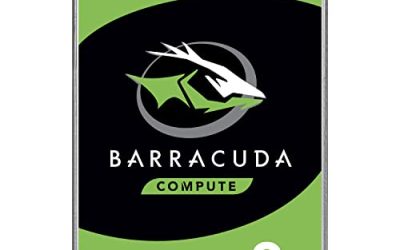
| 1. WD My Passport 4TB — Best Overall |
| Check price on Amazon |
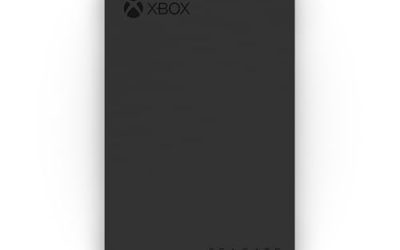
| 2. Seagate Portable 4TB — Best for Simplicity |
| Check price on Amazon |
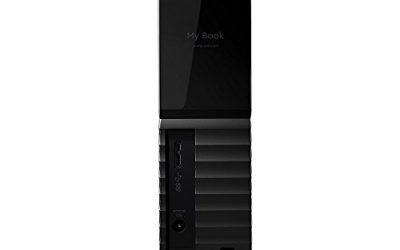
| 3. WD Elements Portable 4TB — Best No-Frills Value |
| Check price on Amazon |
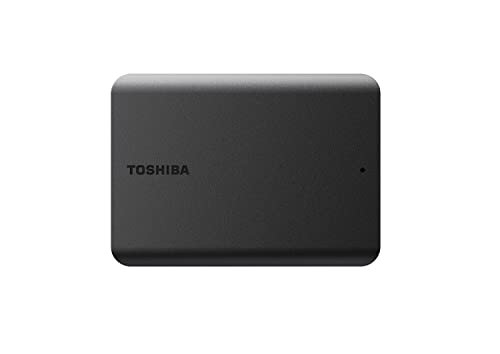 4. Toshiba Canvio Basics 4TB — Best Budget Alternative |
| Check price on Amazon |
Key takeaways
- The best 4TB external hard drives for PC gaming backups, media libraries, and portable storage, with USB-C and USB 3.0 picks from WD, Seagate, and Toshiba.
Disclosure: As an Amazon Associate, we earn from qualifying purchases.
A 4TB external hard drive sits in a sweet spot that is hard to beat. It holds a large game library, years of photos and video, and a full system backup, yet it still fits in a jacket pocket and draws all of its power from a single USB cable. For PC gamers, that combination matters: modern game installs keep growing, and a 4TB portable drive is one of the simplest ways to move a library between machines, keep a backup of a Steam folder, or free up a fast internal SSD for the games you are actively playing.
This guide covers the best 4TB external hard drives you can buy right now, with every pick limited to the same thing: a true 4TB mechanical external hard drive. There are no SSDs here, no smaller capacities dressed up as alternatives, and no desktop drives that need a wall outlet. Each drive below is a portable, bus-powered 4TB HDD that works with a Windows PC, and each one is a distinct model from a major storage brand.
How to Choose a 4TB External Hard Drive
Before looking at individual models, it helps to know what actually separates one 4TB portable hard drive from another. On paper they look nearly identical, but a few details decide which one fits your setup.
Portable vs. Desktop
Every drive in this guide is portable, meaning it uses a 2.5-inch drive inside and runs entirely from USB power. Desktop external drives use larger 3.5-inch mechanisms, hold more data for the money, and need a separate power adapter. If the drive will live on a desk and rarely move, a desktop model can make sense. If it will travel in a bag, ride between a desktop and a laptop, or plug into a console, a portable drive is the right call.
USB-C vs. USB-A
Most current laptops and many newer desktops have USB-C ports, while older machines and many consoles still use USB-A. Some drives in this guide ship with a USB-C cable, some with a USB-A cable, and the connector on the drive itself varies by model. Check the ports on the machines you will actually use before buying, and remember that an adapter can bridge the gap if a drive you like uses the other connector.
Speed Expectations
A portable mechanical hard drive transfers data far more slowly than an SSD. Typical sustained transfer rates for the drives in this guide sit around the 120 MB/s mark, which is normal for a 2.5-inch HDD over USB 3.0. That speed is fine for backups, media playback, and storing games you are not actively running. It is not the right tool for running a demanding modern game directly, where load times will be noticeably longer than on an internal SSD. Think of a 4TB HDD as bulk storage and archive space, with your internal SSD handling whatever you play right now.
Encryption and Backup Software
Some drives include password protection with hardware encryption and bundled backup software, while others are deliberately plain: plug the drive in and drag files onto it. Neither approach is wrong. Encryption matters if the drive will carry sensitive files and might get lost. If you already use your own backup routine, a plain drive with no software to install can be the simpler choice.
Formatting and Console Use
Most portable hard drives arrive formatted for Windows. Mac users can usually reformat them, and both Xbox and PlayStation consoles can use an external USB drive for storing and playing compatible games, though each console has its own formatting and setup steps. If a drive will be shared between a PC and a console, check the console maker guidance for external storage before formatting anything.
Reliability Habits
Any single hard drive can fail, and a 4TB drive holds a lot to lose. Use the drive as part of a backup plan rather than the only copy of anything irreplaceable. Keep it away from drops and hard knocks while it is spinning, eject it properly before unplugging, and consider a second copy of truly important files on another drive or in cloud storage.
The Best 4TB External Hard Drives
1. WD My Passport 4TB — Best Overall
- Capacity: 4TB
- Interface: USB-C and USB-A compatible
- Drive type: Portable mechanical hard drive, 2.5-inch
- Model number: WDBRMD0040BGY-WESN
The WD My Passport 4TB is the most complete package in this guide, and the one that fits the widest range of buyers. The current USB-C model, model number WDBRMD0040BGY-WESN, works with USB-C and USB-A connections, and it is built to work with Windows PCs, Mac computers, Chromebooks, gaming consoles, and mobile devices. That breadth of compatibility is useful if the drive will move between a gaming desktop, a laptop, and a console.
WD includes backup software and password protection with hardware encryption, so the drive covers both scheduled backups and keeping files private if the drive is lost. The drive is a compact 2.5-inch portable unit that draws power from its USB connection, so there is no power brick to carry. Setup is straightforward: connect it, and the drive is ready to use, with the included software available for anyone who wants automated backups.
The My Passport line has been WD’s mainstream portable drive family for years, and the 4TB capacity is a natural fit for a full game library backup or a large photo and video collection. Buyers who want one drive that handles backups, encryption, and cross-device use without extra accessories should start here.
Key specs:
Check the WD My Passport 4TB on Amazon
2. Seagate Portable 4TB — Best for Simplicity
- Capacity: 4TB
- Interface: USB 3.0
- Drive type: Portable mechanical hard drive, 2.5-inch
- Model number: STGX4000400
The Seagate Portable 4TB, model STGX4000400, is the simplest drive in this guide, and that is exactly its appeal. There is no bundled backup software to configure and no encryption setup to work through. Connect it to a Windows or Mac computer and it is recognized automatically, and backups are a matter of dragging and dropping files. For a gaming PC, that plug-and-play approach is ideal for a drive whose main job is holding a game library overflow, recorded gameplay, or a backup folder.
Seagate lists a maximum transfer rate of 120 MB/s over its USB 3.0 connection, which matches the realistic performance of a 2.5-inch portable hard drive. The drive ships with an 18-inch USB 3.0 cable, which is short enough to keep a desk tidy but worth noting if the drive will sit far from the PC. It works with PC, Mac, Xbox, and PlayStation, so the same drive can back up a computer during the week and hold console games on the weekend.
The listing also includes a 1-Year Rescue Service, a data recovery service that can help if the drive fails. It is a support feature rather than a guarantee, but it is a meaningful extra on a drive that will hold thousands of files. The Seagate Portable is the pick for buyers who want a no-fuss drive and do not need encryption or backup software.
Key specs:
Check the Seagate Portable 4TB on Amazon
3. WD Elements Portable 4TB — Best No-Frills Value
- Capacity: 4TB
- Interface: USB 3.2 Gen 1 / USB 3.0, 5 Gbps
- Drive type: Portable mechanical hard drive, 2.5-inch
- Model number: WDBU6Y0040BBK-WESN
The WD Elements Portable 4TB is the plainest drive WD makes, and for many buyers that is a strength. Model WDBU6Y0040BBK-WESN is a 2.5-inch portable hard drive with a USB 3.2 Gen 1 connection, which runs at USB 3.0 speeds of 5 Gbps, and it is formatted NTFS for Windows out of the box. It can be reformatted for use with a Mac. There is no bundled backup software and no password protection, so what you get is a straightforward storage device: plug it in and start moving files.
The drive measures 4.35 x 3.23 x 0.83 inches and weighs 8.3 ounces, making it genuinely pocketable. It is bus-powered, so a single USB cable handles both data and power. That simplicity makes it a good second drive for a gaming setup, a dedicated backup drive that lives in a drawer, or a media drive attached to a laptop. It is also a sensible choice for anyone who already has a backup tool they trust and does not want another software package installed.
Because the Elements line strips away extras, it tends to be the most affordable route to 4TB of portable WD storage. If encryption and bundled software are not on your list of needs, there is little reason to pay for them.
Key specs:
Check the WD Elements Portable 4TB on Amazon
4. Toshiba Canvio Basics 4TB — Best Budget Alternative
- Capacity: 4TB
- Interface: USB 3.0
- Drive type: Portable mechanical hard drive, 2.5-inch
- Model number: HDTB540XK3CA
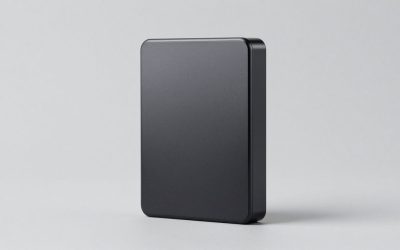
The Toshiba Canvio Basics 4TB, model HDTB540XK3CA, is the third major brand in this guide and a solid alternative to the WD and Seagate options. It is a 2.5-inch portable hard drive with a USB 3.0 connection, housed in a matte black casing with a smudge-resistant finish. Like the Seagate Portable, it is a plug-and-play drive: connect it and drag files onto it, with no software setup required.
Toshiba positions the Canvio Basics as everyday portable storage, and that is exactly where it works best. It holds a full media library, a set of system backups, or a large collection of game installers, and its compact casing travels well in a laptop bag. The drive is a useful option when the two big-name picks are unavailable, or when you want a second 4TB drive from a different brand for a redundant backup.
One detail to watch when ordering: Toshiba sells the Canvio Basics 4TB under more than one model number, and an older variant, HDTB440XK3CA, also exists. Make sure the listing you buy shows model HDTB540XK3CA so you get the current version of the drive.
Key specs:
Check the Toshiba Canvio Basics 4TB on Amazon
4TB External Hard Drives Compared
| Drive | Best For | Interface | Software / Encryption | Console Use |
|---|---|---|---|---|
| WD My Passport 4TB | Best overall | USB-C and USB-A | Backup software, password protection | Yes |
| Seagate Portable 4TB | Simplicity | USB 3.0 | None, 1-Year Rescue Service | Yes |
| WD Elements Portable 4TB | No-frills value | USB 3.2 Gen 1 | None | Yes, after formatting |
| Toshiba Canvio Basics 4TB | Budget alternative | USB 3.0 | None | Yes, after formatting |
All four drives hold the same 4TB of data and all four are portable, bus-powered 2.5-inch hard drives. The real differences are the connector, the extras, and the software. The WD My Passport is the only pick here with both backup software and password protection, which makes it the best single-drive solution for someone who wants everything handled. The Seagate Portable trades those extras for the simplest setup and a data recovery service in the box. The WD Elements Portable is the most stripped-down option, ideal as a second drive or a pure backup target. The Toshiba Canvio Basics is the alternate-brand pick that keeps the same formula at a competitive position.
If you plan to run games from the drive, keep expectations in check. All four drives transfer data at mechanical hard drive speeds, so games stored on them will load more slowly than games on an internal SSD. A better setup for most gamers is to keep active games on the internal SSD and use the 4TB external drive for the rest of the library, installers, recorded footage, and backups.
Frequently Asked Questions
Is 4TB enough for a gaming PC backup?
For most gamers, yes. A 4TB external drive can hold a full backup of a typical gaming PC’s documents, saves, and media, plus a large portion of a game library. If the internal drive holds more than 4TB of data in total, a single 4TB drive will not cover a complete clone, so back up the irreplaceable files first and treat game installs as re-downloadable.
Can I play games directly from a 4TB external hard drive?
You can store and run many games from an external hard drive, and both Xbox and PlayStation support external USB storage for compatible titles. Load times will be longer than on an SSD, and the newest console titles may need to be moved to internal storage to run. For older titles, indie games, and games where load times matter less, an external HDD works well.
Do these drives work with both PC and Mac?
All four drives can work with both, with a caveat. The WD Elements Portable arrives formatted NTFS for Windows and needs reformatting for full Mac use. The WD My Passport and Seagate Portable are built for cross-platform use, with the My Passport explicitly supporting Mac out of the box. Reformatting erases the drive, so pick the format for the machine you will use most before copying files onto it.
What is the difference between an external hard drive and an external SSD?
An external hard drive uses a spinning magnetic disk, while an external SSD uses flash memory with no moving parts. SSDs are much faster, more resistant to drops, and more expensive per terabyte. At 4TB, a mechanical drive holds far more data for the money, which is why HDDs remain the sensible choice for backups, media archives, and large game libraries that do not need SSD speed.
Do I need to install software to use a 4TB external hard drive?
No. The Seagate Portable, WD Elements Portable, and Toshiba Canvio Basics all work as plug-and-play storage with no software required. The WD My Passport includes backup software and password protection, but installing it is optional. Your operating system already knows how to read and write to these drives.
How long do external hard drives last?
A portable hard drive used for backups and occasional file transfers can last many years, but lifespan varies with use, handling, and luck. Drives that travel often or run for long hours wear faster than drives that sit on a desk. The safest approach is to treat any single drive as replaceable and keep a second copy of files you cannot afford to lose.
Can I use a 4TB external hard drive with a PS5 or Xbox Series X?
Both consoles support external USB drives for storing and playing backward-compatible games and for holding current-generation titles that can be moved back to internal storage. Check the console maker guidance for the exact requirements, including the USB standard and formatting steps, before buying.
Final Thoughts
The best 4TB external hard drive for most PC gamers is the WD My Passport 4TB, because it combines USB-C connectivity, backup software, and password protection in a single portable drive that works across PC, Mac, consoles, and mobile devices. If you would rather keep things simple, the Seagate Portable 4TB is the easiest drive to live with, with drag-and-drop setup and a data recovery service included. The WD Elements Portable 4TB is the right pick if you want plain storage with nothing extra installed, and the Toshiba Canvio Basics 4TB is a dependable alternate-brand option that covers the same ground.
Whichever drive you choose, remember that 4TB is a lot of space to put in one basket. Pair the drive with a second copy of your most important files, eject it properly before unplugging, and it will serve as a reliable extension of your gaming PC for years.
FAQ
Is 4TB enough for a gaming PC backup?
Can I play games directly from a 4TB external hard drive?
Do these drives work with both PC and Mac?
What is the difference between an external hard drive and an external SSD?
Do I need to install software to use a 4TB external hard drive?
How long do external hard drives last?
Can I use a 4TB external hard drive with a PS5 or Xbox Series X?
More from Amazon
Programs that pair well with the guide above. Offers and eligibility are set by Amazon and may change.
Free shipping on eligible items, Prime Video and more. Eligible new members can start with a free trial.
Start a Prime free trialAd-free music streaming. Eligible new subscribers can start with a free trial.
Try Music Unlimited freeA Prime membership for ages 18-24 with a trial period. Eligibility is set by Amazon.
See Prime for Young AdultsAudiobooks and podcasts to listen to on the go. Eligible new members can start with a free trial.
Try Audible freeAs an Amazon Associate we earn from qualifying purchases.