Our Short List of 3

- Best for: players who want one affordable internal drive for a game library, media, and general storage, and who want the faster spindle speed of a 7200 RPM drive.

- Best for: players and home users who want a quiet, cool running second drive for bulk storage, and who value low noise over the fastest possible load times.

- Best for: players who need 4 TB of space, anyone building network attached storage, and anyone who wants a CMR drive that can handle constant rewriting and always on use.
All 4 Picks at a Glance
| Product | Specs | Action |
|---|---|---|
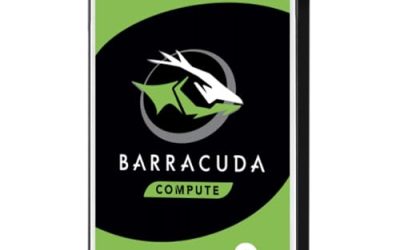
| Seagate BarraCuda 2TB (ST2000DM008) |
| Check price on Amazon |
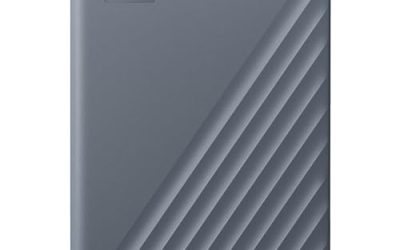
| WD Blue 2TB (WD20EZAZ) |
| Check price on Amazon |
| Seagate IronWolf 4TB (ST4000VN006) |
| Check price on Amazon |
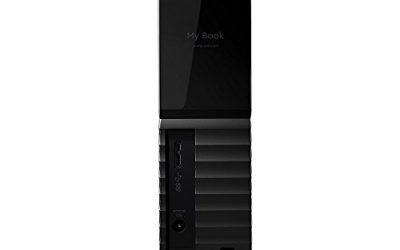
 WD Black 4TB (WD4005FZBX) |
| Check price on Amazon |
Key takeaways
- Find the best hard drives for PC with our guide to capacity, speed, CMR vs SMR and NAS ratings, comparing four internal HDDs for game libraries and bulk storage.
Finding the best hard drives for PC is still worth doing, even in a market full of fast solid state drives. A solid state drive is the right home for Windows and the games you play every day, because it loads levels quickly. A hard drive earns its place beside it. It holds the rest of the game library, recorded gameplay, video projects, photos, and backups at a much lower cost for each terabyte, without forcing you to delete a game every time a new one arrives.
A modern internal hard drive connects over SATA, fits a standard 3.5 inch drive bay, and draws power from the power supply unit, so adding one to a desktop PC is a simple job. The choice is not only about capacity. Spindle speed, recording technology, cache size, workload rating, and noise all shape how a drive behaves when it is full of games and running for hours. This guide explains what matters, compares four strong internal hard drives, and helps you match a drive to the way you actually use your PC.
Disclosure: As an Amazon Associate, we earn from qualifying purchases.
At a Glance
| Product | Key spec | Best for |
|---|---|---|
| Seagate BarraCuda 2TB (ST2000DM008) | 2 TB, 7200 RPM, 256 MB cache, SATA 6 Gb/s | All round desktop storage |
| WD Blue 2TB (WD20EZAZ) | 2 TB, 5400 RPM class, 256 MB cache, SATA 6 Gb/s | Quiet secondary storage |
| Seagate IronWolf 4TB (ST4000VN006) | 4 TB, 5400 RPM, CMR, SATA 6 Gb/s | High capacity and always on use |
| WD Black 4TB (WD4005FZBX) | 4 TB, 7200 RPM, 256 MB cache, SATA 6 Gb/s | Performance game libraries |
How to Choose
1. Capacity first
Capacity is the first decision, and it is the hardest one to fix later. A 2 TB drive holds a large game library, a media collection, and years of documents with room to spare, and it suits most single drive upgrades. A 4 TB drive suits players with very large libraries, people who record gameplay at high quality, and anyone who keeps full backups of a second machine on the same PC. Games keep getting larger, so buy the capacity you expect to need in two years, not the capacity you need today, and leave some free space so the drive can manage its own housekeeping.
2. Spindle speed and real world transfer rates
Spindle speed, measured in revolutions per minute, is a useful shorthand for how fast a hard drive can read and write. A 7200 RPM drive generally moves data faster than a 5400 RPM drive of the same generation. Sustained transfer rate is the number that matters in practice, and the fastest drives in this guide sustain around 200 MB/s or more. That is far slower than a solid state drive, so a hard drive is a poor home for an operating system or a competitive multiplayer title where load times matter. It is a good home for single player games, older titles, media, and anything you read in large sequential chunks.
3. CMR vs SMR recording
Recording technology is the detail most buyers miss, and it explains why two drives with the same capacity and speed can behave very differently. Conventional magnetic recording, known as CMR, writes each track side by side, so rewriting data is straightforward. Shingled magnetic recording, known as SMR, overlaps tracks like roof shingles to fit more data on each platter, which makes rewriting slower, because neighbouring tracks sometimes need to be rewritten too. SMR drives work well for read heavy use, such as a game library that you install once and play for months, and for media storage where files are written once and read many times. CMR drives are the safer choice for drives that see constant rewriting, for RAID arrays, and for network attached storage, where SMR can cause long rebuild times and uneven performance.
4. Form factor and interface
Desktop PC hard drives use the 3.5 inch form factor and the SATA 6 Gb/s interface. Before ordering, check that your case has a free 3.5 inch bay, that your motherboard has a free SATA port, and that your power supply has a free SATA power connector. Most modern cases and motherboards make this easy, but small form factor builds and prebuilt PCs sometimes have only one or two bays, and a second drive may need a mounting adapter. All four drives in this guide are 3.5 inch SATA drives, so they fit the same bays and cables.
5. Cache size
Cache is a small amount of fast memory on the drive that holds data the drive expects to need again soon. A larger cache, such as 256 MB, helps with bursts of small reads and writes, and with the mixed access that happens when a game loads textures, audio, and save data at the same time. Cache does not change the sustained transfer rate of the platters, so it should not be the deciding factor on its own. Treat it as a tie breaker between two otherwise similar drives.
6. Workload rating and intended use
Desktop drives and NAS drives are built for different duty cycles. A desktop drive is designed for a PC that runs for part of the day, with bursts of activity and long idle periods. A NAS drive is designed to run around the clock in a multi bay enclosure, with vibration sensors and firmware tuned for RAID arrays and for constant access. A NAS rated drive also works well as a large internal drive in a desktop that stays on all day.
7. Noise, vibration, and cooling
Hard drives make noise, and a 7200 RPM drive is usually a little louder than a 5400 RPM drive when it seeks. In a quiet room, the difference is worth thinking about. Mount the drive firmly with all four screws, or in a tray with rubber dampers if your case has them, because a loose drive vibrates and the vibration travels through the case.
Top Picks
Seagate BarraCuda 2TB (ST2000DM008)
- Best for: players who want one affordable internal drive for a game library, media, and general storage, and who want the faster spindle speed of a 7200 RPM drive.
players who want one affordable internal drive for a game library, media, and general storage, and who want the faster spindle speed of a 7200 RPM drive.
Seagate BarraCuda 2TB Internal Hard Drive
The Seagate BarraCuda 2TB is the most straightforward pick in this guide, and it suits the largest number of PC owners. It is a 3.5 inch internal drive with 2 TB of capacity, a 7200 RPM spindle, a 256 MB cache, and a SATA 6 Gb/s interface, with sustained transfers rated up to 220 MB/s. That combination makes it a good second drive for a gaming PC: Windows and the most played games stay on the solid state drive, while the rest of the library, installers, and media live on the BarraCuda.
The 7200 RPM spindle is the main reason to choose this drive over a slower 2 TB option. Game levels load a little faster, large files copy a little faster, and the drive feels more responsive when several programs read from it at once. The 256 MB cache helps with the bursts of small reads that happen during game loading.
Considerations: this model uses SMR recording, so it is best suited to read heavy use such as a game library and media storage. Sustained random rewriting can be slower than on a CMR drive, so it is not the best choice for a drive that is rewritten constantly or used in a RAID array.
WD Blue 2TB (WD20EZAZ)
- Best for: players and home users who want a quiet, cool running second drive for bulk storage, and who value low noise over the fastest possible load times.
players and home users who want a quiet, cool running second drive for bulk storage, and who value low noise over the fastest possible load times.
WD Blue 2TB PC Internal Hard Drive
The WD Blue 2TB is the quiet option in this guide. It is a 3.5 inch internal drive with 2 TB of capacity, a 5400 RPM class spindle, a 256 MB cache, and a SATA 6 Gb/s interface. The slower spindle speed is a deliberate trade off. It draws less power, runs cooler, and makes less noise than a 7200 RPM drive, which makes it a good fit for a PC that sits in a bedroom, a living room, or a quiet office, and for a secondary drive that is read from far more often than it is written to.
It holds a game library, a photo and video collection, and document backups without complaint, and its 256 MB cache keeps routine access smooth. Level loads and large copies take a little longer than on the 7200 RPM drives in this guide, but for media playback, document storage, and installed games, the difference is easy to live with.
Considerations: the 5400 RPM class spindle is slower than the 7200 RPM drives here, so it is not the best choice for the most played games or for heavy video editing. This model also uses SMR recording, so it suits read heavy use rather than constant rewriting or RAID use.
Seagate IronWolf 4TB (ST4000VN006)
- Best for: players who need 4 TB of space, anyone building network attached storage, and anyone who wants a CMR drive that can handle constant rewriting and always on use.
players who need 4 TB of space, anyone building network attached storage, and anyone who wants a CMR drive that can handle constant rewriting and always on use.
Seagate IronWolf 4TB NAS Internal Hard Drive
The Seagate IronWolf 4TB is the high capacity pick, and it is the only NAS rated drive in this guide. It is a 3.5 inch internal drive with 4 TB of capacity, a 5400 RPM spindle, CMR recording, and a SATA 6 Gb/s interface, built for one to eight bay network attached storage and for systems that stay on around the clock. It also includes a three year Rescue Data Recovery Services plan.
The CMR recording is the key difference from the desktop drives above. Because tracks are written side by side rather than overlapped, rewriting is straightforward, and the drive holds up better under constant writes and in RAID arrays. The 4 TB capacity holds a very large game library, a full media collection, and backups of other machines, and the NAS rating means the drive is built for the vibration and duty cycle of an enclosure with several drives spinning at once. It also works well as a large internal drive in a desktop PC that stays on all day.
Considerations: the 5400 RPM spindle is slower than the 7200 RPM drives in this guide, so it is not the fastest drive here for loading games. Seagate lists a 256 MB cache for the ST4000VN006, while the Amazon listing title references an older variant label, so confirm the cache and model number on the listing before ordering.
WD Black 4TB (WD4005FZBX)
- Best for: players who want the fastest hard drive in this guide for a large, actively played game library, and for desktop PCs used for gaming and content creation.
players who want the fastest hard drive in this guide for a large, actively played game library, and for desktop PCs used for gaming and content creation.
WD Black 4TB Performance Internal Hard Drive
The WD Black 4TB is the performance pick. It is a 3.5 inch internal drive with 4 TB of capacity, a 7200 RPM spindle, a 256 MB cache, and a SATA 6 Gb/s interface, with sustained transfers rated around 202 MB/s. WD designs the Black line for heavier desktop workloads, including gaming, video editing, and large file work, and this model pairs the largest capacity in this guide with the fastest spindle speed. That combination makes it the best hard drive here for a large game library that you actually play from, rather than a library you only store.
The 7200 RPM spindle and the larger cache keep the drive responsive when a game loads many small files at once, and the CMR recording means sustained writes do not slow down the way they can on an SMR drive. The 4 TB capacity means fewer decisions about what to uninstall. It is louder and warmer than the 5400 RPM drives here, so give it a firm mount and some airflow.
Considerations: it is the most performance focused drive here, and it runs warmer and louder than the 5400 RPM options. It is also an older model line, so confirm the model number WD4005FZBX and the 256 MB cache on the listing before ordering, because an older 64 MB cache variant exists under a different listing.
Which One Fits
Start with capacity, then with speed, then with the workload. If you need one drive for a game library and general storage, and you want a good balance of speed and capacity, the Seagate BarraCuda 2TB is the natural starting point. Its 7200 RPM spindle and 256 MB cache make it the fastest 2 TB drive here, and 2 TB is enough for most libraries. If your PC sits in a quiet room and the drive will mostly hold media and games you already installed, the WD Blue 2TB is the better fit. It is quieter and cooler, and its slower spindle is a fair trade for a secondary drive.
If 2 TB is not enough, pick the Seagate IronWolf 4TB for network attached storage, always on use, or frequent rewriting, because its CMR recording and NAS rating are built for that workload. Pick the WD Black 4TB for a gaming desktop and games you play regularly, because its 7200 RPM spindle and CMR recording make it the fastest hard drive in this guide.
FAQ
Should I install Windows on a hard drive?
No. Windows, your applications, and the games you play most should live on a solid state drive, because the difference in boot times and load times is very large. A hard drive is the right home for the rest of the library, for media, and for backups. Most gaming PCs use a solid state drive for the system and a hard drive for bulk storage.
Is a hard drive still good for gaming?
Yes, for the right games. A hard drive works well for single player games, older titles, and games where load times are short or infrequent. It is less suited to competitive multiplayer games where fast loading matters. Put the games you play every day on the solid state drive, and keep the rest of the library on the hard drive.
How much hard drive space do I need for a gaming PC?
A 2 TB drive is a good starting point for most players, because it holds a large library alongside media and backups. A 4 TB drive suits players with very large libraries, people who record gameplay, and anyone who keeps full system backups on the same PC.
What is the difference between CMR and SMR hard drives?
CMR writes data tracks side by side, so rewriting is straightforward and performance stays consistent under mixed workloads. SMR overlaps tracks to store more data per platter, which makes rewriting slower, because neighbouring tracks sometimes need to be rewritten as well. SMR drives are fine for read heavy use such as a game library or media storage. CMR drives are the better choice for RAID arrays, network attached storage, and drives that are rewritten constantly.
Can I use a NAS hard drive in a desktop PC?
Yes. A NAS rated drive such as the Seagate IronWolf works as an internal drive in a desktop PC, and it is a good choice for a PC that stays on all day. It is built for vibration, for multi drive enclosures, and for constant access, so it handles always on use well. The only trade off is that NAS drives often use a 5400 RPM spindle, so they are a little slower than a 7200 RPM desktop drive.
How do I install an internal hard drive?
Mount the drive in a free 3.5 inch bay with all four screws, connect a SATA data cable from the drive to a free SATA port on the motherboard, and connect a SATA power cable from the power supply. Then start the PC, open Disk Management in Windows, initialise the drive, and create a volume with a drive letter. Back up any important data before moving files.
Bottom Line
The best hard drives for PC are the ones that match your capacity, your noise tolerance, and the way the drive will be used. The Seagate BarraCuda 2TB is the best all round pick for most desktop PCs, pairing a 7200 RPM spindle with 2 TB of space. The WD Blue 2TB is the best quiet pick for secondary storage in a PC that sits in a shared or quiet room. The Seagate IronWolf 4TB is the best high capacity pick for network attached storage and always on use, thanks to its CMR recording and NAS rating. The WD Black 4TB is the best performance pick for a large, actively played game library, pairing 4 TB of space with a 7200 RPM spindle and CMR recording. Keep Windows and your most played games on a solid state drive, and let the hard drive hold everything else.
FAQ
Should I install Windows on a hard drive?
Is a hard drive still good for gaming?
How much hard drive space do I need for a gaming PC?
What is the difference between CMR and SMR hard drives?
Can I use a NAS hard drive in a desktop PC?
How do I install an internal hard drive?
More from Amazon
Programs that pair well with the guide above. Offers and eligibility are set by Amazon and may change.
Free shipping on eligible items, Prime Video and more. Eligible new members can start with a free trial.
Start a Prime free trialAd-free music streaming. Eligible new subscribers can start with a free trial.
Try Music Unlimited freeA Prime membership for ages 18-24 with a trial period. Eligibility is set by Amazon.
See Prime for Young AdultsAudiobooks and podcasts to listen to on the go. Eligible new members can start with a free trial.
Try Audible freeAs an Amazon Associate we earn from qualifying purchases.