Key takeaways
- Compare four 2.5-inch replacement drives for PS4, from a 2TB hybrid to fast SATA SSDs, with the specs that decide fit, capacity and loading speed.
A failing or full PS4 drive forces a specific decision: the console only accepts a 2.5-inch SATA drive no thicker than 9.5mm, so the real choice is not which drive is fastest in general, but which type fits your library and patience. A spinning drive or hybrid gives you 2TB of room, while a SATA SSD trades some capacity for much shorter waits at loading screens.
This guide is for PS4, PS4 Slim and PS4 Pro owners replacing an internal drive, whether the original is dying or simply too small. Every pick below was chosen from the names and specifications on its Amazon product page, and each one is a 2.5-inch SATA model that matches the console’s drive bay and can be fitted at home with a screwdriver and a USB stick.
Quick Picks
As an Amazon Associate we earn from qualifying purchases.
| Product | Best for | Key spec from title |
|---|---|---|
| Seagate FireCuda 2TB SSHD | Large libraries with faster repeat loads | 2TB, 2.5 inch, SATA 6Gb/s, 8GB flash cache |
| Samsung 870 EVO 1TB | Shortest load times and strong endurance | 1TB, SATA III, up to 560/530 MB/s |
| Crucial MX500 1TB | A balanced SSD swap with DRAM cache | 1TB, SATA 6Gb/s, up to 560/510 MB/s |
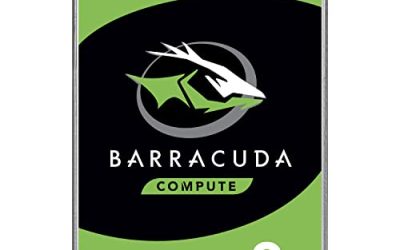
| Seagate BarraCuda 2TB | Maximum capacity from a plain hard drive | 2TB, 2.5 inch, SATA 6Gb/s, 5400 RPM |
How to Choose
Confirm the physical fit first
The PS4 family uses a 2.5-inch SATA drive, and the caddy accepts drives up to 9.5mm thick. Every drive in this guide is a 7mm model, so each one slides into the bay of an original PS4, a Slim or a Pro without forcing the bracket. Capacity also has a floor: the console refuses drives smaller than 160GB, which rules out small cache drives and older laptop pulls. Before ordering anything, match the form factor and thickness on the listing against these two numbers, because a 3.5-inch desktop drive or a 15mm enterprise drive will never seat in the console.
Pick a drive type: HDD, SSHD or SSD
A plain hard drive gives the most terabytes per unit of money and behaves exactly like the stock drive, only bigger. A hybrid SSHD adds a small block of flash that learns your most-used data, so games you launch often start quicker while the full capacity stays mechanical. A SATA SSD removes moving parts entirely and shortens loading, installing and menu movement across the whole library, but the largest affordable capacities are smaller. None of these changes the console’s SATA ceiling, so the difference shows up in seek behaviour and consistency rather than in headline transfer numbers.
Match capacity to your library habits
The stock 500GB drive fills quickly once a few large titles and their updates pile up, and even 1TB disappears when a household shares one console. Count your installed games and their update history before choosing: a 1TB SSD suits players who rotate a handful of favourites, while a 2TB drive suits collectors who keep everything installed and hate deleting. Remember the console formats the whole drive during setup, so nothing carries over automatically. Back up saves to a USB stick or the cloud first, and keep the reinstall file for the system software ready.
Check model numbers and listing details
Replacement drives are sold under many near-identical listings, and small differences matter: a single letter in a model code can mean a different thickness, cache size or warranty term. Read the exact model number on the listing, confirm the capacity in the title matches the variant selected on the page, and check whether the offer is for a new drive or a renewed one. Drives also ship in retail boxes or bare packaging, so look for what the listing says is included. A careful two-minute read prevents the most common return in this category.
The 4 Best Options
Seagate FireCuda 2TB SSHD
The FireCuda is the pick for owners who want a 2TB library without giving up all the responsiveness of flash storage. Its 8GB of NAND flash sits in front of a 5400 RPM disk and caches the data you request most, so the dashboard and your regular games load quicker once the drive has learned them, while installs and rarely played titles run at ordinary hard drive pace. The 7mm height drops straight into any PS4 model, the SATA 6Gb/s interface matches the console, and the 128MB cache keeps small file work smooth during big installs.
Specs
- Capacity: 2TB
- Model: ST2000LX001
- Form factor: 2.5 inch, 7mm height
- Interface: SATA 6Gb/s
- Rotational speed: 5400 RPM
- Cache: 128MB
- Flash cache: 8GB NAND
Best for: Owners with a large digital library who replay the same games and want faster repeat loads.
Watch out for: The flash cache only accelerates data loaded repeatedly, so first-time installs still run at hard drive speed. Confirm the listing shows model ST2000LX001, since this drive also appears in different packaging variants.
Samsung 870 EVO 1TB
The 870 EVO is the drive for owners who care most about cutting waits. It reaches the top of what the SATA III interface allows, with sequential speeds up to 560/530 MB/s on the listing, and that consistency shows up when games install, levels load and the library menu scrolls through hundreds of tiles. Samsung lists 600 TBW of endurance for this 1TB model and backs it with a five-year limited warranty, the longest backing in this roundup. The 1GB of LPDDR4 DRAM cache helps it hold speed during long writes such as a full library reinstall after the swap.
Specs
- Capacity: 1TB
- Model: MZ-77E1T0B/AM
- Form factor: 2.5 inch
- Interface: SATA III 6Gb/s
- Sequential read: up to 560 MB/s
- Sequential write: up to 530 MB/s
- Cache: 1GB LPDDR4 DRAM
- Endurance: 600 TBW
- Warranty: 5-year limited warranty
Best for: Players who want the shortest loading times and the strongest endurance backing.
Watch out for: Capacity tops out at 1TB in this listing, so very large libraries will still need pruning. The listing’s bullet text has carried stray references to other Samsung models in the past, so confirm the model code MZ-77E1T0B/AM on the page before ordering.
Crucial MX500 1TB
The MX500 is the steady middle path for an SSD swap: Micron 3D NAND, a DRAM cache, and sequential speeds up to 560 MB/s read and 510 MB/s write on the listing, which puts its day-to-day behaviour close to the fastest SATA drives in a PS4. Crucial rates this 1TB model at 360 TBW and covers it with a five-year warranty, matching the longest term here. It is a 7mm drive, so it fits every PS4 variant, and the listing includes the spacer used in thicker laptop bays, which you can simply leave in the box for a console install.
Specs
- Capacity: 1TB
- Model: CT1000MX500SSD1
- Form factor: 2.5 inch, 7mm height
- Interface: SATA 6Gb/s
- Sequential read: up to 560 MB/s
- Sequential write: up to 510 MB/s
- NAND: Micron 3D NAND
- Endurance: 360 TBW
- Warranty: 5-year warranty
Best for: Owners who want SSD loading with a long warranty at the 1TB size.
Watch out for: Crucial’s consumer range has been wound down by Micron, so remaining stock varies between sellers; check that the listing shows model CT1000MX500SSD1 and a new drive, and note the write speed sits a step below the fastest SATA models.
Seagate BarraCuda 2TB

The BarraCuda is the straightforward capacity play: a conventional 2.5-inch hard drive with 2TB of space, a 5400 RPM spindle and a 128MB cache, built in a 7mm shell that fits every PS4 model. It behaves like the drive your console shipped with, only four times larger than the 500GB original, so installs, captures and updates all get room to breathe. There is no flash cache and no SSD behaviour to manage, which makes it the predictable choice for a second console, a children’s machine, or a media-heavy setup where sheer shelf space matters more than loading pace.
Specs
- Capacity: 2TB
- Model: ST2000LM015
- Form factor: 2.5 inch, 7mm height
- Interface: SATA 6Gb/s
- Rotational speed: 5400 RPM
- Cache: 128MB
Best for: Owners who want the most internal storage from a simple, familiar hard drive.
Watch out for: Loading times match a stock hard drive, so expect no improvement there. Current offers on this listing come from marketplace sellers and the condition can vary between new and used, so check the seller and the stated condition carefully before ordering.
Which One Fits Your Situation
Your stock drive is failing
Replace it with the Samsung 870 EVO or the Crucial MX500. A dying drive often announces itself with corrupted downloads, disappearing games and long pauses, and moving to an SSD removes the mechanical wear that caused the problem. Both SSDs here carry five-year warranty backing and strong endurance figures, which suits a console that stays in daily service. Back up your saves before the old drive gives up completely, because recovery after a total failure is rarely possible.
Your 500GB drive is simply full
Choose between the two 2TB Seagate drives. The BarraCuda gives you the full capacity at hard drive pace, while the FireCuda adds a flash cache that speeds up the games you return to most. Either one ends the delete-and-redownload cycle for a big library. Pick the FireCuda if you replay favourites for months; pick the BarraCuda if your play time spreads across dozens of titles and raw room is the whole point.
You want faster loading above all
Fit one of the 1TB SSDs. The 870 EVO has the higher write figure and the larger endurance allowance, while the MX500 runs it close on reads and matches the warranty length. Inside a PS4 the difference between them is small, so availability and the exact listing variant can decide. Accept the 1TB ceiling as the trade: an SSD this size rewards players who finish games and move on rather than hoarding everything.
The console is a second or family machine
The BarraCuda 2TB makes sense here. A shared living-room or children’s console usually needs space for many profiles and a pile of family titles more than it needs the quickest loading screens. The plain hard drive keeps behaviour identical to stock, holds the whole household’s library, and avoids paying SSD money for a machine that gets casual use. Just verify the seller and condition on the listing, since offers for this model vary.
Common Mistakes
- Buying a 3.5-inch desktop drive or a 15mm-thick 2.5-inch drive that physically cannot fit the PS4 bay.
- Forgetting that the console formats the new drive, then losing saves that were never backed up to USB or the cloud.
- Ordering from a listing whose selected variant is a different capacity or model than the title suggests.
- Expecting an SSD to transform frame rates or graphics, when it only shortens loading, installing and menu movement.
- Skipping the full system software reinstall file and trying to boot from the smaller update file instead.
Frequently Asked Questions
Will any 2.5-inch SATA drive work in a PS4?
Most will, provided the drive is no thicker than 9.5mm and holds at least 160GB. All four drives in this guide are 7mm SATA models, so they fit the original PS4, the Slim and the Pro. Avoid 15mm enterprise drives and drives pulled from enclosures with proprietary connectors, and always confirm the form factor and thickness printed on the listing before ordering.
Does an SSD actually make a PS4 faster?
It shortens the storage-bound waits: game installs, level loads, fast travel and library browsing all improve, sometimes noticeably on load-heavy titles. It does not raise frame rates, resolution or draw distance, because those depend on the console’s processor and graphics hardware. The Pro benefits a little more thanks to its faster internal interface, but even a base PS4 feels more responsive with an SSD fitted.
How do I move my games and saves to the new drive?
Saves can be copied to a USB stick or downloaded from cloud storage with a subscription. Games themselves are easiest reinstalled from your library or discs after the swap, because the console formats the new drive during setup. You will also need the full system software file on a USB stick, not the smaller update file, so the console can initialise the blank drive.
Is a hybrid SSHD worth it over a normal hard drive?
For a PS4, often yes. The flash cache on a drive like the FireCuda learns the games and system areas you load repeatedly, so your regular titles start faster while you keep the full 2TB of mechanical capacity. The gain never matches a true SSD, and one-off loads run at hard drive speed, but as a single-drive compromise between space and pace it suits large libraries well.
FAQ
Will any 2.5-inch SATA drive work in a PS4?
Does an SSD actually make a PS4 faster?
How do I move my games and saves to the new drive?
Is a hybrid SSHD worth it over a normal hard drive?
More from Amazon
Programs that pair well with the guide above. Offers and eligibility are set by Amazon and may change.
Free shipping on eligible items, Prime Video and more. Eligible new members can start with a free trial.
Start a Prime free trialAd-free music streaming. Eligible new subscribers can start with a free trial.
Try Music Unlimited freeA Prime membership for ages 18-24 with a trial period. Eligibility is set by Amazon.
See Prime for Young AdultsAudiobooks and podcasts to listen to on the go. Eligible new members can start with a free trial.
Try Audible freeAs an Amazon Associate we earn from qualifying purchases.