Our Short List of 3

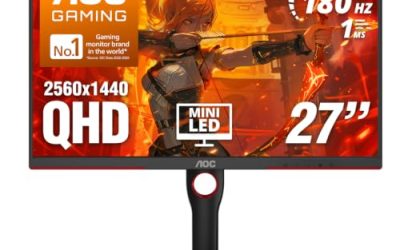
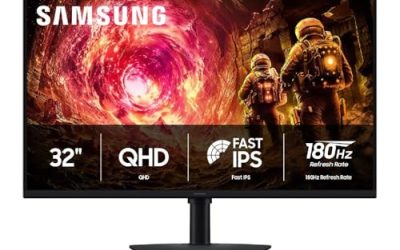
- Size: 27 inches
- Resolution: 2560 x 1440 (QHD)
- Panel type: Fast IPS
- Refresh rate: 180Hz

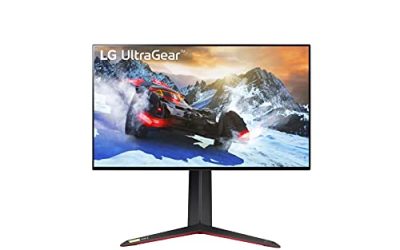
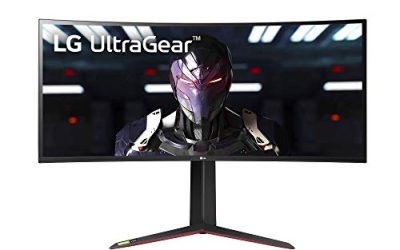
- Size: 27 inches
- Resolution: 2560 x 1440 (QHD)
- Panel type: Nano IPS
- Refresh rate: 165Hz, 180Hz overclocked

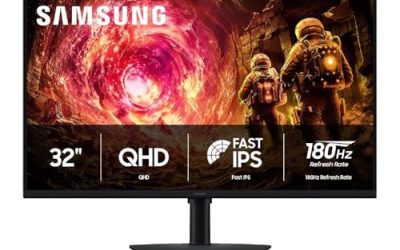
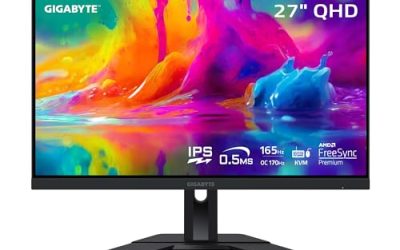
- Size: 27 inches
- Resolution: 2560 x 1440 (QHD)
- Panel type: Super Speed IPS
- Refresh rate: 165Hz, 170Hz overclocked
All 4 Picks at a Glance
| Product | Specs | Action |
|---|---|---|
| ASUS ROG Strix XG27ACS |
| Check price on Amazon |
| LG UltraGear 27GP850-B |
| Check price on Amazon |
| Gigabyte M27Q |
| Check price on Amazon |
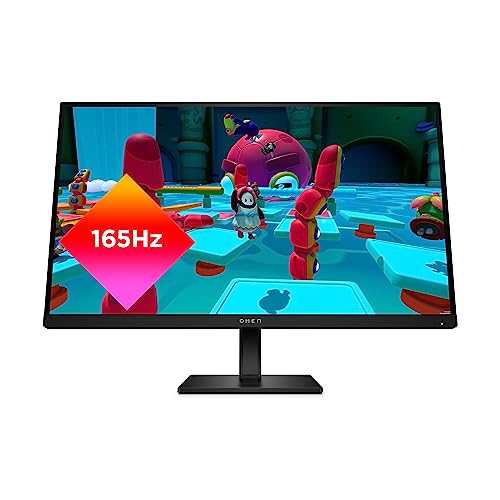 HP OMEN 27q |
| Check price on Amazon |
Our Top Picks
A glossy screen turns into a mirror the moment a window, a ceiling light or a desk lamp sits behind you. Text washes out, dark game scenes fill with reflections of the room, and your eyes work harder all day to separate the picture from the glare. An anti-glare monitor solves that at the panel level: the maker treats the screen surface with a matte coating that scatters incoming light instead of bouncing it straight back at you, so the image stays readable in the rooms people actually use.
This guide collects five monitors whose makers publish an anti-glare or matte screen treatment in their own specification sheets. Every pick is a 27-inch model at 2560 x 1440, because that size and resolution have become the sweet spot for a mixed desk that handles gaming, work and media on the same screen. The five split into fast gaming panels with high refresh rates and one calmer creator-leaning option, but all of them share the same core promise: a screen that stays clear when the room gets bright.
Below, each monitor is presented with the figures its maker publishes, including the coating itself, so you can compare like with like. After the five picks, a buying guide explains how anti-glare coatings differ, what the trade-offs are against glossy panels, and which supporting features matter once reflections are under control.
Alienware 27 Gaming Monitor AW2725DM
Dell’s Alienware AW2725DM is the newest panel in this roundup and the one that pairs its matte finish with the highest everyday polish. Dell publishes the display with an anti-glare screen coating over a Fast IPS panel, so the 27-inch QHD picture holds up in a lit room while keeping the wide viewing angles IPS is known for. The 180Hz refresh rate and 1ms gray-to-gray response time put it firmly in gaming territory, and support for NVIDIA G-SYNC, AMD FreeSync and VESA AdaptiveSync means the panel syncs cleanly with whichever graphics card drives it.
Colour coverage reaches 95 percent of DCI-P3, and VESA DisplayHDR 400 certification gives HDR content a defined baseline to work from. Brightness is a published 400 nits, which works in the buyer’s favour here: a matte coating spreads light, so a brighter backlight helps the picture punch through in a sunny room. Connectivity covers two HDMI ports, a DisplayPort 1.4 input and a USB hub, and the ergonomic stand adjusts for height, tilt, swivel and pivot. For a single screen that has to handle fast games at night and spreadsheets under daylight, this is the most complete package in the guide.
Specs
- Size: 27 inches
- Resolution: 2560 x 1440 (QHD)
- Panel type: Fast IPS
- Refresh rate: 180Hz
- Response time: 1ms gray-to-gray
- Brightness: 400 nits
- Colour gamut: 95% DCI-P3, VESA DisplayHDR 400
- Adaptive sync: NVIDIA G-SYNC, AMD FreeSync, VESA AdaptiveSync
- Screen coating: Anti-glare, as published by Dell
- Ports: 2x HDMI, 1x DisplayPort 1.4, USB hub
ASUS ROG Strix XG27ACS
- Size: 27 inches
- Resolution: 2560 x 1440 (QHD)
- Panel type: Fast IPS
- Refresh rate: 180Hz
The ROG Strix XG27ACS comes from ASUS’s gaming line, and ASUS states the important detail plainly in its launch material: the display surface is anti-glare. Behind that matte finish sits a Fast IPS panel running at 180Hz with a 1ms gray-to-gray response time, plus ASUS Extreme Low Motion Blur Sync, which combines backlight strobing with variable refresh to keep fast motion sharp. G-Sync compatibility covers GeForce cards, and the panel carries DisplayHDR 400 certification.
Colour is a strength on paper, with 97 percent DCI-P3 and 133 percent sRGB coverage published by ASUS, so the matte treatment is not being used to hide a dull panel. Typical brightness is 350 nits with a 400-nit peak. The port selection is modern: DisplayPort 1.4, two HDMI 2.0 inputs and a USB-C connection with DisplayPort alternate mode, which makes the XG27ACS an easy single-cable partner for a gaming laptop. ASUS also builds in its DisplayWidget Center software support and a tripod socket in the stand. Players who want a matte screen without giving up speed or a USB-C input will find this the most direct fit.
LG UltraGear 27GP850-B
- Size: 27 inches
- Resolution: 2560 x 1440 (QHD)
- Panel type: Nano IPS
- Refresh rate: 165Hz, 180Hz overclocked
The LG UltraGear 27GP850-B has been a fixture of gaming desks for several years, and its Nano IPS panel still earns its place. LG publishes the model with an anti-glare surface treatment, and the Nano IPS film delivers 98 percent DCI-P3 coverage with DisplayHDR 400 support, so colours stay rich even though the finish is matte. The panel runs at 165Hz natively and overclocks to 180Hz, with a 1ms gray-to-gray response time.
Both camps are covered on sync: NVIDIA G-SYNC Compatible and AMD FreeSync Premium certifications are published for this model. Brightness is a rated 400 nits, which again suits a matte panel in a bright room. Around the back there are two HDMI ports, a DisplayPort input and a USB hub, and the stand adjusts for height, tilt and pivot. Because the model has been in production for a long time, listings are plentiful and the specification is thoroughly documented. If you want the proven option in this group rather than the newest, the 27GP850-B is it.
Gigabyte M27Q
- Size: 27 inches
- Resolution: 2560 x 1440 (QHD)
- Panel type: Super Speed IPS
- Refresh rate: 165Hz, 170Hz overclocked
The Gigabyte M27Q takes a slightly different route to the same desk. Its Super Speed IPS panel carries a matte, non-glare finish, and Gigabyte builds in a feature the others here do not offer: a KVM switch, which lets one keyboard and mouse move between two computers at the press of a button. For a desk shared between a gaming PC and a work laptop, that single feature can be the deciding one.
The published figures are strong across the board: 165Hz refresh with an overclock to 170Hz, a 0.5ms MPRT response time, 92 percent DCI-P3 coverage and VESA DisplayHDR 400 certification. Brightness is rated at 350 nits. Inputs include a DisplayPort 1.2, two HDMI 2.0 ports, a USB-C connection and USB 3.0 ports for the KVM and hub functions, and AMD FreeSync Premium handles adaptive sync. The M27Q shows that choosing an anti-glare screen does not mean giving up the extras; it simply means checking that the coating is published before you buy, as it is here.
HP OMEN 27q
- Size: 27 inches
- Resolution: 2560 x 1440 (QHD)
- Panel type: IPS
- Refresh rate: 165Hz
HP’s OMEN 27q is the straightforward gaming pick of the five, and its datasheet is unusually explicit about the screen: HP publishes the treatment as anti-glare with a 3H hardness figure, alongside a 25 percent haze figure that describes how strongly the coating diffuses light. That level of detail makes it easy to confirm the monitor belongs in this guide. The IPS panel behind the coating runs at 165Hz with a 1ms gray-to-gray response time using overdrive.
The rest of the published sheet is well rounded: 400 nits of brightness, a 1000:1 contrast ratio, 99 percent sRGB and 95 percent DCI-P3 coverage, and HDR 400 support. AMD FreeSync Premium is built in, the monitor is certified as console compatible, and HP Eye Ease with Eyesafe certification addresses blue light for long sessions. Two HDMI 2.0 ports and a DisplayPort 1.4 input cover connectivity, and the stand offers tilt, pivot and 100mm of height adjustment. Buyers who want a matte gaming screen from a mainstream brand, with the coating spelled out in the maker’s own documents, will find the OMEN 27q easy to justify.
Buying Guide: How to Choose an Anti Glare Monitor
Start with the coating itself. Makers describe the same idea with several terms: anti-glare, matte, non-glare and anti-reflection all point to a treated surface, and some brands add a hardness figure such as 3H or a haze percentage that describes how much the finish diffuses light. A higher haze figure scatters reflections more aggressively, which helps in a room with windows behind the seating position. Very heavy coatings can soften the finest detail slightly, which is why creator-focused panels tend to use a lighter touch. The practical rule is simple: confirm the treatment appears in the maker’s own specification sheet, as it does for all five monitors above, rather than relying on a retail headline.
Next, pair the coating with brightness. A matte surface spreads both the room’s light and the panel’s own light, so a screen rated at 350 to 400 nits holds its contrast better in daylight than a dimmer panel with the same coating. Every monitor in this guide sits in that range. If your desk faces a window directly, brightness and coating work together, and neither one fully substitutes for the other.
Panel type shapes the rest of the experience. IPS panels dominate this category because their wide viewing angles keep colours consistent when you lean back or share the screen, and the fast IPS variants now reach response times that suit competitive play. Refresh rate is the other headline figure: 165Hz to 180Hz panels, like all five here, keep motion smooth in games while still serving as comfortable all-day work screens. Adaptive sync support for your graphics card brand prevents tearing without forcing a fixed frame rate.
Finally, check the supporting details. A height-adjustable stand matters more with a matte screen than a glossy one, because the best defence against a stubborn reflection is often a small change in screen angle. Port selection decides how clean the desk stays: USB-C with DisplayPort alternate mode suits laptop users, a KVM switch suits two-computer desks, and a USB hub keeps peripherals off the floor. None of these extras changes the coating, but together they decide whether the monitor fits your setup once the glare problem is solved.
Frequently Asked Questions
Does an anti-glare coating reduce picture quality?
A matte coating scatters light, which can make the finest textures look very slightly softer than on a glossy panel in a dark room. In a normally lit room the trade runs the other way: the glossy screen loses far more to reflections than the matte screen loses to diffusion. For mixed gaming and work in a lit space, most people find the anti-glare picture easier to read for longer.
What is the difference between anti-glare and anti-reflective screens?
The terms overlap in retail listings, but they describe different treatments. Anti-glare finishes are matte coatings that diffuse light across the surface, which is what the five monitors in this guide use. Anti-reflective treatments are optical layers, common on premium laptops and phones, that cancel reflections while keeping a glossier look. For desktop monitors, a published anti-glare or matte specification is the reliable sign of a reflection-resistant screen.
Can I add anti-glare protection to a glossy monitor instead?
Adhesive matte films exist, and they do cut reflections, but they sit on top of the panel rather than being part of it. Films can trap dust during fitting, soften the image more than a factory coating and complicate warranty conversations if residue is left behind. A monitor built with a published anti-glare treatment, like the models above, gives a cleaner and more predictable result.
How much brightness do I need with a matte screen?
For a room with ordinary daylight, a published figure of 300 to 400 nits is the comfortable zone, and all five monitors here fall inside it. Desks that face large windows benefit from the upper end of that range. In a dim room, brightness matters far less, and the coating choice becomes mostly about the occasional lamp or doorway light behind you.
Conclusion
Glare is a property of the room as much as the monitor, but the coating is the part you can choose once and benefit from every day. The five monitors in this guide all carry a maker-published anti-glare or matte treatment, and they spread that shared strength across different priorities: the Alienware AW2725DM and ASUS XG27ACS for the newest 180Hz hardware, the LG 27GP850-B for a proven Nano IPS panel, the Gigabyte M27Q for its KVM-equipped two-computer desk, and the HP OMEN 27q for a clearly documented gaming specification. Pick the one whose refresh rate, ports and stand match your setup, and the bright room stops being a reason to squint.
Disclosure: As an Amazon Associate, we earn from qualifying purchases made through links on this page, at no extra cost to you.
More from Amazon
Programs that pair well with the guide above. Offers and eligibility are set by Amazon and may change.
Free shipping on eligible items, Prime Video and more. Eligible new members can start with a free trial.
Start a Prime free trialAd-free music streaming. Eligible new subscribers can start with a free trial.
Try Music Unlimited freeA Prime membership for ages 18-24 with a trial period. Eligibility is set by Amazon.
See Prime for Young AdultsAudiobooks and podcasts to listen to on the go. Eligible new members can start with a free trial.
Try Audible freeAs an Amazon Associate we earn from qualifying purchases.