Key takeaways
- Best budget gaming laptops under 900: Lenovo Legion 5 with a WQXGA 165Hz screen and MSI Thin GF63, verified RTX 4050 picks and honest trade-offs in full.
Spending close to the top of the budget gaming laptop range only makes sense if the extra money buys something you can actually point to. A slightly different badge, a marginally newer model year, or a longer feature list copied from a higher tier does not count. What should count at this level is a better screen, a stronger processor, a more substantial cooling system and build, or a chassis that is genuinely easier to carry — the parts of a laptop you feel every day, long after the headline graphics chip name has stopped feeling new.
That is the test applied in this guide, and it is why the guide is short. Two verified configurations pass it, and they pass it in opposite directions. The Lenovo Legion 5 in its 16IRX9 configuration, model code 83DG005UUS, spends the budget on substance: a larger, sharper, faster display and a high-performance HX-series processor. The MSI Thin GF63 in its 12VE configuration spends it on portability: the same class of dedicated graphics and a full memory specification, carried in a thin chassis that weighs noticeably less than most gaming laptops. Both use an NVIDIA GeForce RTX 4050 Laptop GPU with dedicated graphics memory, and both ship with 16GB of memory and a 512GB solid-state drive in the configurations covered.
Every specification below is taken from listing data and manufacturer or retailer material for the exact configuration named. Gaming laptop families reuse the same model name across many processors, graphics cards and memory sizes, so the buying guide at the end explains how to confirm that the listing in front of you matches the configuration described. Selections are based on published specifications and listing information, with no claim of detailed research.
Disclosure: As an Amazon Associate, we may earn a commission from qualifying purchases made through links in this article, at no additional cost to you. Product specifications are taken from manufacturer and retailer listings.
What approaching this ceiling should add
Before the individual picks, it helps to name what a buyer near the top of this budget range should expect beyond the basics, because the basics alone belong to cheaper tiers.
The basics are a modern dedicated graphics card, enough memory to avoid an immediate upgrade, a workable solid-state drive and a high-refresh screen. Both picks here meet that standard. What this tier should add on top is at least one clear upgrade in an area that shapes daily use.
The first possible upgrade is the display. A larger panel, a taller aspect ratio, a higher resolution or a faster refresh rate all change how every game and every working day looks. The second possible upgrade is processor headroom: a chip from a higher performance line gives streaming, multitasking and creative work more room alongside gaming. The third is build and cooling — a more substantial chassis with a serious cooling system sustains performance through long sessions and usually feels better made. The fourth, and the one buyers most often undervalue, is weight. A gaming laptop that is genuinely lighter gets carried more, and a machine that gets carried is worth more than a slightly faster one that stays home.
Neither pick below upgrades everything at once, and the guide does not pretend otherwise. Each upgrades a different part of the experience, clearly and verifiably. That is the honest shape of this tier.
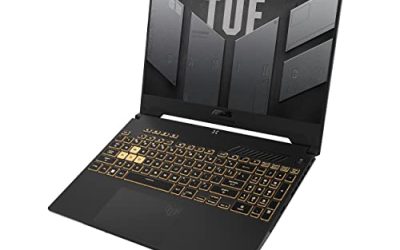
1. Lenovo Legion 5 16IRX9 83DG005UUS — the screen and processor pick

The Lenovo Legion 5 in the 83DG005UUS configuration is the pick that shows most clearly what stepping up within the budget class can buy. Retailer and manufacturer-linked data for this exact model code names an Intel Core i7-14650HX processor, an NVIDIA GeForce RTX 4050 Laptop GPU with 6GB of dedicated graphics memory, 16GB of RAM, a 512GB solid-state drive and Windows 11 Home, in a Luna Gray chassis.
Check the Lenovo Legion 5 on Amazon: https://www.amazon.com/dp/B0D6NQX6JQ
Start with the display, because it is this configuration’s headline upgrade. The panel is a 16-inch WQXGA screen — a 2560 by 1600 resolution in a taller 16:10 shape — with a 165Hz refresh rate and NVIDIA G-SYNC support, according to retailer specification data for this model code. Compare that with the 15.6-inch Full HD 144Hz panels that dominate the budget class, including the second pick in this guide. The Legion gives you more screen area, noticeably more pixels for sharper text and finer detail, extra vertical space that helps coursework, documents and strategy or simulation games, and a slightly faster refresh rate for competitive play. For buyers who will also work on this machine all day, that screen alone is a defensible reason to spend toward the top of the budget range rather than the middle.
The processor is the second upgrade. The Core i7-14650HX belongs to Intel’s HX line, the highest-performance mobile processor family, a step in positioning above the H-series chips used in most budget gaming laptops. In games, the graphics card usually sets the pace, so that step will not transform frame rates by itself. Where it shows is everything around the game: streaming while playing, voice chat and a browser full of tabs, coursework, photo and video work, and the general responsiveness of a machine that is never only doing one thing. Paired with the full 16GB of memory in this configuration, the Legion is specified like a machine meant to multitask seriously from the day it arrives.
The RTX 4050 itself brings the modern feature set this class is bought for: dedicated graphics memory rather than shared system memory, hardware ray tracing support, and DLSS upscaling, which is particularly useful at this panel’s higher native resolution. In demanding games, sensible settings and DLSS are the realistic route to smooth play on a 2560 by 1600 screen; in esports and lighter titles, the hardware has a much easier time feeding the 165Hz refresh rate. That balance is worth understanding before you buy — the sharper screen is a genuine upgrade, but it asks more of the graphics card than a Full HD panel does.
Cooling and input are consistent with the Legion line’s more substantial approach. Retailer material for this model highlights the Legion TrueStrike keyboard with 1.5mm key travel and Nahimic audio by SteelSeries, details that matter in long sessions. The honest trade-offs are the familiar ones for a 16-inch performance machine: this is a larger, desk-first laptop rather than an all-day ultraportable carry, fan noise under sustained gaming load should be expected, and unplugged endurance will be modest when the HX processor and dedicated graphics are working hard. Treat it as a machine that lives on a desk and relocates easily, not one bought for long battery-powered days.
Choose the Legion 5 83DG005UUS if the screen and the processor headroom are what you want the extra budget to buy: a bigger, sharper, faster display for both games and work, and a top-line mobile processor behind it. Confirm the 83DG005UUS model code on the listing before ordering, because Legion 5 laptops are sold in many configurations with different processors, graphics cards and screens that share the same family name.
2. MSI Thin GF63 12VE — the portability pick
The MSI Thin GF63 in its 12VE configuration makes the opposite argument, and for the right buyer it is just as valid. Listing and retailer data for this configuration names a 12th-generation Intel Core i7-12650H processor, an NVIDIA GeForce RTX 4050 Laptop GPU, 16GB of DDR4 memory, a 512GB NVMe solid-state drive and Windows 11 Home, driving a 15.6-inch Full HD display at 144Hz. On paper that core specification matches the budget class standard. The reason this machine belongs near the top of the range is not on that list — it is the weight.
Check the MSI Thin GF63 on Amazon: https://www.amazon.com/dp/B0DBL67DC4
Manufacturer and retailer specification data for the Thin GF63 12VE puts the chassis at about 1.85 kilograms, with a slim profile of about 0.85 inches. Most gaming laptops with dedicated graphics weigh noticeably more than that, and the difference is not abstract. It is the difference between a gaming laptop that goes into a bag without a second thought and one that gets left behind. For students moving between classes, commuters, and anyone whose gaming happens in more than one room or more than one building, that lightness is the upgrade this tier buys here — paid for in portability rather than in screen pixels.
The display is the conventional budget-class formula, done properly: a 15.6-inch Full HD IPS-level panel with a 144Hz refresh rate and thin bezels. That is the natural partner for this graphics class at this resolution. At 1920 by 1080, the RTX 4050 is in its comfort zone for esports titles and for many larger games at sensible settings, especially with DLSS available, and the 144Hz refresh rate lets the screen actually show the frames produced. You give up the Legion’s extra size, sharpness and vertical space; in return, the graphics card has an easier job at the native resolution.
The honest trade-off sits inside the graphics specification, and it is important. Specification data for the Thin GF63 12VE describes its RTX 4050 at up to 45W maximum graphics power with Dynamic Boost, which is at the low end of the power range for this chip. A slimmer, lighter chassis has less room for cooling and power delivery, and this is where that cost appears. Two laptops can carry the same RTX 4050 name and deliver different sustained performance, and this MSI’s implementation is tuned for its thin design rather than for maximum frame rates. Listing data names MSI’s Cooler Boost 5 cooling for this configuration, but no cooling branding changes the basic physics of a low-power graphics implementation in a thin body. Buy this pick for its weight and its complete core specification, not as the fastest RTX 4050 machine available.
The rest of the configuration is complete in the way this tier should be. The Core i7-12650H is a performance-series processor with headroom well beyond gaming alone, the 16GB of memory removes the most common immediate upgrade in cheaper machines, and the 512GB drive is a workable starting point for an operating system, everyday applications and a rotating game library. Type-C connectivity is named in the listing data. Battery expectations should stay realistic, as with any dedicated-graphics laptop, but a lighter machine with an efficiency-manageable workload is at least the one you will bother to take with you.
Choose the Thin GF63 12VE if your gaming laptop has to be carried daily and weight has previously been the reason a gaming machine stayed home. Confirm the 12VE configuration and the i7-12650H processor line on the listing before ordering, because Thin GF63 laptops span several generations and graphics cards, including older models that are not equivalent to this pick.
Head to head: screen and power, or weight
These two laptops share a graphics chip name, a memory capacity and a storage size, and differ in almost everything that decides daily satisfaction.
The Legion spends on the experience at the desk. Its 16-inch WQXGA 165Hz screen is larger, sharper and taller than the MSI’s 15.6-inch Full HD 144Hz panel, and its HX-series processor offers more multitasking headroom. If the laptop will live in one place and be used for long sessions of gaming mixed with serious work, those upgrades are felt constantly.
The MSI spends on the experience away from the desk. At about 1.85 kilograms it is the machine a student or commuter will actually carry, and its Full HD panel keeps its graphics card in the resolution range where this chip performs most comfortably. The cost is written into its own specification: a 45W graphics power limit that caps sustained performance below what the same chip can do in a larger chassis.
Neither approach is the correct one in the abstract. The right question is where the laptop will spend its life. A machine bought for a fixed desk gains nothing from a low weight it never uses, and pays for a big, sharp screen every hour. A machine bought for a bag gains nothing from extra pixels it carries as extra bulk, and pays for its graphics power limit only in the most demanding games. Be honest about that split before choosing, because it matters more than any single specification line.
How to choose at this tier
Start by deciding which upgrade you are actually paying for. If it is the screen and the processor, the Legion configuration is the coherent choice, with the understanding that its sharper panel will lean on DLSS and sensible settings in demanding games. If it is portability, the MSI is the coherent choice, with the understanding that its graphics power limit is the price of its weight.
Next, check the specification lines that listings most often blur. Confirm the exact model code — 83DG005UUS for the Lenovo, 12VE for the MSI — and then read the processor, graphics, memory and display lines against this guide. Marketplace listings can group variants together or change over time, and a family name alone guarantees nothing. If a live listing detail differs from this guide, trust the live listing and judge the pick on that basis.
Then think about what you will not need to buy next. Both configurations include the full 16GB of memory, so neither forces an immediate memory upgrade. Storage at 512GB is the shared pressure point for large game libraries on both machines, so plan for library management rather than assuming either drive is a finish line.
Finally, set expectations for the category. Both machines are built around performance processors and dedicated graphics, which means fan noise under load, real weight in the charger, and modest unplugged endurance while gaming. Those are the terms of the class, not defects in either pick.
Who this tier is for, and who should look elsewhere
This tier suits buyers who have a clear reason to spend toward the top of the budget range: a better screen for mixed gaming and work, a stronger processor for streaming and multitasking, or a genuinely lighter chassis for daily carrying. It suits students and home users who need one machine to cover study, work and serious evening gaming without an immediate upgrade list.
It is less suitable for a few clear groups. If maximum frame rates from an RTX 4050 are the only priority, a larger machine built around graphics power rather than screen size or weight is the more direct answer. If long unplugged battery life matters most, a performance processor and a dedicated graphics card are the wrong foundation. And if you never game or use GPU-accelerated software, the dedicated card in both picks is wasted cost and weight.
Conclusion
The best budget gaming laptops under this ceiling are not the ones with the longest specification lists. They are the ones where the extra budget buys a named, verifiable upgrade. The Lenovo Legion 5 83DG005UUS buys a 16-inch WQXGA 165Hz screen and an HX-series Core i7 processor, and is the pick for a desk-based machine that works as hard as it games. The MSI Thin GF63 12VE buys genuine portability at about 1.85 kilograms while keeping an RTX 4050, a Core i7 processor and a full memory specification, and is the pick for gaming that has to travel.
Decide which upgrade matches your life, verify the exact configuration on the listing before ordering, and you will have spent the top of this budget range on something you can actually point to.
More from Amazon
Programs that pair well with the guide above. Offers and eligibility are set by Amazon and may change.
Free shipping on eligible items, Prime Video and more. Eligible new members can start with a free trial.
Start a Prime free trialAd-free music streaming. Eligible new subscribers can start with a free trial.
Try Music Unlimited freeA Prime membership for ages 18-24 with a trial period. Eligibility is set by Amazon.
See Prime for Young AdultsAudiobooks and podcasts to listen to on the go. Eligible new members can start with a free trial.
Try Audible freeAs an Amazon Associate we earn from qualifying purchases.