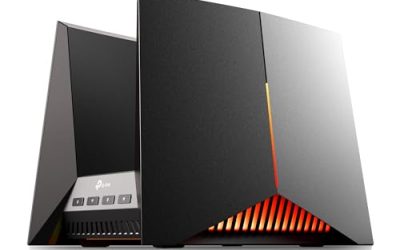
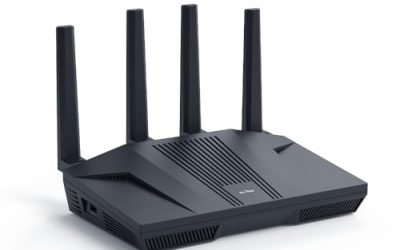
Our Short List of 3
All 5 Picks at a Glance
| Product | Specs | Action |
|---|---|---|
 TP-Link Archer BE550 | Check price on Amazon | |
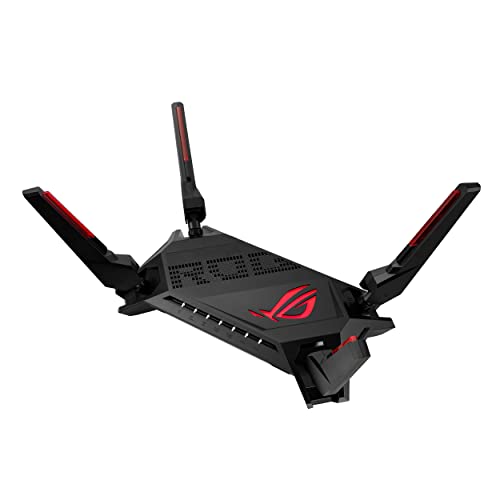 ASUS ROG Rapture GT-AX6000 | Check price on Amazon | |
 NETGEAR Nighthawk RAXE500 | Check price on Amazon | |
 ASUS RT-AX86U Pro | Check price on Amazon | |
 TP-Link Archer AXE75 | Check price on Amazon |
Our Top Picks
- TP-Link AXE5400 Tri-Band WiFi 6E RouterWiFi 6E, Tri-Band AXE540012.91 x 10.43 x 4.72 inches1.5 poundsCheck on Amazon
Fiber internet is only as fast as the router sitting behind the optical network terminal, usually called the ONT. The fiber line itself ends at that small box installed by the provider, and an Ethernet cable carries the connection onward into the home. If that next device has a slow wide area network port, older Wi-Fi, or a processor that struggles under many connections, a fast fiber plan gets held back before it ever reaches a gaming PC, console, or television. The best fiber optic routers fix that bottleneck with multi-gig ports, modern Wi-Fi standards, and enough processing power to handle gaming, streaming, video calls, and smart home traffic at the same time.
This guide compares five standalone routers that pair well with fiber service from providers that supply an ONT with an Ethernet output. The lineup covers Wi-Fi 7, Wi-Fi 6E, and Wi-Fi 6 models, ranging from a future-ready tri-band flagship with a full set of 2.5 gigabit ports to a more straightforward gigabit option for single gigabit plans. None of these routers replaces the ONT itself, and none connects directly to a fiber strand. Each one connects to the ONT by Ethernet, which is exactly how most residential fiber installations are designed to work.
As an Amazon Associate, we earn from qualifying purchases.
How to Choose a Router for Fiber Internet
Start with the speed of the plan and the speed of the WAN port. A router with only a gigabit WAN port cannot pass more than gigabit throughput from the ONT, even if its Wi-Fi ratings look much higher. Households on plans faster than one gigabit, or anyone who wants headroom for a future upgrade, should look for a 2.5 gigabit WAN port as a minimum. Routers that also offer 2.5 gigabit LAN ports go a step further, because a wired gaming PC or a fast network switch can then receive more than gigabit speed as well. Link aggregation and a second multi-gig port add flexibility for network storage and wired backhaul in larger homes.
Next, consider the Wi-Fi standard. Wi-Fi 6 remains a solid match for gigabit fiber, especially on the 5 GHz band with wide 160 MHz channels. Wi-Fi 6E adds the 6 GHz band, giving compatible devices a less crowded lane. Wi-Fi 7 builds on that with wider 320 MHz channels on 6 GHz and multi-link operation that can use more than one band at once. The benefit depends on the client devices in the home, so strong coverage and good wired ports can matter more than the newest standard alone.
Coverage matters as much as headline speed. A single router placed centrally usually serves an apartment or modest house well, while long or multi-story homes often need mesh expansion. Several routers here support their maker mesh ecosystems, allowing a compatible second unit to extend coverage without changing the network name. Beamforming, MU-MIMO, and OFDMA support help maintain throughput when many devices are active.
Gaming households should also check quality of service controls. Adaptive QoS, device prioritization, and a dedicated gaming port can keep latency steadier when someone else starts a large download. Port forwarding and UPnP controls matter for consoles and PC games that host sessions, and VPN support can help with remote access. Finally, confirm the provider allows customer-owned routers or a gateway in bridge or passthrough mode, and that any login method such as PPPoE or a tagged VLAN is supported.
Setup is normally simple. Connect an Ethernet cable from the ONT to the router WAN port, power the ONT first and let it sync, then power the router and follow its setup. If a provider gateway sits in between, bridge or passthrough mode avoids double network address translation. A wired speed check at the router gives the clearest picture of what the fiber line is delivering.
TP-Link Archer BE550
The Archer BE550 is the most fiber-ready router in this guide because every wired port runs at 2.5 gigabit speed. That means the WAN connection from the ONT is not capped at gigabit, and the four LAN ports can feed a gaming PC, a console, and a switch at multi-gig rates where the connected hardware supports it. As a tri-band Wi-Fi 7 router in the BE9300 class, it also brings the widest wireless feature set here, making it a strong single purchase for households upgrading to faster fiber tiers now rather than later.
Wireless performance centers on three bands, including a 6 GHz band with 320 MHz channels and multi-link operation for compatible Wi-Fi 7 clients. TP-Link rates coverage at about 2,000 square feet, and EasyMesh support allows a compatible satellite to extend that footprint. Six internal antennas keep the design tidy, and HomeShield provides network scanning, parental controls, and quality of service tools.
Who It Suits
The BE550 suits fiber households on multi-gig plans, gamers who want wired headroom as well as Wi-Fi 7, and buyers who want one router that stays relevant through a plan upgrade. Its advantages matter most when the plan and wired devices can use the extra speed.
ASUS ROG Rapture GT-AX6000
The ROG Rapture GT-AX6000 is a gaming-focused Wi-Fi 6 router with a feature fiber shoppers often miss in this class: two 2.5 gigabit ports. One can serve as the WAN connection from the ONT, leaving the other available for a fast wired gaming PC or network storage, and the ports can also be used with WAN aggregation on supported services. That flexibility, paired with a fast quad-core processor, makes the GT-AX6000 a compelling pick for wired gaming setups on gigabit and faster fiber plans.
On the wireless side, the dual-band AX6000 design concentrates capacity on the 5 GHz band, where a wide 160 MHz channel carries most gaming and streaming traffic. ASUS includes triple-level game acceleration, a mobile game mode, and adaptive quality of service. AiProtection Pro security is included without a subscription, Instant Guard offers a quick VPN option, and AiMesh support allows coverage to grow with other compatible ASUS units.
Who It Suits
The GT-AX6000 suits gamers on fiber who play over a wired connection, households that want strong 5 GHz performance without moving to 6 GHz hardware, and ASUS users who may later build an AiMesh system. Buyers with several Wi-Fi 6E or Wi-Fi 7 clients who specifically want a 6 GHz band should look at the tri-band models in this guide instead.
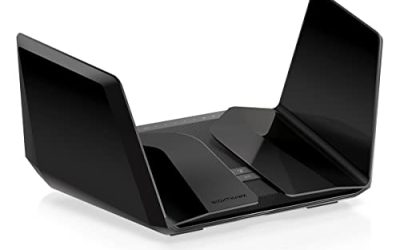
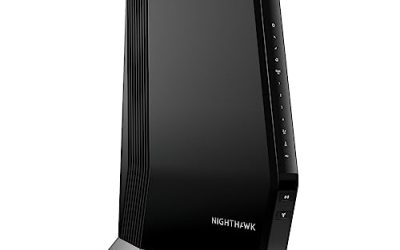
NETGEAR Nighthawk RAXE500
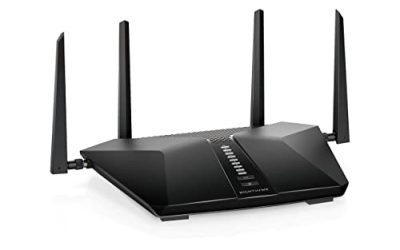
The Nighthawk RAXE500 is a flagship Wi-Fi 6E router built for busy homes where many devices compete at once. Its AXE11000 tri-band design spreads traffic across 2.4 GHz, 5 GHz, and 6 GHz, with twelve streams in total, so gaming systems, 4K televisions, work laptops, and phones are less likely to crowd onto a single band. NETGEAR rates the router for coverage up to about 3,500 square feet and support for up to 60 devices, which places it among the strongest single-unit options here for larger properties.
For fiber use, the key detail is the multi-gig port rated at 2.5 gigabit speed, which can be configured for the internet connection so plans above gigabit are not limited by a gigabit WAN socket. Additional gigabit LAN ports handle wired consoles and PCs, and two USB 3.0 ports support shared storage. A 1.8 GHz quad-core processor handles the routing load, with NETGEAR Armor security and WPA3 encryption available.
Who It Suits
The RAXE500 suits larger fiber households with long device lists, families mixing competitive gaming with multiple simultaneous streams, and buyers who want Wi-Fi 6E capacity in a single powerful unit rather than a mesh kit. In a small apartment its capacity is more than most networks need, and its strengths show most clearly when many clients are active at the same time.
ASUS RT-AX86U Pro
The RT-AX86U Pro is a well-rounded Wi-Fi 6 gaming router that fits gigabit fiber especially well. Its single 2.5 gigabit port can be assigned to the WAN side for headroom above gigabit on supported plans, or used on the LAN side for a fast wired connection to a gaming PC or network storage. That flexibility, plus a dedicated gaming port with prioritization, gives wired players a straightforward path to low and stable latency on a fiber connection.
Wireless throughput sits in the AX5700 class, with most capacity on the 5 GHz band using 160 MHz channels. A 2.0 GHz quad-core processor and generous memory help the router stay responsive with many connections enabled. ASUS includes mobile game mode, adaptive quality of service, port forwarding tools, and AiProtection Pro security without a subscription. AiMesh compatibility means coverage can grow later with another compatible ASUS router.
Who It Suits
The RT-AX86U Pro suits gigabit fiber households that want a dependable gaming router, a useful multi-gig port, and subscription-free security in one box. It is a natural fit for a gaming room plus general family use. Buyers who specifically want a 6 GHz band for newer laptops and phones, or who need every LAN port to run at multi-gig speed, will be better served by the Wi-Fi 6E and Wi-Fi 7 models above.
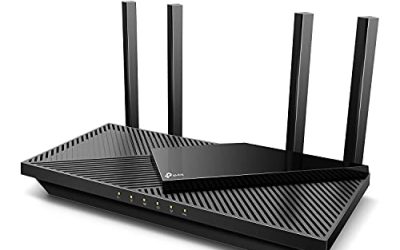
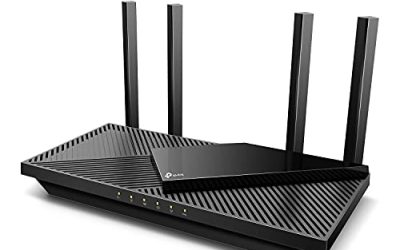
TP-Link Archer AXE75
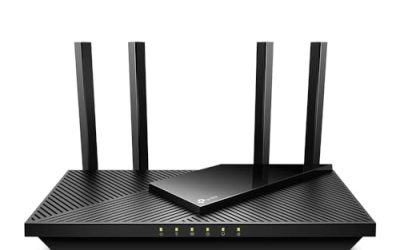
The Archer AXE75 brings Wi-Fi 6E to fiber households at the simpler end of this lineup. It is a tri-band AXE5400 router, so compatible devices gain access to the 6 GHz band for cleaner, wide-channel connections, while older devices continue on 5 GHz and 2.4 GHz. All of its Ethernet ports are gigabit class, which matches a gigabit fiber plan cleanly. That makes it a sensible, uncomplicated choice for the large group of fiber customers whose plan tops out at one gigabit.
A 1.7 GHz quad-core processor and six antennas support streaming, gaming, and work traffic across the three bands, with OFDMA and MU-MIMO helping serve many devices efficiently. TP-Link HomeShield adds network scanning, parental controls, and quality of service, and OneMesh support allows a compatible satellite to widen coverage. A USB 3.0 port supports shared storage, with VPN support and WPA3 security included.
Who It Suits
The AXE75 suits households on gigabit fiber that want the benefit of a 6 GHz band without stepping up to flagship hardware, plus families who value simple app-based setup and mesh expansion options. It is not the right pick for plans faster than one gigabit, because its gigabit WAN port sets the ceiling for the whole network. Buyers on those faster tiers should choose one of the 2.5 gigabit models in this guide.
FAQ
Does a fiber connection need a special router?
No special fiber router is required for most homes. Fiber service ends at the provider ONT, which converts the optical signal to Ethernet, and any router with an Ethernet WAN port can take the connection from there. What matters is matching the router to the plan: gigabit fiber works well with gigabit ports, while faster multi-gig plans need a router with a 2.5 gigabit or faster WAN port so the port itself does not become the limit.
Can a router connect directly to the fiber line?
In typical residential installations, no. The fiber strand connects to the ONT supplied and managed by the provider, and the router connects to the ONT with a standard Ethernet cable. Some advanced networks use a small form-factor pluggable module or a provider gateway with a built-in ONT, but those arrangements are provider-specific. For the routers in this guide, the expected setup is ONT to WAN port by Ethernet.
What should be done if a provider gateway is already installed?
Many fiber providers install a combined gateway that acts as both ONT interface and router. A customer-owned router can usually be added by placing the gateway in bridge or passthrough mode, which lets the new router handle routing, Wi-Fi, and port forwarding without double network address translation. If bridge mode is unavailable, the new router can still work behind the gateway, although some gaming and remote access features become harder to configure. Checking the provider support pages for the specific gateway model is the fastest way to confirm the available options.
Is Wi-Fi 7 worth choosing for fiber internet?
Wi-Fi 7 is most valuable when the home has, or will soon have, Wi-Fi 7 devices and a fast fiber plan to feed them. Its wider 6 GHz channels and multi-link operation can raise throughput for compatible devices, and routers such as the Archer BE550 pair that step up with full multi-gig wired ports. Households with mostly Wi-Fi 6 devices and a gigabit plan can still see excellent results from a strong Wi-Fi 6 or Wi-Fi 6E router.
Final Verdict
For the strongest all-around fiber setup, the TP-Link Archer BE550 leads this guide. Its full set of 2.5 gigabit ports removes the wired bottleneck on multi-gig plans, and Wi-Fi 7 gives newer devices the most headroom here. The ASUS ROG Rapture GT-AX6000 is the standout wired gaming alternative, while the NETGEAR Nighthawk RAXE500 offers the most single-unit Wi-Fi 6E capacity for large, busy homes. The ASUS RT-AX86U Pro is an excellent balanced choice for gigabit fiber, and the TP-Link Archer AXE75 is the simplest route into Wi-Fi 6E for plans that stop at one gigabit. Whichever model is chosen, confirm the WAN port speed against the plan first, place the router centrally, and run a wired check after setup.
Product and ASIN Reference
| Product | ASIN |
|---|---|
| TP-Link Archer BE550 | B0CJSNSVMR |
| ASUS ROG Rapture GT-AX6000 | B09L8PCTPT |
| NETGEAR Nighthawk RAXE500 | B08R58D9FH |
| ASUS RT-AX86U Pro | B0BQ417K47 |
| TP-Link Archer AXE75 | B0B3SQK74L |
FAQ
Does a fiber connection need a special router?
Can a router connect directly to the fiber line?
What should be done if a provider gateway is already installed?
Is Wi-Fi 7 worth choosing for fiber internet?
More from Amazon
Programs that pair well with the guide above. Offers and eligibility are set by Amazon and may change.
Free shipping on eligible items, Prime Video and more. Eligible new members can start with a free trial.
Start a Prime free trialAd-free music streaming. Eligible new subscribers can start with a free trial.
Try Music Unlimited freeA Prime membership for ages 18-24 with a trial period. Eligibility is set by Amazon.
See Prime for Young AdultsAudiobooks and podcasts to listen to on the go. Eligible new members can start with a free trial.
Try Audible freeAs an Amazon Associate we earn from qualifying purchases.