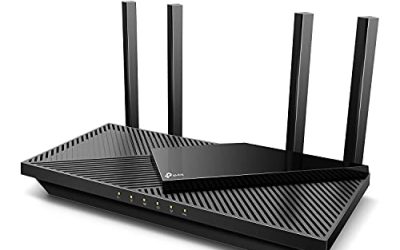
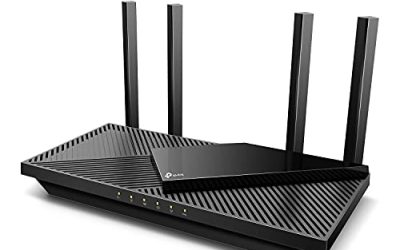
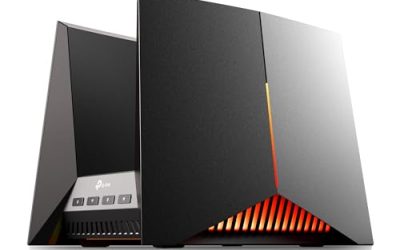
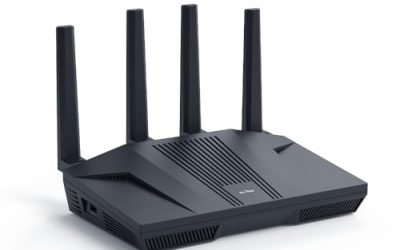
Our Short List of 3
All 3 Picks at a Glance
| Product | Specs | Action |
|---|---|---|
| 1. NETGEAR Nighthawk CAX80 — Best Overall for Gigabit and Faster Plans | Check price on Amazon | |
 2. Motorola MG8702 — Best All-Rounder for Most Cable Homes | Check price on Amazon | |
 3. ARRIS SURFboard G36 — Best Wi-Fi 6 Combo for Gigabit Plans | Check price on Amazon |
Key takeaways
- Find the best high speed cable modem routers for gigabit cable plans, with DOCSIS 3.1 combos, Wi-Fi 6, and multi-gig ports compared for busy homes in 2026.
The best high speed cable modem routers replace two boxes with one, and that single box has to do two demanding jobs at once. The modem half talks to the cable line and pulls in the full speed of the plan, while the router half shares that speed across every phone, laptop, console, and smart TV in the house. When either half is weak, the whole network suffers, no matter how fast the plan on paper looks. A slow modem caps the connection before it ever reaches the living room, and a weak router turns a gigabit plan into buffering video and laggy games in the back bedroom.
A cable modem router, often called a gateway or combo, is the right buy for most cable internet homes because it also ends the monthly equipment rental fee. Cable providers commonly charge a rental fee every month for a gateway they supply, and that fee adds up to a meaningful sum over a year or two. Buying a combo usually pays for itself in well under two years, and the replacement often delivers better Wi-Fi than the rented box it replaces. This guide explains what to check before buying, then compares three high speed cable modem routers that are still selling on Amazon US, all built around DOCSIS 3.1 for gigabit plans.
How to Choose the Best High Speed Cable Modem Router
Start With DOCSIS 3.1
DOCSIS is the standard that carries internet over the coaxial cable line into the home, and the version matters more than any other single spec. DOCSIS 3.1 is the current standard, and it supports gigabit and multi-gigabit download speeds with 32 downstream and 8 upstream bonded channels plus OFDM channels. Older DOCSIS 3.0 devices top out well below gigabit speeds and are a poor buy in 2026, even at a lower cost. Every pick in this guide is DOCSIS 3.1, so all three are ready for gigabit plans and for headroom as providers raise speeds. If a combo lists only DOCSIS 3.0, skip it.
Match the Combo to the Plan Speed
A combo rated for plans up to 1 gigabit is enough for most homes, but the rating is a ceiling, not a promise. Check the provider’s approved device list for the exact model number, because approval is tied to speed tiers. Some devices are approved only up to a certain tier, for example gigabit service but not faster multi-gigabit tiers. If the plan is likely to be upgraded later, buy a device approved for the faster tier now so it does not need replacing again. The picks below cover different ceilings, from solid gigabit coverage to multi-gigabit headroom, and the comparison table at the end lines them up side by side.
Pick Wi-Fi 6 for Busy Homes
Wi-Fi 6 is the sensible minimum for a new combo in 2026. It handles many connected devices at once, which matters in homes full of phones, laptops, game consoles, smart TVs, and smart home gear. Look at the rated Wi-Fi class, usually written as AX3000, AX3200, or AX6000, and at the coverage figure. A small apartment is fine with a modest combo, while a larger home needs stronger antennas and a higher rated class. Wi-Fi 5 combos can still serve a gigabit plan, and one pick below uses Wi-Fi 5 with very strong wired performance, but Wi-Fi 6 is the better long-term choice when the budget allows.
Count the Ethernet Ports
Wired connections still beat wireless for gaming consoles, desktop PCs, and streaming boxes, because a cable removes interference and latency from the equation. Four gigabit Ethernet ports is the standard to look for, and it covers a console, a PC, a TV, and one spare. A multi-gig port, usually 2.5 gigabit, is a bonus worth having for a fast desktop or a network storage device, because it lets one wired device use more than gigabit speed when the plan allows. Check the port count before ordering, since some compact combos ship with only two ports and that runs out fast in a gaming household.
Confirm Provider Compatibility Before Ordering
Every cable combo in this guide is built for cable internet from providers such as Xfinity, Spectrum, and Cox, and none of them work on fiber or DSL lines. A fiber connection arrives through an optical terminal and needs a standard Ethernet router, not a cable modem, and a DSL line needs completely different hardware. None of the picks support bundled cable voice service either, so households with a home phone line through their cable provider should keep the provider’s equipment for that service. Activation also takes an extra step: after plugging in the coax cable, the device must be activated with the provider, either through the provider’s app or with a phone call, before it goes online.
Top Picks
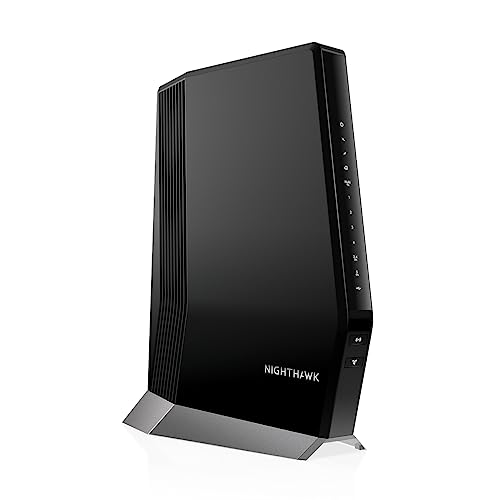
1. NETGEAR Nighthawk CAX80 — Best Overall for Gigabit and Faster Plans
The NETGEAR Nighthawk CAX80 is the flagship pick in this guide, and the combo to buy when the plan is gigabit or faster and headroom matters. It pairs a DOCSIS 3.1 modem with an AX6000 Wi-Fi 6 router, and it is built for cable plans up to 6 gigabits, far above the gigabit ceiling most combos hit. That headroom is the point: the modem will not be the bottleneck when the provider raises speeds or the household upgrades to a faster tier.
Wired connections are a highlight. The CAX80 offers four gigabit Ethernet ports plus a 2.5 gigabit port, so a gaming PC or console gets a fast wired link while the rest of the house stays on Wi-Fi. Coverage reaches up to 2,500 square feet with support for around 30 devices, which suits large households with heavy internet use. Security includes NETGEAR Armor with a trial period, WPA3 encryption, a double firewall, and smart parental controls. Setup runs through the Nighthawk app, and activation with the cable provider is still required after setup.
The trade-offs are size and cost. The CAX80 is a large, heavy unit that needs a proper shelf, and it sits at the premium end of the combo market. It also has no support for bundled cable voice service. For a busy home on a fast cable plan, though, it is the strongest all-round combo available, and the one most likely to stay relevant for years.
View the NETGEAR Nighthawk CAX80 on Amazon
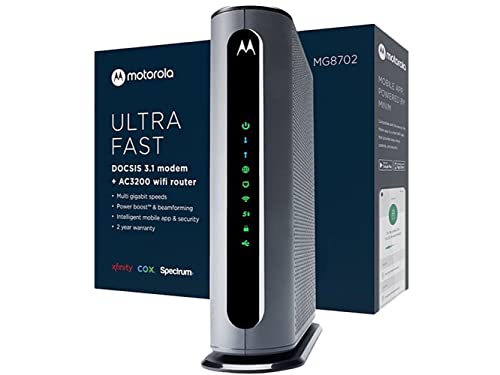
2. Motorola MG8702 — Best All-Rounder for Most Cable Homes
The Motorola MG8702 is the pick for most cable households, because it delivers gigabit performance without the flagship price tag. It combines a DOCSIS 3.1 modem with 32 by 8 channel bonding and an AC3200 Wi-Fi router, with speeds up to 1,000 megabits per second on the 2.4 gigahertz band and up to 2,167 megabits per second on the 5 gigahertz band. Motorola lists it as approved for Xfinity, Cox, and Spectrum, and it is rated for cable plans up to 2 gigabits.
What sets the MG8702 apart from cheaper combos is its balance. Four gigabit Ethernet ports cover a console, a PC, a TV, and one spare, and a USB 3.0 port allows shared storage on the network. Coverage reaches up to 2,500 square feet, and the router handles dozens of devices at once with MU-MIMO and beamforming. Setup takes about fifteen minutes through the Motorola app: plug in the coax cable, activate with the provider, and the app walks through Wi-Fi names and passwords. A two-year warranty and free support from a US-based team round out the package.
The main compromise is Wi-Fi 5 rather than Wi-Fi 6, so a household with a very large number of newer devices may get more from a Wi-Fi 6 pick. There is also no gaming dashboard with per-device ping statistics. For gamers and streamers on a gigabit cable plan who want one box that simply works, the MG8702 is the sensible middle ground.
View the Motorola MG8702 on Amazon
3. ARRIS SURFboard G36 — Best Wi-Fi 6 Combo for Gigabit Plans
The ARRIS SURFboard G36 is the Wi-Fi 6 pick for homes that want modern wireless without paying flagship money. It combines a DOCSIS 3.1 cable modem with a dual-band AX3000 Wi-Fi 6 router, and it is approved for cable plans up to 1.2 gigabits with Xfinity, Cox, Spectrum, and other major providers. The modem uses 2 by 2 OFDM channels alongside 32 by 8 channel bonding, which helps it handle crowded evening hours when many neighbors are online at once.
Wired performance is strong for the class. The G36 carries a dedicated 2.5 gigabit Ethernet port plus four gigabit ports, giving combined wired speeds up to 6.5 gigabits across the ports. That multi-gig port is genuinely useful for a fast desktop or a network drive, and it is rare at this level of the market. Coverage reaches up to 2,500 square feet, and the SURFboard Central app handles setup and management on iOS and Android. Security includes WPA3 encryption and parental controls.
The G36 is not the pick for multi-gigabit plans above 1.2 gigabits, since its approved ceiling is lower than the CAX80. It also lacks the voice support some households need. For a gigabit cable plan in a home full of Wi-Fi 6 devices, though, it is the best value Wi-Fi 6 combo in this guide, and the multi-gig port gives it an edge over other AX3000 models.
View the ARRIS SURFboard G36 on Amazon
Comparison Table
| Model | DOCSIS | Wi-Fi | Max Plan | Ethernet Ports | Best For |
|---|---|---|---|---|---|
| NETGEAR Nighthawk CAX80 | 3.1 | Wi-Fi 6 AX6000 | Up to 6 Gbps | 4 gigabit plus 1 multi-gig | Fastest plans and large homes |
| Motorola MG8702 | 3.1 | Wi-Fi 5 AC3200 | Up to 2 Gbps | 4 gigabit | Most cable homes |
| ARRIS SURFboard G36 | 3.1 | Wi-Fi 6 AX3000 | Up to 1.2 Gbps | 4 gigabit plus 1 multi-gig | Wi-Fi 6 on a gigabit plan |
FAQ
Do I need a separate router if I buy a cable modem router combo?
No. A combo contains both a cable modem and a Wi-Fi router in one box, so it replaces both devices. Plug the coaxial cable into the combo, connect it to power, activate it with the cable provider, and the Wi-Fi network is ready to set up. The only reason to add a separate router is when a much larger home needs a mesh system or a specialized router with features the combo lacks.
Will these combos work with my cable provider?
All three picks are listed as compatible with major US cable providers, including Xfinity, Spectrum, and Cox. Compatibility still needs checking before ordering, because approval is tied to the exact model number and the speed tier of the plan. Search the provider’s approved device list for the model, and confirm the list covers the plan speed. None of these combos work on fiber, DSL, or satellite internet.
Is DOCSIS 3.1 really necessary?
For any plan at gigabit speed or above, yes. DOCSIS 3.0 tops out well below gigabit speeds, so a DOCSIS 3.0 combo would cap a gigabit plan before the connection ever reaches the router. DOCSIS 3.1 also handles peak-hour congestion better, which matters when the whole neighborhood is streaming at once. Every combo in this guide is DOCSIS 3.1, so the modem side will not be the weak link.
How much can I save by replacing a rented gateway?
Cable providers commonly charge a monthly rental fee for a gateway they supply, and that fee adds up to a meaningful sum over a year. A combo in this guide typically pays for itself in well under two years of avoided rental fees, and after that the saving continues every month. The exact payback depends on the rental fee and the combo chosen, but the math favors buying for almost any household that plans to stay on cable internet.
Can I use a cable modem router with a mesh Wi-Fi system?
Yes, with one setting to change. Put the combo into bridge mode so it acts as a modem only, then connect the mesh system to it and let the mesh handle routing and Wi-Fi. That avoids double routing, which can cause problems with gaming and video calls. If the home is small enough for one box, though, a combo on its own is simpler and cheaper than adding mesh hardware.
Conclusion
The best high speed cable modem routers share three traits: a DOCSIS 3.1 modem that will not cap a gigabit plan, a router strong enough to share that speed across a busy home, and enough Ethernet ports for the devices that deserve a wired connection. The NETGEAR Nighthawk CAX80 is the strongest overall pick for fast plans and large homes, with AX6000 Wi-Fi 6 and multi-gigabit headroom. The Motorola MG8702 is the best all-rounder for most cable households, pairing a proven DOCSIS 3.1 modem with solid range and four wired ports. The ARRIS SURFboard G36 is the best Wi-Fi 6 value for gigabit plans, with a multi-gig port that is rare at its level. Whichever fits the plan and the home, check the provider’s approved device list for the exact model before ordering, and confirm the plan speed the model is approved for. Get those two checks right and the combo should serve the household for years.
Disclosure: As an Amazon Associate, we earn from qualifying purchases.
FAQ
Do I need a separate router if I buy a cable modem router combo?
Will these combos work with my cable provider?
Is DOCSIS 3.1 really necessary?
How much can I save by replacing a rented gateway?
Can I use a cable modem router with a mesh Wi-Fi system?
More from Amazon
Programs that pair well with the guide above. Offers and eligibility are set by Amazon and may change.
Free shipping on eligible items, Prime Video and more. Eligible new members can start with a free trial.
Start a Prime free trialAd-free music streaming. Eligible new subscribers can start with a free trial.
Try Music Unlimited freeA Prime membership for ages 18-24 with a trial period. Eligibility is set by Amazon.
See Prime for Young AdultsAudiobooks and podcasts to listen to on the go. Eligible new members can start with a free trial.
Try Audible freeAs an Amazon Associate we earn from qualifying purchases.