Our Short List of 3

- Best for: Multi-gig fiber households in flats and smaller houses that want Wi-Fi 7 and fast wired ports in one box.
- Wi-Fi 7 (802.11be) tri-band router, BE9300 class
- Band speeds up to 5,760 Mbps on 6 GHz, 2,880 Mbps on 5 GHz and 574 Mbps on 2.4 GHz
- 1 x 2.5 Gbps WAN port and 4 x 2.5 Gbps LAN ports
- 6 internal antennas

- Best for: Homes on the fastest fiber tiers with a NAS, server or wired desk setup that can use 10 Gbps links.
- Wi-Fi 7 (802.11be) tri-band router, BE19000 class, up to 19 Gbps combined
- Band speeds up to 11,529 Mbps on 6 GHz, 5,764 Mbps on 5 GHz and 1,376 Mbps on 2.4 GHz
- 2 x 10 Gbps WAN/LAN ports and 4 x 1 Gbps ports
- 320 MHz channels and 4096-QAM

- Best for: Mid-to-large homes on gigabit or multi-gig fiber that want Wi-Fi 7 coverage from a single unit.
- Wi-Fi 7 (802.11be) tri-band router, BE9300 class
- Wireless speed up to 9.3 Gbps combined
- Coverage up to 2,500 sq. ft. and up to 100 devices
- 2.5 Gig internet port
All 4 Picks at a Glance
| Product | Specs | Action |
|---|---|---|
| TP-Link Archer BE550 |
| Check price on Amazon |
| ASUS RT-BE96U |
| Check price on Amazon |
| NETGEAR Nighthawk RS300 |
| Check price on Amazon |
 TP-Link Archer AXE75 |
| Check price on Amazon |
Our Top Picks
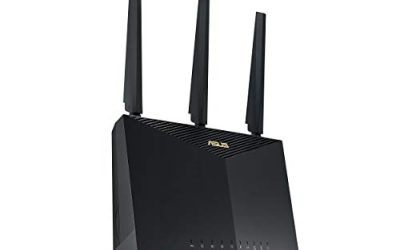
- TP-Link AXE5400 Tri-Band WiFi 6E RouterWiFi 6E, Tri-Band AXE540012.91 x 10.43 x 4.72 inches1.5 poundsCheck on Amazon
Signing up for fiber changes the bottleneck in your home network. The line itself delivers a set speed to the optical terminal on your wall, and from that point your router decides how much of it actually reaches your phones, laptops and TVs. The real decision is matching the router to the plan you pay for: a router with a gigabit WAN port quietly caps a faster tier, while an oversized flagship wastes money in a small flat. Ports, bands and coverage matter more than the biggest number on the box.
This roundup serves three kinds of fiber households: new subscribers replacing a provider gateway, families moving up to a multi-gig tier, and remote workers who wire a desk setup straight into the router. Every model below was picked from the names and specifications published on its Amazon product page, with the wired port speeds and band figures taken from those listings rather than from brand marketing pages.
Quick Picks
As an Amazon Associate we earn from qualifying purchases.
| Product | Best for | Key spec from title |
|---|---|---|
| TP-Link Archer BE550 | Multi-gig fiber in a small to medium home | BE9300 Wi-Fi 7 with five 2.5G ports |
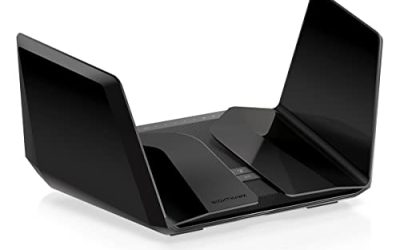
| ASUS RT-BE96U | The fastest fiber tiers and wired-heavy setups | BE19000 Wi-Fi 7 with dual 10G ports |
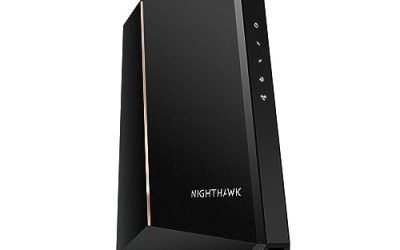
| NETGEAR Nighthawk RS300 | A larger home that wants Wi-Fi 7 coverage | BE9300 Wi-Fi 7, up to 2,500 sq. ft. |
| TP-Link Archer AXE75 | Gigabit fiber in the lower tier | AXE5400 Wi-Fi 6E with a 2.5 Gbps WAN port |
How to Choose
Match the WAN Port to Your Fiber Tier
The WAN port is where your fiber plan enters the router, and its speed is a hard ceiling. A gigabit WAN port tops out near a gigabit no matter how quick the wireless radios are, so anyone on a tier above gigabit needs a 2.5 Gbps port at minimum, and the fastest residential tiers justify the 10 Gbps ports on flagship models. Read the port table in the listing rather than the headline speed class, because some routers advertise multi-gig wireless while quietly keeping a gigabit WAN. On a gigabit plan or slower, a 2.5 Gbps WAN still buys headroom for a later upgrade.
Decide Whether the 6 GHz Band Matters to You
Wi-Fi 6E and Wi-Fi 7 routers add a 6 GHz band that shorter-range devices can use without competing with older hardware. That band helps most in dense buildings where the 5 GHz air is crowded, and for laptops and phones that sit in the same room as the router. It does little for devices several walls away, which fall back to 5 GHz or 2.4 GHz anyway. Count how many of your devices actually support 6 GHz before paying for it: a household of Wi-Fi 6 phones and an older games console gains far less than one with current laptops.
Size the Router to Your Floor Plan
Coverage figures on listings are measured in open conditions, and real homes with brick walls, metal ducts and floors between levels shrink them fast. A single router placed near the middle of a flat or a modest house usually covers it well, while long or multi-storey layouts need either a stronger unit or a mesh-ready model you can extend later. Check whether the router supports the maker’s mesh system, such as EasyMesh, OneMesh or AiMesh, so one added node can fix a dead corner instead of forcing a full replacement.
Look Past Wireless Speed to Wired Ports and Extras
The combined Mbps figure on a router box adds every band together, which no single device can use. What shapes daily use is the wired side: how many LAN ports there are, whether any run above gigabit for a NAS or a desktop, and whether a USB port lets the router share storage or a printer. Security suites differ too. Some brands include protection at no extra cost, while others move key features behind a subscription after a trial, so read the listing’s software notes before assuming the features are permanent.
The 4 Best Options
TP-Link Archer BE550
- Best for: Multi-gig fiber households in flats and smaller houses that want Wi-Fi 7 and fast wired ports in one box.
- Wi-Fi 7 (802.11be) tri-band router, BE9300 class
- Band speeds up to 5,760 Mbps on 6 GHz, 2,880 Mbps on 5 GHz and 574 Mbps on 2.4 GHz
- 1 x 2.5 Gbps WAN port and 4 x 2.5 Gbps LAN ports
- 6 internal antennas
Multi-gig fiber households in flats and smaller houses that want Wi-Fi 7 and fast wired ports in one box.
The 2,000 sq. ft. coverage figure suits small to medium homes; a larger layout will need an EasyMesh device added separately.
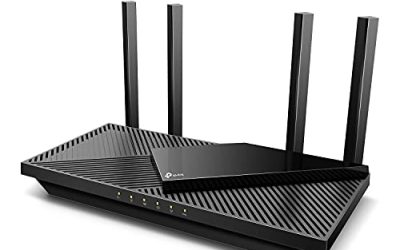
The Archer BE550 fits a fiber household that wants Wi-Fi 7 and multi-gig wiring without stepping up to flagship hardware. Its 2.5 Gbps WAN port takes a multi-gig tier at full speed, and because all four LAN ports also run at 2.5 Gbps, a wired desktop, console or NAS is not held back either. The 6 GHz band gives current laptops a clear lane, and the six internal antennas keep the unit tidy on a shelf. TP-Link rates coverage up to 2,000 square feet, which suits flats and smaller houses, and EasyMesh support leaves a path to add a node later.
Watch out for: The 2,000 sq. ft. coverage figure suits small to medium homes; a larger layout will need an EasyMesh device added separately.
ASUS RT-BE96U
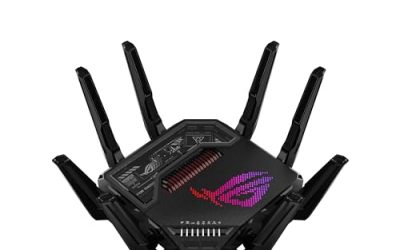
- Best for: Homes on the fastest fiber tiers with a NAS, server or wired desk setup that can use 10 Gbps links.
- Wi-Fi 7 (802.11be) tri-band router, BE19000 class, up to 19 Gbps combined
- Band speeds up to 11,529 Mbps on 6 GHz, 5,764 Mbps on 5 GHz and 1,376 Mbps on 2.4 GHz
- 2 x 10 Gbps WAN/LAN ports and 4 x 1 Gbps ports
- 320 MHz channels and 4096-QAM
Homes on the fastest fiber tiers with a NAS, server or wired desk setup that can use 10 Gbps links.
Renewed units circulate under a near-identical listing title, so confirm the listing you order from is the new unit before checking out.
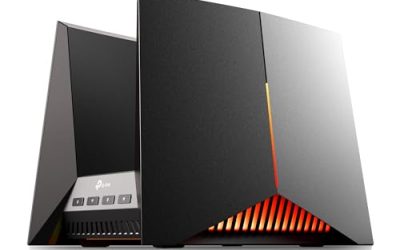
The RT-BE96U is the pick for the fastest fiber tiers and for homes that lean on wired connections. Two 10 Gbps ports let it take a multi-gig feed on the WAN side and still hand a 10 Gbps link to a switch, server or NAS, which no other router in this roundup matches. Its BE19000 tri-band Wi-Fi 7 radios add 320 MHz channels on 6 GHz for current laptops and phones, and AiMesh support means it can anchor a wider ASUS mesh setup later. This is more router than a gigabit plan can use, and that headroom is exactly the point for buyers who upgrade tiers often.
Watch out for: Renewed units circulate under a near-identical listing title, so confirm the listing you order from is the new unit before checking out.
NETGEAR Nighthawk RS300
- Best for: Mid-to-large homes on gigabit or multi-gig fiber that want Wi-Fi 7 coverage from a single unit.
- Wi-Fi 7 (802.11be) tri-band router, BE9300 class
- Wireless speed up to 9.3 Gbps combined
- Coverage up to 2,500 sq. ft. and up to 100 devices
- 2.5 Gig internet port
Mid-to-large homes on gigabit or multi-gig fiber that want Wi-Fi 7 coverage from a single unit.
NETGEAR Armor security becomes a paid subscription after its trial period, and there is no built-in modem, so fiber users keep the provider’s ONT.
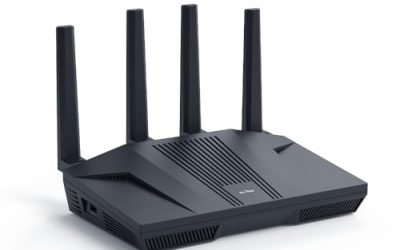
The Nighthawk RS300 suits a larger home that wants one tidy Wi-Fi 7 router rather than a mesh kit. NETGEAR rates it for up to 2,500 square feet and up to 100 connected devices, which covers the device sprawl of a family home with streaming TVs, consoles and smart home gear on at once. The 2.5 Gig internet port accepts multi-gig fiber tiers, and the BE9300 tri-band radios give Wi-Fi 7 devices a 6 GHz band while older hardware uses the lower bands. Setup runs through the Nighthawk app, and the slim tower design sits more easily on furniture than wide flat routers.
Watch out for: NETGEAR Armor security becomes a paid subscription after its trial period, and there is no built-in modem, so fiber users keep the provider’s ONT.
TP-Link Archer AXE75
- Best for: Gigabit fiber households that want a 6 GHz band and upgrade headroom without paying for Wi-Fi 7.
- Wi-Fi 6E (802.11ax) tri-band router, AXE5400 class
- Band speeds up to 2,402 Mbps on 6 GHz, 2,402 Mbps on 5 GHz and 574 Mbps on 2.4 GHz
- 160 MHz channel support
- 1 x 2.5 Gbps WAN port and 4 x gigabit LAN ports
Gigabit fiber households that want a 6 GHz band and upgrade headroom without paying for Wi-Fi 7.
Only the WAN port runs above gigabit, so wired devices cap at gigabit speeds, and the unit is physically large, so check your shelf depth.
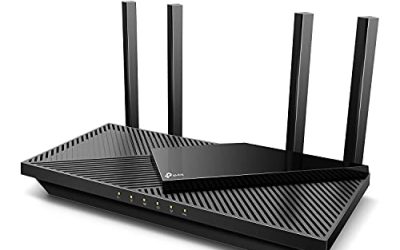
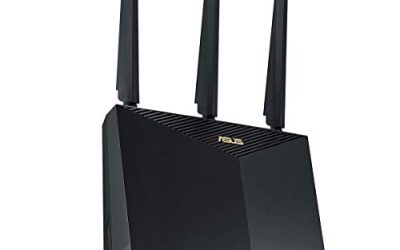
The Archer AXE75 is the sensible lower-tier route into a 6 GHz band for gigabit fiber. It is a Wi-Fi 6E router, so it gives current phones and laptops the same clear 6 GHz lane as the Wi-Fi 7 models, and its 2.5 Gbps WAN port means a later move to a multi-gig tier does not force another router change. The four LAN ports are gigabit, which is fine for streaming boxes and consoles, and OneMesh support lets a compatible extender widen coverage if one room falls short. For a gigabit plan in an apartment or a modest house, it covers the essentials without flagship extras.
Watch out for: Only the WAN port runs above gigabit, so wired devices cap at gigabit speeds, and the unit is physically large, so check your shelf depth.
Which One Fits Your Situation
You Just Upgraded to a Multi-Gig Fiber Tier
Start with the Archer BE550, whose 2.5 Gbps WAN and LAN ports match a 2 Gbps-class plan on both the wireless and wired sides. If your tier is faster still, or you expect another upgrade soon, the RT-BE96U and its dual 10 Gbps ports are the safer long-term anchor. Either way, retire any router with a gigabit WAN port, because it silently caps the plan you are now paying for.
You Work From Home and Wire Your Desk In
A wired desk rewards LAN port speed as much as wireless range. The RT-BE96U gives a workstation or dock a 10 Gbps path, while the Archer BE550 keeps every LAN port at 2.5 Gbps for a desk, a NAS and a console at once. Both keep video calls off the crowded wireless bands entirely, which is the most reliable fix for stutter that a new router can offer.
Your Home Has Dead Corners and Thick Walls
The Nighthawk RS300, rated up to 2,500 square feet, is the strongest single-box answer here. If one room still falls short, the Archer BE550 can grow with an EasyMesh node and the AXE75 with a OneMesh extender, so you add coverage instead of starting over. Place whichever you choose near the middle of the home and off the floor; placement fixes more dead zones than raw radio power does.
You Are on Gigabit Fiber and Watching the Budget Tier
The Archer AXE75 covers a gigabit plan fully, adds the 6 GHz band your next phone or laptop will use, and keeps a 2.5 Gbps WAN port ready for a faster tier. There is little reason to buy Wi-Fi 7 hardware today if every device you own is Wi-Fi 6 or older and your plan stays at a gigabit; spend the difference on placement or an extender instead.
Common Mistakes
- Buying a router with a gigabit WAN port for a fiber tier above a gigabit, which caps the plan at the port.
- Judging routers by the combined Mbps figure on the box instead of per-band speeds and port speeds.
- Leaving the router beside the ONT in a corner or cupboard, then blaming the fiber line for weak signal upstairs.
- Stacking the new router behind the provider gateway without bridge or passthrough mode, which creates double NAT problems for gaming and remote access.
- Paying for flagship Wi-Fi 7 hardware when no device in the home can use the 6 GHz band yet.
Frequently Asked Questions
Does fiber internet need a special kind of router?
No. Fiber reaches your home through an optical network terminal, and any modern router with an Ethernet WAN port connects to it. What matters is that the WAN port is at least as fast as your plan, and that the router’s bands and coverage fit your home. The four routers here all clear that bar for gigabit and multi-gig tiers.
Will a faster router make my fiber plan faster than its tier?
No router can exceed the speed of the plan itself. What a better router removes is the bottleneck inside your home: a slow WAN port, crowded bands or weak coverage that keep devices below the speed arriving at the wall. If a speed test wired to the ONT already hits your tier, a new router mainly improves wireless reach and consistency.
Can I replace the provider’s gateway with my own router?
Often, yes, by connecting your router to the ONT directly or by putting the gateway into bridge or passthrough mode. Some providers tie TV or phone service to their gateway, and a few require it for authentication, so check your provider’s support pages first. When in doubt, bridge mode keeps their box in place while your router runs the network.
Is Wi-Fi 7 worth it if my devices are Wi-Fi 6?
Wi-Fi 7 routers are backward compatible, so everything you own still connects, and the 6 GHz band helps any Wi-Fi 6E devices you already have. The full benefit arrives as you replace phones and laptops with Wi-Fi 7 models. If your plan is gigabit and your devices are older, the AXE75 covers you now; if you upgrade hardware often, a Wi-Fi 7 model lasts longer.
FAQ
Does fiber internet need a special kind of router?
Will a faster router make my fiber plan faster than its tier?
Can I replace the provider’s gateway with my own router?
Is Wi-Fi 7 worth it if my devices are Wi-Fi 6?
More from Amazon
Programs that pair well with the guide above. Offers and eligibility are set by Amazon and may change.
Free shipping on eligible items, Prime Video and more. Eligible new members can start with a free trial.
Start a Prime free trialAd-free music streaming. Eligible new subscribers can start with a free trial.
Try Music Unlimited freeA Prime membership for ages 18-24 with a trial period. Eligibility is set by Amazon.
See Prime for Young AdultsAudiobooks and podcasts to listen to on the go. Eligible new members can start with a free trial.
Try Audible freeAs an Amazon Associate we earn from qualifying purchases.