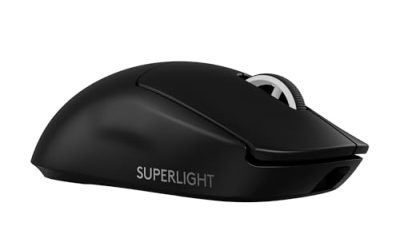
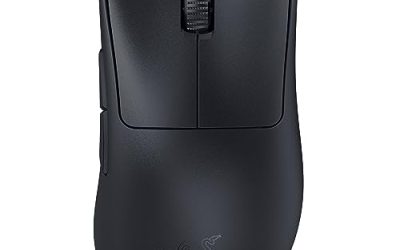
Our Short List of 3

- Weight: 55 g
- Sensor: Razer Focus Pro 35K Optical Gen-2
- Max sensitivity: 35,000 DPI
- Max speed: 750 IPS

- Weight: 56 g
- Sensor: Razer Focus Pro 45K Optical Sensor Gen-2
- Max sensitivity: 45,000 DPI
- Max speed: 900 IPS

- Weight: 99 g including battery
- Sensor: Logitech HERO optical
- Max sensitivity: 12,000 DPI
- Max speed: 400 IPS
All 5 Picks at a Glance
| Product | Specs | Action |
|---|---|---|
| 1. Razer Viper V3 Pro (White) |
| Check price on Amazon |
| 2. Razer DeathAdder V4 Pro (Black) |
| Check price on Amazon |
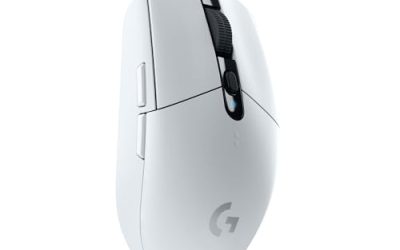
| 3. Logitech G305 LIGHTSPEED (Mint) |
| Check price on Amazon |
 4. Pulsar X2V2 (Medium, White) |
| Check price on Amazon |
 5. Razer Basilisk V3 Pro (White) |
| Check price on Amazon |
Our Top Picks
- Razer Basilisk V3 Pro Customizable Wireless Gaming MouseMouse5.12 x 2.96 x 1.67 inches0.24 poundsCheck on Amazon
A gaming mouse is the one part of a setup your hand touches every second you play, so small differences in shape, weight and sensor behaviour add up fast. The current market splits into a few clear camps: ultralight symmetrical shells built for flick shots in tactical shooters, ergonomic right-handed shapes that support a relaxed palm grip through long sessions, and feature-loaded models that trade a little weight for extra buttons, tilt wheels and lighting.
The five mice below cover those camps with hardware that is current and widely stocked. Two are esports flagships with high-polling wireless and sensors that track far beyond what any human hand can outrun. One is a compact enthusiast favourite from a smaller maker. One is a long-running wireless staple that keeps a simple AA-powered design. The last is an ergonomic all-rounder with the deepest feature set here. Every pick is a dedicated gaming mouse, and the differences between them come down to grip style, hand size and how much you value raw speed against comfort and controls.
Read the shape notes in each section first. A sensor can be flawless on paper and still feel wrong if the shell fights your grip, while a modest sensor in a shape that disappears under your hand will usually serve you better over a long session.
Disclosure: As an Amazon Associate, we earn from qualifying purchases made through links on this page, at no extra cost to you.
1. Razer Viper V3 Pro (White)
- Weight: 55 g
- Sensor: Razer Focus Pro 35K Optical Gen-2
- Max sensitivity: 35,000 DPI
- Max speed: 750 IPS
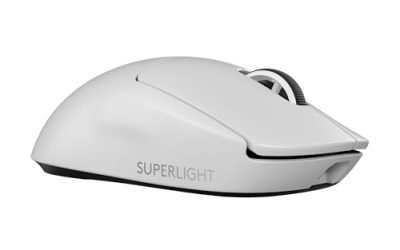
The Viper V3 Pro is Razer’s symmetrical esports flagship, and this white version carries a listed weight of 55 grams, one gram above the black shell. The shape is a safe, low-profile symmetrical design with gentle side curves, which suits claw and fingertip grips and medium hands especially well. There is no lighting anywhere on the shell, which keeps the look clean and the weight down.
Inside is the Focus Pro 35K Optical Sensor Gen-2, tracking at up to 750 IPS with fine sensitivity steps for careful tuning. The headline feature is wireless polling: the mouse pairs Razer HyperSpeed Wireless with the included HyperPolling Wireless Dongle to reach a true polling rate of up to 8,000 Hz, eight times the report rate of a standard gaming mouse. Optical switches rated for a 90-million-click lifecycle keep actuation fast and consistent, and there is no mechanical contact to wear into double-click faults over time.
Battery life is listed at up to 95 hours at a 1,000 Hz polling rate, dropping when the full high-polling mode runs, which is the normal trade-off for this class. Charging is over USB-C, and the cable doubles as a wired connection. If you play competitive shooters with a claw or fingertip grip and want the most refined symmetrical shell in this group, this is the pick to beat.
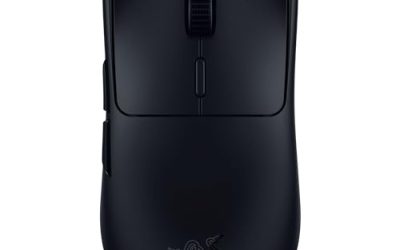
2. Razer DeathAdder V4 Pro (Black)
- Weight: 56 g
- Sensor: Razer Focus Pro 45K Optical Sensor Gen-2
- Max sensitivity: 45,000 DPI
- Max speed: 900 IPS
The DeathAdder name has anchored right-handed gaming for years, and the V4 Pro trims the familiar ergonomic shape down to 56 grams, lighter than many symmetrical esports mice. The sculpted shell supports the palm and ring finger in a relaxed curve, which makes it a natural home for palm and relaxed claw grips on medium and large hands.
The sensor is the Focus Pro 45K Optical Sensor Gen-2, with tracking up to 900 IPS and resolution accuracy quoted at 99.8 percent. HyperSpeed Wireless Gen-2 delivers true 8,000 Hz polling out of the box, and the optical scroll wheel replaces the usual mechanical encoder with a contact-free design that matches the Gen-4 optical main switches. Every input on the mouse is optical, so the whole control set ages at the same slow rate.
Battery life reaches up to 150 hours at a 1,000 Hz polling rate, the strongest figure in this roundup, and the mouse charges over USB-C. Players who want an ergonomic shape without giving up flagship wireless speed or sensor headroom will find the complete package here; fingertip players with small hands should look at the lighter symmetrical picks instead.
3. Logitech G305 LIGHTSPEED (Mint)
- Weight: 99 g including battery
- Sensor: Logitech HERO optical
- Max sensitivity: 12,000 DPI
- Max speed: 400 IPS
The G305 has been a fixture of gaming desks for years because it gets the fundamentals right in a small, simple shell. This mint colourway uses the same hardware as the rest of the line: a compact symmetrical body, six programmable buttons and a weight of 99 grams with its battery fitted. The size suits small and medium hands, and the egg-like shape works for claw and fingertip grips without forcing the fingers into a sculpted groove.
The HERO sensor tracks up to 12,000 DPI at 400 IPS, figures that sit below the flagships in this group yet remain far beyond the demands of ordinary play, and LIGHTSPEED wireless reports at 1,000 Hz with a connection that behaves like a cable. The defining trait is power: a single AA cell runs the mouse for up to 250 hours in Performance mode, and an Endurance mode selected in the G HUB software stretches that toward nine months for mixed gaming and desktop use.
There is no rechargeable cell, no lighting and no high-polling mode, and the side buttons are small. What you get instead is a proven shape, a receiver that stores inside the body, and a mouse that asks for almost no upkeep between battery swaps. For a second machine, a laptop bag, or a first wireless gaming mouse, it remains an easy recommendation.
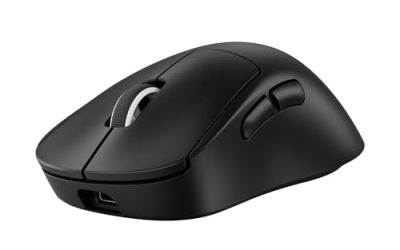
4. Pulsar X2V2 (Medium, White)
- Weight: 53 g
- Sensor: PixArt PAW3395 optical
- Max sensitivity: 26,000 DPI
- Polling rate: 1,000 Hz standard, 4,000 Hz with the separate Pulsar 4K dongle
Pulsar builds for the enthusiast corner of the market, and the X2V2 shows it: a plain symmetrical shell, a solid body with no cut-outs, and a weight of 53 grams in this medium size. The shape is compact and low, close in spirit to the classic mice that competitive players grew up on, and it flatters claw and fingertip grips. A mini size of the same design exists for smaller hands, which is a level of fit choice the big brands rarely offer.
The PixArt PAW3395 sensor tracks up to 26,000 DPI and has been the enthusiast benchmark chip of its generation, appearing in many of the most respected wired and wireless releases. Polling runs at 1,000 Hz from the included receiver, and the shell accepts Pulsar’s separate 4K wireless dongle for players who want the higher rate. Optical main switches keep clicks crisp and remove the worn-contact faults that end the life of many mechanical mice.
Battery life is quoted at up to 70 hours, and the package keeps things minimal: no lighting, no extra buttons beyond the standard set, and software that stays out of the way. If the big-brand flagships feel overbuilt and you want a light, honest shape with a top-tier sensor, the X2V2 is the connoisseur’s route into this group.
5. Razer Basilisk V3 Pro (White)
- Weight: 112 g excluding cable
- Sensor: Razer Focus Pro 30K Optical
- Max sensitivity: 30,000 DPI
- Max speed: 750 IPS
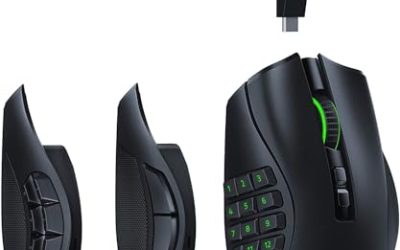
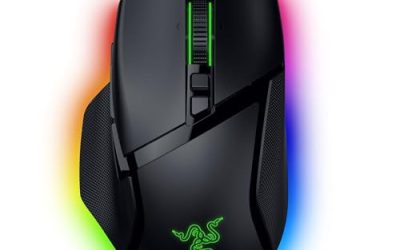
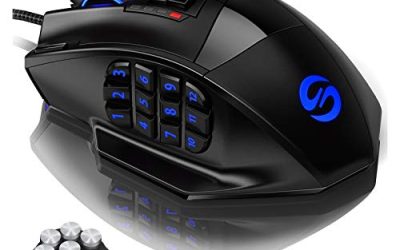
The Basilisk V3 Pro takes the opposite path from the ultralight picks: it is a full-size right-handed ergonomic mouse, 112 grams without its cable, that packs in every control Razer offers. The signature feature is the HyperScroll tilt wheel, which clicks side to side for extra inputs and switches between a tactile stepped mode and a free-spinning mode that flies through long pages and weapon lists alike.
Under the shell sits the Focus Pro 30K Optical Sensor, tracking at 750 IPS with flawless behaviour on cloth, hard pads and even glass desks. Eleven programmable buttons include the thumb paddle Razer calls the multi-function trigger, and thirteen zones of Chroma RGB underglow light the desk beneath the mouse. Connectivity covers HyperSpeed Wireless, Bluetooth for a second machine, and a wired mode, with battery life up to 110 hours on HyperSpeed and up to 150 hours on Bluetooth.
Gen-3 optical switches handle the main clicks, and the mouse supports wireless charging through Razer’s dock and puck system, sold separately. MMO and MOBA players, and anyone who binds a full control scheme to the mouse hand, get more usable inputs here than from any other pick in this group; pure flick-aim players will prefer the lighter shells above.
How to Choose the Right Gaming Mouse
Shape and grip come first. Palm grip spreads the whole hand over the shell and suits taller, sculpted ergonomic shapes like the DeathAdder V4 Pro and Basilisk V3 Pro. Claw and fingertip grips favour shorter, lower symmetrical shells such as the Viper V3 Pro, the X2V2 and the G305. Match the mouse length to your hand: a shell that is too long pushes the fingers past the switches, and one that is too short cramps the palm.
Weight changes how aiming feels. Mice in the low fifties of grams glide with little effort and reward wide, fast swipes, which is why competitive shooter players chase them. Heavier mice around and above 100 grams feel steadier for fine tracking and give extra buttons and wheels a solid base. Neither end is wrong; the right answer is the one your arm prefers after a long session.
Sensor numbers need context. Every sensor in this group tracks faster than a hand can move and holds accuracy at high speed, so headline DPI figures matter less than consistency. Treat maximum DPI as headroom, set an in-game sensitivity you can control, and leave it alone while your aim settles.
Polling rate is a refinement, not a foundation. Moving from 1,000 Hz to 8,000 Hz trims the delay between reports to a fraction of a millisecond and smooths cursor motion on high-refresh monitors. It also drains batteries far faster. Most players feel the shape and weight of a mouse long before they feel its polling rate.
Battery and upkeep differ by design. Rechargeable flagships ask for a cable every week or two of heavy play, less at standard polling. The AA-powered G305 runs for months and swaps in seconds. Decide which routine fits your desk before deciding anything else.
FAQ
Is wireless as reliable as wired for gaming?
Modern gaming wireless links such as LIGHTSPEED and HyperSpeed report at 1,000 Hz or higher with latency that matches a cable in normal play, and every mouse in this group also works wired over its charging cable. For home and competitive use alike, the cable is now a charging tool rather than a performance requirement.
How much DPI should I actually set?
Far less than the maximum on the box. Most competitive shooter players land between 400 and 1,600 DPI and pair it with a low in-game sensitivity, while strategy and MMO players often prefer 1,600 to 3,200 for faster cursor travel across large screens. High maximum figures exist so the sensor keeps headroom and smooth tracking across that whole range.
Which of these mice suits a claw grip best?
The Viper V3 Pro and the Pulsar X2V2 are the natural claw picks here, with low symmetrical shells, light builds and room at the rear for the fingers to curl. The G305 also serves claw players with smaller hands. Palm players are better served by the DeathAdder V4 Pro or the Basilisk V3 Pro.
Do optical switches really last longer than mechanical ones?
Optical switches register clicks with a beam of light rather than metal contacts, so there is no contact surface to oxidise or bounce as it wears. That removes the most common cause of double-click faults in older mice. The flagships here quote lifecycles of 90 million clicks, well beyond the practical life of the mouse around them.
FAQ
Is wireless as reliable as wired for gaming?
How much DPI should I actually set?
Which of these mice suits a claw grip best?
Do optical switches really last longer than mechanical ones?
More from Amazon
Programs that pair well with the guide above. Offers and eligibility are set by Amazon and may change.
Free shipping on eligible items, Prime Video and more. Eligible new members can start with a free trial.
Start a Prime free trialAd-free music streaming. Eligible new subscribers can start with a free trial.
Try Music Unlimited freeA Prime membership for ages 18-24 with a trial period. Eligibility is set by Amazon.
See Prime for Young AdultsAudiobooks and podcasts to listen to on the go. Eligible new members can start with a free trial.
Try Audible freeAs an Amazon Associate we earn from qualifying purchases.