Our Short List of 3

- Best for: Players who want one mouse that covers a full ESO rotation and adapts to other games.
- Interchangeable side plates with 2, 6 and 12-button layouts
- Razer Focus+ 20K DPI optical sensor
- 19 plus 1 programmable buttons
- HyperSpeed wireless connection

- Best for: Players who want the deepest MMO button layout and a wired connection that never needs charging.
- 20 buttons with a 12-button thumb panel
- 8,200 DPI sensor
- G-Shift button for a second button layer
- Wired USB connection

- Best for: Wireless players who want a 12-button grid and a battery that lasts through many long sessions.
- 26,000 DPI optical sensor
- 16 programmable buttons with a 12-button side panel
- Key Slider control system to reposition the side panel
- Up to 150 hours of battery life
All 4 Picks at a Glance
| Product | Specs | Action |
|---|---|---|
| Razer Naga Pro |
| Check price on Amazon |
| Logitech G600 MMO |
| Check price on Amazon |
| Corsair Scimitar Elite Wireless |
| Check price on Amazon |
 Corsair Scimitar RGB Elite |
| Check price on Amazon |
Our Top Picks
- Corsair Scimitar Elite RGB Wireless MMO Gaming MouseStandard4.69 x 2.89 x 1.66 inches0.25 poundsCheck on Amazon
- CORSAIR SCIMITAR RGB ELITE Wired MMO MOBA PC1 Count (Pack of 1)6.89 x 4.49 x 0.1 inches0.3 poundsCheck on Amazon
The Elder Scrolls Online asks more from a mouse than most games do. A single skill bar holds five abilities plus an ultimate, and a typical rotation adds potions, weapon swapping, blocking, dodging, interrupting and synergy prompts on top of that. The real decision is not which mouse has the highest sensor number, but which thumb layout lets you fire all of those actions without looking down at your hand or twisting your wrist into an awkward claw during a long trial boss fight.
This guide is for ESO players who run dungeons, trials and Cyrodiil battlegrounds, for healers and tanks who need instant access to support skills, and for anyone whose current mouse forces them to stretch for keyboard keys mid-fight. Every mouse below was picked from its Amazon listing, using the button count, sensor and connection details shown on the product page, so you can compare the four on the same terms.
Quick Picks
As an Amazon Associate we earn from qualifying purchases.
| Product | Best for | Key spec from title |
|---|---|---|
| Razer Naga Pro | Swapping between 12-button and simpler layouts | Interchangeable 2, 6 and 12-button side plates |
| Logitech G600 MMO | A proven wired MMO layout with a full thumb grid | 20 buttons with a 12-button thumb panel |
| Corsair Scimitar Elite Wireless | Wireless play with a long battery life | 26,000 DPI sensor with 150 hours of battery |
| Corsair Scimitar RGB Elite | A wired Scimitar with an adjustable thumb panel | 18,000 DPI sensor with 17 programmable buttons |
How to Choose
Count the thumb buttons you will actually use
An ESO skill bar needs five ability slots, an ultimate, a potion, a weapon swap and usually a block or dodge key within thumb reach. A 12-button thumb grid covers that whole set with room to spare, while a six-button panel suits players who keep their ultimate and potion on the keyboard. Count your rotation before you count buttons: a mouse with more buttons than your build needs only adds misclicks, and a mouse with too few pushes abilities back onto keys your left hand is already busy with. The right number is the one that maps your full rotation to the thumb alone.
Match the grip to long sessions
ESO sessions run long. Trials, zone story quests and battleground campaigns stretch for hours, and a mouse that feels fine for twenty minutes can ache after two. Palm grip players need a longer body and a thumb rest that supports the whole hand, while claw grip players need a higher hump under the palm and a narrower waist. Check the shape against your hand size, not just the button layout: a 12-button grid is useless if the shell forces your thumb to hover at an angle, and a comfortable shell with too few buttons still leaves your rotation split across two hands.
Decide between wired and wireless
A wired mouse never runs out of charge mid-trial and usually weighs less, which matters when you flick the camera across a crowded battlefield. A wireless mouse removes the cable drag that can snag during fast turns, and modern wireless links keep up with dungeon combat without the lag older wireless mice suffered from. The practical question is battery discipline: if you forget to charge peripherals, a wireless mouse with a short battery life will die at the worst moment, while a wired mouse simply works whenever the PC is on.
Look at the sensor and the software
High DPI numbers look impressive, but ESO rewards steady tracking at a moderate sensitivity more than extreme DPI. A sensor in the range these mice offer tracks cleanly across the screen at the sensitivity most players use for camera control and aiming ground-targeted abilities. The software matters just as much: you need to remap thumb buttons to your skill bar, set up a profile that loads when ESO launches, and save that profile to the mouse if you play on more than one machine. A mouse with weak software turns a 12-button grid into a puzzle you solve every time you sit down.
The 4 Best Options
Razer Naga Pro
- Best for: Players who want one mouse that covers a full ESO rotation and adapts to other games.
- Interchangeable side plates with 2, 6 and 12-button layouts
- Razer Focus+ 20K DPI optical sensor
- 19 plus 1 programmable buttons
- HyperSpeed wireless connection
Players who want one mouse that covers a full ESO rotation and adapts to other games.
The 12-button plate takes practice, so expect a few days of misclicks while your thumb learns the grid.
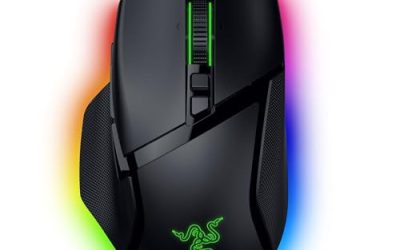
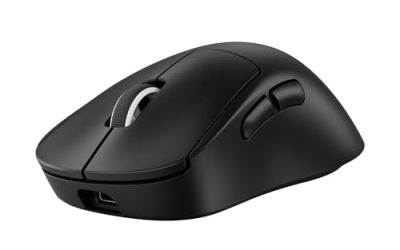
The Razer Naga Pro is the most flexible mouse in this guide because its side panel swaps between three layouts. Run the 12-button plate for a full ESO rotation with every ability, potion and weapon swap under your thumb, switch to the six-button plate for a lighter build, or use the two-button plate for questing and crafting when you do not need the full grid. That swap system makes it a strong pick for players who also play other games, since the mouse reshapes itself instead of forcing one layout on every title. Wireless play keeps the desk clear, and the shape suits a palm grip for long sessions.
Watch out for: The 12-button plate takes practice, so expect a few days of misclicks while your thumb learns the grid.
Logitech G600 MMO
- Best for: Players who want the deepest MMO button layout and a wired connection that never needs charging.
- 20 buttons with a 12-button thumb panel
- 8,200 DPI sensor
- G-Shift button for a second button layer
- Wired USB connection
Players who want the deepest MMO button layout and a wired connection that never needs charging.
This is an older model, so confirm the listing shows the exact model number before ordering.
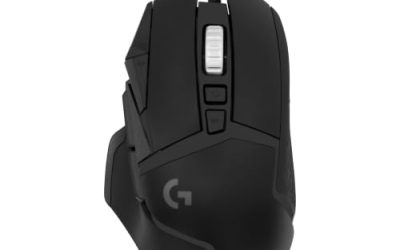
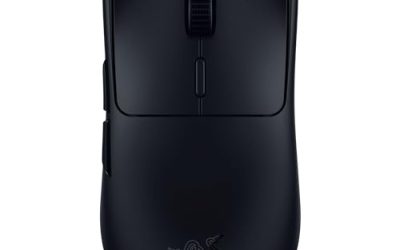
The Logitech G600 MMO is the veteran of this group, and its layout is built around one idea: the entire skill bar lives on the thumb. Twelve buttons sit in a grid under the thumb, a third button on the side shifts the set to a second layer, and the result is twenty buttons before you touch the keyboard. That design maps onto ESO, where a healer might keep heals on one layer and buffs on the other, or a damage dealer might keep their rotation on the main layer and utility skills on the shifted layer. It is a wired mouse, so there is no battery to manage.
Watch out for: This is an older model, so confirm the listing shows the exact model number before ordering.
Corsair Scimitar Elite Wireless
- Best for: Wireless players who want a 12-button grid and a battery that lasts through many long sessions.
- 26,000 DPI optical sensor
- 16 programmable buttons with a 12-button side panel
- Key Slider control system to reposition the side panel
- Up to 150 hours of battery life
Wireless players who want a 12-button grid and a battery that lasts through many long sessions.
The sliding side panel adds weight, so check the listed weight if you prefer a light mouse.
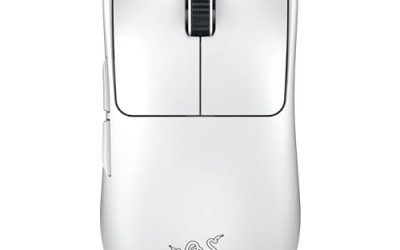
The Corsair Scimitar Elite Wireless is the pick for players who want a big thumb grid without a cable. Sixteen programmable buttons include a 12-button side panel that slides forward and back, so you can position the grid exactly where your thumb rests instead of stretching to reach the back row. The sensor tracks at up to 26,000 DPI, and the battery runs for up to 150 hours, which covers weeks of evening play before a recharge. Wireless range holds up across a normal desk setup, and the shape is built for a palm grip with the thumb panel acting as a rest between presses.
Watch out for: The sliding side panel adds weight, so check the listed weight if you prefer a light mouse.
Corsair Scimitar RGB Elite
- Best for: Players who want the adjustable Scimitar thumb panel with a wired connection and no battery to manage.
- 18,000 DPI optical sensor
- 17 programmable buttons with a 12-button side panel
- Key Slider control system to reposition the side panel
- Wired USB connection
Players who want the adjustable Scimitar thumb panel with a wired connection and no battery to manage.
The cable adds drag on some desk setups, so route it with slack if you make wide camera movements.
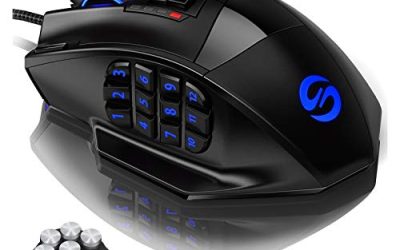
The Corsair Scimitar RGB Elite is the wired version of the Scimitar idea, and it keeps the same adjustable thumb panel at a lower weight than the wireless model. Seventeen programmable buttons cover a full ESO rotation, and the Key Slider lets the 12-button panel move to fit your thumb instead of forcing your thumb to fit the panel. The sensor reaches 18,000 DPI, which is more than enough for smooth camera control in Cyrodiil and precise placement of ground-targeted abilities in dungeons. A wired connection means no charging routine and no battery anxiety before a trial night.
Watch out for: The cable adds drag on some desk setups, so route it with slack if you make wide camera movements.
Which One Fits Your Situation
You run trials and need every skill on the thumb
Pick the Razer Naga Pro with the 12-button plate or the Corsair Scimitar Elite Wireless. Both put a full rotation under the thumb, and both let you adjust the layout to your hand. The Naga Pro wins if you also play other genres and want the simpler plates, while the Scimitar Elite Wireless wins if you want the sliding panel to fine-tune thumb reach.
You heal or tank and juggle two sets of abilities
Pick the Logitech G600 MMO. Its G-Shift button gives you a second layer of thumb buttons, so heals can sit on one layer and buffs or crowd control on the other. No other mouse here doubles its thumb grid that way, and the wired connection keeps it ready for every group night.
You play wireless and hate charging mid-week
Pick the Corsair Scimitar Elite Wireless. Its battery runs for up to 150 hours, so a single charge covers weeks of regular play. The 12-button panel handles the full skill bar, and the sliding adjustment means the grid lands where your thumb naturally rests. The wireless link also keeps the desk clear during long dungeon nights.
You want the MMO layout at a simpler setup
Pick the Corsair Scimitar RGB Elite. It is wired, so there is nothing to charge and nothing to pair, and the adjustable panel still fits the grid to your thumb. It covers the same ESO rotation as its wireless sibling with fewer things to manage. That simplicity suits players who want a setup that just works every time they sit down.
Common Mistakes
- Choosing a mouse by DPI alone, when the thumb layout and grip shape decide far more about how ESO feels in a long session.
- Mapping the full 12-button grid on day one and then misclicking ultimates during boss fights instead of learning the buttons a few at a time.
- Ignoring the software, then finding that thumb buttons do nothing in game because no profile was created for ESO.
- Buying a wireless mouse with a short battery life and discovering it dies during a trial because charging was forgotten.
- Picking a mouse that is too small or too large for your hand, which turns a good button layout into wrist strain after an hour of play.
Frequently Asked Questions
How many buttons does an ESO mouse need?
A 12-button thumb panel is the practical target for ESO, because it covers five abilities, an ultimate, a potion and a weapon swap with room left over. Six buttons work if you keep your ultimate and potion on the keyboard, and a second-layer shift button can double either layout. Fewer than six thumb buttons pushes most of the rotation back onto the keyboard, which defeats the point of an MMO mouse.
Is a wireless mouse good enough for ESO?
Yes, for ESO a modern wireless mouse performs well, because the game rewards steady camera control and ability timing rather than the split-second flick shots of a competitive shooter. The real trade-off is battery discipline: a wireless mouse needs charging, while a wired mouse is always ready. If you choose wireless, pick one with a long battery life and keep a charging habit.
Does high DPI help in ESO?
High DPI helps only up to a point. ESO camera control and ground-targeted abilities feel best at a moderate sensitivity where small hand movements translate into smooth, predictable camera turns. A sensor that tracks cleanly at your chosen sensitivity matters more than a headline DPI number, and every mouse in this guide offers far more DPI than ESO play actually needs.
Can I use one MMO mouse for other games too?
Yes. The Razer Naga Pro shows this best, since its swappable side plates let you drop from twelve buttons to six or two when a game does not need a full MMO grid. The other mice here also work in other games, with extra buttons mapped to grenades, healing items or voice chat. The key is a profile per game, so each title loads its button map when it starts.
FAQ
How many buttons does an ESO mouse need?
Is a wireless mouse good enough for ESO?
Does high DPI help in ESO?
Can I use one MMO mouse for other games too?
More from Amazon
Programs that pair well with the guide above. Offers and eligibility are set by Amazon and may change.
Free shipping on eligible items, Prime Video and more. Eligible new members can start with a free trial.
Start a Prime free trialAd-free music streaming. Eligible new subscribers can start with a free trial.
Try Music Unlimited freeA Prime membership for ages 18-24 with a trial period. Eligibility is set by Amazon.
See Prime for Young AdultsAudiobooks and podcasts to listen to on the go. Eligible new members can start with a free trial.
Try Audible freeAs an Amazon Associate we earn from qualifying purchases.