Key takeaways
- Best overall for 1440p: GIGABYTE Radeon RX 9070 XT Gaming OC. It matches the RTX 5070 Ti in Cyberpunk’s standard (rasterized) mode and has 16GB of VRAM. It falls behind once you turn on heavy ray tracing.
- Best for path tracing: PNY GeForce RTX 5070 Ti OC. This is the cheapest card that handles Overdrive mode well at 1440p with DLSS 4, and it also has 16GB.
- Best value for 1080p: ASUS Dual Radeon RX 9060 XT 16GB. It runs within a few percent of the RTX 5060 Ti in rasterized play, and its 16GB of memory means texture settings won’t run out of room.
- Best budget entry: ASRock Intel Arc B580 Challenger 12GB. It plays 1080p High smoothly, and 1440p High is fine with XeSS on.
Finding the right graphics card for Cyberpunk 2077 in 2026 is no small task. CD Projekt Red’s continuous updates, the Phantom Liberty expansion, and increasingly demanding Path Tracing implementations have transformed Night City into one of the most GPU-intensive environments available. Buyers face a market saturated with options spanning multiple generations and price brackets, making it difficult to determine exactly how much hardware is needed for a smooth experience at 1080p, 1440p, or 4K without overspending.
Our top picks
 GIGABYTE Radeon RX 9070 XT Gaming OC
- Powered by Radeon RX 9070 XT
- WINDFORCE Cooling System
- Hawk Fan
 msi Gaming GeForce RTX 3060 Ventus 2X
- Chipset: NVIDIA GeForce RTX 3060
- Video Memory: 12GB GDDR6
- Memory Interface: 192-bit
| Product | Key specs | |
|---|---|---|
| GIGABYTE Radeon RX 9070 XT Gaming OC | Powered by Radeon RX 9070 XT WINDFORCE Cooling System Hawk Fan | Check price |
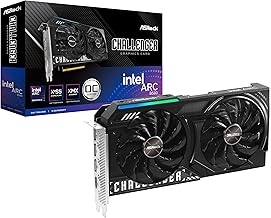 ASRock Intel Arc B580 Challenger 12GB OC ASRock Intel Arc B580 Challenger 12GB OC | Check price | |
| msi Gaming GeForce RTX 3060 Ventus 2X | Chipset: NVIDIA GeForce RTX 3060 Video Memory: 12GB GDDR6 Memory Interface: 192-bit | Check price |
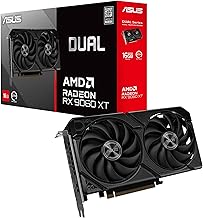
 ASUS Dual Radeon RX 9060 XT 16GB ASUS Dual Radeon RX 9060 XT 16GB | Axial-tech fans now feature a smaller fan hub… 2.5-slot design allows for greater build compatibility while… 0dB technology lets you enjoy light gaming in… | Check price |
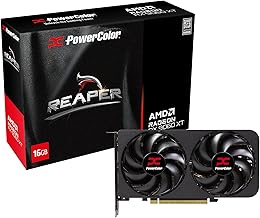
 ASRock Radeon RX 9060 XT Challenger 16GB ASRock Radeon RX 9060 XT Challenger 16GB | Check price | |
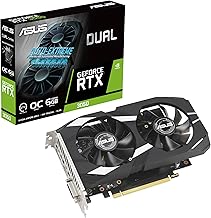
 ASUS Dual NVIDIA GeForce RTX 5060 Ti ASUS Dual NVIDIA GeForce RTX 5060 Ti | AI Performance: 767 AI TOPS OC mode: 2632 MHz (OC mode)/ 2602 MHz… Powered by the NVIDIA Blackwell architecture and DLSS… | Check price |
As an Amazon Associate we earn from qualifying purchases at no extra cost to you.
This guide cuts through the noise. We have selected the best graphics cards for Cyberpunk 2077 across popular resolutions and budgets, focusing on cards that handle the game’s demanding renderer, upscaling technologies like DLSS and FSR, and heavy ray tracing workloads. Whether you are chasing triple-digit frame rates at 1080p or pushing 4K with full Path Tracing enabled, the options below represent the strongest value and performance available in 2026.
Verdict at a glance
- Best overall for 1440p: GIGABYTE Radeon RX 9070 XT Gaming OC. It matches the RTX 5070 Ti in Cyberpunk’s standard (rasterized) mode and has 16GB of VRAM. It falls behind once you turn on heavy ray tracing.
- Best for path tracing: PNY GeForce RTX 5070 Ti OC. This is the cheapest card that handles Overdrive mode well at 1440p with DLSS 4, and it also has 16GB.
- Best value for 1080p: ASUS Dual Radeon RX 9060 XT 16GB. It runs within a few percent of the RTX 5060 Ti in rasterized play, and its 16GB of memory means texture settings won’t run out of room.
- Best budget entry: ASRock Intel Arc B580 Challenger 12GB. It plays 1080p High smoothly, and 1440p High is fine with XeSS on.
Our picks come from published specifications and independent benchmark data from GamersNexus, TechSpot and other outlets (named in the “How we compared” section below). We did not bench-test these cards ourselves.
🛒 Best Price Today on Amazon
Prime members get fast, free shipping on everything above, plus member-only deals. New members get a 30-day free trial — cancel anytime.
Watch: Best Graphics Card for Cyberpunk 2077 in 2026 (1080p, 1440p, 4K) — Video Review
How to Choose a Graphics Card for Cyberpunk 2077 in 2026 (1080p, 1440p, 4K)
- Resolution Target: 1080p is manageable with midrange 12GB to 16GB cards, 1440p demands a strong 16GB card for comfortable ray tracing, and 4K with Path Tracing requires top-tier hardware combined with upscaling.
- VRAM Capacity: Cyberpunk 2077 consumes significant memory at higher settings and with ray tracing enabled. Aim for at least 12GB for 1080p and a minimum of 16GB for 1440p and 4K to avoid texture streaming stutters.
- Upscaling Support: NVIDIA’s DLSS 4 and AMD’s FSR 4 are essential for maintaining playable frame rates with Path Tracing. Pick a card from the ecosystem you prefer, as native rendering alone is rarely sufficient at the highest settings.
- Ray Tracing Performance: Path Tracing in Cyberpunk is among the heaviest workloads in any game. If you plan to use these Ultra settings, prioritize recent-generation architectures with dedicated ray acceleration hardware.
- Power and Cooling: High-end cards demand robust power supplies and adequate case airflow. Check your PSU wattage and connectors before buying, and prioritize models with effective triple-fan or well-engineered dual-fan cooling for sustained boost clocks.
The Best Graphics Card for Cyberpunk 2077 in 2026 (1080p, 1440p, 4K) Reviewed
GIGABYTE Radeon RX 9070 XT Gaming OC
The GIGABYTE RX 9070 XT Gaming OC is the standout pick for 1440p and entry-level 4K in Cyberpunk. With 16GB of VRAM and FSR 4 support, it matches the RTX 5070 Ti in rasterized Cyberpunk at a lower price tier, though it falls behind NVIDIA once heavy ray tracing or path tracing is enabled.
ASUS Dual Radeon RX 9060 XT 16GB
The ASUS Dual RX 9060 XT 16GB is the premier 1080p and light 1440p card for Night City. Its axial-tech fan design runs quietly, and the 16GB frame buffer ensures texture-heavy Cyberpunk settings do not cause memory bottlenecks at this tier.
ASRock Radeon RX 9060 XT Challenger 16GB OC
The ASRock RX 9060 XT Challenger OC matches the capabilities of the 9060 XT class with a higher factory boost clock. It handles 1080p well, with light ray tracing usable alongside FSR upscaling, and offers a compelling alternative if the ASUS model is out of stock.
ASUS Dual GeForce RTX 5060 Ti 16GB OC Edition
The RTX 5060 Ti 16GB is the NVIDIA alternative to the RX 9060 XT 16GB for 1080p and light 1440p. It has 4,608 CUDA cores and 16GB of GDDR7 on a 128-bit bus, and supports DLSS 4 with Multi Frame Generation and Ray Reconstruction. In TechSpot’s testing it averaged 74 fps at 1080p and 49 fps at 1440p in Cyberpunk with ray tracing and upscaling on, ahead of the RX 9060 XT 16GB. Choose it over the Radeon if you want ray tracing on at 1080p, and choose the Radeon for pure raster value.
ASRock Intel Arc B580 Challenger 12GB
The Intel Arc B580 Challenger is the budget champion for 1080p Cyberpunk. It delivers surprising ray tracing throughput for the price, though buyers should verify XeSS upscaling support and driver maturity for the smoothest experience.
PNY GeForce RTX 5070 Ti OC Triple-Fan

If path tracing is the main reason you play Cyberpunk 2077, the RTX 5070 Ti is where the experience starts to feel right. NVIDIA’s Blackwell GPU here has 8,960 CUDA cores and 16GB of GDDR7 on a 256-bit bus. It is rated at about 300W of board power and draws it through a single 12V-2×6 (16-pin) connector. PNY’s OC triple-fan version keeps the reference layout and adds a modest factory overclock. It also uses a three-fan cooler large enough to hold boost clocks during long sessions in Dogtown.
In rasterized Cyberpunk (no ray tracing), GamersNexus measured the RTX 5070 Ti essentially tied with the RX 9070 XT at 1440p Ultra, at about 109 fps. The gap opens with ray tracing. GamersNexus found the 5070 Ti about 20 percent ahead of the 9070 XT at 1080p RT Ultra. In Overdrive (path tracing) mode, NVIDIA’s lead is larger, because the game’s path tracer and Ray Reconstruction were built around RTX hardware. With DLSS 4 Super Resolution in Quality or Balanced mode, plus frame generation, 1440p path tracing becomes something you can actually play rather than a slideshow.
Strengths: the strongest path-tracing card in this guide below the RTX 5080 tier, 16GB of VRAM for high-resolution texture packs, and access to DLSS 4 Multi Frame Generation and Ray Reconstruction.
Drawbacks: it sits in the premium tier, well above the RX 9070 XT, for nearly identical raster frame rates. The 16-pin connector needs a quality ATX 3.x power supply, or a careful adapter installation.
Compared with the other picks, choose this over the GIGABYTE RX 9070 XT only if you plan to leave ray tracing or path tracing on. For pure raster play at 1440p, the Radeon gives you the same frame rates for less money.
GIGABYTE GeForce RTX 5070 Gaming OC 12G

The RTX 5070 is NVIDIA’s mid-range Blackwell card. It is also the card most often weighed against the RX 9070 XT for a 1440p Night City build. It carries 6,144 CUDA cores and 12GB of GDDR7 on a 192-bit bus, at a rated 250W. GIGABYTE’s Gaming OC version uses the triple-fan WINDFORCE cooler, a factory overclock and a single 16-pin power input.
The independent data shows a clear split. In rasterized Cyberpunk, the RX 9070 XT is a lot faster. TechSpot’s 2026 revisit put the Radeon 43 to 50 percent ahead at 1440p, and GamersNexus measured 41 fps for the RTX 5070 at 4K Ultra against 53 fps for the 9070 XT. At GamersNexus’s heaviest ray tracing settings the order reverses: the RTX 5070 averaged 40 fps against 29 for the 9070 XT. The 12GB frame buffer is the weak point. TechSpot reported the RTX 5070 dropping to single-digit frame rates at 4K with RT Ultra, where memory pressure hits hardest.
Strengths: DLSS 4 with Multi Frame Generation, ray tracing performance that beats AMD’s cards, lower power draw than the 9070 XT, and a cooler that stays quiet under load.
Drawbacks: 12GB is tight for 4K and for heavily modded texture setups. Without ray tracing, it costs a similar mid-range-to-premium amount for noticeably fewer frames than the RX 9070 XT.
This is the pick for 1440p players who want ray tracing on with DLSS and don’t mind turning texture quality down a step at 4K. Everyone else is better served by the GIGABYTE RX 9070 XT above.
MSI GeForce RTX 5080 16G Ventus 3X OC

For 4K with path tracing, you need to move up a tier, and the RTX 5080 is the practical ceiling for most builds. It uses the full GB203 chip with 10,752 CUDA cores and 16GB of GDDR7 on a 256-bit bus, rated around 360W. MSI’s Ventus 3X OC is one of the simpler versions: a triple-fan cooler, a listed boost clock of 2,640 MHz, three DisplayPort outputs plus HDMI, and a single 12V-2×6 connector.
At 4K, Cyberpunk punishes everything below this tier. GamersNexus recorded only 22 fps on the RX 9070 XT at 4K RT Ultra without upscaling. The RTX 5080 still needs DLSS at 4K with path tracing. With DLSS Performance mode, Ray Reconstruction and frame generation, though, it delivers a smooth, high-refresh 4K Overdrive experience, which the cheaper cards here cannot.
Strengths: the most capable card in this guide for 4K ray tracing, mature DLSS 4 support, and a relatively plain cooler design that suits most mid-tower cases.
Drawbacks: clearly premium pricing. 16GB is the same amount of VRAM as the far cheaper RX 9060 XT 16GB. MSI recommends an 850W-class power supply.
If you game at 1440p, this card is overkill for Cyberpunk; the RTX 5070 Ti gets you most of the way there. Buy the 5080 when 4K path tracing is the goal.
ASRock Radeon RX 9070 Challenger 16GB OC

The non-XT RX 9070 is the quieter sibling of the 9070 XT and an easy recommendation for 1440p. It keeps the same 16GB of GDDR6 on a 256-bit bus and the same RDNA 4 architecture, with its improved ray accelerators and AI hardware for FSR 4. It trims the chip to 56 compute units and drops board power to about 220W. ASRock’s Challenger OC has a triple-fan cooler, a listed 2,520 MHz boost clock and standard 8-pin power connectors, so no 16-pin adapter is needed.
In practice, the RX 9070 lands between the RTX 5070 and the RX 9070 XT in rasterized Cyberpunk. It gives up roughly 10 to 15 percent to the XT while drawing noticeably less power. Like the XT, it trails NVIDIA once path tracing is enabled, so treat it as a raster and light-RT card. Cyberpunk at 1440p High or Ultra without ray tracing, or with RT on at a lower preset plus upscaling, is where it performs best.
Strengths: 16GB of VRAM at a mid-range tier, lower heat and power than the XT, no 16-pin connector, and a cooler that runs well below its thermal limits.
Drawbacks: the price gap to the 9070 XT is often small enough that the faster card is the better buy, and its path-tracing performance is limited.
Pick the RX 9070 over the GIGABYTE 9070 XT if your power supply or case airflow is limited, or if you find it at a clearly lower price.
GIGABYTE Radeon RX 9070 GRE Gaming OC 12G

The RX 9070 GRE fills the gap between the RX 9060 XT and the full RX 9070. It uses a further cut-down RDNA 4 chip with 48 compute units and 12GB of GDDR6 on a 192-bit bus, and board power is in the 220W range. GIGABYTE’s Gaming OC model pairs that with a triple-fan WINDFORCE cooler and a factory overclock.
For Cyberpunk, the GRE makes sense as a strong 1440p raster card for buyers who find the RX 9070 too expensive. It is meaningfully faster than the RX 9060 XT 16GB at 1440p High, though it has less memory. The 12GB buffer is the same compromise as the RTX 5070. It’s enough for 1440p with standard ray tracing and upscaling, but it’s the first thing to run out at 4K or with large texture mods. Expect it to fall behind the 9060 XT 16GB only in memory-limited scenarios, not in general frame rate.
Strengths: a clear step up from the 9060 XT class at 1440p, FSR 4 support, conventional 8-pin power, and a cooler that keeps noise low.
Drawbacks: 12GB is less future-proof than the 16GB cards around it, path tracing performance is modest, and availability varies by region.
Compared with the other picks, it sits above the ASUS RX 9060 XT 16GB and below the GIGABYTE RX 9070 XT. Pick it if you play at 1440p and care more about frame rate than maximum texture settings.
MSI GeForce RTX 3060 Ventus 2X 12G OC
The MSI RTX 3060 Ventus 2X remains a viable budget option thanks to its 12GB VRAM and DLSS support. It cannot handle Path Tracing, but for standard ray tracing and rasterization at 1080p, it offers stable, trustworthy performance.
Cyberpunk 2077 GPU comparison table
The table below compares the main picks in this guide. Price tiers are approximate and change often.
| Card | VRAM | Best resolution in Cyberpunk | Path tracing | Upscaler | Price tier |
|---|---|---|---|---|---|
| MSI RTX 5080 Ventus 3X OC | 16GB GDDR7 | 4K | Strong (with DLSS) | DLSS 4, MFG | Premium |
| PNY RTX 5070 Ti OC | 16GB GDDR7 | 1440p / entry 4K | Good (with DLSS) | DLSS 4, MFG | Premium |
| GIGABYTE RX 9070 XT Gaming OC | 16GB GDDR6 | 1440p / entry 4K | Limited | FSR | Mid-range to premium |
| ASRock RX 9070 Challenger OC | 16GB GDDR6 | 1440p | Limited | FSR | Mid-range |
| GIGABYTE RTX 5070 Gaming OC | 12GB GDDR7 | 1440p | Fair (with DLSS) | DLSS 4, MFG | Mid-range |
| GIGABYTE RX 9070 GRE Gaming OC | 12GB GDDR6 | 1440p | Limited | FSR | Mid-range |
| ASUS Dual RX 9060 XT 16GB | 16GB GDDR6 | 1080p / light 1440p | Not recommended | FSR | Budget to mid-range |
| ASRock Arc B580 Challenger | 12GB GDDR6 | 1080p | Not recommended | XeSS | Budget |
Cyberpunk 2077 frame rates by card (sourced)
Cyberpunk is one of the most reliable GPU benchmarks around, but every outlet uses a different scene, game version and test PC. The figures below are average frame rates as published by each source. Use them to judge tiers, not to compare one cell directly with another.
| Card | Setting | Upscaling | Average fps | Source |
|---|---|---|---|---|
| RX 9070 XT | 1440p Ultra, no RT | Off | 109 | GamersNexus |
| RTX 5070 Ti | 1440p Ultra, no RT | Off | about 109 (tied with 9070 XT) | GamersNexus |
| RX 9070 XT | 4K Ultra, no RT | Off | 53 | GamersNexus |
| RTX 5070 Ti | 4K Ultra, no RT | Off | 50 | GamersNexus |
| RTX 5070 | 4K Ultra, no RT | Off | 41 | GamersNexus |
| RX 9070 XT | 1080p RT Ultra | Off | 71 (RTX 5070 Ti about 20% faster) | GamersNexus |
| RX 9070 XT | 4K RT Ultra | Off | 22 | GamersNexus |
| RTX 5060 Ti 16GB | 1080p RT, upscaled | On | 74 | TechSpot |
| RX 9060 XT 16GB | 1080p RT, upscaled | On | 64 | TechSpot |
| RTX 5060 Ti 16GB | 1440p RT, upscaled | On | 49 | TechSpot |
| RX 9060 XT 16GB | 1440p High, no RT | Off | 80 | HWBen (Ryzen 7 9800X3D system) |
| Arc B580 | 1440p High, no RT | Off | 63 | HWBen (Ryzen 7 9800X3D system) |
| Arc B580 | 1440p High, no RT | XeSS Quality | 75 to 90 | Evetech |
Two patterns stand out. First, without ray tracing, AMD’s RX 9070 XT matches or beats NVIDIA’s RTX 5070 Ti. Second, ray tracing and especially path tracing flip that result. GamersNexus measured the RTX 5070 at 40 fps against 29 for the 9070 XT at its heaviest ray tracing settings, even though the 5070 is the slower card in raster. Decide whether you’ll actually use path tracing before choosing a brand.
Best Cyberpunk 2077 settings by GPU tier
- Budget (Arc B580, RX 9060 XT 8GB-class, RTX 3060): 1080p High preset, ray tracing off, upscaler on Quality. Keep texture quality on High rather than Ultra on 8GB cards. Crowd density is CPU-heavy, so set it to Medium if your processor is older.
- Mid-range (RX 9060 XT 16GB, RTX 5060 Ti 16GB, RX 9070 GRE): 1080p Ultra or 1440p High. Ray Tracing Low or Medium is usable with upscaling. Skip path tracing.
- Upper mid-range (RX 9070, RX 9070 XT, RTX 5070): 1440p Ultra without RT runs at high refresh rates on the Radeons. On the RTX 5070, try RT Ultra with DLSS Quality and frame generation.
- Premium (RTX 5070 Ti, RTX 5080): Overdrive (path tracing) at 1440p with DLSS Quality or Balanced plus Ray Reconstruction. On the 5080, 4K Overdrive with DLSS Performance and frame generation.
Frame generation, whether DLSS Multi Frame Generation or AMD’s equivalent, makes motion smoother but does not reduce input latency. Aim for a base frame rate of roughly 50 to 60 fps before you turn it on. Otherwise the game will look smooth but feel sluggish when aiming.
Power supply and connector check
The RTX 5070, 5070 Ti and 5080 all use the 12V-2×6 (16-pin) power connector. An ATX 3.1 power supply with a native cable is the cleanest setup. If you use the bundled adapter, push the plug in fully and avoid tight bends near the connector. The Radeon cards in this guide, and the Arc B580, use standard 8-pin connectors. As a rough guide, plan on a quality 650W unit for the RX 9060 XT, RX 9070 GRE and RTX 5070 classes, 750W for the RX 9070 XT and RTX 5070 Ti, and 850W for the RTX 5080. Your CPU and the rest of the system also count toward that total.
How we compared
We ranked these cards on published specifications (VRAM, memory bus, power and connector type) and independent benchmark data. Our sources were the GamersNexus RX 9070 XT review, TechSpot’s RX 9060 XT 16GB review and its 2026 RTX 5070 vs RX 9070 XT revisit, PCGamesN’s RX 9060 XT review, and comparison data from HWBen and Evetech. We also used owner reports about noise and coil whine. We did not bench-test these cards ourselves, and where sources disagree, we say so. Cyberpunk receives regular updates and driver changes, so treat individual frame rates as a snapshot.
Frequently Asked Questions
Can a budget card run Cyberpunk 2077 with ray tracing?
Yes, budget cards like the Intel Arc B580 and RTX 3060 can run standard ray tracing at 1080p with upscaling enabled. However, Path Tracing requires significantly more powerful hardware and is best left to higher-tier cards.
Is 8GB of VRAM enough for Cyberpunk 2077 in 2026?
At 1080p with standard high settings, 8GB is still functional. However, enabling ray tracing, using HD texture packs, or pushing 1440p will exceed 8GB and cause stuttering, making 12GB or 16GB the safer choice.
Do I need DLSS or FSR to play at 4K?
Absolutely. Native 4K with Path Tracing is beyond even the strongest consumer GPUs. DLSS 4 on NVIDIA cards and FSR 4 on AMD cards are effectively mandatory for a playable, high-fidelity 4K experience in Cyberpunk.
Is PCIe 5.0 necessary for these graphics cards?
No. While many of these cards use PCIe 5.0, they are fully backward compatible with PCIe 4.0 motherboards. The performance difference in Cyberpunk 2077 is negligible, so you do not need a new motherboard specifically for these GPUs.
Is the RTX 5070 or the RX 9070 XT better for Cyberpunk 2077?
It depends on ray tracing. Without it, the RX 9070 XT is clearly faster. TechSpot’s 2026 revisit found it 43 to 50 percent ahead at 1440p, and it has 16GB of VRAM against 12GB. With heavy ray tracing or path tracing, the RTX 5070 wins thanks to stronger RT hardware and DLSS 4. If you never plan to use Overdrive mode, buy the Radeon.
What GPU do I need for path tracing (Overdrive mode)?
For a good experience at 1440p, an RTX 5070 Ti or better with DLSS and Ray Reconstruction enabled. For 4K, plan on an RTX 5080 or higher with DLSS Performance mode and frame generation. Mid-range cards can run Overdrive, but only at 1080p with aggressive upscaling.
Does Cyberpunk 2077 still need a fast CPU in 2026?
Yes, more than most games. Crowd density, driving through dense districts and ray tracing all add CPU load. A six-core chip from the Ryzen 5 7600 or Core i5-13400 class or newer is the sensible minimum for high-refresh 1440p. X3D chips such as the Ryzen 7 9800X3D help most when you pair them with an RTX 5080-class card.
Is 12GB of VRAM enough for Cyberpunk 2077 at 1440p?
For 1440p with standard settings and upscaling, yes. The RTX 5070 and RX 9070 GRE handle it. 12GB becomes the limit at 4K with ray tracing, or with high-resolution texture mods. If you plan to keep the card for several years, 16GB is the safer choice.
Final Thoughts
For Cyberpunk 2077 in 2026, the GIGABYTE RX 9070 XT Gaming OC is the best overall pick for 1440p and entry-level 4K, the ASUS Dual RX 9060 XT 16GB is the top value choice for smooth 1080p, and the ASRock Arc B580 Challenger serves as the best budget entry point into Night City.