Key takeaways
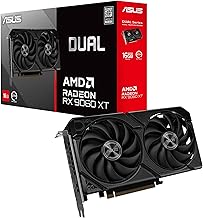
- Best overall: ASUS Dual Radeon RX 9060 XT 16GB. It handles 1440p Epic with Lumen at around 114 fps without upscaling (Geeky Gadgets), and 16GB of VRAM leaves room for future texture updates.
- Best for 240Hz competitive play: ASUS Dual GeForce RTX 5070. It has high frame rates in Performance mode, plus NVIDIA Reflex and DLSS 4 when you want Epic visuals.
- Best budget card: ASRock Intel Arc B570 Challenger 10GB. It’s a current-generation card with more VRAM than the RTX 3050 6GB, and it suits 1080p.
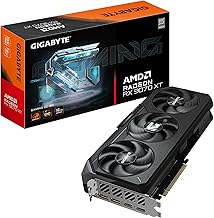
- Best for 4K Epic: GIGABYTE Radeon RX 9070 XT Gaming OC 16G.
Finding the right graphics card for Fortnite in 2026 is trickier than it looks. Epic Games has steadily pushed Unreal Engine 5’s Lumen and Nanite features into the battle royale experience, meaning frame rates at max settings now demand real GPU horsepower—especially if you want to stay competitive at high refresh rates. Buyers are caught between budget cards that struggle with new lighting effects and expensive flagships that are overkill for a game that still scales well across hardware.
Our top picks
 ASUS Dual Radeon RX 9060 XT 16GB
- Axial-tech fans now feature a smaller fan hub…
- 2.5-slot design allows for greater build compatibility while…
- 0dB technology lets you enjoy light gaming in…
 ASUS Dual NVIDIA GeForce RTX 3050 6GB
- NVIDIA Ampere Streaming Multiprocessors: The all-new Ampere SM…
- 2nd Generation RT Cores: Experience 2X the throughput…
- 3rd Generation Tensor Cores: Get up to 2X…
 GIGABYTE GeForce RTX 3060 Gaming OC 12G
- NVIDIA Ampere Streaming Multiprocessors
- 2nd Generation RT Cores
- 3rd Generation Tensor Cores
| Product | Key specs | |
|---|---|---|
| ASUS Dual Radeon RX 9060 XT 16GB | Axial-tech fans now feature a smaller fan hub… 2.5-slot design allows for greater build compatibility while… 0dB technology lets you enjoy light gaming in… | Check price |
| ASUS Dual NVIDIA GeForce RTX 3050 6GB | NVIDIA Ampere Streaming Multiprocessors: The all-new Ampere SM… 2nd Generation RT Cores: Experience 2X the throughput… 3rd Generation Tensor Cores: Get up to 2X… | Check price |
| GIGABYTE GeForce RTX 3060 Gaming OC 12G | NVIDIA Ampere Streaming Multiprocessors 2nd Generation RT Cores 3rd Generation Tensor Cores | Check price |
 msi Gaming GeForce RTX 3060 Ventus 2X msi Gaming GeForce RTX 3060 Ventus 2X | Chipset: NVIDIA GeForce RTX 3060 Video Memory: 12GB GDDR6 Memory Interface: 192-bit | Check price |
 GIGABYTE Radeon RX 9070 XT Gaming OC GIGABYTE Radeon RX 9070 XT Gaming OC | Powered by Radeon RX 9070 XT WINDFORCE Cooling System Hawk Fan | Check price |
 ASUS Dual GeForce RTX 5050 8GB GDDR6 ASUS Dual GeForce RTX 5050 8GB GDDR6 | AI Performance: 433 AI TOPS Powered by the NVIDIA Blackwell architecture and DLSS… SFF-Ready enthusiast GeForce card | Check price |
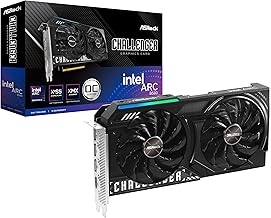 ASRock Intel Arc B580 Challenger 12GB OC ASRock Intel Arc B580 Challenger 12GB OC | Check price |
As an Amazon Associate we earn from qualifying purchases at no extra cost to you.
This guide cuts through the noise. We’ve rounded up the best graphics cards for Fortnite across 1080p, 1440p, and 4K, focusing on real-world performance, value, and features like DLSS and FSR upscaling. Whether you’re building a budget rig or chasing 240+ FPS on a high-end monitor, these picks will help you spend smart.
Verdict at a glance
- Best overall: ASUS Dual Radeon RX 9060 XT 16GB. It handles 1440p Epic with Lumen at around 114 fps without upscaling (Geeky Gadgets), and 16GB of VRAM leaves room for future texture updates.
- Best for 240Hz competitive play: ASUS Dual GeForce RTX 5070. It has high frame rates in Performance mode, plus NVIDIA Reflex and DLSS 4 when you want Epic visuals.
- Best budget card: ASRock Intel Arc B570 Challenger 10GB. It’s a current-generation card with more VRAM than the RTX 3050 6GB, and it suits 1080p.
- Best for 4K Epic: GIGABYTE Radeon RX 9070 XT Gaming OC 16G.
These picks are based on published specifications, Epic’s own hardware guidance and independent benchmark data (sources are listed in “How we compared” below). We did not bench-test these cards ourselves.
🛒 Best Price Today on Amazon
Prime members get fast, free shipping on everything above, plus member-only deals. New members get a 30-day free trial — cancel anytime.
Watch: Best Graphics Card for Fortnite in 2026 (1080p, 1440p, 4K) — Video Review
How to Choose a Graphics Card for Fortnite in 2026 (1080p, 1440p, 4K)
- Resolution matters most: 1080p runs well on budget cards like the RTX 3050 6GB, while 1440p benefits from 12GB+ VRAM like the RTX 3060. 4K with Lumen enabled really wants a higher-tier card like the RX 9070 XT.
- VRAM is your safety net: Fortnite’s UE5 features and high-resolution texture packs consume memory. 6GB works at 1080p medium, but 12GB or 16GB gives you headroom for future updates and higher settings.
- Upscaling tech is a game-changer: NVIDIA’s DLSS and AMD’s FSR can boost FPS significantly. If you have a 144Hz or 240Hz monitor, these technologies help budget and mid-range cards keep pace without sacrificing visual quality.
- Match the GPU to your CPU: Pairing a powerful GPU like the RX 9070 XT with an older or budget CPU creates a bottleneck. Ensure your processor can feed the card enough data, especially at 1080p where CPU limitations show up first.
- Check your power supply and case: Newer cards like the RX 9060 XT and RX 9070 XT use PCIe 5.0 and may require robust power delivery. Verify your PSU wattage, available power connectors, and case clearance before buying.
The Best Graphics Card for Fortnite in 2026 (1080p, 1440p, 4K) Reviewed
ASUS Dual Radeon RX 9060 XT 16GB
This is the sweet spot for 1440p Fortnite. The RX 9060 XT’s 16GB of VRAM handles high-resolution textures and Lumen lighting without breaking a sweat, and ASUS’s dual-fan cooler keeps temperatures and noise in check for a clean, reliable mid-range build.
ASUS Dual NVIDIA GeForce RTX 3050 6GB OC Edition
For strict 1080p gamers on a budget, the RTX 3050 6GB gets you in the door with DLSS support. It won’t max out Lumen reflections, but it delivers solid, stable frame rates at competitive settings for casual and entry-level players.
GIGABYTE GeForce RTX 3060 Gaming OC 12G (REV2.0)
The RTX 3060 12GB remains a value champion for 1080p and light 1440p play. Its ample VRAM is a major advantage for Fortnite’s evolving texture demands, and Gigabyte’s triple-fan WINDFORCE cooling provides excellent thermal performance for the price.
MSI Gaming GeForce RTX 3060 Ventus 2X 12G OC V1
Another excellent RTX 3060 12GB option, MSI’s Ventus 2X focuses on compact, two-fan efficiency. It’s ideal for smaller cases where you still want that crucial 12GB of VRAM and DLSS upscaling for high-refresh 1080p Fortnite.
ASUS Dual GeForce RTX 5070 12GB OC Edition

For players who care more about frame rate and input latency than visual polish, the RTX 5070 is the strongest mid-range option for Fortnite in 2026. The Blackwell chip has 6,144 CUDA cores and 12GB of GDDR7 on a 192-bit bus, and is rated at about 250W through a single 12V-2×6 connector. ASUS’s Dual version is the compact one in its range: a dual axial-tech fan cooler, a 2.5-slot design, a factory overclock and a footprint that fits many small-form-factor cases.
Fortnite tends to favour NVIDIA cards, especially in competitive configurations. HowManyFPS’s aggregated user results show the RTX 5070 averaging about 167 fps in Fortnite against 147 fps for the RX 9060 XT 16GB, roughly 14 percent ahead. The bigger advantage is software. NVIDIA Reflex is built into Fortnite and reduces system latency. DLSS lets you keep Lumen and Nanite enabled at 1440p while staying above 144 fps. In Performance mode at 1080p, this card is far more powerful than needed, so your CPU becomes the limit.
Strengths: top-tier competitive frame rates, Reflex and DLSS 4 support, efficient power draw for its class, and a compact cooler.
Drawbacks: 12GB of VRAM is less than the RX 9060 XT 16GB in this guide, and it sits a tier above that card in price. The dual-fan cooler runs louder under full load than triple-fan versions.
Compared with the other picks, the RTX 5070 sits between the ASUS RX 9060 XT 16GB and the GIGABYTE RX 9070 XT. It’s the better choice if you play on a 240Hz or faster monitor and mostly use competitive settings.
XFX Swift Radeon RX 9070 GRE White Triple Fan
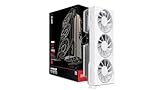
The RX 9070 GRE is AMD’s newest mid-range card. It fills the gap between the RX 9060 XT and the full RX 9070. It uses RDNA 4 with 48 compute units and 12GB of GDDR6 on a 192-bit bus, at a typical board power of 220W through standard 8-pin connectors. XFX’s Swift Gaming Edition has a three-fan cooler and an all-white finish that suits white-themed builds.
In Fortnite, the GRE is a natural upgrade for 1440p players who want high Epic frame rates with Lumen on, without paying for an RX 9070 XT. It is noticeably faster than the RX 9060 XT 16GB in GPU-limited scenes. Its RDNA 4 ray accelerators also handle hardware ray-traced Lumen much better than older Radeon generations. In Performance mode, it delivers more frames than any 1080p monitor can show, so a fast CPU matters more than the card itself.
Strengths: a clear step up from the 9060 XT class at 1440p, quiet triple-fan cooling, conventional 8-pin power, and a white design that’s hard to find in this tier.
Drawbacks: 12GB is less than the cheaper 9060 XT 16GB, availability varies, and NVIDIA still has the edge for latency features in Fortnite.
Choose it over the ASUS RX 9060 XT 16GB when you play at 1440p and want frame rates closer to high refresh with Epic settings.
ZOTAC Gaming GeForce RTX 5060 Twin Edge OC

The RTX 5060 replaces the RTX 3060 and 4060 as NVIDIA’s mainstream gaming card. It has 3,840 CUDA cores, 8GB of GDDR7 on a 128-bit bus and a power rating of about 145W. ZOTAC’s Twin Edge OC is a compact dual-fan card that NVIDIA lists as SFF-Ready. It’s powered by a single 8-pin connector, so it suits older systems and small cases with a modest power supply.
Fortnite is one of the games where an 8GB card is still a reasonable buy. It is a well-optimised esports title, and at 1080p its texture demands stay within 8GB even on High settings. The RTX 5060 offers clearly more performance than the RTX 3060 12GB cards above. It supports DLSS 4 with Multi Frame Generation and Reflex, and it’s a good match for a 1080p 144Hz or 165Hz monitor. Its limits show at 1440p Epic with hardware ray-traced Lumen, where memory runs out before the GPU does.
Strengths: current-generation features at a budget-to-mid-range tier, low power draw, a compact card that fits almost any case, and an 8-pin power input.
Drawbacks: 8GB of VRAM limits it in heavier games and at 1440p Epic. A PCIe 5.0 x8 interface means that in an older PCIe 3.0 board it can lose some performance when VRAM fills up.
Against the other picks, it’s the modern alternative to the two RTX 3060 12GB cards. It’s faster in Fortnite, though the RTX 3060 keeps a VRAM advantage for other games.
ASRock Intel Arc B570 Challenger 10GB OC

The Arc B570 is Intel’s entry-level Battlemage card and a good budget replacement for the RTX 3050 6GB. It has 18 Xe2 cores and 10GB of GDDR6 on a 160-bit bus, and is rated at about 150W. ASRock’s Challenger OC version has a dual-fan cooler, a metal backplate, a listed 2,600 MHz GPU clock and a single 8-pin power connector.
For Fortnite at 1080p, the B570 handles High settings comfortably and has enough performance to run Performance mode at high refresh rates. Intel’s XeSS upscaling is available in many games. Ten gigabytes of VRAM is a useful step up from 6GB and 8GB cards at this tier. Intel’s drivers have improved a lot since the first Arc generation, but older DirectX 11 games can still be less consistent than on NVIDIA or AMD. Intel Arc also works best with Resizable BAR enabled, so check that your motherboard supports it before buying.
Strengths: 10GB of VRAM at a budget tier, current-generation media engine with AV1 encoding for streamers, and a quiet cooler.
Drawbacks: requires Resizable BAR (so it’s not ideal for very old PCs), driver behaviour varies more across older games, and it lacks DLSS and Reflex.
Choose it over the ASUS RTX 3050 6GB if you want more VRAM and a newer architecture at a similar budget tier, and your PC is recent enough to support Resizable BAR.
ASUS Dual GeForce RTX 5050 8GB OC Edition
The RTX 5050 is NVIDIA’s lowest-tier Blackwell desktop card. It has 2,560 CUDA cores, 8GB of GDDR6 on a 128-bit bus and a power rating of about 130W. ASUS’s Dual OC Edition uses a two-fan axial-tech cooler with a 0dB fan-stop mode, and it needs one 8-pin power connector.
For Fortnite, the RTX 5050 is the modern entry ticket. It is clearly faster than the RTX 3050 6GB and adds DLSS 4, Multi Frame Generation and Reflex. Expect smooth 1080p at medium-to-high settings and high frame rates in Performance mode for competitive play. Epic settings with hardware Lumen are possible with DLSS, but this isn’t a 1440p Epic card.
Strengths: the full NVIDIA feature set at a budget tier, low power and heat, and a quiet cooler.
Drawbacks: GDDR6 rather than the GDDR7 used on the RTX 5060, 8GB of VRAM, and a smaller performance step over the Arc B570 than its brand name suggests.
Against the ASUS RTX 3050 6GB, it’s the obvious successor if you’re shopping at the same budget tier in 2026.
GIGABYTE Radeon RX 9070 XT Gaming OC 16G
If you’re targeting 4K or ultra-wide 1440p at max settings, the RX 9070 XT is a powerhouse. It chews through Fortnite’s most demanding UE5 features and paired with FSR, easily pushes high refresh rates on top-tier displays.
Fortnite GPU comparison table
The table below compares the main picks in this guide. Price tiers are approximate.
| Card | VRAM | Best fit in Fortnite | Latency / upscaling | Power connector | Price tier |
|---|---|---|---|---|---|
| GIGABYTE RX 9070 XT Gaming OC | 16GB GDDR6 | 4K Epic, 1440p high refresh | Anti-Lag, FSR | 8-pin | Mid-range to premium |
| ASUS Dual RTX 5070 | 12GB GDDR7 | 1440p Epic, 240Hz competitive | Reflex, DLSS 4 | 12V-2×6 | Mid-range |
| XFX Swift RX 9070 GRE | 12GB GDDR6 | 1440p Epic with Lumen | Anti-Lag, FSR | 8-pin | Mid-range |
| ASUS Dual RX 9060 XT 16GB | 16GB GDDR6 | 1440p Epic, 1080p high refresh | Anti-Lag, FSR | 8-pin | Budget to mid-range |
| ZOTAC RTX 5060 Twin Edge OC | 8GB GDDR7 | 1080p high refresh | Reflex, DLSS 4 | 8-pin | Budget to mid-range |
| ASRock Arc B570 Challenger | 10GB GDDR6 | 1080p High | XeSS | 8-pin | Budget |
| ASUS Dual RTX 5050 OC | 8GB GDDR6 | 1080p medium to high, Performance mode | Reflex, DLSS 4 | 8-pin | Budget |
| ASUS Dual RTX 3050 6GB | 6GB GDDR6 | 1080p Performance mode | Reflex, DLSS | None (slot powered) | Budget |
Fortnite frame rates: what the data shows
Fortnite is harder to benchmark than most games. Epic changes the map and the renderer every season, and the big outlets rarely include it in GPU reviews. The figures below come from the sources named in each row. Because test PCs, game versions and settings differ, use them to judge tiers rather than as exact predictions.
| Card | Resolution / preset | Upscaling | Reported result | Source |
|---|---|---|---|---|
| RX 9060 XT 16GB | 1440p Epic | Off | 114 fps average | Geeky Gadgets RX 9060 XT review |
| RTX 5070 | Mixed (aggregate) | Varies | About 167 fps average | HowManyFPS aggregated user results |
| RX 9060 XT 16GB | Mixed (aggregate) | Varies | About 147 fps average | HowManyFPS aggregated user results |
| RTX 5070 | 1440p Epic | Off | About 150 to 160 fps (estimate) | Technical City estimate |
| RTX 5070 | 4K Epic | Off | About 75 to 80 fps (estimate) | Technical City estimate |
| RX 9060 XT 16GB | 4K Epic | Off | About 70 to 75 fps (estimate) | Technical City estimate |
| RTX 3070 / RX 6700 XT | Epic preset | n/a | Epic’s listed hardware for Epic quality | Epic Games system requirements |
The most useful reference point is Epic’s own guidance. Epic lists an RTX 3070 or RX 6700 XT with at least 8GB of VRAM for the Epic quality preset. Every card in this guide from the RTX 5060 up meets or beats that level. That’s why the real decision in Fortnite is about target refresh rate and resolution, not whether a card can run the game.
Best Fortnite settings by goal
- Competitive (240Hz and up): Use Performance mode, or DirectX 12 with low settings, View Distance at Epic or Far so enemies render at range, shadows off and NVIDIA Reflex On + Boost where available. At this point the CPU usually limits frame rates more than the GPU.
- Balanced (144Hz): DirectX 12, High settings, Lumen at Medium or off, and DLSS Quality or TSR on cards that need it. An RTX 5060, Arc B570 or RX 9060 XT works well here at 1080p.
- Visual showcase: DirectX 12, Epic preset, hardware ray tracing with Lumen and Nanite on. Use a 16GB card (RX 9060 XT 16GB or RX 9070 XT) for 1440p and 4K, or an RTX 5070 with DLSS.
Two settings matter more than the preset. Turning on shader pre-compilation (it happens automatically after updates) reduces stutter in the first few matches, and installing the game on an NVMe SSD shortens texture pop-in when you land. Both cost nothing.
Match your GPU to your monitor and CPU
A common mistake is buying a fast GPU for a 60Hz or 75Hz screen. Fortnite at 1080p Performance mode can push several hundred frames per second on a mid-range card, but you only see what your monitor refreshes. If you play on a 144Hz panel, the RTX 5060, Arc B570 or RX 9060 XT is plenty. For 240Hz and 360Hz panels, the CPU becomes the limit. A Ryzen 7 9800X3D or similar large-cache chip will do more for frame rate than moving from an RTX 5070 to a faster GPU.
How we compared
We chose and ranked these cards based on published specifications (VRAM, memory bus, power and connectors), Epic Games’ published hardware tiers and independent benchmark data. Our sources were Geeky Gadgets’ RX 9060 XT review, aggregated user results from HowManyFPS, estimates from Technical City, and owner reports on noise and driver stability. We did not bench-test these cards ourselves. Fortnite’s performance shifts with every season, so treat specific numbers as a guide and not a guarantee.
Frequently Asked Questions
Is the RTX 3050 6GB good for Fortnite in 2026?
Yes, for 1080p. It handles medium to high settings comfortably and supports DLSS, which helps maintain 60+ FPS. However, for competitive 120Hz+ play or higher resolutions, you’ll want a stronger card with more VRAM.
Do you need a high-end GPU for Fortnite’s Lumen lighting?
Not necessarily. Lumen scales across hardware, but maxing it out at 1440p or 4K is demanding. Mid-range cards like the RTX 3060 12GB or RX 9060 XT 16GB handle it well, especially when combined with upscaling technologies like DLSS or FSR.
How much VRAM does Fortnite need in 2026?
For 1080p, 6GB is the minimum; 8GB is safer. For 1440p, 12GB or more is recommended due to larger texture loads. At 4K, 16GB ensures smooth performance without texture streaming issues, making cards like the RX 9060 XT or RX 9070 XT ideal.
Is PCIe 5.0 necessary for a Fortnite GPU?
No. While newer cards like the RX 9060 XT and RX 9070 XT use PCIe 5.0, they are backwards compatible with PCIe 4.0 slots. The performance difference for gaming is negligible, so don’t upgrade your motherboard solely for a new GPU.
What is Fortnite Performance mode and should I use it?
Performance mode is a lightweight rendering option that lowers visual quality to cut CPU and GPU load. It’s ideal for competitive play, older PCs and budget cards like the RTX 3050 6GB or RTX 5050. If you have a 1440p monitor and a mid-range card or better, DirectX 12 with High or Epic settings looks much better and still runs at high refresh rates.
Is an 8GB graphics card still fine for Fortnite in 2026?
Yes, at 1080p. Fortnite is well optimised, and cards like the RTX 5060 and RTX 5050 run High settings smoothly. At 1440p Epic with hardware ray-traced Lumen, 8GB starts to limit texture streaming, so a 12GB or 16GB card is the better long-term buy for that use.
Which is better for Fortnite, NVIDIA or AMD?
Both run the game well. NVIDIA has a slight edge in competitive play thanks to built-in Reflex support and DLSS, and aggregated results such as HowManyFPS put the RTX 5070 ahead of the RX 9060 XT 16GB. AMD often offers more VRAM at the same price tier, which helps at Epic settings and in other games.
Can the Intel Arc B570 or B580 run Fortnite well?
Yes. Both handle 1080p High comfortably, and the B580 manages light 1440p. Make sure Resizable BAR is enabled in your motherboard BIOS and keep Intel’s drivers up to date, as Arc performance depends on both.
Final Thoughts
For most Fortnite players in 2026, the ASUS Dual Radeon RX 9060 XT 16GB offers the best balance of price, VRAM, and 1440p performance. Budget 1080p builders should look at the ASRock Arc B570 Challenger 10GB, or the GIGABYTE RTX 3060 Gaming OC 12G for its extra memory, while those chasing maximum 4K fidelity will find the GIGABYTE RX 9070 XT 16G a worthy, future-proof investment.