Our Short List of 3

- Best for: Owners who type on a tablet, a phone, and a computer.
- 80 keys
- Easy-Switch up to 3 devices
- Bluetooth connectivity
- Compatible with iPadOS, macOS, Windows, Android, and ChromeOS

- Best for: Typing anywhere with the tablet held at a good angle.
- Easy-Switch dial for up to 3 devices
- Built-in cradle for tablet and phone
- Bluetooth connectivity
- Compatible with Windows, Mac, iPadOS, Android, and ChromeOS

- Best for: Backlit typing in dim rooms and on the move.
- 78 keys
- 7-color backlight with 2 brightness levels
- Rechargeable battery, 6-month use per charge with backlight off
- 40 hours continuous use with backlight on
All 4 Picks at a Glance
| Product | Specs | Action |
|---|---|---|
| Logitech K380 |
| Check price on Amazon |
| Logitech K480 |
| Check price on Amazon |
| Arteck HB030B |
| Check price on Amazon |
 OMOTON |
| Check price on Amazon |
Our Top Picks
- Logitech K480 Wireless Multi-Device Keyboard for Windows12.2 x 1.61 x 7.9 inches1.81 poundsCheck on Amazon
- Arteck Universal Backlit Wireless Bluetooth Keyboard for iPad9.72 x 0.24 x 5.91 inches0.4 poundsCheck on Amazon
An iPad Mini is a wonderful reading and note-taking device until you need to write more than a paragraph, and then a real keyboard changes everything. The right keyboard turns the smallest iPad into a serious writing machine, a study companion, and a travel workstation, without adding the bulk that would defeat the point of a small tablet. The four keyboards below were picked from the names and specifications shown on their Amazon pages, and each one suits a different way of carrying and using the Mini. A keyboard that matches the Mini keeps the whole kit pocketable instead of turning it into a desk setup.
This guide is for students taking notes in class, writers drafting on the move, and anyone who wants their iPad Mini to handle real work. Every keyboard below was chosen from the name and specifications shown on its Amazon page, with size, battery life, and iPad compatibility checked against the listing before it made the cut.
Quick Picks
As an Amazon Associate we earn from qualifying purchases
| Product | Best for | Key spec from title |
|---|---|---|
| Logitech K380 | Multi-device typing | Easy-Switch up to 3 devices |
| Logitech K480 | Typing with a cradle | Built-in device cradle |
| Arteck HB030B | Backlit travel typing | 7-color backlit keys |
| OMOTON | Simple backlit use | Illuminated LED backlight |
How to Choose
Match the Size to the Tablet
An iPad Mini measures just over eight inches diagonally, so a full-size keyboard will dwarf it in a bag and on a desk. Look for a compact board that matches the tablet’s footprint, with keys large enough to type on accurately for an hour at a time. Ultra-slim boards slip into a sleeve beside the Mini, while slightly larger boards trade portability for a more comfortable layout. Picture the keyboard and the tablet side by side in your bag, because a board that is awkward to carry will stay at home no matter how well it types.
Check Battery Life Honestly
Battery life decides whether a keyboard is a tool or a chore, so read the listing with care. Some boards run for months on replaceable batteries, while rechargeable boards promise weeks or months per charge depending on backlight use. Backlighting is the biggest drain, so a board that lasts six months with the light off may last days with it on. Check whether the battery is replaceable or built in, and whether the board charges over USB-C or an older cable you may not carry. A keyboard that dies mid-lecture is worse than no keyboard at all.
Look for Backlighting and Key Feel
Backlighting matters more on a small tablet than on a desktop, because iPad Mini owners type in dim rooms, on planes, and in bed. Adjustable brightness and several colors help you find a setting that is readable without being distracting, and a low-profile key with a short travel suits quick typing. Scissor-switch keys feel closest to a laptop, while membrane keys are quieter but softer. Read the key count in the listing, because compact boards often drop keys you use, and test the layout if you can before committing.
Favor Multi-Device Switching
Many iPad Mini owners also type on a phone or a laptop, so a keyboard that pairs with several devices earns its keep. Easy-Switch buttons or a dial let you jump between devices with a single press, which turns one keyboard into the input for your whole setup. Check how many devices the board remembers, and whether switching needs a long press or a simple tap. A board that pairs quickly and reconnects reliably is worth more than a board with extra features you never use. Test the switch once in the shop if you can, because a slow reconnect gets old fast.
The 4 Best Options
Logitech K380
- Best for: Owners who type on a tablet, a phone, and a computer.
- 80 keys
- Easy-Switch up to 3 devices
- Bluetooth connectivity
- Compatible with iPadOS, macOS, Windows, Android, and ChromeOS
Owners who type on a tablet, a phone, and a computer.
No backlighting, so dim rooms need another light source.
The K380 is the most versatile keyboard in this guide, pairing with up to three devices and switching between them at the press of a button. Its compact 80-key layout keeps the footprint small enough to carry beside an iPad Mini, while the scooped, low-profile keys feel familiar to anyone coming from a laptop. Bluetooth connects to iPadOS, macOS, Windows, Android, and ChromeOS, so the same board serves a tablet, a phone, and a computer without re-pairing. It runs on replaceable batteries that last for months, which means no charging cable to remember and no dead board at the wrong moment.
Watch out for: No backlighting, so dim rooms need another light source.
Logitech K480
- Best for: Typing anywhere with the tablet held at a good angle.
- Easy-Switch dial for up to 3 devices
- Built-in cradle for tablet and phone
- Bluetooth connectivity
- Compatible with Windows, Mac, iPadOS, Android, and ChromeOS
Typing anywhere with the tablet held at a good angle.
The cradle adds bulk, so it packs larger than the K380.
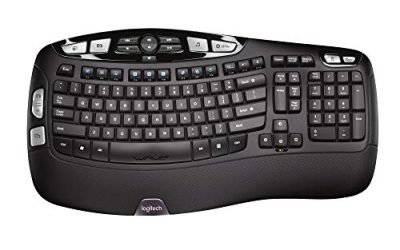
The K480 solves the oldest iPad Mini problem, where to put the tablet while you type, by building a cradle directly into the keyboard. The slot holds the Mini at a comfortable viewing angle, turning the pair into a tiny laptop that fits on a tray table or a lecture desk. Its Easy-Switch dial moves between three connected devices, and the familiar layout includes shortcut keys for Windows, Mac, and mobile systems. The board is a little larger than the K380 because of the cradle, but the convenience of a built-in stand is worth the extra size for anyone who types in different places every day.
Watch out for: The cradle adds bulk, so it packs larger than the K380.
Arteck HB030B
- Best for: Backlit typing in dim rooms and on the move.
- 78 keys
- 7-color backlight with 2 brightness levels
- Rechargeable battery, 6-month use per charge with backlight off
- 40 hours continuous use with backlight on
Backlit typing in dim rooms and on the move.
The compact layout drops some keys you may use on a full board.
The Arteck HB030B is the travel keyboard for night owls, with a seven-color backlight that keeps keys readable in a dark room, a plane cabin, or a late study session. Its ultra-slim zinc body weighs under six ounces and measures a fraction of an inch thick, so it disappears into a bag beside the iPad Mini. The rechargeable battery runs for months on a single charge with the backlight off, and forty hours with it on, which covers weeks of evening typing. Seventy-eight keys cover the layout you need, and the Bluetooth range reaches across a room, so the board works even when the tablet sits on a stand.
Watch out for: The compact layout drops some keys you may use on a full board.
OMOTON
- Best for: Simple backlit typing on the iPad Mini.
- Backlit illuminated LED keys
- Rechargeable lithium polymer battery
- Bluetooth connectivity
- Compatible with iPad, iPad Pro, iPad mini, and iPad Air
Simple backlit typing on the iPad Mini.
No multi-device switching, so it serves one tablet at a time.
The OMOTON keyboard keeps things simple: a backlit, rechargeable Bluetooth board made for iPads, including the iPad Mini. Its illuminated keys make evening typing comfortable without a separate light, and the rechargeable lithium polymer battery means no replacement batteries to buy. The board pairs quickly over Bluetooth and reconnects when you open the cover, so it is ready the moment you sit down. It is the straightforward pick for owners who want backlighting and a clean, simple setup without learning a new layout or managing multiple devices. The slim profile slips into a sleeve beside the Mini, so the pair travels as one small package.
Watch out for: No multi-device switching, so it serves one tablet at a time.
Which One Fits Your Situation
Typing on Several Devices
Owners who move between an iPad Mini, a phone, and a laptop need a keyboard that follows them, and the K380 is built for exactly that. Its Easy-Switch buttons jump between three paired devices, and the compact layout packs easily beside the tablet. The replaceable batteries last for months, so there is no charging routine to manage. Choose this one when one keyboard must serve your whole setup.
Studying and Writing Anywhere
Students type in lecture halls, libraries, and cafes, and the K480 turns the Mini into a tiny laptop wherever they sit. The built-in cradle holds the tablet at a readable angle, and the Easy-Switch dial covers a phone as well. The familiar layout means no learning curve during a timed exam. Pick this one when the tablet needs a stand as much as it needs keys.
Writing Late at Night
Night writers need backlighting, and the Arteck HB030B is the lightest backlit board here. Its seven-color backlight keeps keys readable without waking the room, and the slim zinc body slips into any bag. The long battery life means weeks between charges even with evening use. Choose this one when most of your writing happens after dark.
Keeping It Simple
Some owners want a keyboard that pairs, lights up, and types, and nothing more, and the OMOTON delivers exactly that. Its backlit keys and rechargeable battery cover the essentials, and setup takes a minute. Pick this one when you want the simplest path from box to typing.
Common Mistakes
- Buying a full-size keyboard that dwarfs the iPad Mini in your bag.
- Ignoring battery life, then finding a dead keyboard before a lecture.
- Choosing a board without backlighting, then struggling to type in dim rooms.
- Forgetting to check that the keyboard lists iPad Mini compatibility.
- Picking a cradle keyboard without checking whether your Mini case fits the slot.
Frequently Asked Questions
Will any Bluetooth keyboard work with an iPad Mini?
Nearly any Bluetooth keyboard pairs with an iPad Mini, because iPadOS supports the standard Bluetooth keyboard profile. The difference is fit: a board designed for tablets lists iPad compatibility, includes iPad-specific shortcut keys, and matches the Mini’s size. Pairing takes a minute from the Bluetooth settings, and the board reconnects automatically afterward.
Do I need a keyboard case or a standalone keyboard?
A keyboard case protects the tablet and keeps the pair together, but it adds weight and usually costs more. A standalone keyboard is lighter, works with any case, and can serve a phone or laptop as well. The K380 and Arteck boards in this guide are standalone, while the K480 adds a cradle without becoming a case.
How long does a Bluetooth keyboard battery last?
Battery life varies widely by design. Replaceable-battery boards like the K380 run for months on a pair of batteries, while rechargeable boards like the Arteck HB030B promise months per charge with the backlight off and far less with it on. Backlighting is the biggest drain, so a board used mostly in daylight lasts far longer than one used at night.
Can I use the same keyboard with my iPad Mini and my laptop?
Yes, if the keyboard supports multi-device pairing. The K380 and K480 in this guide both remember up to three devices and switch between them with a button or dial. The Arteck and OMOTON boards pair with one device at a time, so switching means re-pairing.
FAQ
Will any Bluetooth keyboard work with an iPad Mini?
Do I need a keyboard case or a standalone keyboard?
How long does a Bluetooth keyboard battery last?
Can I use the same keyboard with my iPad Mini and my laptop?
More from Amazon
Programs that pair well with the guide above. Offers and eligibility are set by Amazon and may change.
Free shipping on eligible items, Prime Video and more. Eligible new members can start with a free trial.
Start a Prime free trialAd-free music streaming. Eligible new subscribers can start with a free trial.
Try Music Unlimited freeA Prime membership for ages 18-24 with a trial period. Eligibility is set by Amazon.
See Prime for Young AdultsAudiobooks and podcasts to listen to on the go. Eligible new members can start with a free trial.
Try Audible freeAs an Amazon Associate we earn from qualifying purchases.