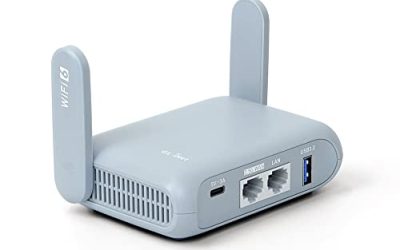
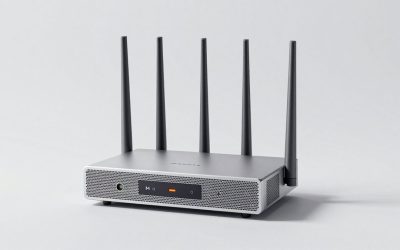
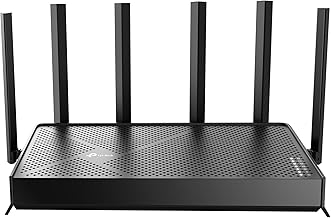
Our Top Picks
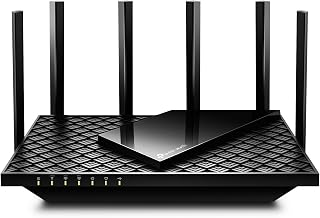
 TP-Link AXE5400 Tri-Band WiFi 6E RouterWiFi 6E, Tri-Band AXE540012.91 x 10.43 x 4.72 inches1.5 poundsCheck on Amazon


AT&T Fiber arrives through a gateway that AT&T supplies, so the real buying decision is not whether a router can replace that box outright. The choice is which router to place behind it, how to set the gateway so the new router handles your home network, and whether the router’s wired port can carry the full speed of your plan. Get any of those three wrong and a fast fiber line can still feel slow in the rooms where you actually use it.
This guide covers three routers for different AT&T households. The TP-Link Archer AXE75 adds a 6 GHz band for homes on a 1-gig plan, the TP-Link Archer BE230 brings Wi-Fi 7 with dual 2.5-gig ports for newer devices, and the ASUS RT-AX86U Pro adds gaming controls for a household where online play shares the connection with streaming and work calls. Each one is a standalone router, so the AT&T gateway stays in the connection.
Quick Picks
As an Amazon Associate we earn from qualifying purchases.
| Product | Best for | Key spec from title |
|---|---|---|
| TP-Link Archer AXE75 | Wi-Fi 6E on a 1-gig AT&T plan | Tri-band Wi-Fi 6E up to 5400 Mbps |
| TP-Link Archer BE230 | Wi-Fi 7 with dual 2.5-gig ports | Dual-band Wi-Fi 7 up to 3.6 Gbps |
| ASUS RT-AX86U Pro | Gaming behind the AT&T gateway | Dual-band Wi-Fi 6 AX5700 with 2.5G port |
How to Choose
Keep the AT&T gateway in the connection
AT&T Fiber uses a gateway, commonly the BGW320, that handles the fiber connection itself, and that box cannot be removed and replaced by a third-party router. The usual setup connects your own router to the gateway with an Ethernet cable and switches the gateway to IP Passthrough mode, which hands the public connection to your router so it can manage Wi-Fi, device addresses, and traffic controls. Before ordering, confirm your plan uses this kind of gateway and that you can reach its settings page, since a router expecting a plain modem connection will not behave as expected behind a gateway that is still routing. All three routers here are standalone models meant to run in this arrangement.
Match the wired port to your plan tier
The WAN port is the bottleneck most buyers overlook: a router can advertise a large combined wireless number while its Internet port caps wired throughput below the plan. AT&T Fiber plans commonly run at 1 gig, with faster multi-gig tiers in some areas, so check the tier on your bill first. A gigabit WAN port suits a 1-gig plan, though it leaves no headroom, while a 2.5-gig WAN port can carry a 1-gig or 2-gig line at full speed and lets a wired PC or console use the whole connection. If your plan is faster than 2 gig, choose a router with a 10-gig or 5-gig port instead, since a 2.5-gig port would cap the line first.
Pick the Wi-Fi generation your devices can use
Wi-Fi 7, Wi-Fi 6E, and Wi-Fi 6 routers all work with older devices, but only matching radios can use the newest bands and features, so the generation matters most when your phones, laptops, and consoles are recent. Wi-Fi 6E adds a 6 GHz band that is usually less crowded than 5 GHz, which helps where many networks overlap. Wi-Fi 7 adds multi-link operation, letting a capable device use more than one band at once, plus wider channels that raise throughput on short-range links. If most of your gear is a few years old, a solid Wi-Fi 6 router with a fast wired port may serve you better than a Wi-Fi 7 model whose newest features your devices cannot reach.
Weigh coverage, ports, and controls together
A fast router beside the box can still disappoint in a far bedroom, so weigh your home’s size before choosing between a single powerful unit and a mesh-ready one. Count your wired devices, such as a gaming PC, a console, and a TV box, and make sure the router has enough Ethernet ports, since a switch later is one more box and cable. Parental controls, VPN support, and traffic prioritization matter too in a shared household where work calls, streaming, and gaming compete at the same hour. A clear app and a dedicated gaming port save fiddling later, while a mesh-compatible model lets you add a node instead of replacing the whole setup when coverage falls short.
The 3 Best Options
TP-Link Archer AXE75
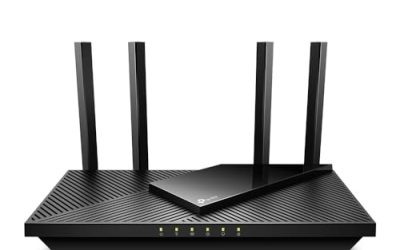
The Archer AXE75 is the pick for an AT&T household on a 1-gig plan that wants the 6 GHz band without moving to Wi-Fi 7 hardware. Its Amazon listing states that it works with all internet service providers, naming AT&T among them, with a modem required for most providers, which matches the setup here: the AT&T gateway stays in place and the Archer connects behind it. The tri-band layout gives newer phones and laptops a less crowded lane, while the quad-core processor and VPN support cover everyday home use. It is a straightforward upgrade for a home that finds the gateway Wi-Fi crowded or short on range.
Specs
- Tri-band Wi-Fi 6E router, up to 5400 Mbps combined wireless speed
- 6 GHz band, 160 MHz channels, OneMesh support
- Quad-core CPU, VPN support, WPA3 security
- Gigabit Internet for gaming and streaming
Best for: Homes on a 1-gig AT&T plan that want Wi-Fi 6E and a cleaner 6 GHz lane.
Watch out for: A modem is required for most providers, so the AT&T gateway stays in the connection, and the gigabit WAN port caps wired throughput near 1 gig.
TP-Link Archer BE230
The Archer BE230 is the value Wi-Fi 7 pick for AT&T homes that own newer devices and want wired headroom above 1 gig. Its Amazon listing states that it works with all internet service providers, naming AT&T among them, and AT&T Fiber guides list it as a budget Wi-Fi 7 companion for a 1-gig line. Two 2.5-gig ports mean a wired gaming PC or console can use a multi-gig connection without the router itself becoming the limit, and EasyMesh support leaves a path to wider coverage later. Multi-link operation and the Tether app round out a router that is built for households moving to Wi-Fi 7 device by device.
Specs
- Dual-band BE3600 Wi-Fi 7 router, up to 3.6 Gbps dual-band speed
- 4-stream, 2 x 2.5G ports plus 3 x 1G ports, USB 3.0
- 2.0 GHz quad-core processor, 4 antennas
- VPN, EasyMesh, HomeShield, MLO, Private IoT
Best for: AT&T homes with Wi-Fi 7 devices and a plan at 1 gig or above that want dual 2.5-gig wired ports.
Watch out for: It is dual-band only, with no 6 GHz band, and a separate modem or gateway is still required.
ASUS RT-AX86U Pro
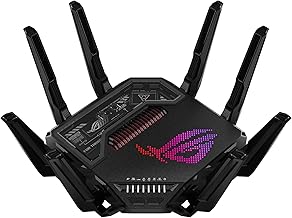
The RT-AX86U Pro is the gaming pick for an AT&T household where low latency matters as much as raw speed. AT&T Fiber guides place this router behind the AT&T gateway in IP Passthrough mode as a companion for a 1-gig line, and its dedicated gaming port, mobile game mode, and adaptive traffic controls are aimed squarely at play sessions that share the network with streaming and calls. The 2.5-gig port lets a wired console or PC use the full plan, while AiMesh support means a second ASUS unit can extend coverage later. Subscription-free network security and parental controls add value for a family network that also needs to stay guarded.
Specs
- Dual-band Wi-Fi 6 extendable gaming router, AX5700
- 2.5G port, dedicated gaming port, Mobile Game Mode
- Port forwarding, subscription-free network security, VPN
- AiMesh compatible, supports up to a 2 Gbps internet connection
Best for: Gaming households on AT&T Fiber that want a dedicated gaming port and traffic controls behind the gateway.
Watch out for: It is a Wi-Fi 6 router with no 6 GHz band, so newer Wi-Fi 6E and Wi-Fi 7 devices cannot use those bands through it.
Which One Fits Your Situation
You are on a 1-gig AT&T plan in a flat or small house
The Archer AXE75 fits here, because its gigabit WAN port matches a 1-gig line and its 6 GHz band gives newer devices a quieter lane in a building full of competing networks. Connect it behind the AT&T gateway, switch the gateway to IP Passthrough, and let the Archer handle Wi-Fi for the whole flat. It is a simple swap that improves wireless capacity without asking you to learn mesh settings or gaming controls you will never open.
Gaming shares the connection with streaming and calls
The RT-AX86U Pro fits a household where an evening match, a video stream, and a work call all run at once. Its dedicated gaming port gives a wired console or PC priority on the LAN side, while Mobile Game Mode and traffic controls help keep latency steady when someone else begins a large download. The 2.5-gig port also means the wired gaming machine is not capped at 1 gig when the plan allows more.
Your home is large or has rooms where Wi-Fi drops
The Archer BE230 fits a larger home because EasyMesh support lets you add a compatible node later instead of replacing the router when a far room stays weak. Its dual 2.5-gig ports keep wired devices fast while the mesh side handles coverage, and Wi-Fi 7 features help newer laptops and phones hold a steadier link at range. Begin with one unit behind the gateway, then add a node only where the signal actually fades.
You expect to move to a faster AT&T tier later
The Archer BE230 is also the pick if a faster tier is on your horizon, since its 2.5-gig WAN port can carry a 2-gig line at full speed while a gigabit-port router would cap it. That headroom costs little in this class and avoids an early replacement when the plan changes. If you already know the next tier is faster than 2 gig, though, look for a router with a 5-gig or 10-gig port before committing.
Common Mistakes
- Removing the AT&T gateway and expecting a standalone router to connect directly to the fiber line, when the gateway must stay in the connection.
- Buying a router whose WAN port is slower than the plan tier, so the line is capped before it reaches any device.
- Judging a router by its combined wireless number alone, which adds all bands together and never reflects what one device can use.
- Placing the router inside a cabinet or behind a TV, which weakens the signal in far rooms and gets blamed on the router.
- Skipping IP Passthrough setup, leaving two routers handing out addresses and causing double NAT problems for gaming and calls.
Frequently Asked Questions
Can I replace the AT&T gateway with one of these routers?
No, these are standalone routers, not fiber gateways, so the AT&T gateway stays in the connection and handles the fiber line. Connect the new router to the gateway with an Ethernet cable and switch the gateway to IP Passthrough mode, which hands the public connection to your router. Your router then manages Wi-Fi, device addresses, and traffic controls for the home.
Do these routers work with AT&T Fiber?
Yes, with the gateway kept in place. The Archer AXE75 and Archer BE230 listings state that they work with AT&T among other providers, with a modem required for most providers. AT&T Fiber guides also place the RT-AX86U Pro behind the gateway in IP Passthrough mode for a 1-gig line, so all three serve as the home router behind AT&T equipment rather than replacing it.
Which router is best for gaming on AT&T?
The ASUS RT-AX86U Pro is the gaming pick in this guide, thanks to its dedicated gaming port, Mobile Game Mode, and traffic controls that prioritize play when the network is busy. Its 2.5-gig port also gives a wired console or PC full use of a fast plan. For casual play, either TP-Link model will handle online gaming, and the choice comes down to Wi-Fi generation and wired ports.
What should I do if Wi-Fi is still weak in a far room?
Move the router to an open, central spot away from thick walls and shelving, since placement affects coverage most. Then try the 5 GHz or 6 GHz lane if the weak room sits on a crowded band. If the signal is still weak, add a compatible mesh node, such as an EasyMesh unit for the TP-Link models or an AiMesh unit for the ASUS, rather than replacing the router.
FAQ
Can I replace the AT&T gateway with one of these routers?
Do these routers work with AT&T Fiber?
Which router is best for gaming on AT&T?
What should I do if Wi-Fi is still weak in a far room?
More from Amazon
Programs that pair well with the guide above. Offers and eligibility are set by Amazon and may change.
Free shipping on eligible items, Prime Video and more. Eligible new members can start with a free trial.
Start a Prime free trialAd-free music streaming. Eligible new subscribers can start with a free trial.
Try Music Unlimited freeA Prime membership for ages 18-24 with a trial period. Eligibility is set by Amazon.
See Prime for Young AdultsAudiobooks and podcasts to listen to on the go. Eligible new members can start with a free trial.
Try Audible freeAs an Amazon Associate we earn from qualifying purchases.