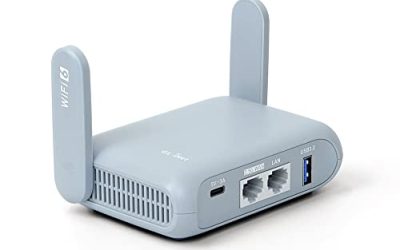
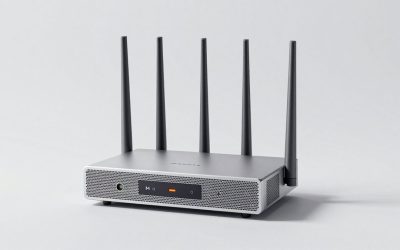
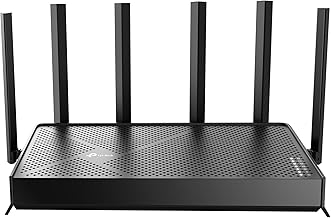
Our Top Picks


AT&T Fiber enters your home through the provider gateway, and that box stays in the chain whatever you buy. The real decision is whether its built-in Wi-Fi runs your network or whether a router of your own takes over behind it. That choice hinges on three listing facts: the speed of the router’s WAN port, the Wi-Fi standard it broadcasts, and whether it can grow into a mesh system when one box cannot cover the house.
The five picks below suit different households: gamers who wire in and want a fast LAN, families in larger homes where a single router fades at the edges, and subscribers on multi-gig tiers whose gateway handoff can outrun a gigabit port. Each one was chosen from the ports, bands and speed classes printed on its Amazon listing, so the figures here are the ones the manufacturer publishes for that exact model.
Quick Picks
As an Amazon Associate we earn from qualifying purchases.
| Product | Best for | Key spec from title |
|---|---|---|
| TP-Link Archer BE550 | Multi-gig wired setups | 2.5G WAN with four 2.5G LAN ports |
| ASUS RT-AX86U Pro | Gaming on gigabit fiber | 2.5G port plus dedicated gaming port |
| TP-Link Deco XE75 Pro (3-Pack) | Large homes needing mesh | 2.5G WAN/LAN port, up to 7,200 sq ft |
| Amazon eero Pro 6E (1-Pack) | Simple app-led setup | 2.5 GbE port, plans up to 2.5 Gbps |
| ASUS RT-BE96U | Fastest tiers and home servers | Dual 10G ports, BE19000 Wi-Fi 7 |
How to Choose
Match the WAN port to your fiber tier
The WAN port is the narrowest point between the fiber line and everything you own. A gigabit WAN port caps the whole network at gigabit-class throughput, which is fine for the 300, 500 and 1 Gig tiers but strands the extra speed of a 2 Gig or 5 Gig subscription before it reaches a single device. Check the port speed printed on the listing rather than the headline wireless class: a router can advertise a huge Wi-Fi figure while feeding it through one gigabit socket. For multi-gig tiers, look for 2.5G WAN as a minimum and 10G WAN at the top end.
Plan how the router sits behind the gateway
Your new router connects to the gateway with an Ethernet cable and takes over routing, Wi-Fi and device management. Most owners set the gateway to IP passthrough mode, a general setup step that hands the public connection through to their own router and avoids two devices both trying to run the network. Whichever model you pick, confirm the listing shows a proper Ethernet WAN port rather than a DSL or cable modem input, since fiber through AT&T arrives from the gateway’s LAN side. Leaving the gateway’s own radios on alongside creates two competing networks, so plan to switch them off.
Choose a Wi-Fi standard your devices can actually use
Wi-Fi 6 remains the sensible baseline for fiber households, Wi-Fi 6E adds the 6 GHz band for nearby compatible devices, and Wi-Fi 7 raises the ceiling again with wider channels and Multi-Link Operation. None of that helps a phone or console built for an older standard, which will simply connect on the band it knows. Work backwards from the newest devices you own: a house full of Wi-Fi 6 laptops gains little from a Wi-Fi 7 flagship, while a new gaming PC with a 6 GHz card can use the clear band a 6E or Wi-Fi 7 router provides.
Decide between one strong router and a mesh kit
A single well-placed router covers most flats and smaller houses, and it keeps every wired port in one place for a desk setup. Larger or multi-storey homes usually do better with a mesh system, where extra nodes carry the signal around corners and between floors. Listings state a coverage figure for each pack size, so compare that number with your floor area and add a node rather than stretching one box. Mesh kits trade per-node wired ports for placement freedom, which matters if your gaming PC sits far from where the fiber line enters.
The 5 Best Options
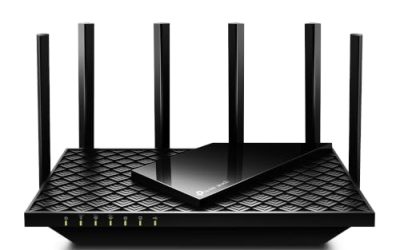
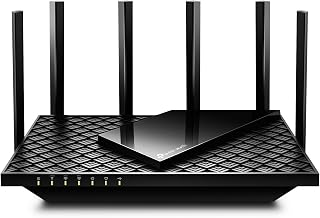
TP-Link Archer BE550
The TP-Link Archer BE550 treats the wired side as seriously as the wireless side. Alongside tri-band Wi-Fi 7 rated BE9300, it carries one 2.5 Gbps WAN port and four 2.5 Gbps LAN ports, so a 2 Gig fiber tier can feed a gaming PC, a console and a streaming box without any of them dropping to a gigabit socket. Six internal antennas cover a stated 2,000 square feet, EasyMesh support lets you add a compatible node later, and a USB 3.0 port handles shared storage duties.
Specs
- Wi-Fi standard: Wi-Fi 7 (802.11be), tri-band
- Speeds: up to 5,760 Mbps (6 GHz), 2,880 Mbps (5 GHz), 574 Mbps (2.4 GHz)
- WAN port: 1 × 2.5 Gbps
- LAN ports: 4 × 2.5 Gbps
- USB: 1 × USB 3.0
- Antennas: 6 internal
- Coverage: up to 2,000 sq ft
- Mesh: EasyMesh compatible
- Model: Archer BE550
Best for: Homes on a 2 Gig tier with several devices wired in.
Watch out for: Wi-Fi 7 features such as Multi-Link Operation need client devices that support them.
ASIN: B0CJSNSVMR
ASUS RT-AX86U Pro
For a gigabit fiber line feeding a gaming desk, the ASUS RT-AX86U Pro concentrates on latency-friendly wired connections. It is a dual-band Wi-Fi 6 router in the AX5700 class with a 2.5G port that can serve the internet connection, a dedicated gaming port for a console or PC, and AiMesh support if you later pair it with another ASUS unit. The listing highlights Mobile Game Mode in the ASUS app, port forwarding controls and subscription-free network security, which suits players who manage their own network settings rather than accepting defaults.
Specs
- Wi-Fi standard: Wi-Fi 6 (802.11ax), dual-band
- Speed class: AX5700, up to 5,700 Mbps
- WAN: 2.5G port (WAN/LAN)
- LAN: gigabit ports including a dedicated gaming port
- Mesh: AiMesh compatible
- Security: AiProtection, subscription-free per the listing
- Extras: Mobile Game Mode, VPN support, port forwarding
- Model: RT-AX86U Pro
Best for: Gigabit fiber households built around a wired gaming setup.
Watch out for: There is no 6 GHz band, so Wi-Fi 6E and Wi-Fi 7 devices fall back to 5 GHz.
ASIN: B0BQ417K47
TP-Link Deco XE75 Pro (3-Pack)

Spread across three units, the TP-Link Deco XE75 Pro is the coverage-first answer for houses where the fiber line enters at one end and bedrooms sit at the other. The 3-pack is rated for up to 7,200 square feet, and each unit carries a 2.5G WAN/LAN port, so the main node can accept a multi-gig handoff from the gateway while the others mesh over the 6 GHz band. AI-Driven Mesh manages roaming between nodes, and the AXE5400 class keeps everyday streaming, calls and gaming traffic moving across all three radios.
Specs
- Wi-Fi standard: Wi-Fi 6E (802.11ax), tri-band
- Speed class: AXE5400
- Ports per unit: 1 × 2.5G WAN/LAN, 2 × Gigabit LAN
- Coverage: up to 7,200 sq ft (3-pack)
- Mesh: AI-Driven Mesh with a 6 GHz band
- Pack contents: 3 Deco XE75 Pro units
- Model: Deco XE75 Pro (3-pack)
Best for: Larger or multi-storey homes with dead zones on the current setup.
Watch out for: Settings run through the Deco app, and each node has fewer wired ports than a standalone router.
ASIN: B0B8B8MCF1
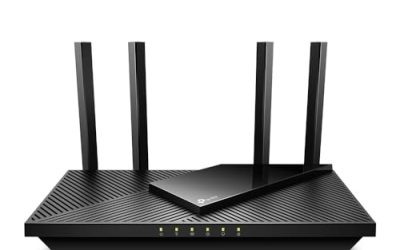
Amazon eero Pro 6E (1-Pack)

The Amazon eero Pro 6E keeps the hardware story short: one compact unit, Wi-Fi 6E tri-band coverage for up to 2,000 square feet, and support for internet plans up to 2.5 Gbps through its 2.5 GbE port. Setup and management live in the eero app, and the unit doubles as a smart home hub for Thread and Zigbee devices. It supports more than 100 connected devices per the listing, and you can add further eero units later to turn this single router into a TrueMesh network room by room.
Specs
- Wi-Fi standard: Wi-Fi 6E (802.11ax), tri-band 2:2:2
- Ports: 1 × 2.5 GbE auto-sensing, 1 × Gigabit Ethernet auto-sensing
- Plan support: internet plans up to 2.5 Gbps
- Coverage: up to 2,000 sq ft
- Connected devices: 100+
- Smart home: built-in Thread and Zigbee hub
- Processor: 1 GHz dual-core
- Model: S010001
Best for: Smaller homes that want a short setup and room to expand later.
Watch out for: Only two Ethernet ports, and one is taken by the gateway connection.
ASIN: B091G65HH6
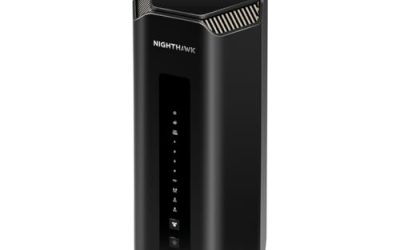
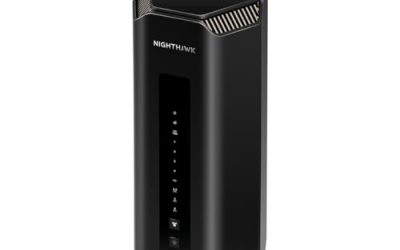
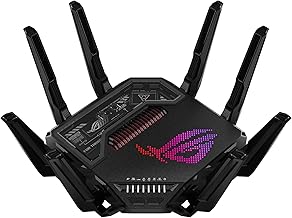
ASUS RT-BE96U

Subscribers on the fastest fiber tiers need a WAN port that will not blink, and the ASUS RT-BE96U brings two 10G ports to that job. It is a tri-band Wi-Fi 7 router in the BE19000 class, with the 6 GHz band rated up to 11,529 Mbps, 320 MHz channels and Multi-Link Operation for clients that support them. One 10G port can take the gateway handoff while the second feeds a switch, NAS or workstation at full speed, and AiMesh support lets it anchor a wider ASUS network later.
Specs
- Wi-Fi standard: Wi-Fi 7 (802.11be), tri-band
- Speeds: up to 11,529 Mbps (6 GHz), 5,764 Mbps (5 GHz), 1,376 Mbps (2.4 GHz)
- Ports: 2 × 10G (WAN/LAN capable), gigabit LAN ports
- USB: USB 3.2 Gen 1 and USB 2.0
- Mesh: AiMesh support
- Features: Multi-Link Operation, 320 MHz channels
- Security: AiProtection (listed as Lifetime Internet Security)
- Model: RT-BE96U
Best for: 5 Gig fiber plans, home servers and anyone wiring a fast local network.
Watch out for: It is a large unit, and its remaining LAN ports are gigabit rather than 2.5G.
ASIN: B0BZFK3BF8
Which One Fits Your Situation
A gigabit plan in a flat or small house
A 1 Gig tier never exceeds a gigabit WAN port, so coverage and simplicity decide this one. The eero Pro 6E covers up to 2,000 square feet from a single unit and sets up through its app, while the RT-AX86U Pro suits the same space when a wired desk matters more. Either replaces the gateway’s Wi-Fi cleanly without paying for port speed you cannot use yet.
A 2 Gig plan with a wired gaming PC
Here the WAN port and the LAN ports both need to clear gigabit speed, which points at the Archer BE550: its 2.5G WAN takes the full tier and its four 2.5G LAN ports keep a gaming PC, console and capture machine on equal footing. A router with fast WAN but gigabit LAN would quietly cap your wired machines at the old ceiling.
A large multi-storey home with dead zones
When the problem is reach rather than raw speed, the Deco XE75 Pro 3-pack spreads three nodes across up to 7,200 square feet and keeps the 2.5G handoff at the main unit. Place one node per floor, let the 6 GHz band carry traffic between them, and the far bedrooms stop depending on a signal that has crossed the whole house.
A 5 Gig plan feeding a server or NAS
The RT-BE96U is the natural fit because its 10G WAN port accepts the full tier and its second 10G port serves a NAS or workstation without a gigabit bottleneck in between. Wi-Fi 7 covers the wireless side for newer laptops and phones, and the gigabit LAN ports remain fine for televisions, cameras and other fixed devices that never move large files.
Common Mistakes
- Judging a router by its wireless speed class while ignoring the WAN port speed printed further down the listing.
- Leaving the gateway’s Wi-Fi switched on next to the new router, creating two networks that fight over the same rooms.
- Running both the gateway and the new router as full routers instead of setting up the passthrough handoff.
- Placing a mesh node in the dead zone itself rather than halfway between the main unit and the weak room.
- Buying a flagship Wi-Fi 7 router when every device in the house connects on Wi-Fi 5 or Wi-Fi 6 bands.
Frequently Asked Questions
Can a new router replace the AT&T Fiber gateway completely?
No. The gateway handles the fiber connection itself, so it stays in place and your router works behind it. Connect the router’s WAN port to a gateway LAN port, then use the gateway’s IP passthrough setting to hand the connection through. Your router then manages Wi-Fi, addressing and every device on the home network.
Does WAN port speed matter on a 1 Gig fiber plan?
A gigabit WAN port is enough for the 1 Gig tier, since the connection itself never passes that rate. The port only becomes a limit the day you move to a 2 Gig or 5 Gig tier, when a gigabit socket would cap the whole house. Buying 2.5G WAN now simply keeps the router useful across a future tier change.
Will a mesh system work behind the AT&T gateway?
Yes. The main mesh node plugs into the gateway exactly like a standalone router, and the extra nodes talk to that main unit rather than to the gateway. Set the gateway to IP passthrough for the main node, switch the gateway’s own Wi-Fi off, and let the mesh system run the network so devices roam between nodes on one name.
Should I turn off the gateway’s own Wi-Fi?
In most setups, yes. Two separate Wi-Fi networks in the same rooms invite devices to cling to the weaker gateway signal and complicate roaming. Turning the gateway’s radios off leaves your router or mesh system as the single network, which keeps one name, one password and one place to change settings for everything in the house.
FAQ
Can a new router replace the AT&T Fiber gateway completely?
Does WAN port speed matter on a 1 Gig fiber plan?
Will a mesh system work behind the AT&T gateway?
Should I turn off the gateway’s own Wi-Fi?
More from Amazon
Programs that pair well with the guide above. Offers and eligibility are set by Amazon and may change.
Free shipping on eligible items, Prime Video and more. Eligible new members can start with a free trial.
Start a Prime free trialAd-free music streaming. Eligible new subscribers can start with a free trial.
Try Music Unlimited freeA Prime membership for ages 18-24 with a trial period. Eligibility is set by Amazon.
See Prime for Young AdultsAudiobooks and podcasts to listen to on the go. Eligible new members can start with a free trial.
Try Audible freeAs an Amazon Associate we earn from qualifying purchases.