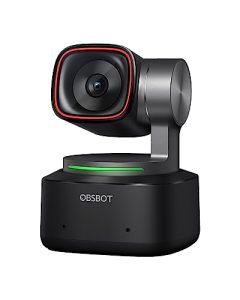
Our Short List of 3

- Best for: Students who present, tutor or speak often in seminars
- Resolution: Full HD 1080p at 30fps; 720p at 30fps
- Focus: Autofocus
- Field of view: 78 degrees
- Microphone: Dual stereo microphones

- Best for: Students recording presentations or studying in noisy shared housing
- Resolution: 2K
- Microphone: AI-noise canceling microphones; stereo mics
- Field of view: Adjustable, up to 95 degrees
- Light correction: Low-light correction

- Best for: Students with USB-C laptops who want a compact, tidy setup
- Resolution: 1080p at 30fps; 720p at 30fps
- Camera: 2MP
- Field of view: 70 degrees diagonal
- Focus: Fixed focus
All 5 Picks at a Glance
| Product | Specs | Action |
|---|---|---|
| Logitech C920s HD Pro Webcam |
| Check price on Amazon |
| Anker PowerConf C200 |
| Check price on Amazon |
| Logitech Brio 300 |
| Check price on Amazon |
 Logitech Brio 100 |
| Check price on Amazon |
 NexiGo N60 |
| Check price on Amazon |
Our Top Picks
A student webcam has one job: make you look and sound clear enough that a lecturer never asks you to repeat an answer, without turning setup into a second coursework project. The real decision is which weakness of your current setup hurts most, a soft built-in laptop camera, a microphone that buries your voice under room noise, or dim dorm lighting that leaves your face in shadow during evening seminars.
This guide serves first-year students replacing a weak laptop camera, seminar students who speak often and need a stronger microphone, and anyone studying from a small or shared room. Every model below is a plug-and-play USB webcam chosen from the resolution, microphone, field of view, light correction, mount and privacy details stated on its Amazon listing, with no streaming or security cameras mixed in.
Quick Picks
As an Amazon Associate we earn from qualifying purchases
| Product | Best for | Key spec from title |
|---|---|---|
| Logitech C920s HD Pro Webcam | Students who present and share a desk | Full HD 1080p at 30fps with privacy shutter |
| Anker PowerConf C200 | Students who want sharper 2K video | 2K webcam with AI-noise canceling microphones |
| Logitech Brio 300 | USB-C laptops and tidy dorm desks | HD webcam with noise reduction mic and USB-C |
| Logitech Brio 100 | A simple first upgrade from a laptop camera | Full HD 1080p with auto-light balance |
| NexiGo N60 | Group study calls at one desk | 1080P webcam with microphone and privacy cover |
How to Choose
Resolution and Frame Rate for Class Platforms
Most lectures, seminars and office-hour calls run through Zoom, Microsoft Teams or Google Meet, and those platforms reward a clean 1080p feed far more than headline resolution alone. A 1080p camera at 30 frames per second, like the Logitech C920s or Brio 100, keeps your face and any notes you hold up readable. The Anker PowerConf C200 records at 2K, which leaves extra detail when a platform crops or compresses your video. Check the modes on the listing before buying, because a camera that only reaches its best resolution in one app setting can disappoint in the platform your course actually uses.
Microphone Quality for Speaking Up
In a seminar, your voice carries your grade more than your picture does, so the built-in microphone deserves as much attention as the lens. Dual stereo microphones, as listed for the Logitech C920s, pick up speech from a normal seated position without leaning in. The Anker PowerConf C200 adds AI-noise canceling microphones, useful when a fan, hallway traffic or a roommate competes with your answer. The Brio 300 uses a single noise reduction microphone, while the Brio 100 lists an omnidirectional microphone with a range of up to one metre, so sit within that distance when you speak.
Dorm Lighting and Light Correction
Dorm rooms rarely offer the even, front-facing light that makes any camera look good, and evening study sessions make the problem worse. Light correction is the feature that compensates: the Logitech C920s lists HD light correction, the Brio 300 lists automatic light correction, and the Brio 100 lists RightLight auto-light balance that boosts brightness compared with earlier Logitech webcams. The Anker PowerConf C200 lists low-light correction as well. None of these replaces a lamp in front of you, but correction stops a backlit window or a single ceiling bulb from turning your face into a silhouette.
Mount and Privacy Shutter
A student webcam moves between a laptop lid, a dorm desk monitor and sometimes a library carrel, so the mount has to grip thin screens without wobbling when you type. Every pick here clips onto a laptop or monitor, and the C920s also lists tripod mounting for a desk stand. Privacy matters just as much in shared housing: the C920s, Brio 300, Brio 100 and NexiGo N60 each list a physical shutter or cover, and the C200 lists a built-in privacy cover, so you can block the lens with a slide or spin instead of trusting a software indicator light.
The 5 Best Options
Logitech C920s HD Pro Webcam
- Best for: Students who present, tutor or speak often in seminars
- Resolution: Full HD 1080p at 30fps; 720p at 30fps
- Focus: Autofocus
- Field of view: 78 degrees
- Microphone: Dual stereo microphones
Students who present, tutor or speak often in seminars
Confirm your laptop has a free USB-A port, since the cable is not USB-C
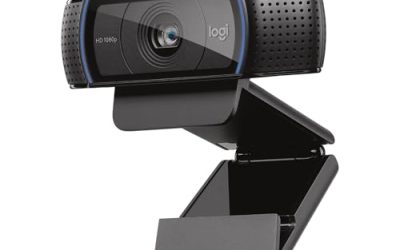
The C920s suits students who present, tutor or record themselves answering practice questions, because autofocus keeps your face sharp as you lean toward the screen or hold work up to the lens. Its dual stereo microphones serve seminar discussion better than a single microphone, and HD light correction helps in rooms where the only lamp sits behind you. The attached privacy shutter closes over the lens between classes, which matters in shared dorm rooms. It connects over USB and mounts with a clip or a tripod thread, so it can move from a laptop lid to a small desk tripod without extra parts.
Anker PowerConf C200
- Best for: Students recording presentations or studying in noisy shared housing
- Resolution: 2K
- Microphone: AI-noise canceling microphones; stereo mics
- Field of view: Adjustable, up to 95 degrees
- Light correction: Low-light correction
Students recording presentations or studying in noisy shared housing
Set the field of view in the AnkerWork software before class, since the widest setting shows more of your room
The PowerConf C200 is the pick for students whose courses involve recorded presentations or detailed screen-side demonstrations, because its 2K resolution keeps more detail than a standard 1080p feed when a platform compresses the video. Its AI-noise canceling stereo microphones target the background hum of shared housing, and the adjustable field of view lets you frame just your head and shoulders or widen the shot for a study partner beside you. Low-light correction supports evening classes, and the built-in privacy cover closes the lens when the study session ends. It is a compact clip-on camera for a laptop or monitor.
Logitech Brio 300
- Best for: Students with USB-C laptops who want a compact, tidy setup
- Resolution: 1080p at 30fps; 720p at 30fps
- Camera: 2MP
- Field of view: 70 degrees diagonal
- Focus: Fixed focus
Students with USB-C laptops who want a compact, tidy setup
Fixed focus means staying at a normal desk distance; leaning close to the lens softens the image
The Brio 300 fits students with a newer USB-C laptop who want the smallest possible desk footprint, because its compact cone body clips on without crowding a dorm workspace. It records at 1080p, and its automatic light correction with RightLight technology keeps a face readable under a single ceiling light. The single microphone includes noise reduction, which helps one voice stay clear in a quiet room. Its privacy shutter spins closed, giving a visible, physical block between calls. Because the focus is fixed, it works best at a steady seated distance rather than for students who move around while presenting.
Logitech Brio 100
- Best for: A first webcam upgrade for lectures on a laptop or Chromebook
- Resolution: Full HD 1080p at 30fps; 720p at 30fps
- Camera: 2MP
- Field of view: 58 degrees diagonal
- Focus: Fixed focus
A first webcam upgrade for lectures on a laptop or Chromebook
The narrow 58-degree view frames one person only, so it is not the pick for two students sharing one camera
The Brio 100 is the straightforward first upgrade for a student whose laptop camera looks washed out, because it keeps the feature list focused on the basics a class call needs. Its Full HD 1080p resolution sharpens your picture on Zoom, Teams and Google Meet, and RightLight auto-light balance boosts brightness in dim rooms. The built-in omnidirectional microphone covers speech from a normal chair position, and the integrated privacy shutter slides shut after class. It connects by USB-A with plug-and-play setup and no separate software requirement, which suits students who share a family computer or use a Chromebook for coursework.
NexiGo N60
- Best for: Group study calls with two or more students at one desk
- Resolution: 1080P, 1920 x 1080 at 30fps
- Sensor: Two-MP CMOS
- Field of view: 110 degrees, adjustable in software
- Microphone: Built-in microphone
Group study calls with two or more students at one desk
Narrow the field of view in software for solo classes, or the wide angle shows your whole room
The N60 suits students who regularly study with a partner or small group at the same desk, because its wide 110-degree field of view can fit more than one face without moving the laptop back. Software control lets you narrow that view and adjust the framing for a solo lecture, which keeps the wide lens from becoming a distraction. It records at 1080p, includes a built-in microphone for group discussion, and ships with a privacy cover for the lens between sessions. The plug-and-play USB connection means it can move between a dorm laptop and a library computer without installing drivers first.
Which One Fits Your Situation
You Speak Up in Seminars Every Week
Choose the Logitech C920s or the Anker PowerConf C200, because both put microphone quality first. The C920s uses dual stereo microphones and autofocus for students who gesture and move, while the C200 adds AI-noise canceling for voices competing with dorm noise. Either keeps your contributions clear without a separate headset microphone on the desk.
Your Dorm Room Is Dim or Backlit
Pick a camera with named light correction. The Brio 300 and Brio 100 both use RightLight technology to lift brightness, the C920s lists HD light correction, and the C200 lists low-light correction. Pair any of them with a lamp in front of your face rather than behind you, and avoid sitting with a bright window at your back during afternoon classes.
You Study With a Partner at One Desk
The NexiGo N60 is the only pick here with a 110-degree field of view, so it frames two students side by side without pushing the laptop across the desk. Its software control narrows the view again for solo lectures. The C200 is the alternative when you want an adjustable field of view with sharper 2K video for recorded group work.
You Just Need Class Calls to Work
Take the Logitech Brio 100 for a laptop or Chromebook, or the Brio 300 if your laptop only offers USB-C ports. Both are plug-and-play, both include a privacy shutter, and both cover lectures and office hours at 1080p without software setup. Match the connector to your machine first, and the rest of the decision takes care of itself.
Common Mistakes
- Buying a camera for its headline resolution while ignoring the microphone, then sounding unclear in every seminar discussion.
- Sitting with a window or bright lamp behind you, which defeats light correction and leaves your face in shadow.
- Leaving the lens uncovered in a shared room instead of using the built-in privacy shutter or cover after class.
- Choosing a wide field of view for solo calls and broadcasting your whole dorm room to the class.
- Forgetting to check whether your laptop needs USB-A or USB-C, then needing an adapter on the first day of term.
Frequently Asked Questions
Is 1080p enough for online classes, or do students need 2K?
For live lectures and seminars, 1080p is enough, because Zoom, Teams and Google Meet compress your feed and display it in a small window. A 2K camera such as the Anker PowerConf C200 helps mainly when you record presentations locally or want extra detail after cropping, not because class platforms show the full 2K picture to everyone else.
Will these webcams work with Zoom, Microsoft Teams and Google Meet?
Yes, the listings name those platforms directly. The Logitech models list compatibility or certification for Zoom, Microsoft Teams and Google Meet, the NexiGo N60 lists Zoom, Skype and Teams, and all five cameras connect as standard USB webcams, so the class app selects them as the camera and microphone source in its settings.
Do I still need a headset if the webcam has a built-in microphone?
Not for most classes. The built-in microphones here cover speech from a normal seated distance, and the C200 adds AI-noise canceling for shared rooms. A headset still helps in a loud household or when you do not want your speakers feeding back into the microphone, but it is an addition, not a requirement for being heard clearly.
Why does a privacy shutter matter for a student webcam?
A physical shutter blocks the lens itself, so the camera cannot show your room even if an app opens with video enabled by accident. In shared dorm rooms and family homes that certainty is worth having. The C920s, Brio 300, Brio 100 and N60 include a shutter or cover, and the C200 includes a built-in privacy cover.
FAQ
Is 1080p enough for online classes, or do students need 2K?
Will these webcams work with Zoom, Microsoft Teams and Google Meet?
Do I still need a headset if the webcam has a built-in microphone?
Why does a privacy shutter matter for a student webcam?
More from Amazon
Programs that pair well with the guide above. Offers and eligibility are set by Amazon and may change.
Free shipping on eligible items, Prime Video and more. Eligible new members can start with a free trial.
Start a Prime free trialAd-free music streaming. Eligible new subscribers can start with a free trial.
Try Music Unlimited freeA Prime membership for ages 18-24 with a trial period. Eligibility is set by Amazon.
See Prime for Young AdultsAudiobooks and podcasts to listen to on the go. Eligible new members can start with a free trial.
Try Audible freeAs an Amazon Associate we earn from qualifying purchases.