Key takeaways
- “No display means the motherboard is dead.” Failures in the cable, memory, or graphics card are far more common.
- “If the fans spin, everything is fine.” Fans and lights receive power before POST completes, so they say little about system health.
- “Clearing CMOS erases my files.” It only resets BIOS settings. Your drives are untouched.
- “A new CPU always works in a compatible socket.” The socket may match while the BIOS is too old. Check the maker’s CPU support list.
- “More RAM sticks are always safer to troubleshoot with.” Testing with a single stick often isolates the problem faster.
“Motherboard no display” describes a PC that powers on, fans spinning and lights on, but sends no picture to the monitor; it does not always mean the motherboard is broken. In most cases the cause is something simpler, such as the monitor cable plugged into the wrong port, a loose graphics card, or memory that needs reseating.
Our top picks
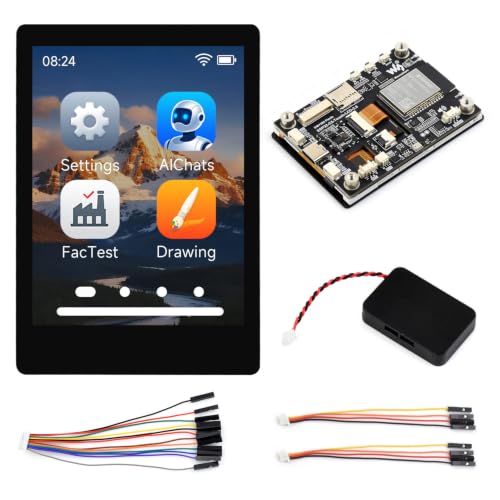 Waveshare ESP32-C5 2.8inch IPS Capacitive Touch Display
- Equipped with the ESP32-C5-WROOM-1 series module, featuring a…
- Integrated 2.4GHz and 5GHz dual-band Wi-Fi, Bluetooth 5…
- Type-C port, improving device compatibility, easier to use
 Waveshare ESP32-S3 1.75inch AMOLED Round Touch Display
- Powered by a high-performance ESP32-S3R8 Xtensa 32-bit LX7…
- Supports 2.4GHz Wi-Fi (802.11 b/g/n) and BLE with…
- Equipped with 512KB SRAM, 384KB ROM, 8MB onboard…
 GVQXT 12.3” Digital Instrument Cluster for Audi
- Massive 12.3” HD Smart Cockpit with Wireless Android…
- Retains Original Factory Motherboard: Now with Real-Time TPMS…
- No Cutting, No Coding, No CANbus Errors: Direct…
| Product | Key specs | |
|---|---|---|
| Waveshare ESP32-C5 2.8inch IPS Capacitive Touch Display | Equipped with the ESP32-C5-WROOM-1 series module, featuring a… Integrated 2.4GHz and 5GHz dual-band Wi-Fi, Bluetooth 5… Type-C port, improving device compatibility, easier to use | Check price |
| Waveshare ESP32-S3 1.75inch AMOLED Round Touch Display | Powered by a high-performance ESP32-S3R8 Xtensa 32-bit LX7… Supports 2.4GHz Wi-Fi (802.11 b/g/n) and BLE with… Equipped with 512KB SRAM, 384KB ROM, 8MB onboard… | Check price |
| GVQXT 12.3” Digital Instrument Cluster for Audi | Massive 12.3” HD Smart Cockpit with Wireless Android… Retains Original Factory Motherboard: Now with Real-Time TPMS… No Cutting, No Coding, No CANbus Errors: Direct… | Check price |
 Waveshare ESP32-S3 2.16inch AMOLED Display Development Board | Equipped with high-performance ESP32-S3R8 Xtensa 32-bit LX7 dual-core… Built-in 512KB Static RAM, 384KB ROM, with onboard… Adopts AMOLED screen, featuring advantages of high contrast,… | Check price |
As an Amazon Associate we earn from qualifying purchases at no extra cost to you.
What “No Display” Means
When you press the power button, the motherboard runs a power-on self-test, known as POST. It checks the CPU, memory, graphics, and boot devices in order. If a required part fails or is missing, POST halts and nothing appears on screen. The motherboard may still power fans and RGB lighting, which is why the system looks alive while the monitor says “No Signal.”
The phrase therefore describes a symptom, not a single fault. The real culprit could be the cable, the monitor, the graphics card, the memory, the CPU, a stale BIOS, or occasionally the board itself.
How the Boot and Video Chain Works
Video reaches your monitor along a chain. The graphics card (or the CPU’s integrated graphics) produces the signal, a cable carries it, and the monitor displays it. Before any of that happens, the board must initialize memory and the CPU. Many boards show this progress with small status lights or a two-digit code display, usually labeled CPU, DRAM, VGA and BOOT. The light that stays on points to the stage where POST stopped. Exact labels and meanings vary by maker, so use the motherboard manual for your model.
Some boards also use beep codes through a small speaker if one is installed. These patterns differ between BIOS vendors and boards, so the manual is the reliable reference.
Quick-Reference: Symptom, Likely Cause, First Step
| Symptom | Likely cause | First step |
|---|---|---|
| Fans spin, monitor says No Signal, discrete GPU installed | Cable plugged into motherboard port instead of graphics card | Move the cable to a port on the graphics card |
| Stuck DRAM light | Memory not seated, incompatible, or unstable profile | Reseat modules, try one stick in the slot the manual recommends |
| Stuck VGA light | Graphics card not seated or missing power cable | Power off, unplug, reseat card, reconnect power cables |
| Stuck CPU light | CPU not supported by BIOS or poorly seated | Check CPU support list, update BIOS via Flashback if available |
| Fine until XMP or EXPO enabled | Memory profile too aggressive | Clear CMOS and boot with defaults |
| Nothing at all, no fans | Power supply, power cable, or front-panel connection | Check the wall outlet, PSU switch and power button header |
Why It Matters for Gaming PCs
Gaming builds use powerful graphics cards, fast DDR5 memory, and often factory memory profiles, all of which add steps where a loose connection or unstable setting can stop POST. First builds and upgrades are the most common times to see it. New CPUs on older boards can also trigger it if the BIOS predates the processor.
How to Check Your Own System Safely
Always turn the PC off and unplug the power cable before touching anything inside the case. Never open a power supply; if you suspect it has failed, contact the maker or a technician.
- Check the monitor first. Confirm the correct input is selected, and try a different cable or another monitor.
- Use the graphics card’s ports. If you have a discrete card, plug into it rather than the motherboard’s rear video outputs, unless the card is removed.
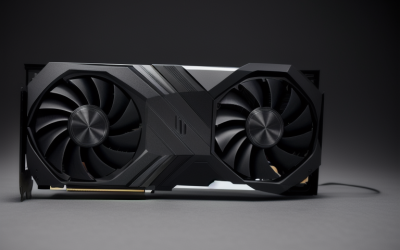
- Reseat the graphics card. Release the slot latch, lift the card, and press it back until it clicks. Reconnect all power cables fully. For cards using the 12VHPWR or 12V-2×6 connector, follow the card and power supply makers’ guidance, make sure the plug is fully seated, and stop using the card if you see heat damage.
- Reseat memory. Remove the modules and press them back firmly until the clips lock. Try one module at a time, using the slot the manual specifies for a single stick.
- Clear CMOS. Use the board’s button or jumper, or briefly remove the coin cell battery with power disconnected, following the manual. This resets the BIOS to defaults and often clears failures caused by memory overclocking.
- Try integrated graphics. If your CPU has it, remove the graphics card and connect the monitor to the motherboard output to see whether the card is at fault.
- Read the debug lights or code display. Note which light stays lit and look it up in the manual.
- Update the BIOS if the CPU is new to the board. Many AM5 and Intel Core Ultra 200S boards offer a flash feature that works without a CPU installed. Follow the maker’s instructions closely.
Common Misconceptions
- “No display means the motherboard is dead.” Failures in the cable, memory, or graphics card are far more common.
- “If the fans spin, everything is fine.” Fans and lights receive power before POST completes, so they say little about system health.
- “Clearing CMOS erases my files.” It only resets BIOS settings. Your drives are untouched.
- “A new CPU always works in a compatible socket.” The socket may match while the BIOS is too old. Check the maker’s CPU support list.
- “More RAM sticks are always safer to troubleshoot with.” Testing with a single stick often isolates the problem faster.
When to Care and When to Ignore
Care when the symptom persists across reboots, appears after you changed hardware or BIOS settings, or comes with a stuck debug light. These situations deserve methodical troubleshooting. You can ignore a brief blank screen during memory training on a fresh DDR5 build; some boards take a minute or more on first boot or after changing memory settings before the picture appears. Give it a few minutes before assuming a fault.
When to Contact the Maker or a Technician
Stop and contact support if you suspect a damaged CPU socket, bent pins, a burnt smell, visible damage on a power connector, or a failed power supply. BIOS changes and overclocking can void warranties and cause instability, so if a system will not recover after clearing CMOS and reseating parts, a qualified technician can swap-test known-good components safely.
Frequently Asked Questions
Why does my PC turn on but show no display?
The system powers up before POST finishes, so fans and lights can run even when the video chain is broken. Common causes are a cable in the wrong port, an unseated graphics card, or memory that failed to initialize. Work through the cable, graphics card and memory first.
Can a bad motherboard cause no display?
Yes, but it is less common than other causes. A board with damaged slots, a failed voltage regulator, or a dead BIOS chip can halt POST. Rule out the cable, graphics card, memory and CPU support before suspecting the board.
Will clearing CMOS fix a no-display problem?
Often, when the problem started after a memory profile or overclock change. It resets BIOS settings to defaults and does not delete data. Follow the manual, with the PC unplugged.
Should I plug the monitor into the motherboard or the graphics card?
Use the graphics card whenever one is installed. Motherboard outputs are tied to integrated graphics and are usually inactive when a discrete card is present, depending on BIOS settings.
How long should I wait on first boot with DDR5?
Memory training can take noticeably longer on first boot or after changing settings. If the screen stays blank for several minutes and debug lights stay on DRAM, power off and reseat the modules.
Do I need a BIOS update for a new CPU?
Sometimes. If the board’s BIOS predates the CPU, POST may stall on the CPU light. Check the maker’s CPU support list and use the board’s flash feature if it has one.
FAQ
Why does my PC turn on but show no display?
Can a bad motherboard cause no display?
Will clearing CMOS fix a no-display problem?
Should I plug the monitor into the motherboard or the graphics card?
How long should I wait on first boot with DDR5?
Do I need a BIOS update for a new CPU?
More from Amazon
Programs that pair well with the guide above. Offers and eligibility are set by Amazon and may change.
Free shipping on eligible items, Prime Video and more. Eligible new members can start with a free trial.
Start a Prime free trialAd-free music streaming. Eligible new subscribers can start with a free trial.
Try Music Unlimited freeA Prime membership for ages 18-24 with a trial period. Eligibility is set by Amazon.
See Prime for Young AdultsAudiobooks and podcasts to listen to on the go. Eligible new members can start with a free trial.
Try Audible freeAs an Amazon Associate we earn from qualifying purchases.