Our Top Picks
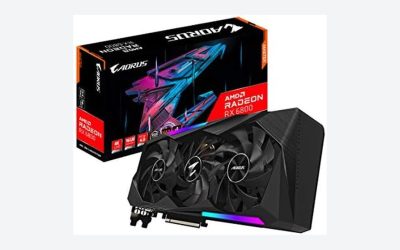
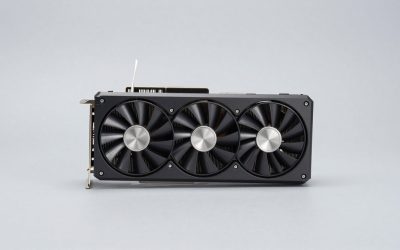
 GIGABYTE Gaming Radeon RX 9070 GRE 12GB GDDR6RADEON9070GRE11.34 x 5.2 x 0.1 inches2.2 poundsCheck on Amazon
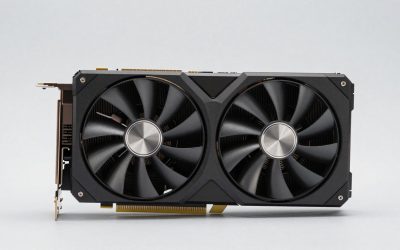
 ASUS Prime Radeon RX 9070 EVO 16GB GDDR6RX9070|OC|16GB|EVO|Black12 x 5 x 0.1 inches2.4 poundsCheck on Amazon
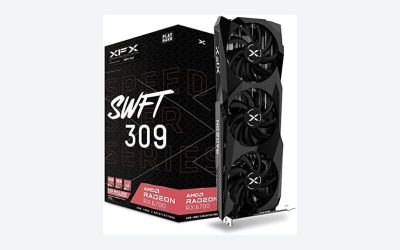
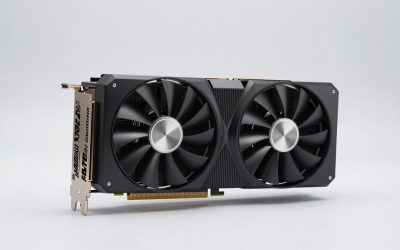
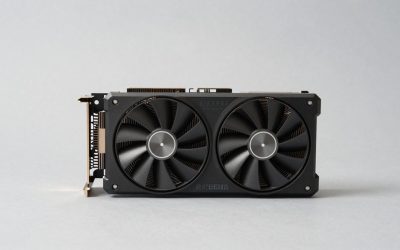
 ASUS Dual GeForce RTX 5060 Ti 16GB GDDR7RTX5060Ti|OC|16GB9 x 4.7 x 2 Inches1.4 poundsCheck on Amazon
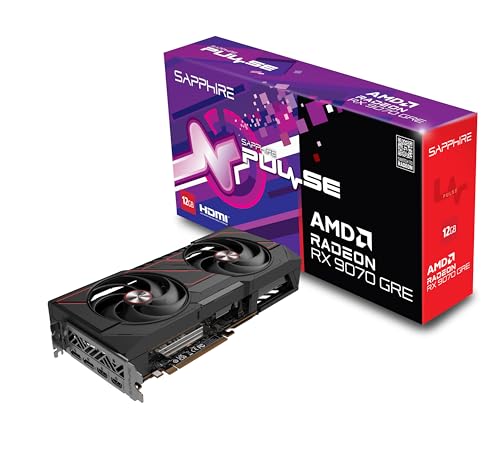


For 1440p gaming without heavy ray tracing, the Radeon RX 9070 GRE is the sweet spot of these three: BabelTechReviews measured it about 22% faster than the RTX 5060 Ti 16GB in native raster at 1440p, while it trails the full RX 9070 by roughly 14-18% depending on the review. Pick the RX 9070 if you want 16 GB of VRAM with RDNA 4 speed for longer-term 1440p and light 4K use, and pick the RTX 5060 Ti 16GB if you value DLSS 4, lower power draw and stronger ray tracing per dollar over raw frame rate.
The three cards occupy the crowded middle of the 2026 GPU market. AMD’s RX 9070 GRE started life as a China-only model in 2025 and went global on June 1, 2026, according to TechPowerUp, slotting between the RX 9060 XT 16GB and the RX 9070. NVIDIA’s RTX 5060 Ti 16GB has been the default mainstream recommendation since its April 2025 launch. Below, we compare their specs, measured performance, power, features and value so you can pick the right one for your monitor and games.
Verdict at a glance
| If you want… | Pick | Why |
|---|---|---|
| Best raster value at 1440p | RX 9070 GRE | About 22% ahead of the 5060 Ti 16GB per BabelTechReviews; roughly level with the RTX 5070 at 1440p per TechSpot |
| Most performance and VRAM headroom | RX 9070 | 56 CUs, 16 GB on a 256-bit bus, 14-18% faster than the GRE |
| Best features, efficiency and ray tracing at this tier | RTX 5060 Ti 16GB | DLSS 4 with Multi Frame Generation, 180 W, one power connector |
| A small PSU or compact case | RTX 5060 Ti 16GB | NVIDIA recommends a 450 W class PSU; many models are short dual-fan designs |
| 4K with upscaling | RX 9070 | The GRE’s 12 GB and 192-bit bus fall behind at 4K |
Specifications compared
The GRE and the RX 9070 share AMD’s Navi 48 die, but the GRE has a quarter of it switched off. TechPowerUp explains that the GRE keeps 48 of the chip’s 64 compute units and three quarters of its 256-bit memory bus. The RTX 5060 Ti uses NVIDIA’s smaller GB206 Blackwell die with a narrow 128-bit bus offset by fast GDDR7 memory and a large L2 cache.
| Spec | RX 9070 GRE | RX 9070 | RTX 5060 Ti 16GB |
|---|---|---|---|
| Architecture | RDNA 4 (Navi 48) | RDNA 4 (Navi 48) | Blackwell (GB206) |
| Shaders | 48 CUs / 3,072 SPs | 56 CUs / 3,584 SPs | 4,608 CUDA cores |
| Ray tracing units | 48 | 56 | 36 RT cores |
| Memory | 12 GB GDDR6, 192-bit | 16 GB GDDR6, 256-bit | 16 GB GDDR7, 128-bit |
| Bandwidth | About 432 GB/s | 640 GB/s | 448 GB/s |
| Last-level cache | 48 MB Infinity Cache | 64 MB Infinity Cache | 32 MB L2 |
| Boost clock (reference) | Up to 2,790 MHz | Up to 2,520 MHz | 2,572 MHz |
| Board power | 220 W | 220 W | 180 W |
| Typical power connectors | 2x 8-pin | 2x 8-pin | 1x 8-pin (some models 12V-2×6) |
| PCIe interface | PCIe 5.0 x16 | PCIe 5.0 x16 | PCIe 5.0 x8 |
| Upscaling / frame gen | FSR 4, FSR Frame Generation | FSR 4, FSR Frame Generation | DLSS 4, Multi Frame Generation |
| Price tier | Upper mainstream | Lower high-end | Mainstream |
Two lines in that table deserve attention. First, the GRE has the least VRAM of the three. Twelve gigabytes is fine for nearly every game at 1080p and 1440p today, but a few demanding releases already push past it at high texture settings. Second, the RTX 5060 Ti runs on eight PCIe lanes. On a PCIe 5.0 or 4.0 board that rarely matters, but on an older PCIe 3.0 platform the reduced link bandwidth can cost some performance when a game spills out of VRAM. With 16 GB on board, that is far less of a problem than on the 8 GB version.
Performance: what the reviews measured
No single outlet published all three cards side by side at the GRE’s global launch, so the picture below combines several reviews. The relative order is consistent across them.
| Source | Key finding |
|---|---|
| BabelTechReviews (1440p, max settings, native raster) | GRE about 22% faster than the RTX 5060 Ti 16GB and about 16% slower than the RX 9070 |
| Guru3D (China launch review, 1440p) | RX 9070 14% faster than the GRE; RTX 5070 9% faster than the GRE |
| TechSpot | GRE virtually identical to the RTX 5070 at 1440p and about 7% slower at 4K |
| TechSpot, game examples | GRE 18% behind the RX 9070 in Spider-Man 2 at 1440p, 16% behind in Marvel Rivals, only 2% behind in Forza Horizon 6 |
| TechPowerUp | Solid 1440p performance; no generational raster gain over the RX 7900 GRE |
| AMD (vendor claim) | GRE up to 22% faster than the 5060 Ti 16GB across 40+ games |
BabelTechReviews recorded the GRE at 101 fps in Cyberpunk 2077 on Ultra, 104 fps in Hogwarts Legacy on Ultra and 152 fps in Shadow of the Tomb Raider on Highest, all at native 1440p. Those figures show the GRE is a genuine high-refresh 1440p card in raster workloads.
The RX 9070 sits a full tier higher. Its extra eight compute units, 4 GB more memory and 48% more bandwidth translate into a lead that grows at 4K, where the GRE’s narrower bus starts to bite. The RTX 5060 Ti 16GB sits a tier lower in raster, roughly where the older RTX 4060 Ti and RX 7700 XT class cards sat, but it has the most mature software stack of the three.
Ray tracing and upscaling
RDNA 4 closed much of the ray tracing gap with NVIDIA. BabelTechReviews notes that RDNA 4’s third-generation RT units double ray traversal throughput per CU over RDNA 3. In lighter RT titles the GRE and RX 9070 hold their raster lead. In heavy path-traced games, NVIDIA’s architecture still performs better relative to its raster level, which narrows the gap between the 5060 Ti and the GRE.
On upscaling, both vendors now use machine-learning upscalers. FSR 4 is exclusive to RDNA 4 cards and is a large image-quality step over FSR 3. DLSS 4, with its transformer model and Multi Frame Generation on RTX 50 cards, remains more widely supported in games and is still the more polished option. TechPowerUp listed DLSS being ahead as one of its reservations about the GRE.
Power, noise and PSU requirements
- RX 9070 GRE: 220 W board power. BabelTechReviews measured an average of 216 W under gaming load, 64 degrees Celsius GPU temperature and very low fan noise on the PowerColor Reaper. TechPowerUp named the Sapphire Pulse the quietest card in its batch that day. AMD’s guidance is a 550 W class PSU.
- RX 9070: also 220 W reference board power, though many factory-overclocked models run higher. A quality 650 W unit is a comfortable pairing.
- RTX 5060 Ti 16GB: 180 W, a single connector on most models, and a 450 W class PSU recommendation. It is the easiest card to fit in a small form factor build.
RX 9070 GRE: who it is for
Reasons to pick:
- Strong 1440p raster performance, close to the RTX 5070 per TechSpot
- Clear lead over the RTX 5060 Ti 16GB in most non-RT games
- FSR 4 support and much better ray tracing than previous Radeon generations
- Quiet partner models from Sapphire and PowerColor
Reasons to skip:
- 12 GB of VRAM is the least of the three and limits 4K and ultra textures
- Priced close to the RX 9070 at launch, which BabelTechReviews called a thin value gap
- No raster uplift over the older RX 7900 GRE, per TechPowerUp
The catch: the GRE only makes sense when it sells meaningfully below the RX 9070; TechPowerUp noted that later retail discounts improved its value considerably.
RX 9070: who it is for
Reasons to pick:
- 14-18% faster than the GRE, with a bigger lead at 4K
- 16 GB on a 256-bit bus gives the most headroom for future games
- Same 220 W reference board power as the GRE
- Good candidate for undervolting, which many owners report works well on RDNA 4
Reasons to skip:
- Highest price tier of the three
- DLSS-only features and some NVIDIA-tuned path tracing games still favour GeForce
The catch: when the RX 9070 XT is discounted close to the RX 9070, the XT often becomes the better buy.
RTX 5060 Ti 16GB: who it is for
Reasons to pick:
- DLSS 4 and Multi Frame Generation, the broadest upscaling support in games
- 16 GB of VRAM, more than the GRE
- Lowest power draw and smallest PSU requirement
- Better relative ray tracing and strong NVENC encoding for streamers
Reasons to skip:
- Slowest of the three in raster, around 22% behind the GRE at 1440p per BabelTechReviews
- 128-bit bus and PCIe x8 link can hurt on older PCIe 3.0 boards
- Frame generation numbers flatter it; base frame rate is what drives responsiveness
The catch: it is the most efficient and feature-rich card here, but it is also a clear step down in raw speed.
How to choose
- Match the card to your monitor. For 1080p high refresh, all three are capable; the 5060 Ti 16GB is enough for most players. For 1440p at 144 Hz or above, the GRE or RX 9070 is the better fit. For 4K with upscaling, go RX 9070 or higher.
- Look at your games. If you play heavy path-traced titles such as Cyberpunk 2077 with Overdrive or Indiana Jones with full ray tracing, NVIDIA’s RT and DLSS advantages matter. For esports, open-world and most AAA games with standard settings, the Radeon cards deliver more frames.
- Check your PSU and case. A 500-550 W supply and a compact case point to the 5060 Ti; the Radeon cards need two 8-pin cables and more cooling space.
- Compare street prices on the day. These cards overlap heavily. A GRE that sells well under the RX 9070 is a strong deal; one priced close to it is not.
Setup tips
- Enable Resizable BAR (Smart Access Memory on AMD) in your BIOS; RDNA 4 cards rely on it for best results.
- Use FSR 4 or DLSS Quality at 1440p before lowering texture settings.
- On the GRE, keep texture quality one step below maximum in the most demanding releases to stay within 12 GB.
- For the 5060 Ti on a PCIe 3.0 platform, avoid maxing textures to keep data in VRAM.
- Try a mild undervolt on either Radeon card through AMD Software; many owners report lower temperatures with little or no performance loss.
Common mistakes
- Comparing frame generation numbers against native numbers; always compare like for like.
- Buying the GRE when the full RX 9070 is only slightly more expensive.
- Pairing any of these with an old quad-core CPU; at 1080p a weak CPU will hold all three back.
- Confusing the RTX 5060 Ti 16GB with the 8 GB model, which struggles in newer games at high textures.
Which card suits which build
The numbers above are averages across many games. Here is how the three cards line up for the builds readers most often plan, taking monitor, CPU and power supply into account.
| Build | Best fit | Reasoning |
|---|---|---|
| 1080p 144-165 Hz, mixed games | RTX 5060 Ti 16GB | Enough speed for high refresh at 1080p, lowest power, DLSS 4 for newer games |
| 1440p 144-180 Hz, AAA and shooters | RX 9070 GRE | Raster performance close to an RTX 5070 at 1440p per TechSpot |
| 1440p high settings for the next four to five years | RX 9070 | 16 GB on a 256-bit bus leaves the most room for future texture loads |
| Ultrawide 3440 x 1440 | RX 9070 | The extra pixels push the GRE’s 12 GB and narrower bus harder |
| Small form factor or 500 W PSU | RTX 5060 Ti 16GB | 180 W and a single connector on most models |
| Path tracing showcase games | RTX 5060 Ti 16GB or step up to an RTX 5070 | NVIDIA’s RT and DLSS stack performs best relative to raster level |
| Upgrading an older AM4 or Intel 10th gen PC on PCIe 3.0 | RX 9070 GRE or RX 9070 | Full x16 link avoids the 5060 Ti’s x8 bandwidth penalty on PCIe 3.0 |
CPU pairing
All three cards are fast enough to expose a weak processor at 1080p. A six-core chip from the Ryzen 5 5600 or Core i5-12400 class is the practical floor. For 1440p high refresh with the GRE or RX 9070, a Ryzen 5 7600, Ryzen 7 7700, Core Ultra 5 245K or better keeps the GPU fully loaded in most titles. At 1440p and above the graphics card becomes the main limit, so there is little point pairing any of these with a flagship CPU unless you also play CPU-heavy strategy or simulation games.
Power supply pairing
Card power draw matters less than transient spikes and connector availability. For the two Radeon cards, choose a quality 650 W unit with two separate PCIe 8-pin cables rather than one daisy-chained cable. Factory-overclocked models from partners can exceed the reference 220 W, so check the specific model’s recommendation. For the RTX 5060 Ti 16GB, a 550 W unit gives comfortable headroom, and models with a 12V-2×6 connector work with any modern ATX 3.1 supply or the included adapter. Make sure the connector is fully seated whichever card you use.
Resale and longevity
VRAM is the specification that ages fastest. The RX 9070 and the 5060 Ti 16GB both carry 16 GB, which should keep them useful at 1080p and 1440p for several years of new releases. The GRE’s 12 GB is fine today but is the first to require texture compromises as games grow. If you upgrade every two years, the GRE’s extra speed per dollar is worth it; if you keep cards for five years, the extra memory on the other two is the safer bet.
Products Mentioned in This Guide
These are partner versions of the three graphics cards compared above.
Sapphire Pulse Radeon RX 9070 GRE 12GB
As an Amazon Associate we earn from qualifying purchases at no extra cost to you.
The RX 9070 GRE is the raster value pick at 1440p, about 22% ahead of the RTX 5060 Ti 16GB in BabelTechReviews’ native results.
Gigabyte Radeon RX 9070 GRE Gaming OC 12GB

Another RX 9070 GRE option for high-refresh 1440p; its 12 GB of VRAM is fine today but is the first to need texture compromises.
ASRock Radeon RX 9070 Challenger 16GB OC

The RX 9070 gives the most performance and VRAM headroom of the three, with 16 GB on a 256-bit bus for longer-term 1440p and light 4K use.
ASUS Prime Radeon RX 9070 EVO 16GB OC

A second RX 9070 option, the card to pick for 4K with upscaling.
ASUS Dual GeForce RTX 5060 Ti 16GB OC

The RTX 5060 Ti 16GB brings DLSS 4 with Multi Frame Generation, 180 W board power and stronger ray tracing at this tier.
MSI GeForce RTX 5060 Ti 16G Shadow 2X OC
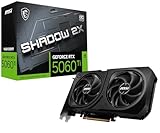
A dual-fan RTX 5060 Ti 16GB, suited to the small PSU or compact case builds where this card makes the most sense.
How we compared
We compared these cards using AMD and NVIDIA specifications, independent lab measurements from BabelTechReviews, Guru3D, TechSpot and TechPowerUp, and owner reports on noise and undervolting. AMD’s own performance claims are labelled as vendor figures. We did not bench-run these cards ourselves, and we avoided quoting prices because GPU pricing moves weekly.
Sources
- BabelTechReviews: AMD Radeon RX 9070 GRE review (PowerColor Reaper)
- TechSpot: AMD Radeon RX 9070 GRE review, An Awkward Addition to the Lineup
- Guru3D: AMD Radeon RX 9070 GRE review, 1440p performance
- TechPowerUp: ASRock RX 9070 GRE Steel Legend and Sapphire RX 9070 GRE Pulse reviews; RX 9070 GRE worldwide launch news
- AMD and NVIDIA product specification pages
Frequently Asked Questions
Is the RX 9070 GRE faster than the RTX 5060 Ti 16GB?
Yes, in most games. BabelTechReviews measured it about 22% faster at native 1440p in raster. The gap narrows in heavy ray tracing workloads.
How much slower is the GRE than the RX 9070?
Roughly 14-18% on average. Guru3D found 14%, BabelTechReviews about 16%, and TechSpot’s per-game results ranged from 2% to 18%.
Is 12 GB of VRAM enough in 2026?
For 1080p and 1440p in nearly all games, yes. Some demanding releases at ultra textures or with path tracing exceed 12 GB, so plan to drop textures one notch in those cases.
Does the RTX 5060 Ti’s PCIe x8 link matter?
On PCIe 4.0 and 5.0 boards, rarely. On PCIe 3.0 boards it can reduce performance when VRAM overflows, which is much less likely on the 16 GB model.
Which card is best for streaming?
The RTX 5060 Ti 16GB has NVIDIA’s mature NVENC encoder and wide support in streaming tools. RDNA 4’s encoder improved substantially, but NVENC remains the safer pick.
What PSU do I need?
AMD suggests a 550 W class unit for the GRE. A quality 650 W unit suits the RX 9070. NVIDIA recommends a 450 W class unit for the 5060 Ti 16GB.
Can the GRE run 4K?
With FSR 4 upscaling and reduced settings, yes in many games, but TechSpot measured it about 7% behind the RTX 5070 at 4K and its 12 GB buffer is a limit. The RX 9070 is better suited.
Is FSR 4 as good as DLSS 4?
FSR 4 is a large improvement and is competitive in image quality, but DLSS 4 is supported in more games and remains the more refined option overall.