Our Top Picks
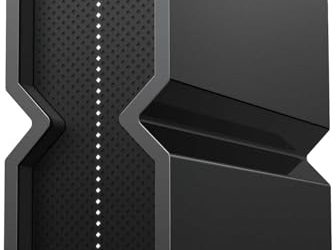
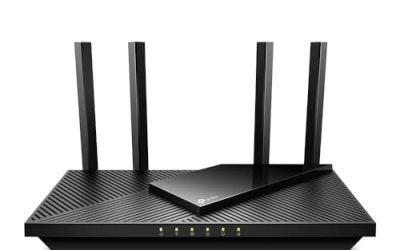
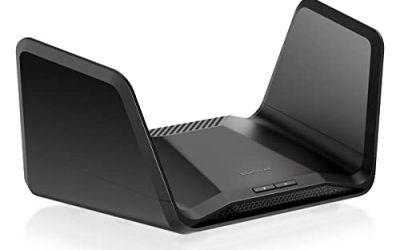
 NETGEAR Nighthawk Pro Gaming 6-Stream WiFi 6 RouterExtra Large11.61 x 7.87 x 2.51 inches1.32 poundsCheck on Amazon


Your ping rarely spikes because your internet plan is slow. It spikes because the connection is busy: a game update downloading, a 4K stream in the next room or a cloud backup can fill the router’s queue, and your game packets wait in line behind all of it. QoS exists to decide what goes first, but the label hides three very different systems — true queue management, adaptive priority presets, and per-device bandwidth control — and only one of them fixes a saturated line.
This roundup is for competitive players sharing a connection, busy households mixing streams, calls and gaming, and home-network tinkerers who want genuine control over traffic. Every router below was chosen because its listing names a concrete system rather than a generic gaming badge: CAKE SQM on the GL.iNet Flint 2, Adaptive QoS on the two ASUS models, and DumaOS on the NETGEAR XR1000, backed by the ports and processors needed to run them.
Quick Picks
As an Amazon Associate we earn from qualifying purchases.
| Product | Best for | Key spec from title |
|---|---|---|
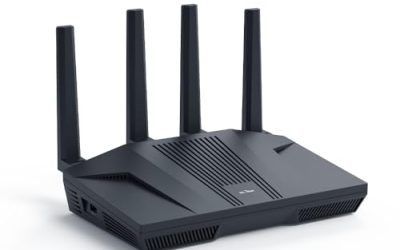
| GL.iNet GL-MT6000 (Flint 2) | Fixing bufferbloat with true SQM | WiFi 6 AX6000 with native OpenWrt and CAKE SQM |
| ASUS ROG Rapture GT-AX11000 Pro | High-speed lines and multi-gig ports | Tri-band WiFi 6 AX11000 with 10G and 2.5G ports |
| NETGEAR Nighthawk XR1000 | Server choice and per-device bandwidth | AX5400 WiFi 6 with DumaOS 3.0 and Geo-Filter |
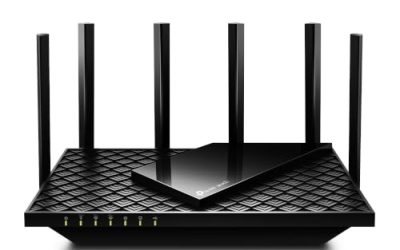
| ASUS RT-AX86U Pro | Set-and-forget gaming priority | AX5700 dual-band WiFi 6 with 2.5G port |
How to Choose
Know Which Kind of QoS You Are Buying
QoS is an umbrella term, and the differences matter more than the label. Smart Queue Management systems such as CAKE actively reshape the queue on your connection, attacking bufferbloat — the lag that appears only when the line is loaded. Adaptive systems, like ASUS Adaptive QoS, sort traffic into priority classes and let games jump the queue, which helps on a busy network but does not manage the queue itself. DumaOS takes a third route, dividing bandwidth between devices and applications with sliders you set. Decide which problem you actually have before comparing headline wireless speeds.
Match the Shaping Engine to Your Line Speed
Queue management is maths the router’s processor has to do on every packet, so shaping a fast connection takes real CPU power. On a gigabit fibre line, a weak processor becomes the bottleneck and the feature you paid for quietly stops keeping up. Check the chip alongside the QoS type: the Flint 2 and both ASUS models here run 2.0GHz quad-core processors with 1GB of RAM, while the XR1000 uses a triple-core 1.5GHz design for its DumaOS allocation. The faster your plan, the more this line of the spec sheet matters.
Check the Ports Behind the Wireless Speed
A router can only prioritise traffic it can move, and wired ports decide how much of your plan reaches a gaming PC or console without touching Wi-Fi at all. Look for at least one multi-gig port if your connection runs faster than gigabit: the Flint 2 carries two 2.5G ports plus four gigabit ports, the GT-AX11000 Pro adds a 10G port beside its 2.5G port, and the RT-AX86U Pro pairs a 2.5G port with a dedicated gaming port that prioritises whatever is plugged into it.
Decide How Much Control You Want Day to Day
The four routers here ask very different amounts of their owners. The Flint 2 runs native OpenWrt, which rewards tinkerers with deep control, WireGuard and OpenVPN support and built-in AdGuard Home, but expects you to be comfortable in an advanced interface. ASUS Adaptive QoS is the opposite: pick a mode and let the router sort traffic itself. DumaOS sits between the two, with a gaming-focused dashboard, a ping heatmap and a Geo-Filter for choosing servers. Be honest about which style you will actually maintain after setup week.
The 4 Best Options
GL.iNet GL-MT6000 (Flint 2)
The Flint 2 is the pick for anyone whose real enemy is bufferbloat, because it is the only router here running genuine Smart Queue Management: its native OpenWrt firmware includes CAKE SQM, which reshapes the queue itself instead of just shuffling priorities. The hardware underneath supports that job properly, with a quad-core 2.0GHz MediaTek Filogic 830 processor, 1GB of DDR4 memory and two 2.5G Ethernet ports for multi-gig lines. WireGuard and OpenVPN support plus built-in AdGuard Home make it the natural choice for tinkerers who manage their whole network, not just their game traffic.
Specs
- WiFi 6 AX6000 dual-band
- 2 × 2.5G Ethernet ports and 4 × 1G Ethernet ports
- Quad-core 2.0GHz MediaTek Filogic 830 processor
- 1GB DDR4 RAM and 8GB eMMC storage
- Native OpenWrt firmware with CAKE SQM
- WireGuard and OpenVPN support
- AdGuard Home built in
Best for: Households on cable or fibre whose ping collapses under load and who are comfortable tuning OpenWrt settings.
Watch out for: CAKE only works when the shaping rates are set to match your actual line speed, so measure your connection before enabling it and re-check after any plan change.
ASIN: B0CP7S3117
ASUS ROG Rapture GT-AX11000 Pro

The GT-AX11000 Pro is the heavyweight option, built for fast lines and crowded homes. Its Adaptive QoS works with Triple-Level Game Acceleration to push game traffic through ahead of everything else, while the tri-band AX11000 radio and RangeBoost Plus spread devices across three bands. The wired side is the strongest here: a 10G port and a 2.5G port mean a multi-gig fibre plan and a wired gaming PC are both fully fed. AiMesh support lets it anchor a mesh later, and AiProtection is subscription-free, so the security layer carries no ongoing fee.
Specs
- Tri-band WiFi 6 AX11000
- 10G port and 2.5G port
- 2.0GHz quad-core CPU
- 1GB RAM
- Adaptive QoS with Triple-Level Game Acceleration
- ASUS RangeBoost Plus
- AiMesh support
- AiProtection, subscription-free
Best for: Multi-gig fibre households that want automatic game prioritisation plus the ports to wire everything that matters.
Watch out for: The marketplace seller for this model is not always Amazon itself, so check who is selling and shipping the exact listing before ordering.
ASIN: B0BQ41LDQ3
NETGEAR Nighthawk XR1000
The XR1000 takes a different approach to QoS: DumaOS 3.0 divides your bandwidth between devices and applications with direct controls, so your console or PC can be guaranteed its share even when the rest of the house is busy. Its Geo-Filter lets competitive players restrict which game servers they connect to, and the ping heatmap shows where the good servers are before you queue. The AX5400 radio and four gigabit Ethernet ports cover a typical gaming setup, and the whole system is run from a gaming-focused dashboard rather than a generic admin page.
Specs
- AX5400 WiFi 6 (600 + 4,800 Mbps)
- DumaOS 3.0 with QoS bandwidth allocation by device and application
- Geo-Filter and ping heatmap
- 4 × 1G Ethernet ports
- USB 3.0 port
- Triple-core 1.5GHz processor
Best for: Competitive console and PC players who want to choose their servers and ring-fence bandwidth for their own machine.
Watch out for: Availability signals for this exact ASIN conflict, so confirm a live featured offer for B08FWNNWTB on the listing before ordering.
ASIN: B08FWNNWTB
ASUS RT-AX86U Pro
The RT-AX86U Pro is the set-and-forget member of this group. Its Adaptive QoS — listed as a named feature on the product page — sorts traffic automatically once you pick a mode, and Mobile Game Mode prioritises phone gaming from the ASUS app. A 2.5G port feeds a fast line, the dedicated gaming port gives a wired console or PC first claim on traffic, and the 2.0GHz quad-core processor with 1GB of RAM keeps the AX5700 radio and the QoS engine running together. AiProtection Pro is subscription-free, and AiMesh leaves the door open to a mesh upgrade.
Specs
- AX5700 dual-band WiFi 6 (up to 5,700 Mbps)
- 2.5G port and dedicated gaming port
- Adaptive QoS
- Mobile Game Mode
- AiProtection Pro, subscription-free
- AiMesh support
- 2.0GHz quad-core CPU
- 1GB RAM
Best for: Gamers who want automatic traffic prioritisation and a proper gaming port without learning a new firmware ecosystem.
Watch out for: Stock signals for this exact ASIN are inconsistent, so confirm a live featured offer for B0BQ417K47 before ordering rather than relying on roundup listings.
ASIN: B0BQ417K47
Which One Fits Your Situation
Your Ping Is Fine Alone but Collapses When the House Is Busy
That pattern is bufferbloat, and the Flint 2 is the direct answer: its CAKE SQM manages the queue itself, so a roommate’s download or a 4K stream stops pushing your game packets to the back of the line. Choose it if your line is cable or mid-speed fibre and you are willing to spend twenty minutes setting shaping rates properly.
You Play Ranked Shooters and Your Server Choice Matters
The XR1000 is built for you. DumaOS lets you guarantee your PC or console a fixed share of bandwidth, and the Geo-Filter restricts connections to servers in the regions you choose, while the ping heatmap shows which locations respond fastest. Pick it when lobby quality and server distance frustrate you more than raw wireless speed does.
You Have Multi-Gig Fibre and a House Full of Devices
Take the GT-AX11000 Pro. Its 10G and 2.5G ports can actually accept what a multi-gig plan delivers, the tri-band radio gives streams, calls and games separate airspace, and Adaptive QoS with Triple-Level Game Acceleration keeps game traffic first without manual rules. It is also the easiest of the four to grow into an AiMesh system later.
You Want Gaming Priority Without Learning New Software
The RT-AX86U Pro asks the least of you. Turn on Adaptive QoS, plug your main machine into the dedicated gaming port, and the router handles prioritisation in the background; Mobile Game Mode covers phone sessions from the app. It suits a single wired setup on a fast line where the goal is reliable, automatic traffic sorting.
Common Mistakes
- Buying on the headline wireless number alone: an AX11000 badge says nothing about traffic control, and the QoS system — SQM, adaptive priority or bandwidth allocation — is what decides your ping under load.
- Turning on SQM without setting the shaping rates to your measured line speed, which either leaves bufferbloat untouched or throws away bandwidth you are paying for.
- Expecting QoS to fix a weak Wi-Fi signal or an entry-level plan: prioritisation orders traffic, but it cannot create coverage or capacity that is not there.
- Forgetting that QoS only manages traffic passing through your router, so a console plugged into an ISP gateway upstream of it gets no benefit at all.
- Ordering from a marketplace listing without checking the exact model and ASIN, since similar names cover different hardware and some sellers are not the manufacturer or Amazon.
Frequently Asked Questions
What does QoS actually do on a gaming router?
QoS decides the order in which your router sends and receives packets when the connection is busy. Game traffic is small but time-sensitive, while downloads and streams are bulky but patient. A good QoS system moves the small, urgent packets to the front of the queue so your inputs register immediately instead of waiting behind a film download.
Is SQM better than adaptive QoS for gaming?
They solve different problems. SQM such as CAKE actively manages the queue and is the stronger fix when your ping only degrades under load, because it attacks bufferbloat directly. Adaptive QoS simply prioritises game packets over other traffic, which is easier to run and still valuable in a busy house. If lag appears mainly at peak times, SQM is the better tool.
Does QoS help if I live alone?
Less than in a shared house, but it can still matter. A single user can saturate a line with a game download, a cloud backup or a stream running beside a match, and QoS keeps the match responsive during those moments. If your connection is fast and never loaded while you play, the benefit shrinks to almost nothing.
Will a QoS router lower my base ping?
No. Your base ping is set by the route between you and the game server, and no router feature shortens that path. What QoS changes is consistency: it stops other traffic from adding delay on top of your base ping when the connection is busy. For server distance itself, a tool like the XR1000’s Geo-Filter is the relevant feature.
FAQ
What does QoS actually do on a gaming router?
Is SQM better than adaptive QoS for gaming?
Does QoS help if I live alone?
Will a QoS router lower my base ping?
More from Amazon
Programs that pair well with the guide above. Offers and eligibility are set by Amazon and may change.
Free shipping on eligible items, Prime Video and more. Eligible new members can start with a free trial.
Start a Prime free trialAd-free music streaming. Eligible new subscribers can start with a free trial.
Try Music Unlimited freeA Prime membership for ages 18-24 with a trial period. Eligibility is set by Amazon.
See Prime for Young AdultsAudiobooks and podcasts to listen to on the go. Eligible new members can start with a free trial.
Try Audible freeAs an Amazon Associate we earn from qualifying purchases.