Our Top Picks
Pros & cons
- Up to 250 hours of play on a single AA battery
- Lightweight 3.4-ounce body aids fast, precise movement
- Built-in receiver storage keeps the dongle from getting lost
- Relies on a AA battery rather than a built-in rechargeable cell
- Endurance mode trade-off needed to stretch battery life further
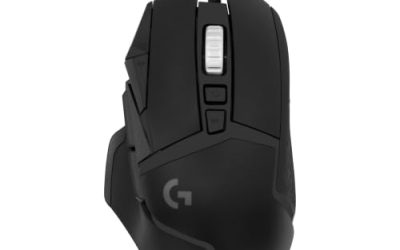
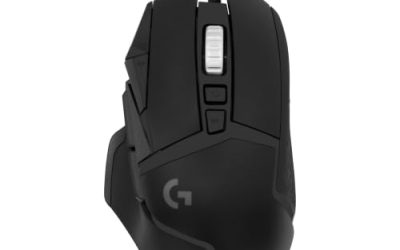
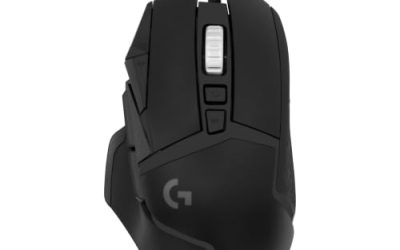
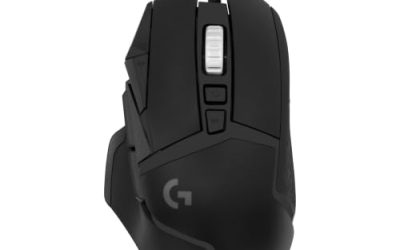
 Logitech G502 X Plus Wireless RGB Gaming MouseWireless7.1 x 4.6 x 2.7 inches0.84 poundsCheck on Amazon
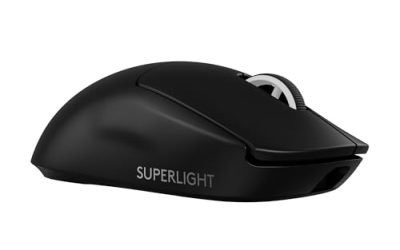
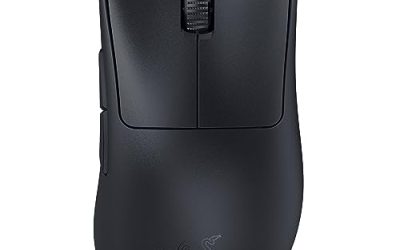
 Logitech G Pro X Superlight 2 Lightspeed WirelessClassic1.57 x 2.5 x 4.92 inches0.1 poundsCheck on Amazon
Pros & cons
- 95-hour battery life reduces how often you need to charge
- 60-gram weight suits fast, low-effort mouse movement
- HERO 2 sensor tracks up to 44,000 DPI with no smoothing
- POWERPLAY wireless charging pad is sold separately
- Premium features add a more complex setup than basic mice
As an Amazon Associate we earn from qualifying purchases.


A wireless gaming mouse is only as good as its battery. The fastest sensor and the lightest shell mean little when the mouse dies mid-match, and the gap between the best and the worst wireless mice is not a few hours — it is a few hundred. This guide ranks five wireless gaming mice by the battery life their makers publish, from 95 hours per charge to more than 400, and explains the conditions behind each figure.
Every figure below comes from the maker or the Amazon listing. Battery-life figures are always conditional: polling rate, lighting, and connection type all change the result. Where a figure depends on a setting, this guide says so plainly, and where a listing does not publish a figure, it says that too.
How to Read a Battery-Life Figure
Maker battery figures are measured in constant motion — the mouse moving the whole time at a stated polling rate. That is the honest way to compare mice, but it is not how most people play. In real use the mouse rests between movements and the sensor sleeps, so the battery stretches further than the constant-motion figure. A mouse listed at 95 hours can easily cover two weeks of evening sessions.
Polling rate is the biggest lever: a mouse polling at 1,000 Hz checks in a thousand times a second, and at 125 Hz, 125 times. The higher rate gives a smoother cursor and drains the battery faster. Several mice here publish two figures, one for each rate, and the gap can be several hundred hours. Play at 125 Hz and the long figure applies; at 1,000 Hz, the short one.
Lighting is the second lever: RGB looks good on a desk, and it is the hungriest feature on a wireless mouse. On one pick here, switching the lights on cuts the published figure from 120 hours to 37. If battery life is why you are reading this guide, turning the lights off is the simplest change you can make, and it costs nothing.
Batteries come in two kinds. Rechargeable mice carry a built-in lithium cell that charges over USB, usually USB-C, and keep working while they charge. AA and AAA mice run on replaceable cells instead: when the battery dies, you swap in a fresh one and keep playing. Neither kind wins in every case — a rechargeable mouse never needs a battery purchase, and a replaceable-cell mouse never needs a charging break.
Connection type matters too. A 2.4 GHz receiver link is the fast, low-latency connection for gaming, and it uses more power than Bluetooth, which sips power but adds latency competitive players avoid. A few mice here offer both, so you can game on the receiver link and switch to Bluetooth for desk work.
One more thing to check: POWERPLAY compatibility. Logitech sells a charging mousepad, sold separately, that charges a compatible mouse while you play, and three of the five picks here support it.
The 5 Picks at a Glance
| Mouse | Battery life (maker figure) | Battery type | Weight |
|---|---|---|---|
| SteelSeries Rival 3 Wireless | 400+ hours (high-efficiency mode) | 2 AAA, replaceable | Not published in the listing text read |
| Logitech G305 LIGHTSPEED | 250 hours (Performance mode) | 1 AA, replaceable | 99 g with battery |
| Logitech G903 HERO | 140 hours (RGB on), 180 hours (RGB off) | Rechargeable LiPo | 110 g |
| Logitech G502 X Plus | 120 hours (RGB off), 37 hours (RGB on) | Rechargeable | 106 g |
| Logitech G PRO X Superlight 2 | 95 hours (constant motion) | Rechargeable | 60 g |
1. SteelSeries Rival 3 Wireless
The SteelSeries Rival 3 Wireless posts the longest battery figure in this guide by a wide margin: more than 400 hours in its high-efficiency gaming mode. The mouse runs on two AAA batteries, and SteelSeries built its Quantum 2.0 Dual Wireless system around power efficiency. At eight hours a day, 400 hours is fifty days between battery swaps.
The trade is polling rate: the 400-hour figure is the high-efficiency mode figure, measured at a low polling rate, and at full speed it is shorter. The listing does not publish a separate 1,000 Hz figure, so this guide does not guess one. The rest of the package: dual wireless through a 2.4 GHz receiver and Bluetooth 5.0, a TrueMove Air optical sensor rated to 18,000 CPI with 400 IPS tracking and 40G acceleration, and mechanical switches with a 60-million-click lifespan. It is a six-button mouse, and the two AAA batteries come in the box.
The replaceable cells are the point: no charging cable to remember, no battery to wear out over years, because a fresh pair of AAA cells resets the clock. The mouse can also run on a single AAA battery for a lighter feel. If you want the longest time between interruptions and do not mind buying batteries, this is the pick that wins on the number alone.
Specs
- Brand: SteelSeries
- ASIN: B08GB2PF71
- Product: Rival 3 Wireless Gaming Mouse, model 62521
- Battery life: 400+ hours in high-efficiency gaming mode
- Battery type: 2 AAA, replaceable (included)
- Connectivity: 2.4 GHz wireless receiver and Bluetooth 5.0
- Sensor: TrueMove Air optical, up to 18,000 CPI, 400 IPS, 40G acceleration
- Switches: Mechanical, 60-million-click lifespan
- Buttons: 6
Watch out for: a second ASIN appears on another Amazon listing for this exact product, model 62521. This guide uses B08GB2PF71, the ASIN tied to the listing titled for 400+ hour battery life — confirm model 62521 on the listing before ordering. Also, the 400-hour figure is a low-power-mode figure; at full polling speed the battery will not last as long, and the listing does not publish that figure.
2. Logitech G305 LIGHTSPEED
The G305 LIGHTSPEED is the battery pragmatist here. It runs on a single AA battery and is listed at up to 250 hours of continuous gameplay in Performance mode, and up to 9 months in Endurance mode — the longest figure among the AA mice here, from a mouse that has sold for years on the strength of exactly this spec.
Performance mode polls at 1,000 Hz with a 1 ms report rate, the full-speed gaming setting. Endurance mode drops to 125 Hz with an 8 ms report rate, and that is where the 9-month figure comes from. In practice most players will use Performance mode and still go weeks between battery changes, because 250 hours of constant motion stretches much further in real play.
The rest of the mouse is deliberately simple: the HERO sensor runs from 200 to 12,000 DPI with 400 IPS tracking and 40G acceleration, six programmable buttons, onboard memory for up to five profiles, and a USB receiver that stores inside the mouse body. It weighs 99 g with the battery installed and measures 116.6 x 62.15 x 38.2 mm, a compact shape for small and medium hands. The listing gives a two-year warranty.
The limit is stated plainly: this mouse has no rechargeable cell, no Bluetooth, and no wired mode. It talks only through its USB receiver, so if the receiver is lost, the mouse has no fallback connection. The battery swap is the fallback, and it takes seconds.
Specs
- Brand: Logitech G
- ASIN: B07CMS5Q6P
- Product: G305 LIGHTSPEED Wireless Gaming Mouse, black
- Battery life: Up to 250 hours in Performance mode on one AA battery; up to 9 months in Endurance mode
- Battery type: 1 AA, replaceable (included)
- Connectivity: LIGHTSPEED wireless, 2.4 GHz USB nano receiver (stores inside the mouse)
- Sensor: HERO optical, 200–12,000 DPI, 400 IPS, 40G acceleration
- Polling rate: 1,000 Hz in Performance mode, 125 Hz in Endurance mode
- Buttons: 6 programmable
- Weight: 99 g with battery installed
- Dimensions: 116.6 x 62.15 x 38.2 mm
- Onboard memory: Up to 5 profiles
- Warranty: 2 years
Watch out for: this mouse is wireless-only, with no Bluetooth and no USB charging, because there is nothing to charge.
3. Logitech G903 HERO
The G903 HERO is the ambidextrous pick here, and its battery figure is honest about lighting: up to 140 hours with LIGHTSYNC RGB on, and up to 180 hours with the lights off, from a built-in lithium-polymer cell. The mouse works while it charges.
The HERO 16K sensor runs up to 16,000 DPI, and the mouse carries 11 programmable buttons in an ambidextrous shell, so left-handed and right-handed players get the same layout. LIGHTSPEED wireless gives a 1 ms report rate, the mouse is POWERPLAY compatible, and a 10 g weight ships in the box for players who want a heavier feel.
Read the battery figure carefully: 140 hours is with the default lighting on, 180 hours with the lights off, both constant-motion figures at the gaming polling rate. In real play the battery stretches further than either figure, and a weekly charge covers most players.
Specs
- Brand: Logitech G
- ASIN: B07NSVMT22
- Product: G903 LIGHTSPEED Wireless Gaming Mouse with HERO sensor, model 910-005670, black
- Battery life: Up to 140 hours with LIGHTSYNC RGB lighting; up to 180 hours without lighting
- Battery type: Rechargeable lithium-polymer, USB charging
- Connectivity: LIGHTSPEED wireless, 1 ms report rate; POWERPLAY compatible
- Sensor: HERO 16K optical, up to 16,000 DPI
- Buttons: 11 programmable
- Shape: Ambidextrous
- Weight: 110 g, plus optional 10 g weight
Watch out for: the Amazon listing mixes two sensor names — the title names a HERO 25K sensor at 25,600 DPI, while the listing text and the model 910-005670 spec name the HERO 16K sensor at 16,000 DPI. This guide uses 16,000 DPI. Confirm model 910-005670 before ordering. Also, older G903 material online shows much shorter figures, 32 hours with lights off and 24 hours with RGB on, but those belong to the original G903, not the HERO revision here.
4. Logitech G502 X Plus
The G502 X Plus is the most dramatic example here of what lighting costs: with the RGB lighting off, Logitech lists it at up to 120 hours of constant motion, and with the LIGHTSYNC RGB lighting on, that figure drops to 37 hours. Same mouse, same battery, same sensor — the lights alone cost about two-thirds of the runtime.
The rest of the mouse is strong: the HERO 25K sensor runs from 100 to 25,600 DPI, LIGHTFORCE hybrid switches combine optical and mechanical parts, and it carries 13 programmable controls, a dual-mode scroll wheel, and an 8-zone LIGHTSYNC RGB system. It weighs 106 g, charges over USB-C, and is POWERPLAY compatible. The model here is the black 910-006160.
For a battery-first buyer the advice is simple: run it with the lights off and it belongs on this list at 120 hours; run it with the lights on and it does not. The lighting is fully adjustable, so a single accent zone lands somewhere between the two figures, though the listing does not publish a figure for that setting.
Specs
- Brand: Logitech G
- ASIN: B092CB69Q4
- Product: G502 X Plus LIGHTSPEED Wireless Gaming Mouse, black, model 910-006160
- Battery life: Up to 120 hours with RGB off; up to 37 hours with RGB on
- Battery type: Rechargeable, USB-C charging
- Connectivity: LIGHTSPEED wireless; POWERPLAY compatible
- Sensor: HERO 25K optical, 100–25,600 DPI
- Switches: LIGHTFORCE hybrid
- Buttons: 13 programmable controls
- Scroll wheel: Dual-mode
- Lighting: LIGHTSYNC RGB, 8 zones
- Weight: 106 g
- Dimensions: 131.4 x 41.1 x 79.2 mm
Watch out for: the 120-hour figure needs the lights off — with RGB on, expect around 37 hours. Also, a second listing shows a different ASIN with model 910-006162 for the same mouse name. This guide uses B092CB69Q4, the ASIN tied to the black 910-006160 listing on Amazon; confirm the model number before ordering.
5. Logitech G PRO X Superlight 2
The G PRO X Superlight 2 is the esports flagship here, and its 95 hours is the shortest figure on this list — which says more about how strong the rest of the list is than about this mouse. Ninety-five hours of constant motion is still more than a week of heavy play, and in real use a weekly charge covers most players.
It earns its place on performance, not just on hours: the HERO 2 sensor runs up to 44,000 DPI, the report rate goes up to 8 kHz, and the whole mouse weighs 60 g. There are five programmable buttons, LIGHTSPEED wireless, USB-C charging, and POWERPLAY compatibility, in a symmetrical shell aimed at competitive play. The black model here is 910-006628.
Ninety-five hours is the constant-motion figure at the gaming polling rate with the mouse moving the whole time. There is no lighting to turn off here — this mouse has no RGB — so the figure does not swing the way the G502 X Plus figure does. What you get is a very light mouse that charges once a week.
Specs
- Brand: Logitech G
- ASIN: B09NBWL8J5
- Product: G PRO X Superlight 2 Wireless Gaming Mouse, black, model 910-006628
- Battery life: Up to 95 hours of constant motion
- Battery type: Rechargeable, USB-C charging
- Connectivity: LIGHTSPEED wireless; POWERPLAY compatible
- Sensor: HERO 2 optical, up to 44,000 DPI
- Report rate: Up to 8 kHz
- Buttons: 5 programmable
- Weight: 60 g
- Shape: Symmetrical
Watch out for: some listings describe this sensor as 32,000 DPI, while the Amazon listing used here gives 44,000 DPI for the HERO 2 sensor. This guide uses 44,000 DPI. There is also no Bluetooth and no DPI button on the shell.
How to Stretch Battery Life Further
The figures above are starting points, not ceilings. Turn the polling rate down when you are not playing competitively: 500 Hz or 125 Hz for desk work costs nothing in feel. Turn the lighting off or down to a single dim zone. Use Bluetooth for browsing and the 2.4 GHz receiver only for gaming, if your mouse offers both. Let the mouse sleep — most of these mice power down the sensor after a few minutes idle. For rechargeable mice, charge little and often; for AA and AAA mice, keep a spare set of cells in the drawer.
The closest miss is worth a sentence: the Razer DeathAdder V3 Pro is listed at up to 90 hours at 1,000 Hz, just under this list’s 95-hour floor. It is an ergonomic mouse with a 63 g shell and a Focus Pro 30K sensor, and if the Superlight shape does not suit your hand, it is the first mouse to look at beyond these five.
Frequently Asked Questions
How long does a wireless gaming mouse battery really last in daily play?
Longer than the maker figure suggests. Maker figures are measured in constant motion, with the mouse moving the whole time. In real play the mouse rests between movements and the sensor sleeps, so a mouse listed at 95 hours can cover two weeks of evening sessions.
Does a higher polling rate drain the battery faster?
Yes, and it is the biggest lever after lighting. A mouse polling at 1,000 Hz checks in a thousand times a second; at 125 Hz, 125 times. The G305 here is listed at 250 hours in Performance mode at 1,000 Hz and up to 9 months in Endurance mode at 125 Hz. Play at 125 Hz and the long figure applies; at 1,000 Hz, the short one.
Is a mouse with AA batteries better than a rechargeable one?
Neither wins in every case. A rechargeable mouse never needs a battery purchase and charges over USB, usually while you keep playing. An AA or AAA mouse never needs a charging break: when the cell dies, you swap in a fresh one in seconds. The AA and AAA mice here, the G305 and the Rival 3 Wireless, hold the two longest figures in this guide, which shows replaceable cells are still the endurance leaders.
Does turning off RGB really extend battery life?
Yes, and the G502 X Plus shows the size of the effect: up to 120 hours with the lights off, and up to 37 hours with them on. Lighting is the hungriest feature on a wireless mouse, and turning it off is the simplest change a battery-first buyer can make.
Final Thoughts
Battery life is the one wireless spec that is easy to compare honestly, because every maker publishes it in hours with the conditions printed next to the number. The five mice here run from 95 hours to more than 400, and the right pick depends on the trade: the Rival 3 Wireless gives up rechargeability for 400 hours on AAA cells, the G305 gives up Bluetooth for 250 hours on a single AA, the G903 HERO gives up little for 140 hours with the lights on, the G502 X Plus gives up its RGB for 120 hours, and the Superlight 2 gives up nothing for 95 hours at 60 g. Check the model number before ordering, confirm a live offer, and pick the trade that fits how you play.
FAQ
How long does a wireless gaming mouse battery really last in daily play?
Does a higher polling rate drain the battery faster?
Is a mouse with AA batteries better than a rechargeable one?
Does turning off RGB really extend battery life?
More from Amazon
Programs that pair well with the guide above. Offers and eligibility are set by Amazon and may change.
Free shipping on eligible items, Prime Video and more. Eligible new members can start with a free trial.
Start a Prime free trialAd-free music streaming. Eligible new subscribers can start with a free trial.
Try Music Unlimited freeA Prime membership for ages 18-24 with a trial period. Eligibility is set by Amazon.
See Prime for Young AdultsAudiobooks and podcasts to listen to on the go. Eligible new members can start with a free trial.
Try Audible freeAs an Amazon Associate we earn from qualifying purchases.