Key takeaways
- Four wireless gaming mice shaped for claw grip, with rear humps, compact shells, low weights, and high polling rates, matched to hand size and game type.
Claw grip lives or dies on shell geometry. Your palm base needs a hump that rises toward the rear so the hand can lock in, your fingers need room to curl without the shell pushing them flat, and the body has to stay short enough that small wrist and finger movements translate directly into cursor movement. Most wireless flagships are sculpted for palm grip instead, with long, low backs that leave a claw hand hovering and unsupported.


This guide is for claw players with small, medium, and large hands, from aggressive fingertip-heavy aimers to relaxed claw users who still want palm contact. Every mouse below was chosen from the shape, dimensions, weight, sensor, and polling details printed on its Amazon listing, and each one pairs a claw-friendly hump with a shell length that suits curled fingers.
Quick Picks
As an Amazon Associate we earn from qualifying purchases
| Product | Best for | Key spec from title |
|---|---|---|
| Pulsar Gaming Gears X2H | Aggressive claw players who want maximum rear-hump support | Elevated rear hump and narrower waist, 54 g |
| Razer Viper V3 Pro | Competitive players who want 8K wireless polling in the box | 8K polling with included HyperPolling dongle, 54 g |
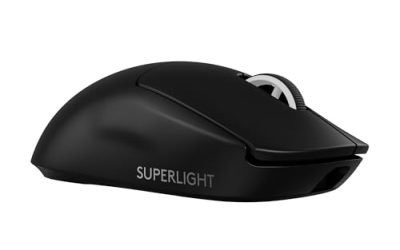
| Logitech G Pro X Superlight 2 | Larger hands using a relaxed claw grip | HERO 2 sensor with 8 kHz report rate, 60 g |
| Logitech Pro X Superlight 2c | Smaller hands that find full-size shells too long | Compact 118.4 mm shell, 51 g |
How to Choose
Hump Position and Height for Claw Contact
The hump is the anchor of a claw grip. A peak placed toward the rear third of the shell meets the base of your palm while your fingers stay curled, which gives you a fixed reference point for pulling the mouse back toward your body. Pulsar builds the X2H around exactly this idea, raising the rear hump and narrowing the waist compared with its standard X2 shell. A centered hump, like the one on the Superlight 2, suits a looser claw where the palm floats more. Check the stated height too: shells around 38 to 40 mm tall fill a claw hand without forcing the fingers open.
Shell Length Against Finger Curl
Length decides how much room your fingers have to bend. On a shell near 127 mm, such as the Viper V3 Pro, medium and larger hands can curl naturally while the fingertips still land on the front third of the buttons. Shorter bodies change the equation: the Superlight 2c trims length to 118.4 mm, so smaller hands keep the same curled posture instead of reaching forward and flattening out. Measure your current mouse before ordering. If your fingertips already hang past the front edge, go shorter; if your palm base never touches the hump, the shell is probably too long for your hand.
Weight and Balance for Fast Stops
Claw aim relies on short, sharp movements, so weight shows up in every micro-correction. Models in this guide run from 51 g to 60 g, light enough that starting and stopping the mouse takes little force from curled fingers. Balance matters alongside the headline number. A mouse that carries its mass near the middle feels neutral when you lift and reset it, while a rear-heavy shell can tilt during fast lifts. None of these four uses a honeycomb shell, so the low weights come from thin walls and compact dimensions rather than cutouts that change how the surface feels under your fingers.
Sensor, Polling, and Wireless Latency
Modern flagship sensors are effectively tied, so polling rate and the wireless link separate these mice more than DPI figures do. The Viper V3 Pro and both Logitech models report at up to 8,000 Hz, which shortens the gap between reports when the receiver supports it. The X2H runs a 1 ms 2.4 GHz connection at the standard rate, a setup that still feels immediate in play. Remember that higher polling drains batteries faster on every mouse here, and it needs a reasonably current PC to hold steady. Buy the polling headroom only if your system and games can actually use it.
The 4 Best Options
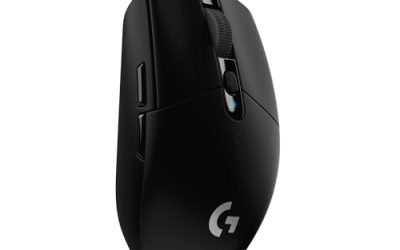
Pulsar Gaming Gears X2H
Pulsar designed this shell specifically for the grip this guide is about. The rear hump sits higher than on the standard X2, the waist narrows so your thumb and ring finger can pinch the sides, and the 120 mm length keeps the back of the mouse in contact with your palm base while your fingers stay arched. At 54 g it moves with very little effort, and the PAW3395 sensor plus optical switches cover the performance side without exotic extras. It suits small to medium hands best, especially players whose claw is aggressive rather than relaxed.
Specs
- Dimensions: 120 x 65 x 39 mm
- Weight: 54 g
- Sensor: PixArt PAW3395, up to 26,000 DPI
- Switches: Optical
- Connectivity: 2.4 GHz wireless (1 ms) and wired
- Shape: Symmetrical, high hump, narrow waist
- Model number: PX2H22 (Medium, White)
Best for: Aggressive claw players with small to medium hands who want the strongest rear-hump support.
Watch out for: The 4K polling upgrade needs a separate Pulsar dongle, so confirm what ships in the box if high polling matters to you.
ASIN: B0CHB1KKLT
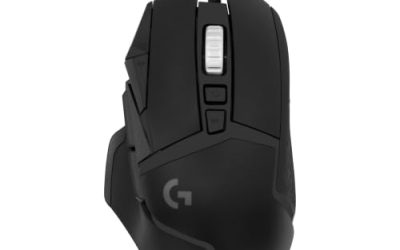
Razer Viper V3 Pro
The Viper V3 Pro stretches to 127.1 mm, which makes it the pick here for medium and larger hands that feel cramped on compact shells. Its hump peaks toward the rear half of the body, so a claw hand still finds support even with the extra length, and the sides carry subtle ledges that help curled fingers lift the mouse cleanly. Razer includes the HyperPolling dongle in the box, enabling the full 8,000 Hz wireless rate without a second purchase. The Focus Pro 35K sensor, Gen-3 optical switches, and 54 g build round out a flagship package aimed squarely at competitive play.
Specs
- Dimensions: 127.1 x 63.9 x 39.9 mm
- Weight: 54 g (Black)
- Sensor: Razer Focus Pro 35K Optical Gen-2, up to 35,000 DPI
- Polling rate: Up to 8,000 Hz with the included HyperPolling Wireless Dongle
- Switches: Razer Optical Mouse Switches Gen-3
- Buttons: 8 programmable buttons
- Battery life: Up to 95 hours at 1,000 Hz polling
- Model number: RZ01-05120100-R3U1 (Black)
Best for: Medium to large hands playing competitive shooters who want 8K wireless polling included.
Watch out for: Battery life drops sharply at the highest polling rates, so check the stated hours at 8,000 Hz against your charging habits.
ASIN: B0CW25XR5R
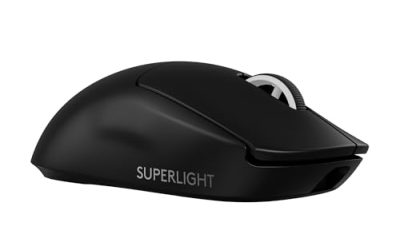
Logitech G Pro X Superlight 2
Logitech’s flagship takes a gentler approach to claw shape. The hump peaks near the middle of the 125 mm shell and the back slopes gradually, which supports a relaxed claw where the palm hovers and only brushes the mouse during big movements. That makes it a comfortable step for players moving away from palm grip rather than a hard-line claw tool. Performance is fully current: the HERO 2 sensor reaches 44,000 DPI, the LIGHTSPEED connection reports at up to 8 kHz, and LIGHTFORCE hybrid switches pair optical actuation with a mechanical click feel. At 60 g it is the heaviest mouse here, though still firmly in lightweight territory.
Specs
- Dimensions: 125 x 63.5 x 40 mm
- Weight: 60 g
- Sensor: HERO 2, up to 44,000 DPI
- Report rate: Up to 8 kHz
- Switches: LIGHTFORCE hybrid optical-mechanical
- Buttons: 5 programmable buttons
- Battery life: Up to 95 hours of constant motion
- Charging: USB-C
- Model number: 910-006628 (Black)
Best for: Larger hands using a relaxed claw grip, and palm players transitioning toward claw.
Watch out for: There is no dedicated DPI button on top, so confirm you are comfortable changing sensitivity through the bottom switch or G HUB software.
ASIN: B09NBWL8J5
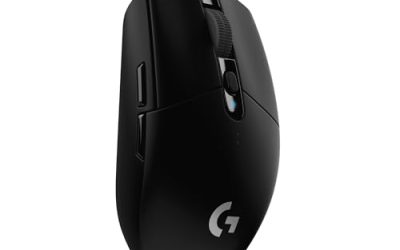
Logitech Pro X Superlight 2c
The 2c shrinks the Superlight formula into a shell that finally fits smaller claw hands properly. Length drops to 118.4 mm and weight to 51 g, so your fingers can curl over the buttons while the rear of the shell still meets your palm base instead of forcing a reach. Logitech kept the flagship internals intact: the same HERO 2 sensor with up to 44,000 DPI, the same 8,000 Hz reporting over LIGHTSPEED, and the same LIGHTFORCE switches as the full-size model. Players who tried the standard Superlight 2 and found it a touch too long will feel the difference in the first session.
Specs
- Dimensions: 118.4 x 61.4 x 38.5 mm
- Weight: 51 g
- Sensor: HERO 2, 100 to 44,000 DPI
- Polling rate: Up to 8,000 Hz, wired and wireless
- Switches: LIGHTFORCE hybrid optical-mechanical
- Buttons: 5 buttons
- Battery life: Up to 95 hours
- Model number: 910-007528 (White)
Best for: Small to medium hands that want flagship performance in a genuinely compact claw shell.
Watch out for: The compact shell offers little support for a full palm grip, so check the 118.4 mm length against your hand before choosing it for mixed grip use.
ASIN: B0FFM4V8PV
Which One Fits Your Situation
You Play an Aggressive Claw With a Small or Medium Hand
Choose the Pulsar X2H. Its elevated rear hump and narrow waist were shaped for exactly this posture, giving your palm base a firm anchor while your thumb and ring finger pinch the sides for control. The 120 mm length keeps the shell under your hand instead of stretching past it, and at 54 g it answers the short, forceful movements an aggressive claw produces.
You Compete in Fast Shooters and Want Maximum Polling
Take the Razer Viper V3 Pro. It is the only mouse here that bundles its high-polling dongle in the box, so the 8,000 Hz wireless rate works from day one. The longer 127.1 mm shell also suits medium and large hands that need room to curl, and the 54 g weight keeps flicks and stops feeling direct during long ranked sessions.
Your Hands Are Large and Your Claw Stays Relaxed
The Logitech G Pro X Superlight 2 fits this middle ground. Its centered hump and gradual rear slope support a claw that still involves the palm, and the 125 mm length gives bigger hands space without the cramped feeling compact shells cause. You also get 8 kHz reporting, a 44,000 DPI sensor, and the longest feature list here for mixed gaming and desktop use.
Standard Flagships Always Felt Slightly Too Big
Pick the Logitech Pro X Superlight 2c. Trimming the shell to 118.4 mm and 51 g changes how a claw grip sits: fingers curl naturally, the palm base reaches the hump, and small corrections stop turning into whole-arm movements. Because the sensor, switches, and polling match the full-size Superlight 2, you give up nothing in performance for the smaller fit.
Common Mistakes
- Buying by DPI alone, when hump position and shell length decide whether a claw grip works at all.
- Choosing a long palm-grip flagship and forcing a claw posture onto a shell that cannot support it.
- Ignoring hand size, then blaming aim when fingertips overreach the buttons on an oversized mouse.
- Running 8,000 Hz polling full time without checking the battery cost or whether the PC holds it steady.
- Assuming every symmetrical mouse suits claw grip, even when the hump is low and centered for palm use.
Frequently Asked Questions
Is claw grip better than palm grip for shooters?
Neither grip wins outright. Claw shortens the distance your fingers travel and makes vertical adjustments and quick stops easier, which many shooter players prefer. Palm offers more stability and comfort for long, relaxed sessions. The right choice is the one your hand can hold for hours without tension, on a shell shaped for that posture.
What mouse size suits a claw grip?
Most claw players do best on shells between roughly 118 mm and 127 mm long, matched to hand size. Smaller hands should lean toward the compact end so the fingers can curl and the palm base still reaches the hump. Larger hands need the extra length, or the fingers crowd the buttons and the grip turns into an uncomfortable fingertip hold.
Does 8,000 Hz polling make a visible difference?
The improvement is real but subtle. Higher polling sends position updates more often, which can smooth cursor movement on high-refresh monitors during fast swipes. Many players notice little change in ordinary play, and the setting costs battery life on every mouse that offers it. Treat it as a refinement for competitive setups rather than a requirement for good aim.
Can a claw grip cause hand strain?
It can if the shell fights your hand. A hump that sits too far forward, a body that is too long, or a grip that needs constant squeezing will tire the fingers and forearm over time. Choose a shape that supports your natural curl, keep your wrist in a neutral position, and take breaks during long sessions to stay comfortable.
FAQ
Is claw grip better than palm grip for shooters?
What mouse size suits a claw grip?
Does 8,000 Hz polling make a visible difference?
Can a claw grip cause hand strain?
More from Amazon
Programs that pair well with the guide above. Offers and eligibility are set by Amazon and may change.
Free shipping on eligible items, Prime Video and more. Eligible new members can start with a free trial.
Start a Prime free trialAd-free music streaming. Eligible new subscribers can start with a free trial.
Try Music Unlimited freeA Prime membership for ages 18-24 with a trial period. Eligibility is set by Amazon.
See Prime for Young AdultsAudiobooks and podcasts to listen to on the go. Eligible new members can start with a free trial.
Try Audible freeAs an Amazon Associate we earn from qualifying purchases.