Our Short List of 3

- Screen size: 27 inches
- Resolution: 3840 x 2160 (4K UHD) at 60Hz
- Panel: IPS Black
- Colour: 98% DCI-P3, VESA DisplayHDR 400 listed

- Screen size: 27 inches
- Resolution: 3840 x 2160 (4K UHD)
- Panel: IPS
- Colour: 99% DCI-P3, 99% Adobe RGB, ΔE < 2, Calman Verified as listed

- Screen size: 27 inches
- Resolution: 4K UHD (3840 x 2160)
- Model: LS27D802UANXGO, ViewFinity S8 S80UD
- HDR: HDR10 as listed
All 3 Picks at a Glance
| Product | Specs | Action |
|---|---|---|
| 1. Dell UltraSharp 27 4K USB-C Hub Monitor U2723QE |
| Check price on Amazon |
| 2. ASUS ProArt Display PA279CRV |
| Check price on Amazon |
| 4. Samsung ViewFinity S8 S80UD |
| Check price on Amazon |
Key takeaways
- The best monitors for productivity compared: 27-inch 4K USB-C hub, designer and KVM models from Dell, ASUS, BenQ, Samsung and LG, with specs to check before you buy.
As an Amazon Associate we earn from qualifying purchases.
A productivity monitor earns its place on a desk in a different way from a gaming display. Refresh rate still matters for smooth scrolling, but the workday case rests on sharper text, more usable screen space, a stand that puts the panel at a comfortable height, and connections that reduce cable clutter. A 27-inch 4K panel is the common thread through this guide because that combination gives crisp documents and spreadsheets, room for two windows side by side, and scaling that suits both Windows and macOS laptops.
Every pick below is chosen for office, study, coding, design or general desk work rather than competitive play. The listings describe USB-C connectivity on all five models: a single USB-C connection can carry the picture while charging the laptop, at the wattage stated for that model. Check that wattage against your own laptop, because a larger workstation can need more power than a thin ultrabook.
This guide compares the models on specifications given in their listings: size, resolution, panel type, colour coverage, ports, USB-C power delivery and stand adjustment. The right choice depends on whether you value a network connection, a KVM switch for two computers, colour coverage for design work, or a simpler hub.
Disclosure: This article contains affiliate links. If you buy through a link on this page, we may earn a commission at no extra cost to you.
Quick Picks
- Best all-round USB-C hub monitor: Dell UltraSharp 27 4K USB-C Hub Monitor U2723QE — 27-inch 4K IPS Black panel, USB-C hub connectivity and an adjustable stand.
- Best for creative colour work: ASUS ProArt Display PA279CRV — 27-inch 4K IPS panel with wide colour coverage listed, USB-C power delivery and daisy-chain DisplayPort.
- Best for Mac-based designers: BenQ PD2705U — 27-inch 4K IPS designer monitor with USB-C, a USB hub, KVM function and a HotKey Puck control described in the listing.
- Best with a built-in KVM switch: Samsung ViewFinity S8 S80UD — 27-inch 4K monitor with HDR10, USB-C, a built-in KVM switch and a height-adjustable ergonomic stand.
- Best straightforward 4K option: LG 27UN850-W UltraFine — 27-inch 4K IPS monitor with USB-C, DisplayHDR 400 in the listing title and a height, pivot and tilt adjustable stand.
1. Dell UltraSharp 27 4K USB-C Hub Monitor U2723QE
- Screen size: 27 inches
- Resolution: 3840 x 2160 (4K UHD) at 60Hz
- Panel: IPS Black
- Colour: 98% DCI-P3, VESA DisplayHDR 400 listed
The Dell UltraSharp U2723QE is built around the idea that the monitor itself should act as the desk hub. Its listing describes a 27-inch 4K UHD display at 3840 x 2160 resolution with a 60Hz refresh rate, an IPS Black panel, and height, tilt, swivel and pivot adjustment. For long document sessions, that full range of stand movement is useful because the screen can be raised, turned and even rotated rather than propped up on books or a fixed riser.
Connectivity is the main reason to shortlist this model. The listings for this monitor describe USB-C hub functionality, HDMI and DisplayPort inputs, multiple USB ports and an RJ45 Ethernet connection, with USB-C power delivery listed at 90W. A wired network connection through the monitor can suit a home office where the laptop has no Ethernet port of its own, and the hub layout keeps a keyboard, mouse and storage attached to the screen when the laptop is unplugged and taken away.
Colour coverage in the listing material includes 98% DCI-P3 and VESA DisplayHDR 400, which makes the panel relevant for photo and video work as well as for office tasks. It is not a dedicated designer monitor in the same way as the ASUS and BenQ models below, but the combination of a hub, Ethernet and a fully adjustable stand makes it the most complete single-screen answer for a laptop-based desk.
Specifications from the product listing:
Pros:
Cons:
View the Dell UltraSharp U2723QE on Amazon
2. ASUS ProArt Display PA279CRV
- Screen size: 27 inches
- Resolution: 3840 x 2160 (4K UHD)
- Panel: IPS
- Colour: 99% DCI-P3, 99% Adobe RGB, ΔE < 2, Calman Verified as listed
The ASUS ProArt Display PA279CRV is the creative-work pick in this group. Its Amazon listing title describes a 27-inch 4K HDR professional monitor with an IPS panel at 3840 x 2160 resolution, 99% DCI-P3 and 99% Adobe RGB colour coverage, colour accuracy of ΔE < 2, and Calman Verified status. Those are listing claims about colour, and they are the reason a photographer, illustrator or video editor would look at this model before a general office screen.
For productivity outside colour work, the practical details are the USB-C connection with 96W power delivery, DisplayPort with daisy-chain support, and an ergonomic stand. Daisy-chaining matters for a two-monitor desk driven by one laptop output, because the second display can connect through the first where the computer supports that arrangement. The 96W figure is also the highest USB-C charging figure among the picks in this guide as listed, which gives more headroom for larger laptops, although you should still confirm your own machine’s charging requirement.
The PA279CRV also lists VESA DisplayHDR 400 in its product material. Treat that as a display specification from the listing rather than as a promise about any particular film or game, and focus instead on the combination that defines this model: a 4K IPS panel, wide listed colour coverage, strong USB-C power delivery and a stand that adjusts for a long editing session.
Specifications from the product listing:
Pros:
Cons:
View the ASUS ProArt Display PA279CRV on Amazon
3. BenQ PD2705U
The BenQ PD2705U is a designer monitor that also fits a general productivity desk, especially one built around a Mac. Listing material for this model describes a 27-inch 4K UHD IPS monitor at 3840 x 2160 resolution, with 99% sRGB and 99% Rec.709 colour coverage, AQCOLOR technology, and a factory calibration report. The listing also describes ICC Sync and uniformity technology, which are aimed at keeping colour consistent for design and video work.
Day-to-day desk features are equally important here. The PD2705U listing describes USB-C with 65W power delivery, DisplayPort and HDMI inputs, a USB hub, a KVM function and an ergonomic stand with height, tilt, swivel and pivot adjustment. A KVM function lets one keyboard and mouse setup work across two connected computers, which is useful when a work laptop and a personal machine share the same desk. The included HotKey Puck G2 described in BenQ’s product material gives a physical control for switching display settings without reaching for small buttons under the panel.
Response time is listed at 5ms and the refresh rate at 60Hz in specification summaries for this model, which again places it firmly in work territory. Choose it if colour accuracy for sRGB and Rec.709 work, a KVM and Mac-friendly tuning matter more to you than a built-in Ethernet port.
Specifications from the product listing:
- Screen size: 27 inches
- Resolution: 3840 x 2160 (4K UHD), 16:9
- Panel: IPS, HDR listed
- Colour: 99% sRGB and 99% Rec.709 as listed
- Connectivity: USB-C, DisplayPort, HDMI, USB hub as listed
- USB-C power delivery: 65W as listed
- Features: KVM function and HotKey Puck described in product material
- Stand: height, tilt, swivel and pivot adjustable as listed
Pros:
- Strong fit for sRGB and Rec.709 design and video work, as listed
- KVM function suits a two-computer desk
- Full stand adjustment, including pivot for a vertical document view
Cons:
- 65W USB-C charging may not cover every larger laptop under full load
- 60Hz panel, so motion smoothness is not its selling point
View the BenQ PD2705U on Amazon
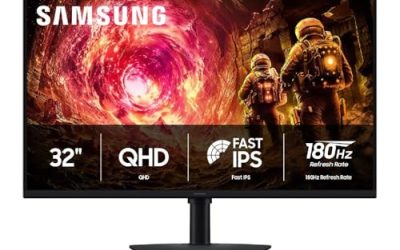
4. Samsung ViewFinity S8 S80UD
- Screen size: 27 inches
- Resolution: 4K UHD (3840 x 2160)
- Model: LS27D802UANXGO, ViewFinity S8 S80UD
- HDR: HDR10 as listed
The Samsung ViewFinity S8 S80UD, model LS27D802UANXGO in its listing, is a 27-inch 4K UHD high-resolution monitor aimed at desk work. Its Amazon listing title highlights HDR10, USB-C, a height-adjustable ergonomic stand, a built-in KVM switch and advanced eye care features. That combination covers the two most common productivity requests in one model: connect a laptop with fewer cables, and switch one set of peripherals between two computers.
The KVM switch is the headline feature. If you keep a desktop and a laptop at the same desk, or a work machine beside a personal one, a monitor with a built-in KVM reduces the need for a separate switch box and another set of cables. The height-adjustable stand addresses the other half of a comfortable setup, letting the top of the screen sit at a sensible level without a separate arm, although you should check the exact adjustment range on the listing against your desk and chair.
Samsung describes this as a 2024 model in the listing title. Its 4K resolution gives the same sharp text and window space as the other picks here, so choose it if the built-in KVM and eye care features are what your desk is missing.
Specifications from the product listing:
Pros:
Cons:
View the Samsung ViewFinity S8 S80UD on Amazon
5. LG 27UN850-W UltraFine
The LG 27UN850-W UltraFine is the straightforward 4K choice in this guide. Its listing describes a 27-inch UltraFine UHD IPS monitor at 3840 x 2160 resolution, with VESA DisplayHDR 400, 99% sRGB colour, USB-C with 60W power delivery, a three-side virtually borderless design, and a height, pivot and tilt adjustable stand. Nothing in that list is unusual, and that is the point: it covers the core productivity requirements without a designer calibration focus or a network hub.
The borderless design helps in a dual-monitor arrangement, because two panels placed side by side have a smaller visual gap between them. Pivot adjustment also lets one screen turn vertical for long documents, code or a chat window while the main screen stays horizontal. For a single-monitor desk, the same stand movement simply makes the screen easier to place well.
Consider the charging figure carefully. At 60W as listed, USB-C power delivery suits many thin laptops, but a larger machine may draw more under load, so keep the laptop’s own charger available if your model needs it. If your priority is a clean 4K IPS panel with USB-C and a properly adjustable stand, the 27UN850-W remains a clear, simple option to compare against the hub-heavy Dell.
Specifications from the product listing:
- Screen size: 27 inches
- Resolution: 3840 x 2160 (4K UHD)
- Panel: IPS
- Colour: 99% sRGB as listed
- HDR: VESA DisplayHDR 400 as listed
- Connectivity: USB-C as listed, with HDMI and DisplayPort on this model line’s listing
- USB-C power delivery: 60W as listed
- Stand: height, pivot and tilt adjustable, three-side virtually borderless design
Pros:
- Core 4K IPS specification with USB-C and a fully useful adjustable stand
- Borderless design suits a planned dual-monitor desk
- Pivot adjustment supports a vertical second-screen layout
Cons:
- 60W USB-C charging is the lowest figure among these picks, as listed
- No KVM switch or Ethernet hub feature is highlighted in the listing used here
View the LG 27UN850-W UltraFine on Amazon
How to Choose a Monitor for Productivity
Start with resolution and size together, not separately. At 27 inches, 4K resolution gives sharp text and enough space for two windows, which is why every pick in this guide uses that combination. A smaller 1080p screen can feel cramped with a spreadsheet and a document open together, while a much larger screen needs more desk depth so the whole panel stays comfortable to view.
Next, check the USB-C specification rather than just the presence of a USB-C port. Confirm that the port carries video for your laptop, and compare the listed power delivery figure — 60W, 65W, 90W and 96W across these picks — with the charger that came with your computer. Also confirm whether you need the monitor to act as a USB hub, a KVM switch or an Ethernet connection, because those features separate the Dell, BenQ and Samsung models from simpler displays.
Then look at the stand. Height adjustment is the feature that most affects daily comfort, and tilt, swivel and pivot add flexibility for shared desks and dual-monitor layouts. If a listing only offers tilt, budget for a separate arm or stand and check the monitor’s VESA mounting support on the listing before you buy.
Finally, match colour claims to your work. General office work needs accurate, comfortable viewing more than wide gamut coverage. Design, photo and video work makes the listed colour coverage and calibration claims on the ASUS and BenQ models more relevant. Read those figures as manufacturer listing specifications and check the current product page again before ordering, because regional variants can differ.
Frequently Asked Questions
Is a 27-inch 4K monitor a good size for office work?
For many desks, yes. A 27-inch 4K panel gives sharp text and room for two windows side by side without taking the desk depth that a much larger display needs. Operating system scaling can make text larger while keeping the extra workspace, so set scaling to a level you can read comfortably.
Do I need USB-C on a productivity monitor?
Only if your computer supports video over USB-C and you want fewer cables. A USB-C monitor can combine the picture connection with laptop charging at the wattage stated in its listing and, on hub models, connect peripherals through the screen. If your computer lacks that support, HDMI or DisplayPort still gives the same picture, just with separate charging and peripheral connections.
What does a KVM switch in a monitor do?
A KVM switch lets one keyboard and mouse control two connected computers, switching between them through the monitor. The BenQ PD2705U and Samsung ViewFinity S8 in this guide describe that function in their listing material. It is most useful when a work computer and a personal computer share one desk.
Should I choose one large monitor or two smaller monitors?
One 27-inch 4K monitor is simpler, needs fewer cables and gives one unbroken workspace. Two monitors give a natural split between a main task and reference material, and a borderless design such as the LG model here reduces the gap. Choose based on desk width, the ports your computer can drive, and whether you often keep reference material open all day.
Does HDR matter for productivity?
HDR specifications such as DisplayHDR 400 or HDR10 describe how the display handles compatible HDR content, and they are listed for several picks here. For documents, spreadsheets and coding, resolution, panel comfort, stand adjustment and connectivity usually matter more day to day.
Conclusion
For a single recommendation, the Dell UltraSharp U2723QE covers the widest range of desk needs with its 4K IPS Black panel, USB-C hub, Ethernet connection and full stand adjustment. Creative workers should compare the ASUS PA279CRV and BenQ PD2705U on listed colour specifications, two-computer users should look at the KVM features on the BenQ and Samsung ViewFinity S8, and anyone wanting a simpler 4K USB-C screen should keep the LG 27UN850-W on the shortlist. Recheck the port list, USB-C wattage and stand adjustment on the current listing before you order.
FAQ
Is a 27-inch 4K monitor a good size for office work?
Do I need USB-C on a productivity monitor?
What does a KVM switch in a monitor do?
Should I choose one large monitor or two smaller monitors?
Does HDR matter for productivity?
More from Amazon
Programs that pair well with the guide above. Offers and eligibility are set by Amazon and may change.
Free shipping on eligible items, Prime Video and more. Eligible new members can start with a free trial.
Start a Prime free trialAd-free music streaming. Eligible new subscribers can start with a free trial.
Try Music Unlimited freeA Prime membership for ages 18-24 with a trial period. Eligibility is set by Amazon.
See Prime for Young AdultsAudiobooks and podcasts to listen to on the go. Eligible new members can start with a free trial.
Try Audible freeAs an Amazon Associate we earn from qualifying purchases.