Key takeaways
- Standalone, mesh, gaming, combo and travel routers explained in plain terms, plus how extenders differ, so you can match the type to your home and devices.
Shopping for a router means facing a wall of overlapping labels: standalone routers, mesh systems, gaming routers, modem combos, travel routers and extenders all promise better Wi-Fi, yet they solve different problems. The confusion deepens because the categories nest inside each other: a gaming router is still a single standalone router, a mesh kit is several routers working together, and an extender is not a router at all. Picking by the biggest speed figure on the box, without settling the category first, is how households end up with hardware that never fits the home.
This guide sorts the categories out in plain terms: what each type does, where it works well and where it falls short. It then maps the types to the four decisions that matter: the size and layout of your home, the load your devices place on the network, the wiring between rooms, and the modem or gateway your connection relies on. Settle the type first, and choosing between individual models becomes far simpler.
As an Amazon Associate we earn from qualifying purchases.
How to Choose
Begin With the Shape of Your Home
Coverage trouble is usually a geometry problem before it is a hardware problem. A compact flat with thin internal walls asks very little of a router, while a long house, a multi-storey layout or thick masonry walls defeat even a powerful single unit placed at one end. Count floors, note where the connection enters the building, and identify the rooms where a weak signal already hurts: the back bedroom, the garden office, the upstairs study. That map tells you whether one well-placed router can cover the home or whether the signal needs help from additional units spread through the space.
Count Devices and How They Behave
A household with two phones and a television places a gentle load on a network. A home with four people streaming, gaming, joining video calls and running dozens of smart bulbs, plugs and cameras is a different environment entirely. Modern Wi-Fi generations handle simultaneous devices far better than older ones, but the type decision matters too: busy homes benefit from the extra bands of a tri-band design or from mesh nodes that share the load across rooms. List your heaviest simultaneous uses, not just the device count, because one 4K stream and one competitive game stress a network more than twenty idle gadgets.
Check the Wiring Between Rooms
Ethernet cabling quietly decides which types will perform at their best. A mesh system whose nodes link to each other wirelessly spends part of its airtime talking to itself; the same system with cable running between nodes, called wired backhaul, gives that airtime back to your devices. Homes with network sockets in several rooms, or with a practical route for cable along skirting and through lofts, get more from every type. If no cabling exists and none can be added, favour types designed to work well over the air, and plan node placement around short, clear paths between units.
Know Your Modem and Connection Situation
Every home network begins at the connection your provider supplies, and the hardware there shapes what you can add. Some households have a separate modem, so any router type can take over. Others have a provider gateway combining modem and router in one box, which raises questions: can it switch to a modem-only or bridge mode, does the provider allow your own equipment at all, and is the line cable, fibre or DSL? Answering those questions first prevents the classic tangle of two boxes both trying to route, and it decides whether a combo unit is even an option for your line.
The Main Router Types Explained
Standalone Single Routers
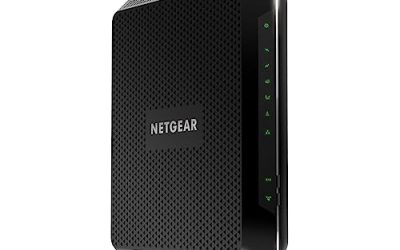
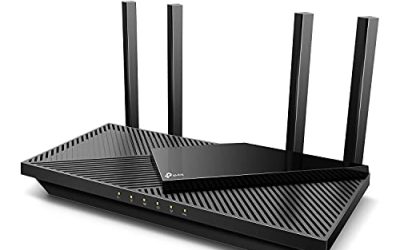
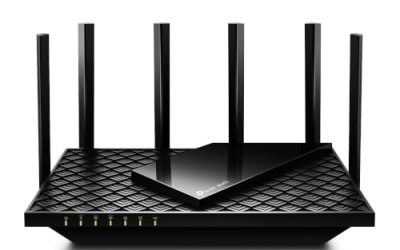
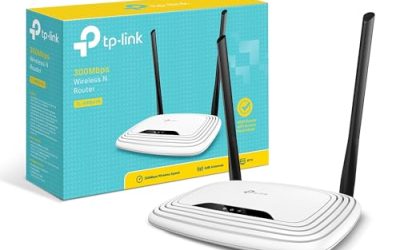
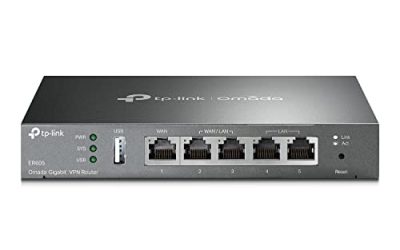
The standalone router is the classic design: one box that takes the internet feed from a modem or an optical terminal and creates your home network, wired and wireless, from a single location. Everything depends on placement, because its radios must reach every room from that one spot. In flats and smaller houses, especially with the router near the centre and out in the open, a single unit is the simplest and tidiest answer, with one device to configure, update and troubleshoot. Its limit is physics: distance, floors and dense walls erode the signal, and no antenna arrangement fully compensates for a bad position at one end of a long home.
Mesh Wi-Fi Systems
A mesh system replaces the single box with two or three units working together: a main router wired to the modem and satellite nodes placed around the home. The nodes form one network with one name, and your devices move between them as you walk from room to room, without the manual reconnecting older setups demanded. Mesh exists to solve coverage, spreading signal sources through the home instead of amplifying one distant source. It suits larger, multi-storey and awkwardly shaped homes. The trade-offs are complexity and dependence on node placement: nodes placed too far apart communicate poorly, and wireless links between nodes share the same airtime your devices want.
Gaming Routers
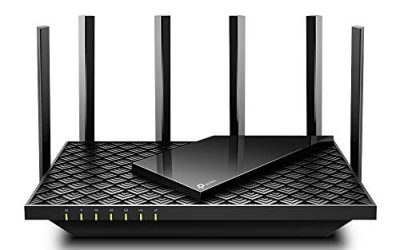
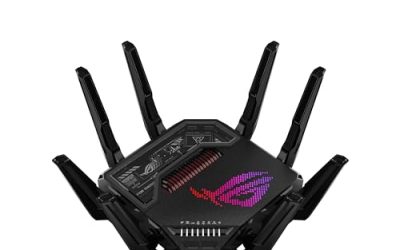
A gaming router is a standalone router built and tuned for players: the same basic job, with extra processing headroom, more wired ports, and software that prioritises game traffic over other activity on the network. Quality-of-service controls let it keep latency steady when someone else in the house begins a large download or a 4K stream, and some models add features such as game-focused dashboards or support for alternative firmware. What a gaming router cannot do is fix a slow line, a distant server or a weak signal three rooms away. It is a refinement of the single-router type for latency-sensitive homes, not a separate species of network.
Modem-Router Combos
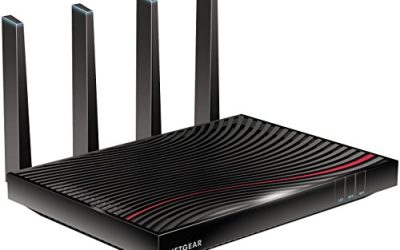
A combo unit merges the modem and the router into one box, translating the provider’s line signal and running your home network from a single device. This is the arrangement many providers supply as their standard gateway, and retail combos exist for cable and DSL lines where the provider permits customer equipment. The appeal is simplicity: one box, one power socket, one set of settings. The compromises appear later. The modem half ties you to one line technology, so a move from cable to fibre can retire the whole unit, and providers or manufacturers may update combo firmware less often than dedicated routers receive.
Travel Routers
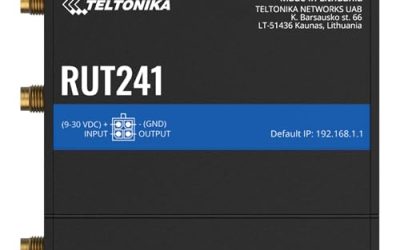
A travel router is a pocket-sized unit built for networks away from home. It can take a hotel room’s single wired socket or captive-portal Wi-Fi login and turn it into a private network for all your devices, so phones, laptops and handheld consoles connect once to your own network name instead of each wrestling with the venue’s login page. Many models can also repeat a weak signal or share a phone’s tethered connection. Battery-free USB power and a case-friendly size matter more here than raw speed. A travel router is a companion to a home setup rather than a replacement for it, though in a tiny studio it can serve as the main unit.
Range Extenders: The Odd One Out
A range extender, also sold as a repeater or booster, is not a router: it creates no network of its own. It listens to an existing router’s signal and rebroadcasts it into an area the router reaches poorly. That sounds like an easy fix, and for one dead corner it can be enough, but the rebroadcast usually halves the available throughput on that link and often appears as a separate network name that devices cling to stubbornly. Extenders treat a symptom. When dead zones cover whole floors, the honest answers are repositioning the router, adding a mesh node, or running cable to a second access point.
Which One Fits Your Situation
A Flat or Small House With Light Use
Choose a standalone router and spend your effort on placement: central, raised, away from thick obstacles and large metal objects. One unit covers a compact layout comfortably, keeps the setup simple and leaves money for a faster internet plan, which light households usually notice more than extra hardware. Add nothing else until a specific room proves the single box cannot reach it.
A Larger or Multi-Storey Home
Choose a mesh system, with nodes on each floor and within clear earshot of each other. This is the situation mesh was designed for: several signal sources spread through the home beat one powerful source fighting through floors and masonry. If the house has network cabling, wire the nodes together for backhaul and the system gains headroom for streaming and calls in every room at once.
A Gaming-Heavy Household
Choose a gaming router if the players sit within good range of one location, wired where possible, since its traffic prioritisation protects latency when the household is busy. If the gaming room is far from the connection point and the signal there is already weak, fix coverage first with mesh and wired backhaul; a gaming model struggling through three walls helps nobody’s connection.
Renters and People Who Move Often
Choose types that travel with you: a standalone router or a mesh kit you own outright, rather than a combo tied to one line technology or a provider gateway you must hand back. Both work behind almost any modem or gateway set to bridge mode, so a move means reconnecting the same kit in the new place instead of learning and configuring fresh hardware each time.
Common Mistakes
- Buying an extender to rescue a weak router. An extender rebroadcasts whatever it hears, including a poor signal, and typically halves throughput on the repeated link while adding a second network name devices cling to. If the router’s signal is weak across several rooms, the problem is coverage architecture, not volume: reposition the router, move to mesh, or run cable to an access point rather than amplifying a failing signal into more rooms.
- Judging types by the combined speed figure on the box. Those headline numbers add together the theoretical maximum of every band the hardware carries, under laboratory conditions no home reproduces. No single device ever sees that total. The figure says nothing about coverage, stability under load or how the type behaves in your layout, which are the qualities that decide daily satisfaction. Compare types by the job they do, then compare models within the type.
- Hiding the router away. Routers end up in cupboards, behind televisions and on the floor beside the entry socket because that is where the line arrives and where the box looks tidiest. Every door, wall and metal appliance between the router and your devices weakens the signal, and a type chosen correctly can still disappoint when buried. Give the main unit a central, open, raised position, and judge a setup only after placement has had a fair chance.
- Replacing the router when the bottleneck sits elsewhere. A new router cannot lift a slow plan, a failing modem or an overloaded provider gateway above their limits. When speeds disappoint everywhere, including on a computer wired directly to the modem, the line or the modem is at fault and new wireless hardware will change nothing. Test wired at the source first, identify which link in the chain underperforms, and replace that piece rather than the most visible one.
- Letting two boxes route at once. Plugging your own router into a provider gateway that is still routing creates double NAT: two layers of address translation that can break game hosting, remote access, some video calling behaviour and device discovery on the network. Either set the gateway to bridge or modem-only mode so your router routes alone, or set your router to access point mode so the gateway routes alone. One router per network is the rule.
Frequently Asked Questions
Is a Mesh System a Different Type or Just Several Routers?
A mesh system is a router type built from several units working together. One node acts as the router, wired to the modem, while the others extend that same network rather than creating their own. Devices see a single network name and move between nodes automatically, which is exactly what separates mesh from a router plus extenders bolted together manually.
Can a Range Extender Replace a Router?
No. An extender has no routing functions: it cannot create a network, assign addresses or connect to a modem. It only repeats a signal an existing router already broadcasts, and it needs that router working before it can do anything. Households without any router need a router first; the extender question only arises afterwards, for a specific weak corner.
Does a Gaming Router Help a Whole Household?
Partly. Its prioritisation features protect game traffic when the network is busy, which helps players and, by keeping one demanding flow orderly, can steady things for everyone else too. But a gaming router remains a single-location device with the same coverage limits as any standalone router, so it does nothing for a bedroom where the signal barely arrives.
Should I Keep My Provider’s Combo or Add My Own Router?
Keeping the combo is reasonable when coverage is good and the household is light. Adding your own router or mesh system makes sense when you want better coverage, stronger controls or hardware that survives a change of provider. If you add your own, set the combo to bridge mode where possible so only one box routes the network.
FAQ
Is a Mesh System a Different Type or Just Several Routers?
Can a Range Extender Replace a Router?
Does a Gaming Router Help a Whole Household?
Should I Keep My Provider’s Combo or Add My Own Router?
More from Amazon
Programs that pair well with the guide above. Offers and eligibility are set by Amazon and may change.
Free shipping on eligible items, Prime Video and more. Eligible new members can start with a free trial.
Start a Prime free trialAd-free music streaming. Eligible new subscribers can start with a free trial.
Try Music Unlimited freeA Prime membership for ages 18-24 with a trial period. Eligibility is set by Amazon.
See Prime for Young AdultsAudiobooks and podcasts to listen to on the go. Eligible new members can start with a free trial.
Try Audible freeAs an Amazon Associate we earn from qualifying purchases.