Our Short List of 3


All 4 Picks at a Glance
| Product | Specs | Action |
|---|---|---|
| 1. ASUS ROG Rapture GT-BE98 Pro — Best overall high end Wi Fi router | Check price on Amazon | |
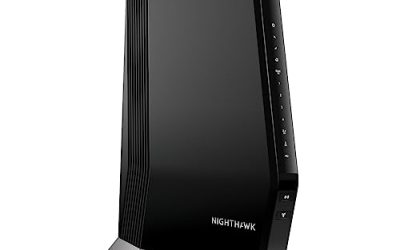
 2. NETGEAR Nighthawk RS700S — Best Wi-Fi 7 router for large homes | Check price on Amazon | |
| 3. TP-Link Archer BE800 — Best high end Wi Fi router for wired performance | Check price on Amazon | |
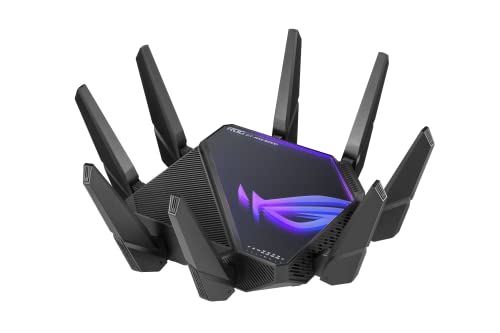 4. ASUS ROG Rapture GT-AXE16000 — Best Wi-Fi 6E gaming router | Check price on Amazon |
Our Top Picks
- ASUS ROG Rapture GT-BE98 Pro WiFi 7 GamingQuad-Band13.7 x 8.6 x 13.7 inches4.4 poundsCheck on Amazon
The best high end Wi Fi routers are built for homes where the network never gets a break. Dozens of devices stay connected around the clock, someone is gaming online while someone else streams in 4K, video calls run from the home office, and the smart home keeps adding gadgets. A basic router can buckle under that load, but a flagship router is designed for it, with faster wireless standards, multi-gigabit wired ports, stronger processors, and coverage that reaches the far corners of a large home. This guide compares four flagship routers that sit at the top of their makers’ lineups, so you can see exactly what the extra money buys and which model fits your home.
High end does not mean the same thing for every household. A competitive gamer cares most about low latency and a dedicated gaming port. A household with a multi-gigabit internet plan needs wired ports fast enough to use it. A large home needs range and the ability to add mesh nodes later. All four picks below are standalone high end Wi Fi routers sold on Amazon US, and every one of them supports the newest wireless standards, multi-gigabit Ethernet, and advanced security features. Read the buying guide first, then compare the picks side by side.
How to Choose a High End Wi Fi Router
Wi-Fi 7 versus Wi-Fi 6E
The newest flagship routers use Wi-Fi 7, also known as 802.11be. It adds 320 MHz wide channels in the 6 GHz band, a modulation scheme called 4096-QAM that packs more data into every transmission, and multi-link operation, which lets a device use two bands at the same time for lower latency and steadier throughput. Wi-Fi 6E routers, which add a 6 GHz band to Wi-Fi 6, are still excellent, and they often cost less than Wi-Fi 7 flagships. If you own Wi-Fi 7 laptops, phones, or consoles, or you plan to keep the router for five years or more, Wi-Fi 7 is the safer long-term choice. If your devices are mostly Wi-Fi 6 or older, a Wi-Fi 6E flagship can deliver nearly the same everyday experience for less.
Understand the combined speed rating
Flagship routers carry ratings such as BE19000 or BE30000. These numbers add together the maximum theoretical speeds of every band, so no single device ever reaches the headline figure. What the number does tell you is the router’s total capacity across many devices at once. A BE30000 router has more headroom for a house full of simultaneous streams, downloads, and game sessions than a BE19000 router. Treat the rating as a capacity class, not a speed you will see on one laptop, and compare the per-band speeds and the number of spatial streams when you want finer detail.
Multi-gigabit ports matter more than wireless speed
Most homes are limited by their wired ports before they are limited by Wi-Fi. A router with only gigabit Ethernet ports caps every wired device at one gigabit, no matter how fast the internet plan is. High end routers solve this with 10 Gbps ports, 2.5 Gbps ports, or both. Look for at least one 10 Gbps WAN port if your internet plan exceeds one gigabit, plus a 10 Gbps or 2.5 Gbps LAN port for a gaming PC, a network storage box, or a wired backhaul to another access point. Count the ports before you buy, because a flagship with too few fast ports can still bottleneck a wired setup.
Coverage, antennas, and device capacity
Makers rate flagship routers for large homes, often around 3,000 to 3,500 square feet, and for 200 or more connected devices. Those figures assume open floor plans and favorable wall materials, so a home with thick walls, multiple floors, or a detached office may still need a mesh node. External antennas generally help range and let you aim coverage, while internal antenna designs look cleaner on a shelf. Check whether the router supports the maker’s mesh system, because adding a matching satellite later is far cheaper than replacing the router when coverage falls short.
Processor, memory, and gaming features
A flagship router is a small computer, and its processor and memory decide how well it handles many connections, VPN tunnels, and security scanning at the same time. Gaming routers add features such as a dedicated gaming LAN port that prioritizes a connected PC or console, game traffic acceleration, and a mobile game mode that trims latency for phones. Built-in security suites that block malicious sites and scan connected devices are common at this level, and several makers include them without a subscription. If you run a VPN on the router itself, check that the model supports the VPN protocols you use and offers a backup WAN option for failover.
What high end routers cannot do
No router can make your internet plan faster than the speed you pay for, and no router can fix a weak signal from an internet provider or a modem that cannot keep up. Before spending flagship money, confirm that your plan and modem support the speeds you expect, and place the router centrally, elevated, and away from thick walls and metal objects.
Top Picks
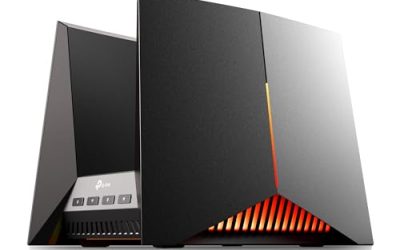
1. ASUS ROG Rapture GT-BE98 Pro — Best overall high end Wi Fi router
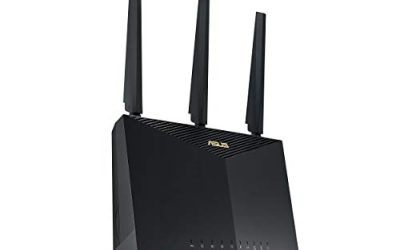
The ASUS ROG Rapture GT-BE98 Pro is the most capable router in this guide, and it is the pick for anyone who wants the strongest all-round flagship. It is a quad-band Wi-Fi 7 router with two separate 6 GHz bands, plus 2.4 GHz and 5 GHz, and a combined rating of up to 30 Gbps. The dual 6 GHz bands are the standout feature, because they give Wi-Fi 7 devices a wide, uncongested lane of their own while the other bands serve everything else. Its 320 MHz channels and 4096-QAM support push capacity further, and multi-link operation helps keep latency low when a device uses more than one band at once.
Wired connectivity is equally strong. The GT-BE98 Pro carries dual 10 Gbps ports, one of which can serve as the WAN connection for a multi-gigabit internet plan, plus four 2.5 Gbps LAN ports for wired PCs, consoles, and network storage. Eight external antennas provide broad coverage, and the router supports AiMesh, so it can join or lead an ASUS mesh network if the home grows beyond one router’s reach. Gaming features include triple-level game acceleration, a dedicated gaming port, and a mobile game mode, while subscription-free network security and built-in VPN features cover the household without an ongoing fee. The design is bold, with RGB lighting and an aggressive gamer look that suits a battlestation but may stand out in a living room.
This is the router to choose when budget is secondary to capability. It suits competitive gamers, streamers, and large households with multi-gigabit internet and many Wi-Fi 7 devices. Its main drawback is size and style, and its quad-band hardware is more than a smaller household will ever use. If you want the flagship with the most headroom and the widest feature set, this is it.
2. NETGEAR Nighthawk RS700S — Best Wi-Fi 7 router for large homes
The NETGEAR Nighthawk RS700S is the flagship standalone Wi-Fi 7 router in NETGEAR’s Nighthawk range, and it is the cleanest choice for a large home that wants speed without gamer styling. It is a tri-band Wi-Fi 7 router rated BE19000, with 4×4 radios on the 2.4 GHz, 5 GHz, and 6 GHz bands, giving it a combined wireless speed of up to 19 Gbps. NETGEAR rates it for coverage up to 3,500 square feet and up to 200 connected devices, which makes it a strong fit for big households with phones, laptops, TVs, consoles, and smart home gear all online at once.
The wired side is built for multi-gigabit plans. A 10 Gbps internet port takes in the fastest residential connections, a 10 Gbps LAN port serves a wired gaming PC or network storage box at full speed, and four additional gigabit LAN ports cover the rest of the wired network. A USB 3.0 port supports shared storage and other peripherals. Setup runs through the Nighthawk app, which walks through installation step by step and offers ongoing management, speed testing, and guest network controls. One year of NETGEAR Armor threat protection is included, adding security scanning and malicious site blocking for connected devices.
The RS700S stands out for its balance. It has no dedicated gaming port or RGB lighting, so competitive gamers who want traffic prioritization hardware may prefer an ASUS ROG model, but for a family home, a home office, or a mixed-use network, its combination of range, device capacity, and multi-gigabit ports is hard to beat.
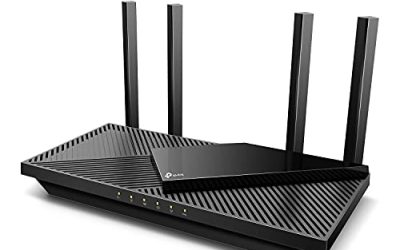
3. TP-Link Archer BE800 — Best high end Wi Fi router for wired performance
The TP-Link Archer BE800 is a tri-band Wi-Fi 7 router rated BE19000, and it earns its place here on the strength of its wired connectivity and its distinctive design. Like the RS700S, it offers 12-stream Wi-Fi 7 with a combined speed of up to 19 Gbps across the 2.4 GHz, 5 GHz, and 6 GHz bands. Eight high-performance antennas support strong coverage, and the router supports EasyMesh, so it can work with other TP-Link EasyMesh devices to extend coverage through a home that outgrows a single router.
Where the BE800 pulls ahead is its port selection. It carries two 10 Gbps ports, one an RJ45 port and one an SFP+ fiber combo port, plus four 2.5 Gbps ports, a combination that gives wired enthusiasts more fast ports than any other router in this guide. A USB 3.0 port adds shared storage support. That makes it a natural fit for a home with a multi-gigabit internet plan, a wired gaming PC, a network storage box, and a home server all competing for bandwidth.
Software features include VPN support, HomeShield security, and a private IoT network that isolates smart home devices from the main network. The Archer BE800 is the pick for buyers who wire as much as possible and want every port to be fast. Its wireless performance is a step below the quad-band GT-BE98 Pro in total capacity, but for most homes the difference will show up only under very heavy simultaneous load.
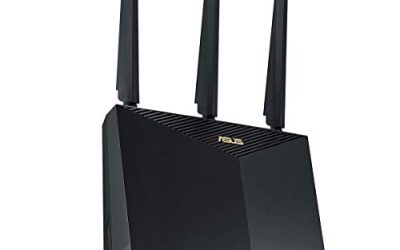
4. ASUS ROG Rapture GT-AXE16000 — Best Wi-Fi 6E gaming router
The ASUS ROG Rapture GT-AXE16000 is the Wi-Fi 6E flagship in this guide, and it remains a serious high end router even as Wi-Fi 7 models take the spotlight. It was the first quad-band Wi-Fi 6E gaming router, with 2.4 GHz, two separate 5 GHz bands, and a 6 GHz band, and a combined rating of up to 16 Gbps. The dual 5 GHz bands matter for gaming households, because one band can serve the gaming PC and console while the other handles streaming and everyday devices, reducing contention when everyone is online at once.
Its wired connectivity matches its wireless ambition. Dual 10 Gbps ports handle a multi-gigabit internet connection and a wired gaming rig, and a 2.5 Gbps WAN port adds flexibility for a second internet connection or a fast wired device. Eight antennas and AiMesh support cover large homes and allow mesh expansion, while triple-level game acceleration, VPN Fusion, and lifetime internet security round out the gaming feature set. Aura RGB lighting and the ROG design language make it a visual match for a gaming setup.
Choose the GT-AXE16000 if your devices are mostly Wi-Fi 6 or Wi-Fi 6E and you want flagship gaming features without paying for Wi-Fi 7 hardware your devices cannot use yet. It gives up the 320 MHz channels and multi-link operation of the Wi-Fi 7 models, so it is less future-proof than the GT-BE98 Pro, but its quad-band design and dual 10 Gbps ports still put it ahead of nearly every mainstream router. For a gaming household that values low latency and wired speed today, it remains a strong buy.
Comparison Table
| Router | Wireless standard | Combined rating | Wired ports | Coverage claim | Best for |
|---|---|---|---|---|---|
| ASUS ROG Rapture GT-BE98 Pro | Wi-Fi 7, quad-band | Up to 30 Gbps | Dual 10 Gbps, four 2.5 Gbps | Large homes, AiMesh expandable | Maximum capacity and gaming features |
| NETGEAR Nighthawk RS700S | Wi-Fi 7, tri-band | Up to 19 Gbps | 10 Gbps WAN, 10 Gbps LAN, four gigabit | Up to 3,500 sq ft, 200 devices | Large homes without gamer styling |
| TP-Link Archer BE800 | Wi-Fi 7, tri-band | Up to 19 Gbps | Two 10 Gbps, four 2.5 Gbps | Large homes, EasyMesh expandable | Wired performance and port count |
| ASUS ROG Rapture GT-AXE16000 | Wi-Fi 6E, quad-band | Up to 16 Gbps | Dual 10 Gbps, 2.5 Gbps WAN | Large homes, AiMesh expandable | Wi-Fi 6E gaming setups |
FAQ
Is a high end Wi Fi router worth it?
It is worth it when the network is the bottleneck. Homes with a gigabit or multi-gigabit internet plan, dozens of connected devices, competitive online gaming, and 4K or 8K streaming will notice the difference in capacity, latency, and coverage. Homes with a slower internet plan and only a handful of devices will see little benefit, because the router cannot exceed the speed of the plan itself.
Do I need Wi-Fi 7 to benefit from a high end router?
No. Wi-Fi 7 routers are backward compatible, so older Wi-Fi 6, Wi-Fi 5, and earlier devices still connect and work normally. Wi-Fi 7 devices gain the most, through wider channels and multi-link operation, but the multi-gigabit ports, stronger processors, and better coverage of a flagship router benefit every device on the network.
What is the difference between a tri-band and a quad-band router?
A tri-band router broadcasts on three bands, normally 2.4 GHz, 5 GHz, and 6 GHz. A quad-band router adds a second band, usually a second 5 GHz or second 6 GHz band, which gives the router an extra lane to spread devices across. That reduces congestion in busy households and can lower latency for gaming, but it adds cost that smaller households may not need.
How many devices can a high end router handle?
Flagship routers in this guide are rated for around 200 connected devices, thanks to stronger processors, more memory, and modern features that schedule airtime efficiently. Real-world capacity depends on what those devices are doing. A hundred idle smart home sensors are easy, while dozens of simultaneous video streams and game sessions demand far more.
Should I choose a standalone router or a mesh system?
A single powerful standalone router is the better choice when one unit can cover the home, because it avoids the speed loss of wireless mesh backhaul and usually costs less than a multi-node kit. A mesh system wins when walls, floors, or distance leave dead zones that one router cannot reach. All four routers in this guide support their maker’s mesh system, so you can start with one unit and add a node later if needed.
Conclusion
The best high end Wi Fi routers earn their place by removing the network as a worry. The ASUS ROG Rapture GT-BE98 Pro leads on raw capability, with quad-band Wi-Fi 7, a 30 Gbps combined rating, and the deepest gaming feature set. The NETGEAR Nighthawk RS700S is the best balanced choice for a large home, pairing tri-band Wi-Fi 7 with 10 Gbps ports and understated design. The TP-Link Archer BE800 is the pick for wired enthusiasts, with more fast Ethernet ports than any rival here. The ASUS ROG Rapture GT-AXE16000 remains the smart Wi-Fi 6E gaming flagship for households whose devices have not moved to Wi-Fi 7 yet.
Match the router to your internet plan, your home’s size, and the devices you actually own. Check your plan speed and modem first, count the wired ports you need, and choose the model whose strengths line up with your household. Any of these four will carry a demanding home network for years, and the right one is the one that fits the way your home actually uses the internet.
Disclosure: As an Amazon Associate, we earn from qualifying purchases.
FAQ
Is a high end Wi Fi router worth it?
Do I need Wi-Fi 7 to benefit from a high end router?
What is the difference between a tri-band and a quad-band router?
How many devices can a high end router handle?
Should I choose a standalone router or a mesh system?
More from Amazon
Programs that pair well with the guide above. Offers and eligibility are set by Amazon and may change.
Free shipping on eligible items, Prime Video and more. Eligible new members can start with a free trial.
Start a Prime free trialAd-free music streaming. Eligible new subscribers can start with a free trial.
Try Music Unlimited freeA Prime membership for ages 18-24 with a trial period. Eligibility is set by Amazon.
See Prime for Young AdultsAudiobooks and podcasts to listen to on the go. Eligible new members can start with a free trial.
Try Audible freeAs an Amazon Associate we earn from qualifying purchases.