Our Short List of 3
All 5 Picks at a Glance
| Product | Specs | Action |
|---|---|---|
 TP-Link Archer AX55 | Check price on Amazon | |
 ASUS RT-AX86U | Check price on Amazon | |
 ASUS RT-AX86U Pro | Check price on Amazon | |
 NETGEAR Nighthawk RAX50 | Check price on Amazon | |
 TP-Link ER605 Omada Gigabit VPN Router | Check price on Amazon |
Our Top Picks
The best gig e routers are the ones whose Ethernet ports can actually move a gigabit of data, and that sounds obvious until you check the fine print on a budget model. GigE, short for Gigabit Ethernet, means each wired port handles up to a gigabit per second, which matters when your broadband is fast, when you move large files between computers at home, or when a console or PC deserves a wired link that never drops. This guide compares GigE routers on wired speed, Wi-Fi standard, port count, and how they behave under a busy household.
A GigE router is not only about one fast port. The WAN port must match your broadband, the LAN ports must all run at gigabit speed rather than sharing a slower switch, and the processor must keep up when several devices stream, game, and back up at once. The picks below cover the main shapes of GigE router: a value Wi-Fi 6 model, two performance models for gaming and heavy use, a long-range model, and a wired-only model for a network that already has its own wireless access points.
How to Choose
1. True gigabit ports, all of them
Check that every Ethernet port is gigabit, not just the WAN port. Some low-cost routers pair a gigabit WAN port with slower LAN ports, which caps every wired device below the speed you paid for. Count the ports too: four LAN ports cover a PC, a console, a TV box, and one spare in most homes.
2. WAN speed and broadband match
The WAN port is the link to your modem, so it must match or exceed your broadband plan. A gigabit WAN port suits plans up to a gigabit; faster plans need a multi-gigabit WAN port. If your plan is slower, a gigabit WAN port still leaves room to upgrade later without replacing the router.
3. Wi-Fi standard and bands
Wi-Fi 6 handles many devices at once better than older standards, and Wi-Fi 6E adds a clean 6 GHz band where supported. Dual-band is enough for most homes; tri-band helps when many devices compete. Check the wireless speed claims against the wired reality: wireless rarely reaches the headline figure, so the Ethernet ports are the reliable measure.
4. Processor and memory
A router with a weak processor slows down when QoS, parental controls, or a VPN runs at the same time as normal traffic. A stronger processor and enough memory keep latency low under load. This matters most in households where someone games while others stream video.
5. Range and antennas
Antenna design and placement shape coverage more than the headline wireless figure. External antennas that can be angled help, and a mesh-ready model can add a node later if a far room stays weak. For a wired-first home, range matters less, because the important devices sit on Ethernet.
6. Software, security, and updates
Look for automatic firmware updates, a guest network, and basic security features such as protection against common network attacks. A router that stops receiving updates becomes a weak point, so check the maker’s track record for supporting a model for several years.
Top Picks
TP-Link Archer AX55
Check the TP-Link Archer AX55 on Amazon
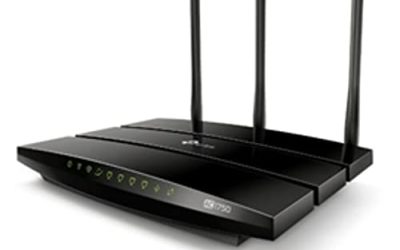
The TP-Link Archer AX55 is a Wi-Fi 6 router with a gigabit WAN port and four gigabit LAN ports, so every wired device gets full GigE speed. Its Wi-Fi 6 radio handles several devices at once, and its processor keeps latency steady when the household is busy. Setup runs through a phone app with clear steps, and the router supports the common extras: guest network, parental controls, and QoS for gaming and streaming.
This router fits a household that wants honest gigabit wired speed at a sensible tier. It suits homes with fast broadband, a wired PC or console, and several wireless devices that all need attention at once. It also fits anyone upgrading from an older router whose LAN ports cap wired speed below a gigabit.
Its wireless range is solid for a flat or a small house but will not cover a large multi-floor home alone; a mesh node or a second access point is the answer there. It has no multi-gigabit port, so plans above a gigabit need a different model. Its USB port is handy for storage sharing but not a substitute for a dedicated NAS.
ASUS RT-AX86U
Check the ASUS RT-AX86U on Amazon
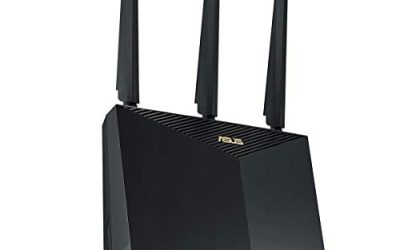
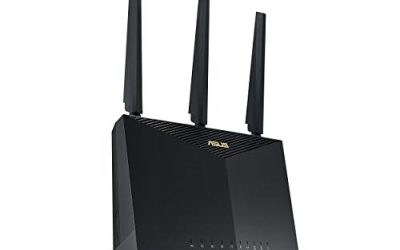
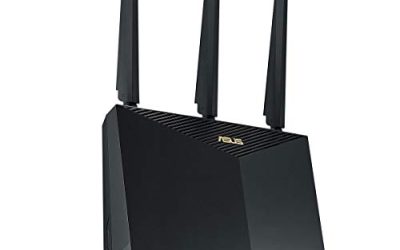
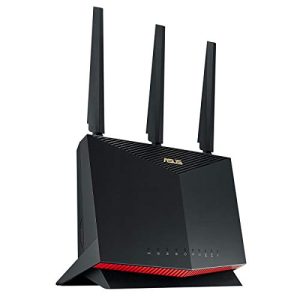
The ASUS RT-AX86U is a Wi-Fi 6 gaming router with a 2.5 gigabit WAN/LAN port alongside gigabit LAN ports, so it covers both current gigabit plans and faster ones. Its gaming features prioritize game traffic, and its mobile game mode trims latency on a phone connection. The router runs AiMesh, so it can join other ASUS routers into one network, and its security software is included without a separate subscription.
This router fits gamers and heavy users who want wired speed plus low latency. It suits a home where a PC or console connects by cable, several people stream at once, and the router must keep game traffic first in line. It also fits anyone planning a broadband upgrade, because the 2.5 gigabit port leaves headroom.
It is a large router with prominent antennas, so it needs shelf space and looks best out in the open rather than inside a cabinet. Its gaming features add setup options that a simple household may never use. Its price tier sits above value models, which is the trade for the faster port and stronger processor.
ASUS RT-AX86U Pro
Check the ASUS RT-AX86U Pro on Amazon
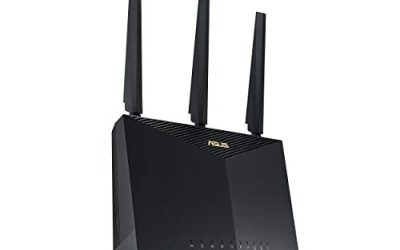
The ASUS RT-AX86U Pro updates the AX86U formula with a faster processor, a 2.5 gigabit port, and gigabit LAN ports across the board. Its Wi-Fi 6 radio covers a large home well, and its gaming acceleration keeps latency low when the network is busy. It supports AiMesh for expansion and includes security features that run on the router itself, so protection does not depend on a separate service.
This router fits a household that wants a GigE router with room to grow. It suits fast broadband plans, wired gaming, and homes where the router is the single piece of network hardware for years. It also fits anyone who runs a VPN or heavy QoS and needs a processor that will not slow the network down.
Its size and antenna layout need a clear spot on a shelf, and hiding it in a cabinet will cut its range. Its extra features add menus that take time to learn, and a simple household may not use half of them. Its tier is above value routers, so buyers on a tight budget should weigh the AX55 first.
NETGEAR Nighthawk RAX50
Check the NETGEAR Nighthawk RAX50 on Amazon
The NETGEAR Nighthawk RAX50 is a Wi-Fi 6 router with a gigabit WAN port and four gigabit LAN ports, plus a strong wireless radio for large rooms. Its processor handles several streams and a game session at once, and its app gives clear control over the guest network, parental controls, and device priority. Its antenna design suits open-plan homes where one router must cover a wide area.
This router fits a large living space where one router must cover several rooms and several wired devices. It suits households with a wired PC and console, plus phones, tablets, and TVs all on Wi-Fi. It also fits buyers who want a router with a strong app and straightforward controls.
Its size is generous, so it needs a clear shelf and some airflow around it. It has no multi-gigabit port, so broadband above a gigabit would need a different model. Some of its advanced features sit behind the app in ways that take a little exploring to find.
TP-Link ER605 Omada Gigabit VPN Router
Check the TP-Link ER605 Omada Gigabit VPN Router on Amazon
The TP-Link ER605 is a wired-only GigE router with five gigabit ports and built-in VPN support, designed for a network that already has wireless access points or uses wired devices only. It handles multiple WAN links, so a home office can keep a backup connection ready, and its Omada software manages it alongside other TP-Link network hardware. With no Wi-Fi radio of its own, it stays cool and quiet on a shelf.
This router fits a wired-first home or a small office where the devices that matter sit on Ethernet. It suits anyone who already owns wireless access points, or who wants a dedicated router for VPN and multi-WAN duties while a separate device handles Wi-Fi. It also fits a home lab where the router must stay stable for long stretches.
It has no Wi-Fi at all, so it cannot serve a household on its own unless you add access points. Its interface is aimed at network-minded users, and the first setup takes longer than a consumer app-guided router. Its port count is generous for most homes, but a large wired setup will still want a switch behind it.
Comparison Table
| Product | Best for | Key specs |
|---|---|---|
| TP-Link Archer AX55 | Value gigabit wired | Wi-Fi 6, 4x gigabit LAN, gigabit WAN |
| ASUS RT-AX86U | Gaming, faster WAN | Wi-Fi 6, 2.5Gb port, gaming QoS, AiMesh |
| ASUS RT-AX86U Pro | Heavy use, headroom | Wi-Fi 6, 2.5Gb port, faster CPU, AiMesh |
| NETGEAR Nighthawk RAX50 | Large open-plan home | Wi-Fi 6, 4x gigabit LAN, strong radio |
| TP-Link ER605 | Wired-only, VPN, multi-WAN | 5x gigabit ports, VPN, Omada, no Wi-Fi |
Which One Is Right for You?
Start with how your devices connect. If everything important is wired, the TP-Link ER605 is the purest GigE choice, provided you already have Wi-Fi covered another way. If you need one router to do everything, the Archer AX55 covers gigabit wired speed and solid Wi-Fi at a sensible tier. Gamers should look at the two ASUS models: the RT-AX86U for a strong all-round gaming router, and the Pro when the processor and future broadband headroom matter. For a large open-plan home, the Nighthawk RAX50 earns its place on range and a clear app. In every case, confirm the WAN port matches your broadband plan, and count your wired devices before you choose a port count.
Frequently Asked Questions
What does GigE mean on a router?
GigE means Gigabit Ethernet: each Ethernet port can move up to a gigabit per second. On a router, the important check is that all the LAN ports are gigabit, not just the WAN port. A router with a gigabit WAN port and slower LAN ports caps every wired device below gigabit speed.
Do I need a GigE router if my broadband is slower than a gigabit?
A GigE router still helps, because wired devices talking to each other inside your home can use the full gigabit speed for file transfers and local streaming. It also leaves room to upgrade your broadband later without buying a new router. If every device is wireless and your plan is slow, the benefit is smaller but still real for local traffic.
Is a 2.5 gigabit port worth it on a GigE router?
A 2.5 gigabit port is worth it when your broadband plan runs above a gigabit, or when a NAS or a fast PC needs more than a gigabit to the router. For a standard gigabit plan, a gigabit WAN port is enough and the extra port is future headroom rather than a daily benefit.
Can a GigE router improve my Wi-Fi?
Only indirectly. A GigE router usually pairs its wired speed with a modern Wi-Fi radio, and a stronger processor keeps both wired and wireless traffic moving under load. The Ethernet ports themselves do not change wireless speed; the radio, antennas, and placement decide that.
Disclosure: As an Amazon Associate, we may earn from qualifying purchases.
FAQ
Which One Is Right for You?
What does GigE mean on a router?
Do I need a GigE router if my broadband is slower than a gigabit?
Is a 2.5 gigabit port worth it on a GigE router?
Can a GigE router improve my Wi-Fi?
More from Amazon
Programs that pair well with the guide above. Offers and eligibility are set by Amazon and may change.
Free shipping on eligible items, Prime Video and more. Eligible new members can start with a free trial.
Start a Prime free trialAd-free music streaming. Eligible new subscribers can start with a free trial.
Try Music Unlimited freeA Prime membership for ages 18-24 with a trial period. Eligibility is set by Amazon.
See Prime for Young AdultsAudiobooks and podcasts to listen to on the go. Eligible new members can start with a free trial.
Try Audible freeAs an Amazon Associate we earn from qualifying purchases.