Our Short List of 3
All 5 Picks at a Glance
| Product | Specs | Action |
|---|---|---|
 ASUS RT-AX86U | Check price on Amazon | |
 ASUS RT-AX86U Pro | Check price on Amazon | |
 NETGEAR Nighthawk RAX50 | Check price on Amazon | |
 TP-Link Archer AX73 | Check price on Amazon | |
 TP-Link Archer AXE75 | Check price on Amazon |
Our Top Picks
- TP-Link AXE5400 Tri-Band WiFi 6E RouterWiFi 6E, Tri-Band AXE540012.91 x 10.43 x 4.72 inches1.5 poundsCheck on Amazon
The best gaming routers multiple ps4 households rely on have one job above all else: keep several consoles online at the same time without turning every match into a laggy mess. When two or more PlayStation 4 consoles share one connection, the router has to juggle game traffic, voice chat, downloads, and updates all at once, and a weak router will let one console hog the connection while the others stutter. That is why the picks below focus on wired ports, traffic prioritisation, and enough wireless capacity to serve a whole household of players.
A home with more than one PS4 is usually a home with more than one player, and that changes what matters in a router. A single-console home can get away with almost any modern router, but a multi-console home needs a router that can tell game traffic apart from a background download and keep latency low when the network is busy. The routers in this guide all bring gigabit wired ports, dual or tri-band wireless, and quality-of-service controls that let gaming traffic jump the queue.
Every pick below is a full router, not a range extender or a modem, and each one links to its Amazon listing so you can confirm the exact model before you buy. Read the buying criteria first if you are unsure what your household needs, then match your setup to the pick that fits it.
How to Choose
Count the wired ports
Each PS4 plays best on a wired connection, so count the consoles first and then count the ports. A router with four gigabit LAN ports can wire two consoles and still leave room for a PC or a streaming box, while a router with fewer ports forces you to add a switch or leave a console on wireless. Wired play cuts latency and keeps your connection steady when the wireless airwaves get crowded, so ports are the first thing to check in a multi-console home.
If your consoles sit in different rooms, plan the cabling before you buy. A long Ethernet cable is inexpensive and often makes a bigger difference than any wireless feature, and a router placed near the main gaming setup shortens every run. When wiring every console is not possible, put the console that plays competitive matches on a cable and let the casual console use wireless.
Look for gaming traffic prioritisation
Quality of service, often called QoS, lets the router recognise game packets and send them first. Without it, a game update downloading on one console can choke the match running on another, and voice chat is usually the first thing to break up. Look for a router with adaptive QoS or a dedicated gaming mode that you can switch on once and leave alone, rather than a router that needs constant manual tuning.
Some routers also include a gaming port, a single LAN port that always gets priority over the others. Plug the console that hosts matches or plays ranked games into that port and the router will favour it whenever the network is busy. It is a small feature that makes a real difference on a busy evening.
Check NAT type handling
Two PS4 consoles behind one router can run into NAT problems, where one console gets an open connection and the other gets stuck behind a strict NAT. That shows up as trouble joining parties, failed voice chat, and matches that refuse to connect. Routers with good UPnP support and an open NAT mode handle multiple consoles far better, and some gaming routers add a dedicated NAT feature for exactly this situation.
Before you buy, check that the router supports UPnP and that its firmware is kept current, because NAT behaviour improves with firmware updates. If you already own a router and one console keeps landing on a strict NAT, a gaming router with proper multi-console NAT support is usually the fix.
Match the wireless standard to your home
Wi-Fi 6 routers handle many devices at once far better than older wireless standards, which matters when two consoles, several phones, and a smart TV all share the airwaves. OFDMA and MU-MIMO let the router talk to several devices in the same transmission instead of taking turns, and that keeps latency down when the house is busy. Wi-Fi 6E adds a 6 GHz band for homes with very crowded wireless, though the PS4 itself uses older wireless, so the benefit lands on the rest of your devices.
Do not buy a router for wireless speed numbers alone. The PS4 connects over older wireless and gigabit Ethernet, so the router’s ability to manage many devices and prioritise traffic matters more than a headline speed figure that no console in the house can reach.
Think about coverage and placement
A router that lives in a cupboard at one end of the house will struggle to serve a console at the other end, no matter how strong its radios are. Look for a router with enough antennas and transmit power for your floor plan, and place it centrally and out in the open. Mesh-capable routers can add a node near a distant console later, which is a useful escape route if one room always has a weak signal.
If the consoles are far apart, a mesh-ready router gives you options without replacing the whole setup. One node near the main gaming area and another near the second console can turn a patchy house into a solid one, and wired backhaul between nodes is the best arrangement of all when you can run a cable.
Keep the firmware current
Router firmware is not a set-and-forget item, and gaming performance often improves with updates that fix bugs and tune traffic handling. Choose a router from a brand that still ships firmware updates for the model, and switch on automatic updates if the router includes them. A router that has not seen an update in years is a router that will slowly fall behind on security and on compatibility with new devices.
Plan for downloads and updates
Game downloads and system updates are the hidden enemy of multi-console homes, because a single large download can saturate the connection for an hour. A router with download scheduling, bandwidth limits per device, or a simple pause control lets you keep downloads from wrecking an evening of play. Some routers also let you set download windows overnight, so big updates land while everyone is asleep instead of mid-match.
Top Picks
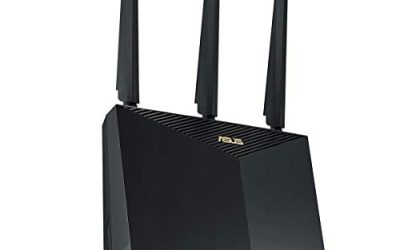
ASUS RT-AX86U
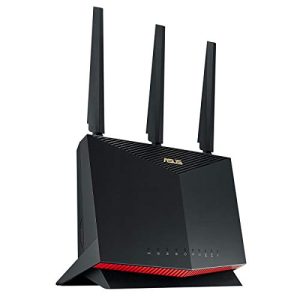
The ASUS RT-AX86U is a dual-band Wi-Fi 6 gaming router built around low latency, with a dedicated gaming port, adaptive QoS, and a mobile game mode that trims the path between your console and the game server. Its AX5700 wireless class covers the 2.4 GHz and 5 GHz bands, and its four gigabit LAN ports give a multi-console home room to wire two PS4 consoles and still have ports left for a PC or a streaming box.
Who it is for: households with two or more PS4 consoles where at least one player takes online matches seriously. The gaming port and the traffic prioritisation keep the main console smooth even while another console downloads an update, and the AiMesh support means you can add a node later if a distant room needs a stronger signal.
Caveats: the gaming features need a few minutes of setup in the router interface before they help, and the router is a single unit, so a very large house may still need a mesh node for the far rooms. Check that your internet plan and modem can feed it, because no router can create bandwidth your plan does not provide.
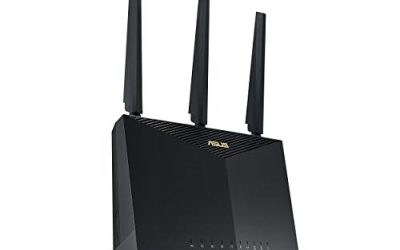
ASUS RT-AX86U Pro
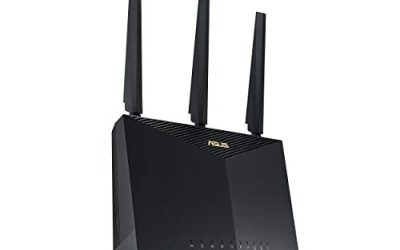
The ASUS RT-AX86U Pro builds on the standard model with a faster processor, a 2.5 GbE port, and the same gaming-first feature set, including adaptive QoS, a dedicated gaming port, and a mobile game mode. Its dual-band Wi-Fi 6 wireless and four gigabit LAN ports, plus the multi-gig port, make it a strong fit for a home where several consoles, a gaming PC, and a stack of phones all compete for the connection at once.
Who it is for: multi-console homes that also run a gaming PC or a wired streaming setup and want headroom for the future. The extra processing power keeps traffic shaping smooth when the network is loaded, and the 2.5 GbE port is ready for faster internet plans and network storage.
Caveats: the Pro model costs more than the standard RT-AX86U for features that only matter if your plan or your wired gear can use them, and its gaming extras still need to be switched on in the settings. Confirm the exact model on the listing, because the standard and Pro versions look alike.
NETGEAR Nighthawk RAX50
The NETGEAR Nighthawk RAX50 is a dual-band Wi-Fi 6 router with an AX5400 wireless class, four gigabit LAN ports, and Nighthawk app control for setup and monitoring. Its Dynamic QoS automatically recognises gaming and streaming traffic and gives it priority, which is exactly what a home with more than one PS4 needs when a download starts mid-match.
Who it is for: households that want strong multi-device performance with minimal fiddling. Dynamic QoS works out of the box, the Nighthawk app makes it easy to pause a device or check what is using bandwidth, and the four wired ports cover two consoles with room to spare.
Caveats: some of the advanced security features sit behind a subscription after the included trial period, so read what is included before you rely on them. The router is a single unit, so very large homes may need an extender or a mesh add-on for the far corners.
TP-Link Archer AX73
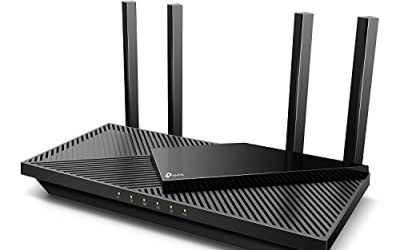
The TP-Link Archer AX73 is a dual-band Wi-Fi 6 router with an AX5400 wireless class, six antennas, and four gigabit LAN ports plus a USB port for shared storage. Its HomeShield security suite and QoS controls let you prioritise gaming traffic, and its OneMesh support means you can add a compatible extender later without rebuilding the network.
Who it is for: larger multi-console homes that need coverage as well as capacity. The six-antenna design pushes signal further than compact routers, and the QoS settings keep game traffic ahead of downloads and video streams when the house is busy.
Caveats: the QoS controls take a little digging in the Tether app or the web interface to set up well, and the router’s size means it needs a clear shelf rather than a cramped media cabinet. Make sure the listing is the AX73 and not a similarly named Archer model.
TP-Link Archer AXE75
The TP-Link Archer AXE75 is a tri-band Wi-Fi 6E router with an AXE5400 wireless class, a dedicated 6 GHz band, four gigabit LAN ports, and a USB port. The extra band gives your newer phones, laptops, and streaming devices a clear lane of their own, leaving the 2.4 GHz and 5 GHz bands freer for the consoles, which is a genuine help in a busy multi-console household.
Who it is for: homes with many modern devices alongside their PS4 consoles, where the wireless airwaves are crowded. The 6 GHz band moves the newest gear out of the way, the QoS controls keep gaming traffic first in line, and OneMesh support leaves room to extend coverage later.
Caveats: the PS4 itself cannot use the 6 GHz band, so the benefit lands on the rest of the household rather than on the consoles directly, and the router needs a clear, central spot to make the most of its radios. Confirm the listing shows the AXE75, since TP-Link sells several similar-looking Archer models.
Comparison Table
| Router | Wi-Fi Standard | Bands | Key Strength |
|---|---|---|---|
| ASUS RT-AX86U | Wi-Fi 6 | Dual-band | Gaming port, adaptive QoS |
| ASUS RT-AX86U Pro | Wi-Fi 6 | Dual-band | 2.5 GbE port, faster processor |
| NETGEAR Nighthawk RAX50 | Wi-Fi 6 | Dual-band | Dynamic QoS, Nighthawk app |
| TP-Link Archer AX73 | Wi-Fi 6 | Dual-band | Six antennas, OneMesh |
| TP-Link Archer AXE75 | Wi-Fi 6E | Tri-band | 6 GHz band, OneMesh |
Which One Is Right for You?
If your house runs two PS4 consoles and one of them plays ranked or competitive matches, start with the ASUS RT-AX86U. Its gaming port and adaptive QoS are built for exactly that situation, and its four wired ports cover both consoles. If you also run a gaming PC or expect a faster internet plan soon, the RT-AX86U Pro is the better long-term pick, since its faster processor and multi-gig port give it more headroom when the network is loaded.
If you would rather set the router up once and forget it, the NETGEAR Nighthawk RAX50 is the simplest choice here. Its Dynamic QoS handles prioritisation automatically, and the Nighthawk app makes it easy to see what is using bandwidth or pause a device that is hogging the connection.
For a larger home, or a home where the consoles sit far from the router, the TP-Link Archer AX73 is the pick that leans hardest on coverage, while the Archer AXE75 is the pick for a household full of newer devices that can use its 6 GHz band. Either way, wire the consoles when you can, switch on QoS, and keep the firmware current, because those three habits matter more than any single feature.
Frequently Asked Questions
Can two PS4 consoles share one router without lag?
Yes, if the router has enough wired ports and traffic prioritisation. Wire both consoles when possible, switch on QoS or a gaming mode, and keep large downloads away from play sessions. A router built for gaming handles this far better than a basic router supplied by an internet provider.
Should each PS4 use a wired or a wireless connection?
Wired is better for the console that plays online matches, because it cuts latency and avoids wireless interference. The second console can run on wireless if cabling is impractical, but it will share the airwaves with every other device in the house, so keep it on the 5 GHz band when you can.
What is a gaming port on a router?
A gaming port is a single LAN port that the router always prioritises over the other ports. Plug your main console into it and its traffic jumps the queue whenever the network is busy, which keeps matches smooth while another device downloads or streams.
Do I need Wi-Fi 6 for multiple PS4 consoles?
You do not strictly need it, since the PS4 uses older wireless, but Wi-Fi 6 helps the whole household. It lets the router serve many devices at once with less delay, so phones, laptops, and streaming boxes interfere less with the consoles.
Disclosure: As an Amazon Associate, we may earn from qualifying purchases.
FAQ
Which One Is Right for You?
Can two PS4 consoles share one router without lag?
Should each PS4 use a wired or a wireless connection?
What is a gaming port on a router?
Do I need Wi-Fi 6 for multiple PS4 consoles?
More from Amazon
Programs that pair well with the guide above. Offers and eligibility are set by Amazon and may change.
Free shipping on eligible items, Prime Video and more. Eligible new members can start with a free trial.
Start a Prime free trialAd-free music streaming. Eligible new subscribers can start with a free trial.
Try Music Unlimited freeA Prime membership for ages 18-24 with a trial period. Eligibility is set by Amazon.
See Prime for Young AdultsAudiobooks and podcasts to listen to on the go. Eligible new members can start with a free trial.
Try Audible freeAs an Amazon Associate we earn from qualifying purchases.