Our Short List of 3
All 5 Picks at a Glance
| Product | Specs | Action |
|---|---|---|
 ASUS RT-AX86U Pro | Check price on Amazon | |
 NETGEAR Nighthawk RAX50 | Check price on Amazon | |
 TP-Link Archer AX73 | Check price on Amazon | |
 TP-Link Archer AXE75 | Check price on Amazon | |
 Amazon eero Pro 6E, 1-pack | Check price on Amazon |
Our Top Picks
- TP-Link AXE5400 Tri-Band WiFi 6E RouterWiFi 6E, Tri-Band AXE540012.91 x 10.43 x 4.72 inches1.5 poundsCheck on Amazon
The best high range routers are the ones that keep a strong signal in the far bedroom, the garden room, and the top floor, not just beside the router. Range is not a single number on a box: it depends on antennas, transmit power, the Wi-Fi standard, and how your home’s walls and floors absorb signal. This guide compares high-range routers on coverage, wireless standard, wired speed, and how they expand when one router is not enough.
A high-range router is the right answer when a standard router leaves dead spots. The picks below cover the main shapes of long-range router: two performance Wi-Fi 6 models with strong radios, a long-range gaming model, a Wi-Fi 6E model for a clean band, and a mesh system for a home where one box, however strong, cannot cover every room. Every pick is judged on real coverage behaviour, not just the headline figure.
How to Choose
1. Antennas and radio design
External antennas that can be angled, and a radio design that balances the bands, shape coverage more than the headline wireless figure. A router with several antennas can aim its signal and handle many devices at once. Check the antenna layout and whether the router supports beamforming, which focuses the signal toward each device.
2. Wi-Fi standard and bands
Wi-Fi 6 handles many devices at once and manages airtime better than older standards, which helps at range where the signal is weaker. Wi-Fi 6E adds a clean 6 GHz band that is fast at short range but does not travel as far as the lower bands. Dual-band is enough for most large homes; tri-band helps when many devices compete.
3. Placement
A router placed centrally, out in the open, and at about chest height covers far more than one hidden in a cabinet or on the floor. Walls, floors, and large metal objects absorb signal, so the router’s position matters as much as its radio. A high-range router in a bad spot will still leave dead zones.
4. Mesh expansion
A mesh-ready router can add a node later if a far room stays weak, which is cheaper than replacing the whole system. Check that the router joins a mesh system from the same maker, and that the nodes connect over a dedicated backhaul rather than sharing the same band as your devices.
5. Wired speed and ports
A long-range router still needs gigabit ports for the devices that sit near it, and a fast WAN port for your broadband. A 2.5 gigabit port leaves headroom for a faster plan. Count the LAN ports: a large home often has a wired PC, a console, a TV box, and a smart hub to connect.
6. Processor and stability
A router covering a large home serves many devices at once, so its processor must keep up. A strong processor keeps latency low when several people stream, game, and work at the same time. A router that slows down under load will feel like a range problem when it is really a capacity problem.
Top Picks
ASUS RT-AX86U Pro
Check the ASUS RT-AX86U Pro on Amazon
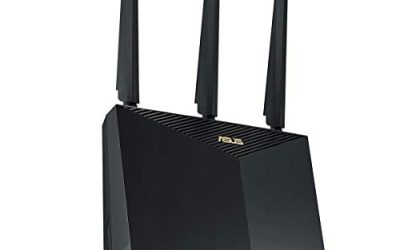
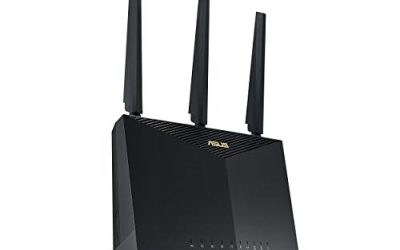
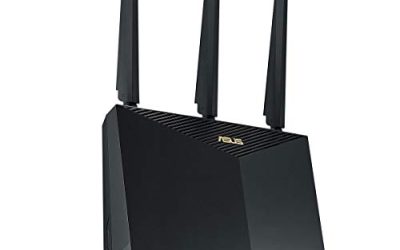
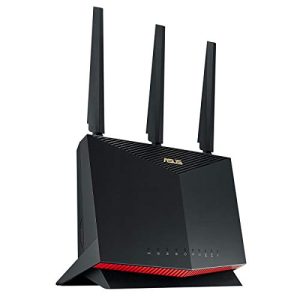
The ASUS RT-AX86U Pro is a Wi-Fi 6 router with a strong radio, a faster processor, a 2.5 gigabit port, and gigabit LAN ports. Its antenna design and AiMesh support make it a strong choice for a large home: place it centrally and it covers several rooms, and add an AiMesh node later if a far room stays weak. Its gaming acceleration keeps latency low when the network is busy, and its security features run on the router itself.
This router fits a large home where one strong router should cover most rooms. It suits fast broadband, wired gaming, and households where the router is the single piece of network hardware for years. It also fits anyone who runs a VPN or heavy QoS and needs a processor that will not slow the network down.
Its size and antenna layout need a clear spot on a shelf, and hiding it in a cabinet will cut its range. Its extra features add menus that take time to learn, and a simple household may not use half of them. Its tier is above value routers, so buyers on a tight budget should weigh the alternatives first.
NETGEAR Nighthawk RAX50
Check the NETGEAR Nighthawk RAX50 on Amazon
The NETGEAR Nighthawk RAX50 is a Wi-Fi 6 router with a gigabit WAN port, four gigabit LAN ports, and a strong wireless radio for large rooms. Its antenna design suits open-plan homes where one router must cover a wide area, and its processor handles several streams and a game session at once. Its app gives clear control over the guest network, parental controls, and device priority.
This router fits a large living space where one router must cover several rooms and several wired devices. It suits households with a wired PC and console, plus phones, tablets, and TVs all on Wi-Fi. It also fits buyers who want a router with a strong app and straightforward controls.
Its size is generous, so it needs a clear shelf and some airflow around it. It has no multi-gigabit port, so broadband above a gigabit would need a different model. Some of its advanced features sit behind the app in ways that take a little exploring to find.
TP-Link Archer AX73
Check the TP-Link Archer AX73 on Amazon
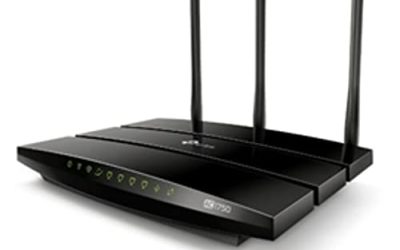
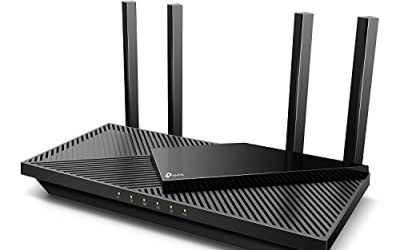
The TP-Link Archer AX73 is a Wi-Fi 6 router with a gigabit WAN port, four gigabit LAN ports, and six antennas that give it strong coverage for its tier. Its high-power front-end modules push the signal further than a standard router, and its processor handles a busy household well. Its app covers setup, guest networking, and parental controls, and its HomeShield software adds security features.
This router fits a large home where range is the main complaint. It suits households that want strong coverage at a sensible tier, with a wired PC or console and several wireless devices. It also fits anyone upgrading from an older router whose signal fades in the far rooms.
Its six antennas make it a large router that needs a clear shelf. Its range is strong for a single router but will not cover a very large or multi-floor home alone; a mesh node is the answer there. It has no multi-gigabit port, so faster broadband plans need a different model.
TP-Link Archer AXE75
Check the TP-Link Archer AXE75 on Amazon
The TP-Link Archer AXE75 is a Wi-Fi 6E router with a gigabit WAN port, four gigabit LAN ports, and a 6 GHz band that stays clean where the older bands are crowded. Its six antennas and strong radio give it good range, and its processor handles several devices at once. Its app covers setup and management, and its USB port supports storage sharing.
This router fits a home in a crowded area where the 2.4 GHz and 5 GHz bands are full of neighboring networks. It suits households with Wi-Fi 6E devices that can use the clean 6 GHz band, and with a wired PC or console that needs gigabit speed. It also fits anyone who wants a modern router with room for newer devices.
Its 6 GHz band is fast but does not travel as far as the lower bands, so distant rooms will still use 5 GHz or 2.4 GHz. Its size and antennas need a clear shelf. Its tier sits above value Wi-Fi 6 models, so buyers without Wi-Fi 6E devices should weigh the AX73 first.
Amazon eero Pro 6E, 1-pack
Check the Amazon eero Pro 6E, 1-pack on Amazon
The Amazon eero Pro 6E is a mesh Wi-Fi 6E system sold here as a single node, with a clean design, a strong radio, and the ability to add more nodes when one is not enough. Its single node covers a good-sized home, and its mesh design means a second node extends coverage without a new network name or a handover gap. Its app makes setup simple and keeps firmware updated automatically.
This router fits a home where one box cannot cover every room, or where the household wants coverage that grows by adding a node. It suits buyers who want a simple system with automatic updates and a clean look on a shelf. It also fits a home with many smart devices, because eero handles a large device count well.
Its single node has fewer Ethernet ports than a traditional router, so a wired-heavy setup needs a switch. Its advanced controls are simpler than a traditional router’s, which suits most households but limits network-minded users. Its mesh design works best with more than one node, so a very large home should budget for a second.
Comparison Table
| Product | Best for | Key specs |
|---|---|---|
| ASUS RT-AX86U Pro | Large home, headroom | Wi-Fi 6, 2.5Gb port, AiMesh, strong CPU |
| NETGEAR Nighthawk RAX50 | Large open-plan home | Wi-Fi 6, 4x gigabit LAN, strong radio |
| TP-Link Archer AX73 | Range on a sensible tier | Wi-Fi 6, 6 antennas, gigabit ports |
| TP-Link Archer AXE75 | Crowded area, clean band | Wi-Fi 6E, 6 GHz, gigabit ports |
| Amazon eero Pro 6E | Mesh, grows by nodes | Wi-Fi 6E, mesh, app setup, auto updates |
Which One Is Right for You?
Start with your home. For a large home where one strong router should cover most rooms, the ASUS RT-AX86U Pro and the NETGEAR RAX50 lead, with the ASUS adding a faster port and mesh expansion. For range on a sensible tier, the TP-Link Archer AX73 is the pick: its six antennas push the signal further than a standard router. For a crowded area full of neighboring networks, the Archer AXE75 adds a clean 6 GHz band. And when one box cannot cover every room however strong it is, the eero Pro 6E is the mesh answer: add a node and the coverage grows. In every case, place the router centrally and out in the open, because placement decides more about range than any specification.
Frequently Asked Questions
How far can a high range router reach?
A strong router covers a large flat or a small house from one central spot, but walls, floors, and metal objects cut the signal. Thick walls and multiple floors reduce range more than any specification admits. For a very large or multi-floor home, a mesh system with a second node covers more than any single router.
Is Wi-Fi 6E better for range than Wi-Fi 6?
Not for range. The 6 GHz band in Wi-Fi 6E is fast and clean, but it does not travel as far as the 5 GHz and 2.4 GHz bands. At long range, devices fall back to the lower bands. Wi-Fi 6E helps in a crowded area where the older bands are full, not in a large empty house.
Should I buy a mesh system instead of a high range router?
A mesh system is the better choice when one router cannot cover your home, such as a multi-floor house or a home with thick walls. A high range router is the better choice when one central router can cover most rooms and you want more ports and more control. Many mesh systems also work as a single router, so you can add a node later.
Where should I place a high range router?
Place it centrally, out in the open, and at about chest height, away from thick walls, metal objects, and other electronics. A router hidden in a cabinet, on the floor, or at one end of the house will leave dead zones however strong its radio is. If the far rooms stay weak, a mesh node or an access point is the next step.
Disclosure: As an Amazon Associate, we may earn from qualifying purchases.
FAQ
Which One Is Right for You?
How far can a high range router reach?
Is Wi-Fi 6E better for range than Wi-Fi 6?
Should I buy a mesh system instead of a high range router?
Where should I place a high range router?
More from Amazon
Programs that pair well with the guide above. Offers and eligibility are set by Amazon and may change.
Free shipping on eligible items, Prime Video and more. Eligible new members can start with a free trial.
Start a Prime free trialAd-free music streaming. Eligible new subscribers can start with a free trial.
Try Music Unlimited freeA Prime membership for ages 18-24 with a trial period. Eligibility is set by Amazon.
See Prime for Young AdultsAudiobooks and podcasts to listen to on the go. Eligible new members can start with a free trial.
Try Audible freeAs an Amazon Associate we earn from qualifying purchases.