Our Short List of 3

- Best for: Multi-gig cable plans paired with a router that has a 2.5 GbE WAN port.
- DOCSIS 3.1 cable modem, backward compatible with DOCSIS 3.0
- Supports cable plans up to 2.5 Gbps
- 32×8 channel bonding with OFDM(A) 2×2
- Compatible with all cable providers including Xfinity, Spectrum, and Cox

- Best for: Homes that want a 2.5 GbE handoff to the router plus a spare gigabit port for a second wired device.
- DOCSIS 3.1 multi-gigabit cable modem, approved for Comcast Xfinity, Cox, Spectrum and more
- Supports cable internet plans up to 2.5 Gbps
- One 2.5 Gigabit Ethernet port plus one 1 Gigabit Ethernet port
- 32 downstream x 8 upstream DOCSIS 3.0 bonded channels, 2 downstream x 2 upstream OFDM DOCSIS 3.1 channels
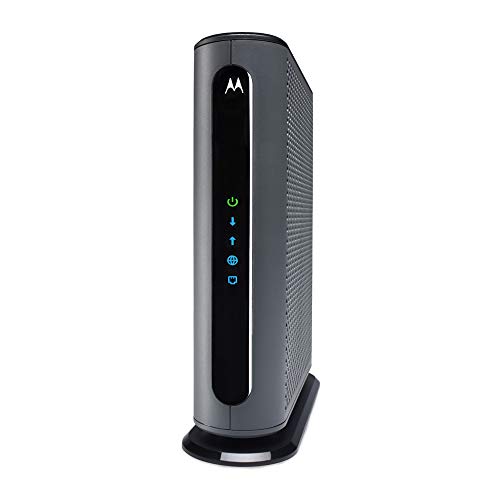
- Best for: Gigabit and multi-gig cable plans where a single clean 2.5 GbE handoff to your own router is all you need.
- DOCSIS 3.1 multi-gig cable modem, backward compatible with DOCSIS 3.0
- 2.5 Gbps Ethernet port, 2500 Mbps max internet speeds
- Approved for Comcast Xfinity, Cox Gigablast, and Spectrum
- Pairs with any Wi-Fi router
All 4 Picks at a Glance
| Product | Specs | Action |
|---|---|---|
| NETGEAR Nighthawk CM2000 |
| Check price on Amazon |
| ARRIS SURFboard S33 |
| Check price on Amazon |
| Motorola MB8611 |
| Check price on Amazon |
 Hitron CODA56 |
| Check price on Amazon |
Key takeaways
- Compare four high-end standalone cable modems with DOCSIS 3.1 and multi-gig Ethernet ports, and choose the right one for your gigabit plan and router.
A high-end modem decides whether the gigabit cable plan you already pay for actually reaches your home network at full speed, or quietly stops at the first box in the chain. A rental gateway or an older DOCSIS 3.0 unit caps a fast plan at the modem itself, so no router upgrade behind it can recover the lost speed. The real choice is not about brand loyalty; it is about matching the modem to your plan tier, your provider approval list, and the Ethernet port on your router.
This guide is for cable households on gigabit and multi-gig plans, for gamers and streamers who run their own router or mesh system, and for anyone replacing a rented gateway with owned hardware. Every modem below is a standalone unit with no built-in Wi-Fi, picked from the model names and specifications shown on its Amazon product page.
Quick Picks
As an Amazon Associate we earn from qualifying purchases
| Product | Best for | Key spec from title |
|---|---|---|
| NETGEAR Nighthawk CM2000 | Multi-gig plans with a 2.5 GbE router | DOCSIS 3.1, cable plans up to 2.5 Gbps |
| ARRIS SURFboard S33 | Two-network setups needing a second port | DOCSIS 3.1, 2.5 Gbps plus 1 Gbps Ethernet ports |
| Motorola MB8611 | A proven multi-gig modem for major cable providers | DOCSIS 3.1, 2.5 Gbps port, 2500 Mbps max speeds |
| Hitron CODA56 | Smaller cable providers beyond the big three | DOCSIS 3.1, 2.5 Gbps, single Ethernet port |
How to Choose
Match the modem to your plan and provider first
Before comparing speeds, confirm the modem is approved for your provider, your exact plan tier, and your address. Cable providers keep approval lists by model, and a modem that works on one network may not activate on another. Check the listing for your provider by name, then confirm the same model on the provider approval page before ordering. A high-end modem only earns its place when it activates cleanly on the first attempt, so approval comes before every other feature on the box.
Insist on DOCSIS 3.1 for a gigabit plan
DOCSIS 3.1 is the current cable standard for gigabit and faster service, with OFDM channels that carry far more data than the older DOCSIS 3.0 bonding alone. Every modem in this guide uses DOCSIS 3.1 with 32 downstream by 8 upstream DOCSIS 3.0 bonded channels as backup, which keeps the connection steady when the network falls back. A DOCSIS 3.0 modem on a gigabit plan becomes the bottleneck on day one, so treat DOCSIS 3.1 as a requirement rather than a nice extra.
Look at the Ethernet handoff, not just the modem
A modem can receive multi-gig service and still hand your router only gigabit speed if its Ethernet port tops out at 1 Gbps. All four modems here carry a 2.5 Gbps Ethernet port, which lets a plan above gigabit actually pass through to a router with a matching 2.5 GbE WAN port. Check your router before you buy: if its WAN port is gigabit only, a 2.5 GbE modem still works, but the extra headroom waits until the router is upgraded.
Remember a standalone modem needs a separate router
None of the modems in this guide broadcasts Wi-Fi, routes traffic between devices, or supports cable voice service. Each one provides a single wired handoff to a router you already own or buy separately. That separation is the point for buyers who want to choose each box themselves, but it also means budgeting for a router and checking that the router WAN port matches the modem. Buyers who want one box for everything should look at modem-router combos instead.
The 4 Best Options
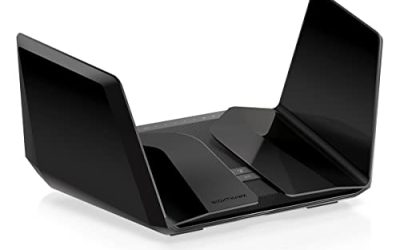
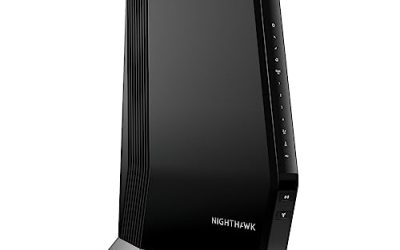
NETGEAR Nighthawk CM2000
- Best for: Multi-gig cable plans paired with a router that has a 2.5 GbE WAN port.
- DOCSIS 3.1 cable modem, backward compatible with DOCSIS 3.0
- Supports cable plans up to 2.5 Gbps
- 32×8 channel bonding with OFDM(A) 2×2
- Compatible with all cable providers including Xfinity, Spectrum, and Cox
Multi-gig cable plans paired with a router that has a 2.5 GbE WAN port.
The CM2000 has no Wi-Fi, no routing, and no voice support, so confirm your router is ready before the modem arrives.
The CM2000 suits households on the fastest cable tiers who already own a strong router with a 2.5 GbE WAN port and want the modem to disappear as a bottleneck. It is a modem-only box, so setup is a short chain of coax, Ethernet, power, and provider activation, with no Wi-Fi settings to manage on the modem itself. Owners replacing a rented gateway get the same multi-gig handoff without the monthly rental, and the wide provider compatibility covers the major cable networks named on the listing.
Watch out for: The CM2000 has no Wi-Fi, no routing, and no voice support, so confirm your router is ready before the modem arrives.
ARRIS SURFboard S33
- Best for: Homes that want a 2.5 GbE handoff to the router plus a spare gigabit port for a second wired device.
- DOCSIS 3.1 multi-gigabit cable modem, approved for Comcast Xfinity, Cox, Spectrum and more
- Supports cable internet plans up to 2.5 Gbps
- One 2.5 Gigabit Ethernet port plus one 1 Gigabit Ethernet port
- 32 downstream x 8 upstream DOCSIS 3.0 bonded channels, 2 downstream x 2 upstream OFDM DOCSIS 3.1 channels
Homes that want a 2.5 GbE handoff to the router plus a spare gigabit port for a second wired device.
Check the second port setup with your provider, since some providers treat the extra port differently, and the modem still needs a separate router for Wi-Fi.
The S33 fits buyers who want a second Ethernet port alongside the multi-gig handoff, for example a wired connection to a second network device while the router takes the 2.5 Gbps port. It is the only modem in this guide with both a 2.5 Gbps port and a separate 1 Gbps port, which gives more wiring options than a single-port design. The listing states approval for Comcast Xfinity, Cox, and Spectrum, and the modem-only design pairs with any router you choose rather than locking you into one brand.
Watch out for: Check the second port setup with your provider, since some providers treat the extra port differently, and the modem still needs a separate router for Wi-Fi.
Motorola MB8611
- Best for: Gigabit and multi-gig cable plans where a single clean 2.5 GbE handoff to your own router is all you need.
- DOCSIS 3.1 multi-gig cable modem, backward compatible with DOCSIS 3.0
- 2.5 Gbps Ethernet port, 2500 Mbps max internet speeds
- Approved for Comcast Xfinity, Cox Gigablast, and Spectrum
- Pairs with any Wi-Fi router
Gigabit and multi-gig cable plans where a single clean 2.5 GbE handoff to your own router is all you need.
The MB8611 has one Ethernet port only, so a second wired device needs to connect through the router, and it does not work with DSL or fiber service.
The MB8611 is the straightforward pick for buyers who want a proven multi-gig modem from a long-running modem line, approved for the major cable providers named on its listing. Its single 2.5 Gbps port keeps the design simple: one coax in, one Ethernet out to the router, and nothing else to configure on the modem. That simplicity suits gamers and streamers who already trust their router and want the modem to be a quiet, reliable link in the chain rather than another device to manage.
Watch out for: The MB8611 has one Ethernet port only, so a second wired device needs to connect through the router, and it does not work with DSL or fiber service.
Hitron CODA56
- Best for: Regional cable providers and smaller networks where the big-brand modems may not be listed as approved.
- DOCSIS 3.1 cable modem only, not for fiber internet
- Supports internet plans up to 2.5 Gbps with a 2.5 Gbps Ethernet port
- Maximum downstream data transfer rate 2500 Megabits per second, maximum upstream 700 Megabits per second
- 32×8 channel bonding
Regional cable providers and smaller networks where the big-brand modems may not be listed as approved.
Confirm your exact provider and plan on the approval list first, since the CODA56 is cable only and will not work on fiber, DSL, or bundled voice service.
The CODA56 suits cable households whose provider is not one of the big three, since its listing names a wider set of providers including Astound, Grande, RCN, Wave, and Zito Media alongside Xfinity, Spectrum, and Cox Gigablast. It is a newer modem-only design with a single 2.5 Gbps Ethernet port, a compact square body, and a clear statement that it carries no Wi-Fi, voice, or routing features. Buyers on smaller regional cable networks get a multi-gig option that the bigger-brand modems do not always list for their provider.
Watch out for: Confirm your exact provider and plan on the approval list first, since the CODA56 is cable only and will not work on fiber, DSL, or bundled voice service.
Which One Fits Your Situation
You are on a multi-gig plan with a 2.5 GbE router
Pick the NETGEAR Nighthawk CM2000 or the Motorola MB8611. Both hand your router a full 2.5 Gbps link over a single Ethernet cable, and both are approved for the major cable providers named on their listings. Choose the CM2000 when the Nighthawk line and its wide provider compatibility matter to you, or the MB8611 when you want the simplest single-port design from the Motorola modem line.
You want a spare wired port beside the router link
Pick the ARRIS SURFboard S33. Its extra 1 Gbps Ethernet port sits beside the 2.5 Gbps handoff, so a second wired device can connect directly at the modem while the router takes the fast port. No other modem in this guide offers that second port, which makes the S33 the natural choice when the modem location also serves a wired device nearby.
Your provider is a smaller regional cable company
Pick the Hitron CODA56. Its listing names Astound, Grande, RCN, Wave, and Zito Media in addition to the major providers, giving regional cable households a multi-gig modem that is explicitly listed for their network. Confirm the model on your provider approval page, then pair it with any router that has a 2.5 GbE WAN port to use the full handoff.
You want the simplest possible modem swap
Pick the Motorola MB8611. One coax connection, one Ethernet cable to the router, provider activation, and the modem is done. There is no second port to plan around and no extra feature to configure, so the swap stays short and the modem stays out of the way once it is running.
Common Mistakes
- Buying a DOCSIS 3.0 modem for a gigabit plan and capping the connection at the modem itself.
- Ordering before checking the provider approval list for your exact model, plan, and address.
- Pairing a 2.5 Gbps modem with a router whose WAN port is gigabit only, then wondering where the extra speed went.
- Expecting a standalone modem to provide Wi-Fi or support cable voice service.
- Choosing a cable modem for a fiber or DSL connection, where DOCSIS hardware cannot work at all.
Frequently Asked Questions
Do I still need a router with one of these modems?
Yes. Every modem in this guide is modem only, with no Wi-Fi and no routing, so it hands a single wired connection to a separate router. The router creates your Wi-Fi network, connects your devices, and manages traffic between them. Buy a router with a 2.5 GbE WAN port to use the full multi-gig handoff from the modem.
Will a high-end modem work with any cable provider?
No. Each modem lists the providers it is approved for, and approval can vary by plan tier and address even within one provider. Check the model on your provider approval page before ordering, and confirm the plan speed the modem supports. A modem that activates on one network may not activate on another.
What is the difference between DOCSIS 3.1 and DOCSIS 3.0?
DOCSIS 3.1 is the newer cable standard built for gigabit and multi-gig service, using OFDM channels that carry more data than DOCSIS 3.0 bonding alone. DOCSIS 3.0 modems cap out below gigabit speeds in practice, so a gigabit plan needs a DOCSIS 3.1 modem. All four modems here are DOCSIS 3.1 with DOCSIS 3.0 backward compatibility.
Can a modem alone fix slow Wi-Fi in a large home?
No. A modem only delivers the internet connection to your router, so slow Wi-Fi in distant rooms is a router coverage problem, not a modem problem. If the wired speed at the modem is fine but Wi-Fi is weak far away, the fix is a better router, a mesh system, or a wired access point, not a new modem.
FAQ
Do I still need a router with one of these modems?
Will a high-end modem work with any cable provider?
What is the difference between DOCSIS 3.1 and DOCSIS 3.0?
Can a modem alone fix slow Wi-Fi in a large home?
More from Amazon
Programs that pair well with the guide above. Offers and eligibility are set by Amazon and may change.
Free shipping on eligible items, Prime Video and more. Eligible new members can start with a free trial.
Start a Prime free trialAd-free music streaming. Eligible new subscribers can start with a free trial.
Try Music Unlimited freeA Prime membership for ages 18-24 with a trial period. Eligibility is set by Amazon.
See Prime for Young AdultsAudiobooks and podcasts to listen to on the go. Eligible new members can start with a free trial.
Try Audible freeAs an Amazon Associate we earn from qualifying purchases.