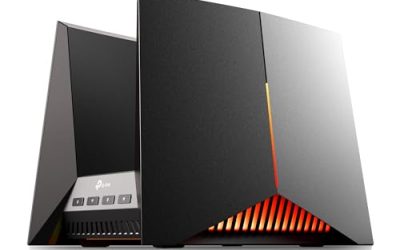
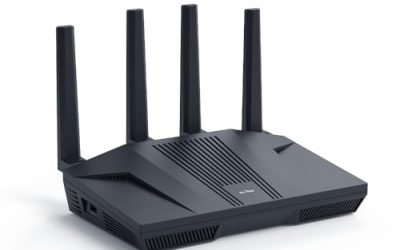
Our Short List of 3
All 4 Picks at a Glance
| Product | Specs | Action |
|---|---|---|
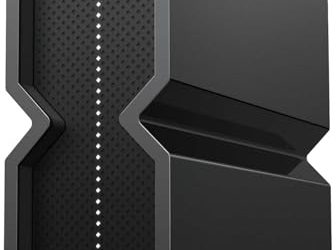
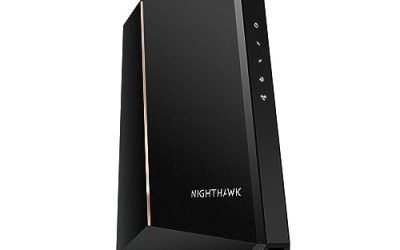
 1. NETGEAR Nighthawk RAX50 | Check price on Amazon | |
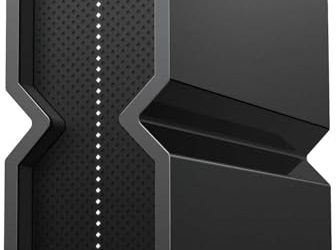
 2. ASUS RT-AX86U Pro | Check price on Amazon | |
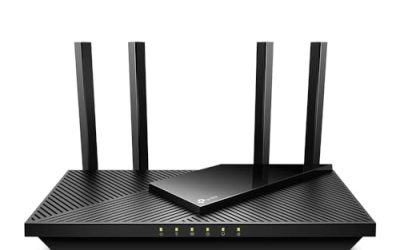
 3. TP-Link Archer AX73 | Check price on Amazon | |
 4. TP-Link Archer AX55 | Check price on Amazon |
Our Top Picks
A strong wireless router sits at the heart of a modern home network. It decides how far your Wi-Fi reaches, how many devices can stay connected at once, and whether a video call holds steady while someone else plays a game in the next room. Pick the wrong one and every device in the house feels sluggish, even when the internet line itself is quick. Pick the right one and the network simply fades into the background, doing its job while you stream, play, work, and browse without a second thought.
The routers in this guide all use Wi-Fi 6, the current mainstream wireless standard. Wi-Fi 6 handles crowded networks far better than older standards, because it can talk to several devices in the same slice of time instead of serving them one by one. That matters in homes where phones, laptops, consoles, smart TVs, and smart home gadgets all compete for airtime. Each pick below is a standalone router, not a mesh kit, so it suits homes that want one capable box rather than a set of satellite units.
At a Glance
- 1. NETGEAR Nighthawk RAX50 — AX5400 Wi-Fi 6 with stated 2,500 sq. ft. coverage
- 2. ASUS RT-AX86U Pro — AX5700 Wi-Fi 6 with a 2.5G port and gaming features
- 3. TP-Link Archer AX73 — AX5400 Wi-Fi 6 with six antennas and long-range design
- 4. TP-Link Archer AX55 — AX3000 Wi-Fi 6 for smaller homes and lighter loads
How to Choose a Wireless Router
Match the speed class to your household
Router makers label their models with a combined speed figure, such as AX3000 or AX5400. That number adds the top throughput of every band together, so no single device ever sees the full figure. What it does tell you is the class of the router. An AX3000 model suits a small household with a handful of devices. An AX5400 model gives more headroom for a busy home where several people stream in high definition at the same time. Look at how many people live under your roof and how many screens they use, then choose a class with room to grow.
Check coverage against your floor plan
A router that covers a small apartment will struggle in a long, multi-room house with thick walls. The Nighthawk RAX50 in this guide is the only pick whose listing prints a coverage figure, 2,500 sq. ft., which makes it the easiest one to match against a floor plan. For the other picks, antenna count and beamforming give a rough guide: more antennas and focused signal steering usually mean a steadier signal at distance. If your home has dead zones at the far end, a single powerful router may still fall short, and a mesh system could be the better answer. Place the router in a central, open spot, up high and away from metal cabinets, and the signal will travel further than it would from a corner behind the TV.
Count the wired ports
Wireless gets the attention, but wired ports matter for gaming. A desktop PC or console plugged into Ethernet gets a steadier connection than any wireless link can promise, with lower latency and no interference from neighbours. All four routers here carry gigabit LAN ports. The ASUS RT-AX86U Pro goes further with a 2.5G port, which helps when the internet line itself runs faster than gigabit, or when you move large files between devices on the local network. If you run a home server or a network drive, that extra wired speed is worth having.
Look at the bands
Every router here is dual-band, running a 2.4 GHz band and a 5 GHz band. The 2.4 GHz band travels further and passes through walls better, which suits smart home gadgets and devices at the far end of the house. The 5 GHz band is quicker and less crowded, which suits gaming, streaming, and video calls near the router. A good router steers each device to the band that suits it, and lets you split the bands into separate network names when you want manual control. Tri-band routers add a second 5 GHz band or a 6 GHz band, but they cost more, and for most homes a strong dual-band Wi-Fi 6 router is enough.
Think about gaming traffic
Gaming does not need huge bandwidth, but it hates delay. A router with quality of service controls can put game traffic first, so a large download on another device does not spike your ping mid-match. The ASUS pick in this guide leans hardest into gaming, with a dedicated gaming port and traffic prioritisation built into its firmware. The other picks also support traffic prioritisation through their apps, just with fewer gaming-specific extras. If your household plays competitive games online, prioritisation is one of the most useful features a router can have.
Security and software
A router guards the front door of your home network, so its software matters. Look for WPA3 encryption, automatic firmware updates, and a guest network that keeps visitors away from your main devices. Parental controls help households with children, letting you set schedules and block categories of sites. All four routers here ship with companion apps for setup and day-to-day control, so you can manage the network from your phone instead of opening a browser admin page. Keep the firmware current, change the default admin password, and the router will stay a quiet guardian rather than a weak link.
Size, heat, and placement
Routers with big antennas and powerful radios run warm, and they need airflow. Give the router space on an open shelf, not inside a closed cabinet, and keep it away from heat sources. The models in this guide are all upright boxes with external antennas, so they take up a visible spot on a desk or shelf. Measure the space before you buy, and remember that moving the router a metre or two can change coverage more than any setting will.
1. NETGEAR Nighthawk RAX50
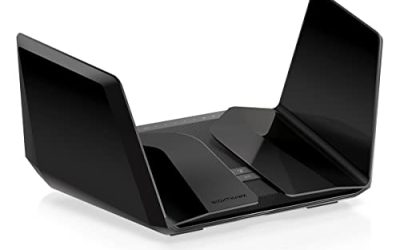
The NETGEAR Nighthawk RAX50 is a Wi-Fi 6 dual-band router built around the AX5400 speed class, with combined wireless throughput up to 5.4 Gbps across its two bands. Its six-stream design lets it serve several devices at once, and its listing states coverage up to 2,500 sq. ft., the clearest coverage claim of any router in this guide. For a larger single-storey home, or a two-storey home with the router placed centrally, that stated figure makes the RAX50 the easiest pick to size against a floor plan.
The RAX50 carries four gigabit LAN ports and a USB 3.0 port, so a desktop, a console, and a network drive can all plug in directly. The Nighthawk app handles setup and everyday control, and the router supports NETGEAR Armor security features for the household. Its item model number is RAX50-100NAS, the detail to confirm on the listing. Note that a Renewed version of this router and a separate RAX54S bundle circulate under different codes, so confirm the listing names the new RAX50-100NAS tied to the ASIN above.
In a busy household, the RAX50 shines when several people are online at once. One person can stream a film in high definition while another plays an online game and a third joins a video call, and the six-stream Wi-Fi 6 radio shares the airtime instead of forcing each device to wait its turn. The 5 GHz band handles the heavy work near the router, while the 2.4 GHz band reaches the far rooms and the smart home gadgets. It is a strong fit for homes that want one capable router and a clear coverage figure to plan around, without stepping up to a mesh kit.
2. ASUS RT-AX86U Pro
The ASUS RT-AX86U Pro is an AX5700 Wi-Fi 6 dual-band router aimed squarely at gaming households. It pairs a 2.0 GHz quad-core processor with a dedicated gaming port and a 2.5G WAN and LAN port, so a gaming PC or console gets priority handling and a wired link that runs faster than gigabit. Adaptive QoS traffic controls put game packets first, which keeps latency steady when someone else in the house begins a large download or a high-definition stream.
Beyond gaming, the RT-AX86U Pro works as a full household router. It supports AiMesh, so it can join with other ASUS AiMesh routers later to extend coverage without replacing the unit. Its firmware includes parental controls, a guest network, and AiProtection security features, and the ASUS Router app gives phone-based control of the network. The 2.5G port also suits homes whose internet line runs faster than gigabit, or anyone who moves large files between wired devices.
This is the pick for a household where online gaming is a daily habit and the router is expected to protect play time. The gaming port alone is a useful touch: plug the console or gaming PC into it and the router treats that traffic as the top priority. For a home that games hard and streams hard in the same evening, the RT-AX86U Pro is built for exactly that clash, and its quad-core processor has the headroom to keep routing, prioritising, and securing traffic without slowing down.
3. TP-Link Archer AX73
The TP-Link Archer AX73 is an AX5400 Wi-Fi 6 dual-band router with six antennas and a long-range design. Its six-stream radio and high-power front-end modules push the signal further than most routers in its class, which suits long homes where the far bedroom sits a good distance from the router. OFDMA and MU-MIMO let it serve several devices in the same transmission window, so a household full of phones, laptops, and smart gadgets stays responsive at busy times.
The AX73 carries four gigabit LAN ports and a USB 3.0 port for shared storage or a printer. TP-Link HomeShield adds security features and parental controls, and the Tether app handles setup and control from a phone. Its six antennas are fixed in a row across the top of the unit, giving it a distinctive look and a wide spread of signal. Beamforming focuses the wireless signal toward connected devices instead of spraying it evenly in every direction, which helps the far rooms most.
Choose the AX73 when coverage and capacity matter more than gaming extras. It suits a busy family home where the router must reach every room and keep a dozen or more devices connected at once. The long-range design is its calling card: if your current router fades at the far end of the house, the AX73 is a sensible step up, and its AX5400 class gives it the throughput to back the range with real speed.
4. TP-Link Archer AX55
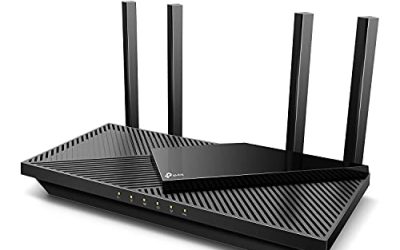
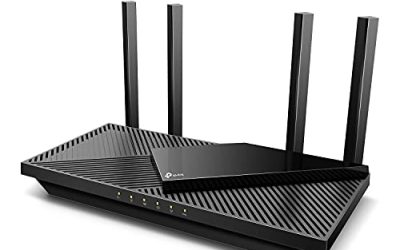
The TP-Link Archer AX55 is an AX3000 Wi-Fi 6 dual-band router for smaller homes and lighter loads. It still brings the core Wi-Fi 6 benefits, OFDMA and MU-MIMO, so several devices can share the airtime without the stutter that older routers show under load. Four high-gain antennas and beamforming keep the signal steady across a flat or a small house, and its dual-band design splits everyday browsing onto 2.4 GHz while gaming and streaming use the quicker 5 GHz band.
The AX55 includes four gigabit LAN ports, a USB 3.0 port, and TP-Link HomeShield security with parental controls, all managed through the Tether app. It is the simplest router in this guide, and that is its strength: setup takes minutes, the app keeps control easy, and the hardware is enough for a household with a handful of devices. It will not match the AX5400 picks for heavy simultaneous use, but for a small home it gives Wi-Fi 6 coverage and capacity at a sensible tier.
Pick the AX55 when the household is small and the network load is light. A couple of people streaming, browsing, and joining video calls will find it more than enough, and its compact size fits easily on a shelf. It is also a good choice for a first Wi-Fi 6 upgrade from an older router, since the jump in responsiveness under load is easy to notice the first evening it runs.
Which One Is Right for You
Match the router to the size of your home and the weight of your traffic. For a larger home where coverage is the main worry, the NETGEAR Nighthawk RAX50 leads, because its listing states 2,500 sq. ft. of coverage and its six-stream AX5400 radio has the capacity for a busy household. For a gaming household where low latency matters most, the ASUS RT-AX86U Pro leads, with its dedicated gaming port, traffic prioritisation, and 2.5G wired port. For a long home where the far rooms lose signal, the TP-Link Archer AX73 leads, with six antennas and a long-range design built to reach. For a small home with a light load, the TP-Link Archer AX55 covers the need without paying for capacity the household will never use.
If you are unsure between the two AX5400 picks, think about what fails first in your current setup. If the signal fades at distance, take the AX73. If the network slows when everyone is online at once, take the RAX50. And if gaming latency is the complaint, the RT-AX86U Pro is the answer. Any of the four is a real step up from an older Wi-Fi 5 router, and the jump is most obvious in a home where many devices share the network at once.
Frequently Asked Questions
What is the difference between a router and a modem?
A modem connects your home to the internet line, while a router shares that connection with your devices over Wi-Fi and Ethernet. Many homes use a separate modem and router, and all four picks in this guide are routers, so they need a modem or a modem-router unit in front of them. Some internet providers supply a combined unit, in which case you can set it to bridge mode and let one of these routers handle the Wi-Fi.
Do I need Wi-Fi 6?
Wi-Fi 6 helps most in homes with many devices, because it serves several devices at once instead of one by one. If your household runs phones, laptops, consoles, TVs, and smart gadgets together, the difference is easy to feel at busy times. If you own only a few devices and your current router is recent, the gain is smaller, but a Wi-Fi 6 router still future-proofs the network as new devices arrive.
How many devices can a Wi-Fi 6 router handle?
The routers in this guide are built for dozens of connected devices, thanks to OFDMA and MU-MIMO. In practice, the limit is rarely the device count and more often the total traffic: a dozen idle smart gadgets use almost nothing, while four high-definition streams and an online game use far more. An AX5400 router handles that busy mix better than an AX3000 router, so match the class to the household load.
Where should I place my router?
Place it centrally, up high, and out in the open, away from metal cabinets, thick walls, and large appliances. A shelf at chest height in the middle of the home beats a corner on the floor behind the TV. Keep it away from the microwave and from large mirrors, which can block or reflect the signal, and give it space to breathe so it stays cool.
Can one router cover a large home?
One strong router can cover a medium home well, especially when placed centrally. The RAX50 in this guide states coverage up to 2,500 sq. ft. For larger or awkwardly shaped homes, thick walls and multiple floors can still leave dead zones, and a mesh system with satellite units may serve better. If a single router leaves one far room weak, a mesh kit or a wired access point is the usual fix.
Bottom Line
The best wireless router is the one that matches your home, not the one with the biggest number on the box. The NETGEAR Nighthawk RAX50 suits larger homes that want stated coverage and strong capacity. The ASUS RT-AX86U Pro suits gaming households that need priority traffic and a 2.5G port. The TP-Link Archer AX73 suits long homes where range is the weak point. The TP-Link Archer AX55 suits small homes that want Wi-Fi 6 without paying for capacity they will never use. Measure your home, count your devices, and pick the router whose strengths line up with your weakest link.
Disclosure: As an Amazon Associate, this site earns from qualifying purchases.
FAQ
What is the difference between a router and a modem?
Do I need Wi-Fi 6?
How many devices can a Wi-Fi 6 router handle?
Where should I place my router?
Can one router cover a large home?
More from Amazon
Programs that pair well with the guide above. Offers and eligibility are set by Amazon and may change.
Free shipping on eligible items, Prime Video and more. Eligible new members can start with a free trial.
Start a Prime free trialAd-free music streaming. Eligible new subscribers can start with a free trial.
Try Music Unlimited freeA Prime membership for ages 18-24 with a trial period. Eligibility is set by Amazon.
See Prime for Young AdultsAudiobooks and podcasts to listen to on the go. Eligible new members can start with a free trial.
Try Audible freeAs an Amazon Associate we earn from qualifying purchases.