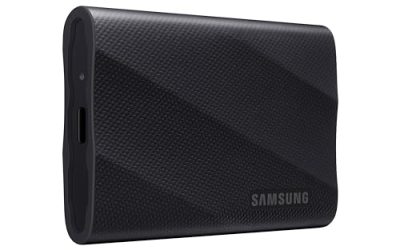
Our Short List of 3

- Best overall portable backup drive: WD My Passport 2TB — backup software, password protection, and hardware encryption in a pocket-sized drive.
- Best desktop backup drive for large libraries: WD My Book 8TB — 8TB of desktop storage with backup software and hardware encryption.
- Best simple desktop backup drive: Seagate Expansion 8TB — 8TB of plug-and-play desktop storage with data recovery services.
- Best basic portable backup drive: Toshiba Canvio Basics 2TB — a simple 2TB portable drive for everyday file copies.
All 4 Picks at a Glance
| Product | Specs | Action |
|---|---|---|
| Our Top Picks |
| Check price on Amazon |
 2. WD My Book 8TB — Best Desktop Backup Drive for Large Libraries | Check price on Amazon | |
 3. Seagate Expansion 8TB — Best Simple Desktop Backup Drive | Check price on Amazon | |
 4. Toshiba Canvio Basics 2TB — Best Basic Portable Backup Drive | Check price on Amazon |
Our Top Picks
As an Amazon Associate I earn from qualifying purchases.
A backup drive is one of the simplest ways to protect the files on a PC. Documents, photos, game saves, and work projects can all disappear when a main drive fails, a laptop is lost, or a file is deleted by mistake.
The best backup hard drives in this guide are external hard drives chosen for PC backup: portable drives that run from a USB cable and travel in a bag, and desktop drives that sit beside a PC and hold much larger archives.
The Short Answer
For most PC owners, the WD My Passport 2TB is the simplest place to start. It is a portable external hard drive with backup software, password protection, and hardware encryption, and its 2TB capacity is enough for documents, photos, and a large share of personal files. It connects over USB, needs no separate power adapter, and works as a set-and-forget backup drive for one PC.
If the backup is larger than 2TB, a desktop drive is the better move. The WD My Book 8TB and the Seagate Expansion 8TB both hold far more than a portable drive, which makes them a better fit for a full system backup or a large photo library. They need a power outlet, so they stay on a desk.
For a simple second copy with no software to learn, the Toshiba Canvio Basics 2TB is the plain choice. It is a plug-and-play drive for drag-and-drop copying.
Our Top Picks
- Best overall portable backup drive: WD My Passport 2TB — backup software, password protection, and hardware encryption in a pocket-sized drive.
- Best desktop backup drive for large libraries: WD My Book 8TB — 8TB of desktop storage with backup software and hardware encryption.
- Best simple desktop backup drive: Seagate Expansion 8TB — 8TB of plug-and-play desktop storage with data recovery services.
- Best basic portable backup drive: Toshiba Canvio Basics 2TB — a simple 2TB portable drive for everyday file copies.
Quick Comparison
| Drive | Capacity | Form | Interface | Backup software | Encryption |
|---|---|---|---|---|---|
| WD My Passport 2TB | 2TB | Portable | USB 3.1 / USB 3.0 | Included | 256-bit AES hardware encryption |
| WD My Book 8TB | 8TB | Desktop | USB 3.0 | Included | 256-bit AES hardware encryption |
| Seagate Expansion 8TB | 8TB | Desktop | USB 3.0 | Confirm on the listing | Confirm on the listing |
| Toshiba Canvio Basics 2TB | 2TB | Portable | USB 3.0 | Not listed | Not listed |
How to Choose
Start with capacity
Capacity is the first decision, and it is the one that is hardest to fix later. A good rule is to pick a drive with at least twice the amount of data currently on the PC, leaving space for new files and for more than one copy of the files that change often.
For a PC with documents, photos, and a modest game library, 2TB is a practical starting point. For a large photo archive, video projects, or several years of files, 8TB is a safer choice.
Portable or desktop
Portable drives are bus-powered, which means they draw power from the USB cable and need no separate adapter. They are small enough to carry in a laptop bag, and they suit a backup that travels or is stored away from the PC when it is not in use.
Desktop drives hold 3.5-inch drives and need a power outlet. They are larger and meant to stay in one place, but they hold far more data. A desktop drive is the right choice for a backup that runs on a schedule at home or for a household with more than one PC to back up.
Backup software and encryption
Some drives include backup software, and some do not. Included software can schedule automatic backups, so files are copied on a regular timetable without manual copying. A drive without included software still works for backup, but the copying is manual, or it relies on backup software already installed on the PC.
Encryption and password protection matter when the drive leaves the house or holds sensitive documents. Hardware encryption scrambles the contents of the drive, and password protection controls access to it. A drive that travels in a bag, or one that holds financial records and personal photos, benefits from both.
Interface and compatibility
Every drive in this guide connects over USB and works with a Windows PC. USB 3.0, USB 3.1, and USB 3.2 Gen 1 connections all share the same 5 Gbps ceiling for the port, which is fast enough for scheduled backups and large file copies.
Check the cable in the box before buying. A PC with only USB-C ports needs the right cable or adapter, so confirm the connection type on the listing and match it to the ports on the PC.
Reliability habits matter more than the brand
No spinning hard drive lasts forever, and no single drive is a complete backup plan on its own. Keep the original files on the PC, keep a copy on the backup drive, and keep a second copy somewhere else when the files cannot be replaced.
Handle a backup drive gently. Spinning drives do not like drops or knocks while they are running. Let a backup finish before unplugging the drive, and use the safe removal option in Windows before disconnecting it.
The Picks in Detail
1. WD My Passport 2TB — Best Overall Portable Backup Drive
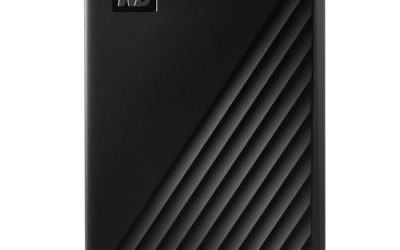
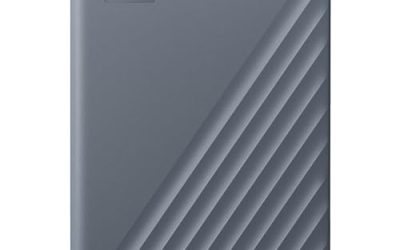
The WD My Passport 2TB is the most complete portable backup drive in this guide. It is a 2.5-inch portable external hard drive with 2TB of capacity, model number WDBYVG0020BBK-WESN, in a black enclosure that measures 4.22 x 2.95 x 0.44 inches and weighs 4.23 ounces. It connects over USB 3.1 and USB 3.0 with a SuperSpeed USB-A cable, and it is bus-powered.
The listing describes backup software with defense against ransomware, password protection, and built-in 256-bit AES hardware encryption. The included software is Acronis True Image for Western Digital, which can schedule backups of files on the PC.
The 2TB capacity suits documents, photos, music, and a large share of personal files. It is enough for a full backup of many laptops, and the listing states a 3-year limited warranty.
Pros:
– Backup software included for scheduled backups
– Password protection and 256-bit AES hardware encryption
– Compact, bus-powered portable design with no adapter needed
– 3-year limited warranty stated on the listing
Cons:
– 2TB may be too small for a large photo or video archive
– USB-A cable, so a PC with only USB-C ports needs an adapter
– Spinning drive, so large copies take longer than from a solid state drive
2. WD My Book 8TB — Best Desktop Backup Drive for Large Libraries
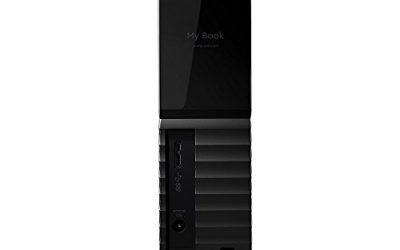
The WD My Book 8TB is a desktop external hard drive built for large backups. It holds 8TB, model number WDBBGB0080HBK-NESN, and it connects over USB 3.0 with SuperSpeed USB. It needs a power outlet and stays beside the PC.
The listing describes password protection, backup software, and 256-bit AES hardware encryption. That makes it a strong fit for a full system backup or a large photo and video library that needs both capacity and protection.
The 8TB capacity is the main reason to choose this drive. It can hold a full backup of a PC with a large internal drive, plus archives that would not fit on a portable drive. Confirm the warranty terms on the listing before buying.
Pros:
– 8TB capacity for full system backups and large archives
– Backup software, password protection, and hardware encryption included
– Desktop design suits a scheduled backup that runs at home
– USB 3.0 connection works with a wide range of PCs
Cons:
– Needs a power outlet, so it is not portable
– Larger and heavier than a portable drive
– Overkill for a PC with only documents and a small photo library
3. Seagate Expansion 8TB — Best Simple Desktop Backup Drive
The Seagate Expansion 8TB is a desktop external hard drive for buyers who want capacity without a complex setup. It holds 8TB, model number STKP8000400, and it connects over USB 3.0. The listing describes it as a plug-and-play drive for drag-and-drop copying, and it includes Rescue Data Recovery Services.
This drive suits a large backup that is copied manually or managed by backup software already on the PC. The 8TB capacity holds a full system backup, a photo library, and video files on a single drive.
The drive needs an AC power adapter, so it stays on a desk. The listing states a 1-year warranty with 1-year Rescue services. Confirm the included software and encryption details on the listing.
Pros:
– 8TB capacity for large backups and archives
– Simple plug-and-play setup with drag-and-drop copying
– Rescue Data Recovery Services included
– Desktop design suits a backup that stays in one place
Cons:
– Needs a power outlet and is not portable
– Backup software and encryption details should be confirmed on the listing
– No password protection stated on the listing
4. Toshiba Canvio Basics 2TB — Best Basic Portable Backup Drive
The Toshiba Canvio Basics 2TB is a basic portable external hard drive for everyday file copies. It holds 2TB, model number HDTB520XK3AA, in a black enclosure, and it connects over USB 3.0. It is bus-powered.
The listing describes drag-and-drop setup, which makes it a straightforward choice for a second copy of documents, photos, and music. There is no included backup software and no encryption listed, so it suits manual backups.
The 2TB capacity fits a personal file library and a backup of a laptop with a modest amount of data. Confirm the warranty terms on the listing before buying.
Pros:
– Simple drag-and-drop setup with no software to learn
– Compact, bus-powered portable design
– 2TB capacity suits documents, photos, and music
– Straightforward choice for a second copy of personal files
Cons:
– No backup software included
– No password protection or encryption listed
– 2TB may be too small for a large archive
Who Should Choose What
- One laptop, documents and photos: the WD My Passport 2TB. Its backup software, password protection, and encryption cover the basics, and its portable size means it can be stored away from the laptop when the backup is done.
- A large photo or video library: the WD My Book 8TB or the Seagate Expansion 8TB. Both hold 8TB, which leaves room for a full archive plus future files. Choose the My Book when password protection and included backup software matter, and the Expansion when a simple plug-and-play desktop drive is enough.
- A second copy with no setup: the Toshiba Canvio Basics 2TB. It is a plug-and-play drive for manual copies. It suits a backup that is copied by hand on a regular schedule, or a drive that is kept as a spare copy in a different place.
- A backup that travels: a portable drive. The My Passport 2TB is the safer travel choice because of its password protection and encryption.
- A backup that never leaves the desk: a desktop drive. The My Book 8TB and the Expansion 8TB both suit a scheduled backup that runs at home, and their capacity makes them a better fit for a full system backup.
Common Mistakes
Buying a drive that is too small. A backup drive that fills up stops being useful. Measure the data on the PC first, then pick a drive with at least twice that amount of space. A drive that is only just large enough will need replacing within a year.
Keeping the backup next to the PC. A backup drive that sits beside the PC protects against a failed internal drive, but it does not protect against theft, fire, or water damage that affects the whole desk. Store the backup drive in a different place when it is not in use.
Never checking the backup. Open the backup folder from time to time, confirm that recent files are present, and confirm that a file can be copied back to the PC. A backup that cannot be restored is not a backup.
Unplugging the drive during a copy. Wait for the copy to finish, then use the safe removal option in Windows before unplugging the drive.
Using the backup drive as the only copy. Do not delete files from the PC to free space and leave them only on the backup drive. If that drive fails, the files are gone.
Forgetting the password. Write the password down and keep it somewhere safe, separate from the drive. Without it, the files on an encrypted drive cannot be recovered.
FAQ
How much capacity do I need for a PC backup?
Pick a drive with at least twice the amount of data currently on the PC. For most personal PCs, 2TB is a practical starting point, and 8TB suits a large photo library, video projects, or a full system backup.
Are portable or desktop backup drives better?
Portable drives run from a USB cable, travel well, and suit a backup that is stored away from the PC. Desktop drives need a power outlet and stay in one place, but they hold far more data. Choose portable for travel and desktop for capacity.
Do I need backup software, or can I copy files by hand?
Both work. Backup software can schedule automatic copies, which helps when backups are easy to forget. Manual copying works too, as long as it happens on a regular schedule.
Is hardware encryption important for a backup drive?
It matters most when the drive leaves the house or holds sensitive files. Encryption and password protection keep the contents private if the drive is lost or stolen.
Can one backup drive protect more than one PC?
Yes, as long as the drive has enough capacity for every PC it backs up. Keep each PC in its own folder on the drive so the backups do not mix.
How often should I back up my PC?
Back up files that change often, such as documents and work projects, on a regular schedule, and back up the full system less often. A weekly backup suits most personal PCs.
Conclusion
The best backup hard drives for a PC are the ones that match the size of the backup and the way it will be used. The WD My Passport 2TB is the simplest portable choice for most PC owners. The WD My Book 8TB and the Seagate Expansion 8TB are the desktop choices for large libraries and full system backups. The Toshiba Canvio Basics 2TB is the plain choice for a simple second copy.
Whichever drive fits, the habit matters more than the model. Pick a drive with room to grow, copy files to it on a regular schedule, and keep a second copy of the files that cannot be replaced.
FAQ
How much capacity do I need for a PC backup?
Are portable or desktop backup drives better?
Do I need backup software, or can I copy files by hand?
Is hardware encryption important for a backup drive?
Can one backup drive protect more than one PC?
How often should I back up my PC?
More from Amazon
Programs that pair well with the guide above. Offers and eligibility are set by Amazon and may change.
Free shipping on eligible items, Prime Video and more. Eligible new members can start with a free trial.
Start a Prime free trialAd-free music streaming. Eligible new subscribers can start with a free trial.
Try Music Unlimited freeA Prime membership for ages 18-24 with a trial period. Eligibility is set by Amazon.
See Prime for Young AdultsAudiobooks and podcasts to listen to on the go. Eligible new members can start with a free trial.
Try Audible freeAs an Amazon Associate we earn from qualifying purchases.