Our Short List of 3

- Best for: Everyday teaching at a teacher’s desk.
- 1080p video at 30 frames per second
- 78-degree angle of view
- Autofocus with a glass lens
- Dual stereo microphones

- Best for: Teachers who move around while presenting.
- 1080p video at 30 frames per second
- 90-degree angle of view
- Auto-framing keeps the presenter centered
- Dual microphones with noise reduction

- Best for: Hybrid lessons with remote students.
- 2K video resolution
- 95-degree angle of view
- AI framing adjusts the shot automatically
- Dual microphones with noise reduction
All 4 Picks at a Glance
| Product | Specs | Action |
|---|---|---|
| Logitech C920s HD Pro |
| Check price on Amazon |
| Logitech Brio 500 |
| Check price on Amazon |
| Anker PowerConf C200 |
| Check price on Amazon |
 OBSBOT Tiny 2 |
| Check price on Amazon |
Our Top Picks
A classroom camera has a harder job than a desk webcam. It has to show the teacher, the whiteboard, and sometimes the whole room, stay sharp under fluorescent lights, and pick up voices from several feet away. When the picture turns soft or the audio cuts out, students at the back of the room and students joining from home both lose the lesson. The right webcam keeps everyone in frame and every word audible.
This guide compares four webcams that suit classrooms, from a reliable Logitech workhorse to an AI-tracking camera that follows a teacher around the room. Each pick was chosen from the name and specifications shown on its Amazon page. The best choice depends on the size of the room, whether the teacher moves while teaching, and whether remote students join the lesson. The same setup serves after-school clubs and parent evenings.
Quick Picks
As an Amazon Associate we earn from qualifying purchases
| Product | Best for | Key spec from title |
|---|---|---|
| Logitech C920s HD Pro | Reliable everyday teaching | 1080p, 78-degree view |
| Logitech Brio 500 | Auto-framing for presenters | 1080p, 90-degree view |
| Anker PowerConf C200 | Hybrid lessons | 2K, AI framing |
| OBSBOT Tiny 2 | Teachers who move around | 4K, PTZ AI tracking |
How to Choose
Wide Coverage Matters More Than Resolution
A classroom camera needs to capture a teacher, a whiteboard, and often a group of students at once, so the angle of view matters more than the pixel count. A narrow camera forces the teacher to stay glued to one spot, while a wide-angle model covers the board and the desk in a single frame. Look for a camera that lists a wide angle of view and check whether it can pan or zoom, since a fixed narrow lens will crop the whiteboard no matter how sharp the sensor is. Resolution still counts, but a sharp narrow picture of half the room helps nobody. Keep a spare camera ready for exam day.
Microphones Decide Whether Remote Students Hear
Remote students hear the lesson through the webcam’s microphones, so audio quality is as important as video. Dual microphones with noise reduction pick up a teacher’s voice from several feet away while cutting the hum of projectors and air conditioning. A single tiny microphone often fades when the teacher steps away from the desk, and that is when remote students start missing words. Check the listing for dual microphones and noise reduction, and test the audio from the back of the room before the first lesson. A teacher’s voice is the most important sound in the room, so favor microphones with noise reduction over extra features.
Autofocus and Low-Light Handling
Classrooms rarely have studio lighting. Fluorescent tubes, windows, and a bright projector screen create mixed light that confuses cheap cameras, so autofocus and light correction matter. A camera with fast autofocus keeps the teacher sharp when they step toward the board, and automatic light correction stops the picture from blowing out when sunlight hits the window. Look for autofocus and some form of light correction in the listing, and avoid fixed-focus cameras for any room where the teacher moves. Classroom lighting changes through the day, and a quick test before the first lesson saves a disrupted class. A camera with good low-light handling keeps faces visible even when the projector dims the room.
Mounting and Classroom Setup
A classroom webcam needs a stable mount that survives daily use. A clip that grips a monitor works for a teacher’s desk, while a tripod mount suits a camera placed at the back of the room to capture the whole class. Check whether the camera has a standard tripod thread, since that opens up far more placement options than a clip alone. Keep the USB cable long enough to reach the teacher’s computer without stretching across a walkway, and tape it down so nobody trips over it mid-lesson. Label the cables and the ports, so any teacher can set the room up without hunting for the right socket. Keep a spare cable nearby.
The 4 Best Options
Logitech C920s HD Pro
- Best for: Everyday teaching at a teacher’s desk.
- 1080p video at 30 frames per second
- 78-degree angle of view
- Autofocus with a glass lens
- Dual stereo microphones
Everyday teaching at a teacher’s desk.
The fixed mount and 78-degree angle suit a desk, not a whole-room shot from the back.
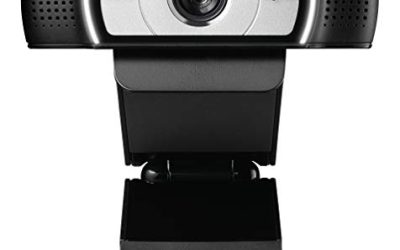
The Logitech C920s is the dependable default for classroom use, and it has earned that role by doing the basics well for years. It records in 1080p at 30 frames per second, focuses automatically, and carries dual stereo microphones that pick up a teacher’s voice clearly from a normal desk distance. The 78-degree angle of view covers a teacher and a whiteboard section without distortion, and the built-in privacy shutter gives teachers a simple way to block the lens between lessons. It connects over USB-A and works with the video apps schools already use. A school can standardize on one model and train every teacher once.
Watch out for: The fixed mount and 78-degree angle suit a desk, not a whole-room shot from the back.
Logitech Brio 500
- Best for: Teachers who move around while presenting.
- 1080p video at 30 frames per second
- 90-degree angle of view
- Auto-framing keeps the presenter centered
- Dual microphones with noise reduction
Teachers who move around while presenting.
Older school computers may need a USB-C adapter, which is not included.
The Logitech Brio 500 suits teachers who present standing up and move while they talk. Its 90-degree angle of view covers more of the room than the C920s, and the auto-framing feature keeps the teacher centered in the picture as they walk between the desk and the board. Dual microphones with noise reduction handle classroom hum, and the privacy shutter rotates closed with a twist when the lesson ends. It records in 1080p at 30 frames per second and connects over USB-C, which suits newer school laptops.
Watch out for: Older school computers may need a USB-C adapter, which is not included.
Anker PowerConf C200
- Best for: Hybrid lessons with remote students.
- 2K video resolution
- 95-degree angle of view
- AI framing adjusts the shot automatically
- Dual microphones with noise reduction
Hybrid lessons with remote students.
The 2K resolution needs a solid internet connection to reach remote students without stutter.
The Anker PowerConf C200 is the pick for hybrid lessons where some students sit in the room and others join from home. Its 2K resolution keeps whiteboard writing readable for remote students, and the AI framing adjusts the shot to keep the speaker in view without manual panning. The 95-degree angle of view covers a desk and a board section, and dual microphones with noise reduction pick up voices clearly. A built-in privacy cover slides over the lens between lessons, which matters in a shared classroom. The camera remembers its framing settings between sessions, so setup takes seconds.
Watch out for: The 2K resolution needs a solid internet connection to reach remote students without stutter.
OBSBOT Tiny 2
- Best for: Large classrooms where the teacher walks the room.
- 4K video with a 1/1.5-inch sensor
- PTZ AI tracking with four tracking modes
- 4x digital zoom, f/1.8 aperture
- 50 MP sensor resolution
Large classrooms where the teacher walks the room.
The motorized tracking needs a clear line of sight, and the camera can feel warm during long sessions.
The OBSBOT Tiny 2 is the most capable camera in this guide, and it fits large classrooms where the teacher walks the room. Its 4K sensor and motorized pan-tilt base follow the teacher automatically, with four tracking modes that cover upper-body shots, close-ups, hand tracking, and zone tracking for the whiteboard. The large 1/1.5-inch sensor and fast autofocus keep the picture sharp under mixed classroom light, and voice and gesture controls let the teacher zoom or mute without touching the computer. It connects over USB-C and supports USB 3.0 transfer.
Watch out for: The motorized tracking needs a clear line of sight, and the camera can feel warm during long sessions.
Which One Fits Your Situation
Small Classroom, Teacher at the Desk
The Logitech C920s fits this room. It sits on the monitor, frames the teacher and the desk neatly, and its dual microphones carry the voice clearly across a small space. Set it up once, leave it in place, and it will work the same way every morning without fuss.
Large Room With a Moving Teacher
The OBSBOT Tiny 2 is the right camera for a large room. Its motorized tracking follows the teacher from the desk to the whiteboard, and the 4K sensor keeps writing readable even when the camera sits at the back. Mount it on a tripod at the rear of the room for the widest coverage.
Hybrid Lessons With Remote Students
The Anker PowerConf C200 suits hybrid teaching. Its 2K resolution keeps board writing legible for students at home, and the AI framing keeps the teacher centered without anyone touching the camera. Check the school’s upload speed first, since 2K video needs a steady connection. Place the camera high on the display so remote students see the teacher’s face rather than the top of a head.
Tight Budget, Many Rooms to Equip
The Logitech C920s is also the budget answer when a school needs to equip many rooms. It is the lowest-cost pick here, it works with every major video app, and its reliability means fewer support calls. Buy one per room and keep a spare in the office for the day a cable fails.
Common Mistakes
- Choosing a narrow-angle webcam that crops the whiteboard out of the frame.
- Ignoring microphone quality and leaving remote students straining to hear.
- Placing the camera where a window backlights the teacher into a silhouette.
- Buying a fixed-focus camera for a room where the teacher moves around.
- Running a USB cable across a walkway instead of routing it along the desk edge.
Frequently Asked Questions
What resolution does a classroom webcam need?
For most classrooms, 1080p is enough, since it keeps faces and board writing clear without demanding much bandwidth. Move to 2K or 4K only when remote students need to read small writing from a camera at the back of a large room, and confirm the school’s internet connection can carry the higher stream first. Good low-light handling matters more than extra pixels.
How wide should the camera angle be for a classroom?
A 78-degree angle suits a teacher at a desk, while a 90-degree or wider angle covers a whiteboard and a group of students. Wider angles can distort the edges of the picture, so choose the narrowest angle that still covers the area you actually teach in. A lecture hall usually needs a PTZ camera with zoom.
Do classroom webcams need external microphones?
Not always. Dual microphones with noise reduction handle most classrooms, especially when the teacher stays near the desk. Add an external microphone only when the room is large, the teacher moves far from the camera, or remote students report that voices fade during lessons. Test the audio from the back row before the first lesson.
Can one webcam cover a whole classroom?
A single camera can cover a whole classroom if it has a wide angle or motorized tracking, but the picture will be small at the back of a large room. For very large rooms, a tracking camera like the OBSBOT Tiny 2 works better than a fixed webcam, since it follows the teacher instead of showing the whole room at once.
FAQ
What resolution does a classroom webcam need?
How wide should the camera angle be for a classroom?
Do classroom webcams need external microphones?
Can one webcam cover a whole classroom?
More from Amazon
Programs that pair well with the guide above. Offers and eligibility are set by Amazon and may change.
Free shipping on eligible items, Prime Video and more. Eligible new members can start with a free trial.
Start a Prime free trialAd-free music streaming. Eligible new subscribers can start with a free trial.
Try Music Unlimited freeA Prime membership for ages 18-24 with a trial period. Eligibility is set by Amazon.
See Prime for Young AdultsAudiobooks and podcasts to listen to on the go. Eligible new members can start with a free trial.
Try Audible freeAs an Amazon Associate we earn from qualifying purchases.