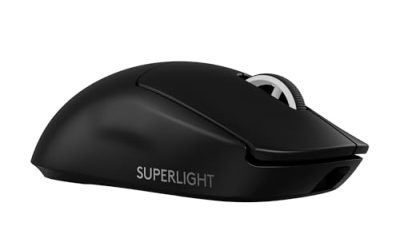
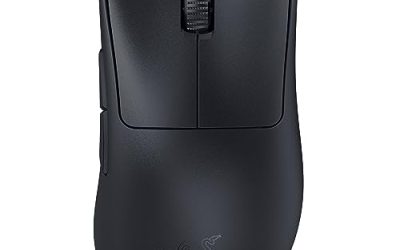
Our Short List of 3

- Sensor: Razer Focus Pro 30K optical, up to 30,000 DPI, 750 IPS, 70 G
- Connection: Razer HyperSpeed Wireless (2.4 GHz), 1,000 Hz polling, up to 4,000 Hz with HyperPolling dongle (sold separately)
- Switches: Razer Mechanical Mouse Switches Gen-2, 60 million clicks
- Buttons: 6 programmable

- Sensor: Razer Focus Pro 30K optical, up to 30,000 DPI, 750 IPS, 50 G
- Connection: HyperSpeed Wireless, Bluetooth, wired USB-C
- Switches: Razer Optical Mouse Switches Gen-3, 90 million clicks
- Buttons: 11 programmable

- Sensor: Razer Focus Pro 35K Optical Gen-2, up to 35,000 DPI, 750 IPS, 70 G
- Connection: HyperSpeed Wireless, Bluetooth, wired USB-C
- Switches: Razer Optical Mouse Switches Gen-3, 90 million clicks
- Controls: 13 customizable, HyperScroll tilt wheel with Smart-Reel mode
All 5 Picks at a Glance
| Product | Specs | Action |
|---|---|---|
| 1. Razer Viper V3 HyperSpeed |
| Check price on Amazon |
| 2. Razer Cobra Pro |
| Check price on Amazon |
| 3. Razer Basilisk V3 Pro 35K (White) |
| Check price on Amazon |
 4. Razer Orochi V2 (Quartz Pink) |
| Check price on Amazon |
 5. Razer Cobra (Wired) |
| Check price on Amazon |
Our Top Picks
Search for a gaming mouse animal and you land in a small menagerie. On this page, “animal” means exactly what it says: gaming mice whose model names come from animals. One maker built almost its entire mouse line on that idea. Razer names its mice after creatures, mostly snakes, which suits a brand whose own logo is a three-headed serpent. The Viper, Cobra and Orochi are all snakes, the DeathAdder is named for one of the most venomous snakes on earth, and the Basilisk borrows its name from a legendary lizard said to kill with a single glance. Rival brands lean on letters, numbers and plain descriptive words, so the animal shelf belongs to Razer almost by default. That turns out to be useful, because each creature name maps to a distinct shape family that has stayed consistent for years.
That mapping is the real point of this roundup. Say “Viper” and experienced players picture a low, symmetrical shell shaped for claw and fingertip grips. Say “Basilisk” and they picture a tall ergonomic body with a thumb rest and a tilting scroll wheel. The five mice below are current animal-named models that cover the main ways people actually play: an AA-powered esports shell, a compact wireless flagship, a feature-loaded ergonomic model, a travel mouse that runs for weeks on a single cell, and a featherweight wired option for players who never want to think about a battery. Match the creature to your grip, hand size and desk habits, and the name stops being decoration and becomes a shortcut to the right shape.
Disclosure: As an Amazon Associate, we earn from qualifying purchases made through links on this page, at no extra cost to you.
1. Razer Viper V3 HyperSpeed
- Sensor: Razer Focus Pro 30K optical, up to 30,000 DPI, 750 IPS, 70 G
- Connection: Razer HyperSpeed Wireless (2.4 GHz), 1,000 Hz polling, up to 4,000 Hz with HyperPolling dongle (sold separately)
- Switches: Razer Mechanical Mouse Switches Gen-2, 60 million clicks
- Buttons: 6 programmable
The viper is a snake built for the fast strike, and the Viper line has always been Razer’s esports shape: low, symmetrical, and light enough to flick without a second thought. The V3 HyperSpeed keeps that formula and powers it with a single AA cell, which removes charging cables from the desk entirely. With the battery fitted it weighs 82 grams, and the weight sits in the middle of the shell rather than hanging off the back, so swipes stay balanced through long sessions.
Inside is the Focus Pro 30K optical sensor, tracking up to 30,000 DPI with the smooth, predictable feel competitive players expect from Razer’s flagship sensor family. The Gen-2 mechanical switches are rated for 60 million clicks, six buttons are programmable, and the standard wireless link polls at 1,000 Hz. Players who want more can add the HyperPolling Wireless Dongle later and lift the rate to 4,000 Hz, which makes this a sensible first step into high-polling play. Battery life is the headline, though: up to 280 hours on one AA cell means weeks of play between swaps, and a spare cell in a drawer ends every low-battery worry. For claw and fingertip players who want a proven snake-shaped shell without a charging routine, this is the natural starting point.
2. Razer Cobra Pro
- Sensor: Razer Focus Pro 30K optical, up to 30,000 DPI, 750 IPS, 50 G
- Connection: HyperSpeed Wireless, Bluetooth, wired USB-C
- Switches: Razer Optical Mouse Switches Gen-3, 90 million clicks
- Buttons: 11 programmable
Cobras are compact, alert snakes, and the Cobra Pro is the small flagship of this list: a short, low shell that packs Razer’s full feature set into a body that suits small and medium hands. It runs on HyperSpeed Wireless for gaming, Bluetooth for a second machine, and a USB-C cable when you want to play while it charges, so one mouse can cover a gaming PC and a laptop without any swapping of dongles.
The Focus Pro 30K sensor and Gen-3 optical switches match the hardware in Razer’s larger flagships, and the optical switches actuate with light rather than metal contacts, which removes the debounce delay and the worn-contact double clicks that end the useful life of many mice. Eleven programmable buttons is generous for a shell this size, and the Chroma underglow gives it the full lighting treatment, with a gradient glow that spills onto the desk. At 77 grams it stays easy to lift and reposition, and it can charge on the Razer Mouse Dock Pro if you add one later. If your hands are on the smaller side and you still want flagship internals, the Cobra Pro is the animal on this page that was drawn for you.
3. Razer Basilisk V3 Pro 35K (White)
- Sensor: Razer Focus Pro 35K Optical Gen-2, up to 35,000 DPI, 750 IPS, 70 G
- Connection: HyperSpeed Wireless, Bluetooth, wired USB-C
- Switches: Razer Optical Mouse Switches Gen-3, 90 million clicks
- Controls: 13 customizable, HyperScroll tilt wheel with Smart-Reel mode
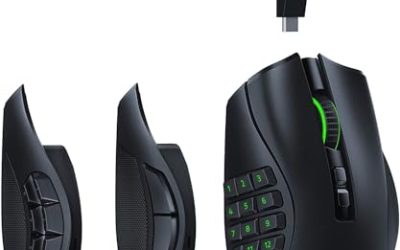
The basilisk of legend was a king of serpents with a crown-like crest, and Razer’s Basilisk is the king-sized entry here: a tall, wide, right-handed ergonomic shell with a deep thumb rest, finished in white. This is the mouse for players who want controls everywhere. Thirteen customizable controls include a multi-function trigger by the thumb and a HyperScroll tilt wheel that clicks sideways, free-spins through long pages, clicks through weapons with tactile steps, or switches between those modes on its own depending on how fast you spin it.
The sensor is the newer Focus Pro 35K Optical Gen-2, with sensitivity adjustable in single-DPI steps and tracking that holds up even on glass. Battery life stretches to 140 hours on the HyperSpeed link and 210 hours on Bluetooth, and the Gen-3 optical switches carry the same 90-million-click lifespan as the Cobra Pro. The trade-offs are size and mass: at 112 grams and 130 mm long, this is a deliberate, planted mouse for palm grips and medium-to-large hands, and fingertip players will find it a handful. For MMO, strategy and mixed work-and-play desks, though, no other animal on this page offers this much control hardware in one shell.
4. Razer Orochi V2 (Quartz Pink)
- Sensor: Razer 5G Advanced 18K optical, up to 18,000 DPI, 450 IPS, 40 G
- Connection: HyperSpeed Wireless (2.4 GHz) and Bluetooth
- Switches: Razer Mechanical Mouse Switches Gen-2, 60 million clicks
- Buttons: 6 programmable
The orochi of Japanese legend is a many-headed serpent, and Razer gave the name to its most adaptable mouse: a small travel shell that connects two ways, feeds on two battery sizes, and works almost anywhere. The Orochi V2 pairs HyperSpeed Wireless for play with Bluetooth for everything else, and it runs on either an AA or a AAA cell, so you can trade a little weight for a longer runtime or lighten the mouse when every gram matters on the road.
Without a battery it weighs under 60 grams, and the rated endurance is the longest on this page by a wide margin: up to 950 hours on Bluetooth and up to 425 hours on the HyperSpeed link from a single AA cell. The 5G Advanced 18K optical sensor and second-generation mechanical switches keep it honest as a gaming mouse rather than a travel accessory, and six programmable buttons cover the essentials. This Quartz Pink listing adds a splash of colour that most gaming gear avoids. For laptop bags, small desks and small hands, the Orochi is the creature that fits where the bigger animals cannot.
5. Razer Cobra (Wired)
- Sensor: optical, up to 8,500 DPI, adjustable in 50-DPI steps
- Connection: wired, Razer Speedflex cable, 1,000 Hz polling
- Switches: Razer Optical Mouse Switches Gen-3, 90 million clicks
- Buttons: 6 programmable
The wired Cobra takes the same compact snake shape as its Pro sibling and strips it back to the essentials: a cable, a capable sensor, and a 58-gram shell that feels closer to the much-loved Viper Mini than to anything else in the current range. For players with small hands who play claw or fingertip, this is one of the few modern mice that still respects that size class instead of pushing every design larger.
It keeps the important hardware. The Gen-3 optical switches bring the same 90-million-click lifespan and immunity to worn-contact double clicks as the flagship models, the Speedflex cable bends out of the way instead of dragging, and the feet are pure PTFE. The 8,500 DPI optical sensor is modest next to the 30K units above, but sensitivity ceilings far beyond that range are headroom almost no one uses, and in 50-step increments the adjustment is fine enough to land on a setting that feels right. Chroma underglow survives the simplification, so the desk still gets its glow. If you want the animal-name shape with zero battery management and zero wireless variables, the wired Cobra is the honest, simple pick.
How to Choose an Animal-Named Gaming Mouse
Start with the name, because on this page the name is a shape code. Viper means a low symmetrical shell for claw and fingertip grips. Cobra means a smaller symmetrical shell for compact hands. Basilisk means a tall ergonomic body with a thumb rest, a tilt wheel and the longest control list. Orochi means a portable shell built around battery flexibility. Once you know which family fits your hand, the rest of the decision gets much easier, because sensors across this list are all well past the point where tracking quality decides games.
Grip and hand size come next. Measure your hand from wrist to the tip of your middle finger, then be honest about how you hold the mouse. Palm players rest the whole hand on the shell and do best with the Basilisk’s height and support. Claw and fingertip players steer with their fingers and usually prefer the Viper or either Cobra, where the low back leaves room for micro-adjustments. Small hands should look hard at the Cobra pair and the Orochi before considering anything else here.
Then pick a battery strategy. The Viper V3 HyperSpeed and Orochi V2 run on AA cells you swap in seconds, and both last for weeks or months per cell, which suits travel and tidy desks. The Cobra Pro and Basilisk V3 Pro 35K carry internal rechargeable batteries and top up over USB-C or an optional dock. The wired Cobra removes the question entirely. None of these approaches is wrong; the right one is the one that matches how often you move between desks.
Finally, check the exact listing before ordering. Colour variants such as the white Basilisk and the Quartz Pink Orochi are separate listings with their own product pages, and marketplace sellers sometimes mix photos between versions. Confirm the colour, the model number and the connection types on the page itself, and you will get the animal you intended.
FAQ
Why are so many gaming mice named after snakes?
Razer’s first gaming mouse, the Boomslang from the turn of the century, took its name from a venomous African snake, and the theme stuck. Snakes suggest speed, precision and a certain menace, which is exactly the image gaming gear sells, so the Viper, Cobra, DeathAdder, Orochi and their relatives followed. The habit became a brand signature, and because each name stayed attached to one shape family, the names now work as a quick guide to size and grip style.
Does the animal name change how a mouse actually plays?
The name itself changes nothing, but the family behind it does. Razer keeps each creature attached to a consistent shell: Vipers stay low and symmetrical, Basilisks stay tall and ergonomic, and the Orochi stays small and travel-ready. So while no sensor or switch knows what the mouse is called, choosing by name is a reliable shortcut to choosing by shape, which is the single biggest factor in how a mouse feels over a long session.
Are animal-named gaming mice only made by Razer?
Almost entirely, at least among current models from the major brands. Logitech, SteelSeries and Corsair mostly use model numbers, letters and descriptive words, while Razer built its identity on creature names and still does. A few smaller brands have used names like Griffin or Shark in the past, and Mad Catz built a line around the R.A.T., but for a new mouse with a true animal name and current hardware, Razer’s menagerie is where the selection lives today.
Which of these animal-named mice suits small hands best?
The wired Cobra and the Orochi V2 are the two compact shells here. The Cobra gives you a 58-gram wired mouse with flagship-grade optical switches, while the Orochi adds dual wireless modes and the longest battery life on the page in a shell that travels well. The Cobra Pro is the step up for small hands that want wireless and more buttons. Players with larger hands and a palm grip should start at the other end of the list, with the Basilisk V3 Pro 35K.
FAQ
Why are so many gaming mice named after snakes?
Does the animal name change how a mouse actually plays?
Are animal-named gaming mice only made by Razer?
Which of these animal-named mice suits small hands best?
More from Amazon
Programs that pair well with the guide above. Offers and eligibility are set by Amazon and may change.
Free shipping on eligible items, Prime Video and more. Eligible new members can start with a free trial.
Start a Prime free trialAd-free music streaming. Eligible new subscribers can start with a free trial.
Try Music Unlimited freeA Prime membership for ages 18-24 with a trial period. Eligibility is set by Amazon.
See Prime for Young AdultsAudiobooks and podcasts to listen to on the go. Eligible new members can start with a free trial.
Try Audible freeAs an Amazon Associate we earn from qualifying purchases.