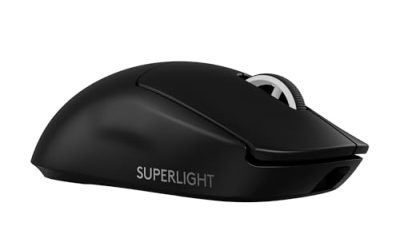
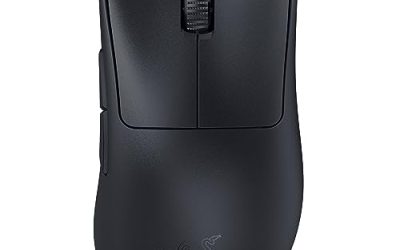
Our Short List of 3

- Sensor: Razer Focus Pro 35K Optical Gen-2, up to 35,000 DPI, 1-DPI steps
- Tracking: up to 750 IPS, up to 70 G acceleration, tracks on glass
- Switches: Razer Optical Gen-3, up to 90 million clicks, 0.2 ms actuation
- Connection: HyperSpeed wireless, Bluetooth and USB-C wired

- Sensor: ROG AimPoint Pro optical, up to 42,000 DPI
- Tracking: up to 750 IPS, up to 50 G acceleration, tracks on glass
- Switches: ROG Optical Micro Switches, up to 100 million clicks
- Connection: 2.4 GHz SpeedNova wireless, Bluetooth and USB-C wired

- Sensor: Glorious BAMF 2.0 optical, up to 26,000 DPI
- Tracking: up to 650 IPS, up to 50 G acceleration
- Switches: Glorious optical, 0.2 ms response, up to 100 million clicks
- Connection: 2.4 GHz wireless and USB-C wired
All 4 Picks at a Glance
| Product | Specs | Action |
|---|---|---|
| 2. Razer Basilisk V3 Pro 35K (Black) |
| Check price on Amazon |
| 3. ASUS ROG Keris II Ace (White) |
| Check price on Amazon |
| 4. Glorious Model O 2 PRO 4K/8K (White) |
| Check price on Amazon |
 5. Logitech G502 X Wired (White) |
| Check price on Amazon |
Our Top Picks
“Double click” means two different things to mouse buyers, and this guide covers both honestly. The first group plays games where rapid, deliberate double clicking is a technique in its own right: fast repeated clicks in Minecraft PvP, rhythm games, MOBAs and click-heavy strategy titles, where a switch has to register two clean actuations in a fraction of a second, every time, without merging them into one input or dropping the second click. The second group is tired of the opposite problem, the faulty double click, where a worn mechanical switch starts firing twice on a single press, ruining aim, dragging icons across the desktop and closing tabs you meant to keep.
Both problems trace back to the same component, so every pick here attacks it directly. Mechanical switches rely on two metal contacts that physically bounce when they meet, and firmware has to wait out that bounce with a debounce delay before trusting the signal. As the contacts wear, the bounce grows, the delay stops being enough, and phantom double clicks appear. Optical switches remove the contact entirely: a beam of light is interrupted to register the click, actuation lands in about 0.2 ms with no debounce wait, and there is no contact surface to wear into misbehaviour. The five mice below all use optical or hybrid optical-mechanical primary switches, and each one is a current model with a live Amazon US listing.
Disclosure: As an Amazon Associate, we earn from qualifying purchases made through links on this page, at no extra cost to you.
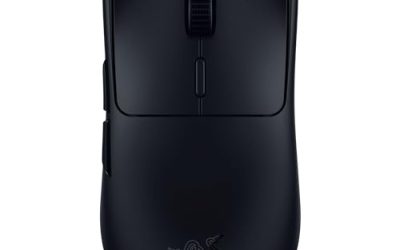
1. Razer Viper V3 Pro Faker Edition
The Viper V3 Pro is the shape competitive FPS players reach for when clicks per second matter, and this Faker Edition wraps the same hardware in the red colourway designed with the League of Legends legend himself, down to his personal settings loaded by default at 1800 DPI. The symmetrical shell weighs 54 g, which keeps rapid clicking from turning into a forearm workout, and the main buttons sit over Razer Optical Mouse Switches Gen-3. Those switches actuate with light at 0.2 ms, carry a 90-million-click lifespan figure, and are built specifically so the double-click fault that ends mechanical mice never develops.
The rest of the hardware supports the clicking. The Focus Pro 35K Optical Sensor Gen-2 tracks up to 35,000 DPI at 750 IPS, the HyperSpeed wireless link pairs with the included HyperPolling dongle for a true 8,000 Hz report rate, and battery life runs up to 95 hours at the standard 1,000 Hz setting. Players who play wired can plug in over USB-C and keep the same switches working with zero battery concerns. If your games reward the fastest possible repeated clicks and you want the esports flagship formula in a limited finish, this is the pick.
Specs
- Sensor: Razer Focus Pro 35K Optical Gen-2, up to 35,000 DPI
- Tracking: up to 750 IPS, up to 70 G acceleration
- Switches: Razer Optical Gen-3, up to 90 million clicks, 0.2 ms actuation
- Connection: HyperSpeed 2.4 GHz wireless and USB-C wired
- Polling: up to 8,000 Hz with the included HyperPolling dongle
- Battery: up to 95 hours at 1,000 Hz polling
- Buttons: 8 programmable controls
- Weight: 54 g, symmetrical shape
- Model number: RZ01-05120500-R3U1
https://www.amazon.com/dp/B0DSCV9HGJ
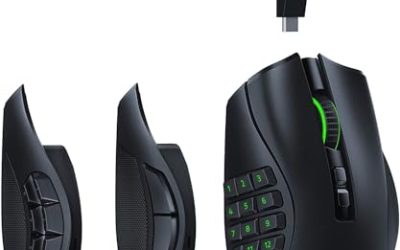
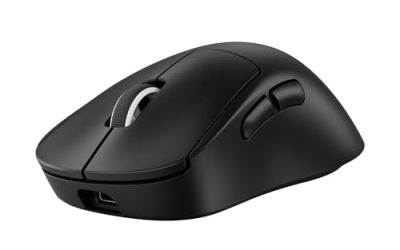
2. Razer Basilisk V3 Pro 35K (Black)
- Sensor: Razer Focus Pro 35K Optical Gen-2, up to 35,000 DPI, 1-DPI steps
- Tracking: up to 750 IPS, up to 70 G acceleration, tracks on glass
- Switches: Razer Optical Gen-3, up to 90 million clicks, 0.2 ms actuation
- Connection: HyperSpeed wireless, Bluetooth and USB-C wired
The Basilisk V3 Pro 35K is the ergonomic counterweight to the ultralight crowd: a sculpted right-handed shell with a thumb rest, thirteen zones of Chroma lighting and a feature list aimed at players who bind half their game to the mouse. Its primary buttons use the same Razer Optical Switches Gen-3 as the Viper above, so the click story is identical where it counts: 0.2 ms light-based actuation, a 90-million-click lifespan figure, and no mechanical contact inside to wear into faulty double clicking as the months of play stack up.
What changes is everything around the switches. The Focus Pro 35K Optical Sensor Gen-2 adjusts in single-DPI steps and tracks on glass, the HyperScroll tilt wheel flips between tactile steps, free-spinning and an automatic Smart-Reel mode, and thirteen customizable controls include a multi-function trigger by the thumb. Battery life stretches to 140 hours on HyperSpeed wireless and 210 hours over Bluetooth, and the mouse can reach 8,000 Hz polling with a HyperPolling dongle or Mouse Dock Pro bought separately. It is a heavy mouse at 112 g, so it suits palm-grip players who click deliberately rather than flicking constantly, but for switch reliability in a full-featured shell it is hard to beat.
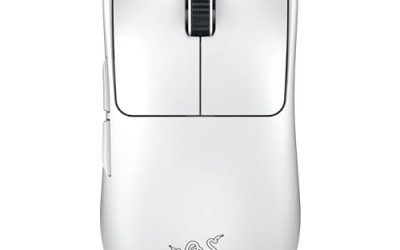
3. ASUS ROG Keris II Ace (White)
- Sensor: ROG AimPoint Pro optical, up to 42,000 DPI
- Tracking: up to 750 IPS, up to 50 G acceleration, tracks on glass
- Switches: ROG Optical Micro Switches, up to 100 million clicks
- Connection: 2.4 GHz SpeedNova wireless, Bluetooth and USB-C wired
ASUS built the Keris II Ace around its ROG Optical Micro Switches, and the company states the benefit in exactly the terms this guide cares about: consistent, instant actuation that eliminates double-click issues for competitive play, with a lifespan figure of 100 million clicks. Because the switch registers with light instead of a bending metal contact, there is no bounce for firmware to filter and no contact face to pit and oxidise over time, which are the two ingredients in every faulty double click story.
The mouse around those switches is a 54 g right-handed ergonomic shape in white bio-based nylon, shaped with input from professional FPS players. The ROG AimPoint Pro sensor reaches 42,000 DPI with deviation under one percent and tracking on glass, and the tri-mode connection covers 2.4 GHz SpeedNova wireless, Bluetooth and USB-C wired play. A ROG Polling Rate Booster sits in the box and lifts reporting to 4,000 Hz wirelessly and 8,000 Hz wired, while the battery is listed at up to 107 hours in standard use. Seven buttons, PTFE feet and an Omni Receiver that can pair a keyboard and mouse on one dongle round out a very complete package for players who want optical clicking in an ergonomic shell.
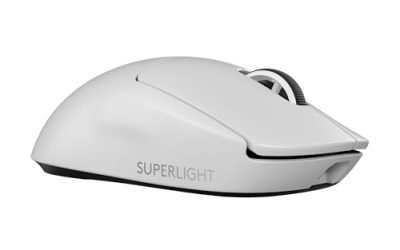
4. Glorious Model O 2 PRO 4K/8K (White)
- Sensor: Glorious BAMF 2.0 optical, up to 26,000 DPI
- Tracking: up to 650 IPS, up to 50 G acceleration
- Switches: Glorious optical, 0.2 ms response, up to 100 million clicks
- Connection: 2.4 GHz wireless and USB-C wired
Glorious states the promise of this mouse in one line: optical switches with a 0.2 ms response time and a 100-million-click lifecycle without any double clicks. The Model O 2 PRO 4K/8K is the pick for players who want that guarantee plus control over how clicks are filtered, because the Glorious CORE software exposes an adjustable debounce time from 0 to 16 ms. Dropping debounce toward zero lets deliberate, rapid double clicks register as fast as your fingers can produce them, while raising it adds a safety margin for players who only care about clean single clicks. Few mice at any level hand you that dial.
The hardware keeps pace. A BAMF 2.0 optical sensor tracks up to 26,000 DPI at 650 IPS, polling reaches 4,000 Hz over the 2.4 GHz wireless link and 8,000 Hz over the USB-C cable, and the symmetrical 59 g shell suits palm, claw and fingertip grips on medium to large hands. Battery life runs up to 80 hours at 1,000 Hz and up to 35 hours with 4,000 Hz polling switched on, and six buttons keep the layout clean for FPS play. In this white finish it is also the brightest-looking mouse in the guide, with a smooth matte shell and no lighting zones to drain the cell.
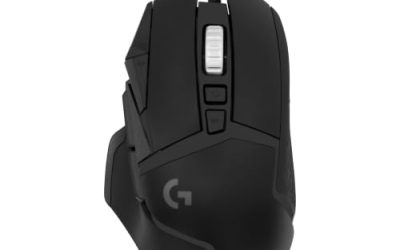
5. Logitech G502 X Wired (White)
- Sensor: Logitech HERO 25K optical, up to 25,600 DPI
- Switches: LIGHTFORCE hybrid optical-mechanical primary switches
- Connection: wired USB
- Buttons: 9, including a reversible and removable DPI-shift button
The G502 X takes the hybrid route. Its LIGHTFORCE primary switches pair a mechanical contact feel with optical actuation: the click still lands with the crisp, tactile snap players expect from the G502 line, but the signal itself is registered by light, so the switch does not depend on metal contacts meeting cleanly. That removes the bounce-driven wear pattern behind faulty double clicks while keeping the most familiar button feel in gaming, which makes this the easiest recommendation for anyone burned by a failing mechanical mouse who does not want to relearn how a click should feel.
Everything else is classic G502, refined. The HERO 25K sensor tracks up to 25,600 DPI with no smoothing, filtering or acceleration, the dual-mode scroll wheel swaps between a hyper-fast free spin and precise ratchet steps and tilts for two more inputs, and the DPI-shift button by the thumb can be reversed or removed entirely to suit your grip. The wired connection keeps weight at 89 g with no battery to manage, onboard memory stores five profiles, and this white finish pairs with light desk setups better than the standard black. For players who want optical reliability with a mechanical heartbeat, the G502 X is the bridge between the two worlds.
Buying Guide: What Makes a Mouse Good at Double Clicking
Start with the switch, because it decides both halves of this guide. A mechanical switch closes a circuit with two metal leaves. The leaves bounce for a few milliseconds on every press, so the firmware waits, a delay called debounce, before it accepts the click. When the mouse is new, that system works. After heavy use the leaves pit and oxidise, the bounce outgrows the delay, and single presses start registering twice. An optical switch replaces the leaves with an infrared beam and a sensor. Breaking the beam is the click. There is nothing to bounce and nothing to wear in the signal path, so actuation is faster, the lifespan figure climbs to 90 or 100 million clicks, and the faulty double click has no mechanism to develop. A hybrid design like LIGHTFORCE keeps a mechanical feel under the finger while still reading the press optically, which splits the difference for players who dislike the lighter optical click feel.
Debounce control is the second thing to look for, and it matters most to the technique players. If you play games where deliberate double clicking, butterfly clicking or drag clicking are part of the skill set, a mouse that lets you lower debounce in software will register your second click sooner and more consistently. The Model O 2 PRO above exposes that setting directly. Fixed-debounce optical mice still register extremely fast repeated clicks because their baseline delay is so small, but a tunable slider is the closest thing to a dedicated tool for the job. Check your game’s rules before leaning on any technique, though: some servers and communities restrict extreme click methods or treat them as an unfair advantage, and no mouse setting is worth an account penalty.
Polling rate is the third factor, and it is easy to overvalue. A 1,000 Hz mouse reports its state a thousand times per second, which already covers any human clicking speed with room to spare. The 4,000 Hz and 8,000 Hz modes on several picks here shrink the gap between a click landing and the computer hearing about it, which helps the overall input chain feel immediate, but they also drain wireless batteries several times faster. Treat high polling as a nice bonus for wired play or short sessions, not a requirement for clean double clicks.
Finally, fit the shape to the technique. Rapid repeated clicking is usually a fingertip or claw-grip activity, and light symmetrical mice like the Viper V3 Pro and Model O 2 PRO let the fingers work without moving the whole hand. Palm-grip players who click in bursts between abilities are better served by the Basilisk or G502 X, where the shell supports the hand and extra buttons sit under the thumb. Button tension matters too: lighter, crisper main buttons tire fingers less over a long session of repeated clicking than stiff ones, whatever the switch technology inside.
FAQ
What causes a gaming mouse to start double clicking on its own?
The usual cause is wear inside a mechanical switch. Each press slams two metal contacts together, and over time the contact surfaces deform and oxidise, which makes the electrical signal bounce for longer than the firmware’s debounce window allows. The mouse reads that extended bounce as two separate presses. Heat, humidity and dust accelerate the process, which is why the fault often appears after a year or two of heavy play and gets worse rather than better. Optical switches sidestep the whole mechanism because no electrical contact is made or broken when you click.
Do optical switches feel different from mechanical ones?
Yes, slightly. Optical switches tend to feel lighter and crisper, with a cleaner break and less of the deep tactile thock that a metal leaf produces, and some players find them less satisfying for slow, deliberate clicks. Others prefer them precisely because the actuation is so consistent from the first click to the millionth. Hybrid switches such as the LIGHTFORCE units in the G502 X exist for the undecided: they keep a mechanical contact feel under the finger while the actual registration happens optically.
Does a lower debounce setting really help deliberate double clicking?
It can. Debounce is a short lockout after each registered click during which further signals are ignored, included to hide contact bounce. On an optical mouse there is no bounce to hide, so lowering the setting toward zero lets a genuine second click register sooner, which is exactly what butterfly and drag clicking techniques need. The trade-off is that an extremely low setting on a worn mechanical mouse would invite phantom clicks, which is another reason the technique crowd has moved to optical hardware with tunable software.
Should I pick wired or wireless for fast, repeated clicking?
Either works. Modern 2.4 GHz wireless links from Razer, ASUS, Glorious and Logitech report at 1,000 Hz by default and show no practical lag for clicking, and several picks here push to 4,000 or 8,000 Hz wirelessly for players chasing the lowest possible latency. Wired play removes battery management from the equation and usually unlocks the highest polling mode, so it suits marathon sessions at a fixed desk. Choose based on your setup and how often you want to think about charging, not on click performance.
FAQ
What causes a gaming mouse to start double clicking on its own?
Do optical switches feel different from mechanical ones?
Does a lower debounce setting really help deliberate double clicking?
Should I pick wired or wireless for fast, repeated clicking?
More from Amazon
Programs that pair well with the guide above. Offers and eligibility are set by Amazon and may change.
Free shipping on eligible items, Prime Video and more. Eligible new members can start with a free trial.
Start a Prime free trialAd-free music streaming. Eligible new subscribers can start with a free trial.
Try Music Unlimited freeA Prime membership for ages 18-24 with a trial period. Eligibility is set by Amazon.
See Prime for Young AdultsAudiobooks and podcasts to listen to on the go. Eligible new members can start with a free trial.
Try Audible freeAs an Amazon Associate we earn from qualifying purchases.