Our Short List of 3

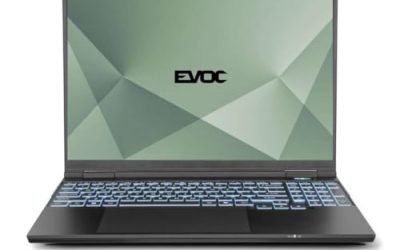
- Best for: Raiders and dungeon runners who play in crowded group content most nights.
- Processor: AMD Ryzen 7 8845HS
- Graphics: NVIDIA GeForce RTX 4060
- Memory: 32GB DDR5
- Storage: 1TB SSD

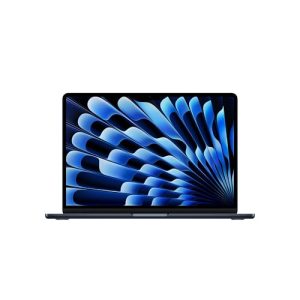
- Best for: Long nightly sessions with add-ons, voice chat and a browser open beside the game.
- Processor: AMD Ryzen 7 7435HS
- Graphics: NVIDIA GeForce RTX 4060
- Memory: 32GB RAM
- Storage: 1TB SSD

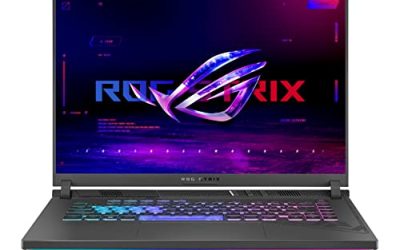
- Best for: Players who value the highest refresh rate and a large screen for fast-paced MMO combat.
- Processor: Intel Core i7-13650HX
- Graphics: NVIDIA GeForce RTX 4060 140W
- Memory: 16GB DDR5
- Storage: 512GB SSD
All 3 Picks at a Glance
| Product | Specs | Action |
|---|---|---|
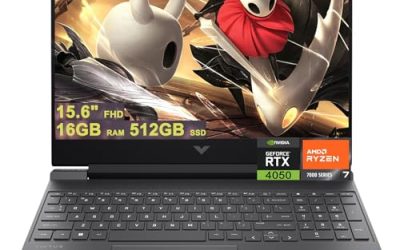
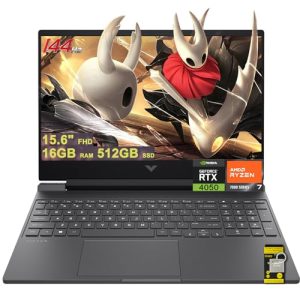
| MSI Katana A15 AI |
| Check price on Amazon |
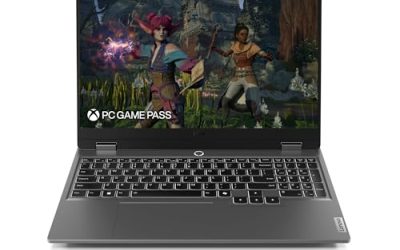
| Lenovo LOQ 15 |
| Check price on Amazon |
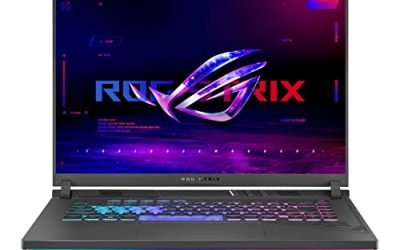
| ASUS ROG Strix G16 |
| Check price on Amazon |
Key takeaways
- Compare three gaming laptops for MMO play by processor, graphics, memory and display, using Amazon listing specs to find a smooth fit for raids.
An MMO asks a laptop to do two jobs at once. In a questing zone almost any gaming machine feels fast, but in a crowded city or a raid the screen fills with other players, spell effects and chat, and the processor and memory suddenly matter as much as the graphics card. The real decision is which laptop holds a steady frame rate when forty players stack on the same boss, not which one posts the highest numbers on a spec sheet.
This guide fits players who spend evenings in World of Warcraft, Final Fantasy XIV, The Elder Scrolls Online, Guild Wars 2 and similar worlds, including raiders, dungeon runners and players who keep voice chat, a browser and add-ons open beside the game. It fits anyone replacing a laptop that stutters in crowded zones. Every pick below was chosen from the names and specifications on its Amazon product page, and each one pairs a graphics card with a high refresh display and enough memory for long sessions.
Quick Picks
As an Amazon Associate we earn from qualifying purchases.
| Product | Best for | Key spec from title |
|---|---|---|
| MSI Katana A15 AI | Raids with many players on screen | Ryzen 7 8845HS, RTX 4060, 32GB DDR5, 1TB SSD, 15.6-inch 144Hz |
| Lenovo LOQ 15 | Long sessions with add-ons and voice chat | Ryzen 7 7435HS, RTX 4060, 32GB RAM, 1TB SSD, 15.6-inch FHD 144Hz |
| ASUS ROG Strix G16 | Fast-paced MMO combat and high refresh play | Core i7-13650HX, RTX 4060 140W, 16GB DDR5, 512GB SSD, 16-inch 165Hz |
How to Choose
Processor Power for Crowded Zones
An MMO puts more work on the processor than most other game genres. Every nearby player, non-player character and combat event adds work, and a raid boss fight can double that load in seconds. A modern multi-core processor such as a Ryzen 7 or a Core i7 HX chip keeps ability rotations responsive and stops the game from freezing briefly when a new group of players loads in. Before you buy, check the processor generation and core count on the listing, and treat a chip from the last two generations as the safer choice for games that keep adding players and systems with every expansion.
Graphics and Display Refresh
The graphics card sets how high you can push draw distance, shadows and spell effects before the frame rate falls, and in an MMO those settings shape how much of a busy zone you can actually see. A GeForce RTX 4060 laptop card handles current MMO titles at high settings on a 1080p or 1600p screen, and it leaves headroom for the particle effects that fill a raid encounter. The display matters just as much: a 144Hz or 165Hz panel shows movement more smoothly than a 60Hz panel, which helps when you need to step out of a ground effect quickly or track a moving boss.
Memory and Storage for Long Sessions
Memory decides how many things you can keep open while you play. An MMO client, voice chat, a web browser with guides, and a set of add-ons can use a large share of system memory together, and 32GB gives that mix room to breathe without forcing the game to swap data to the drive. Storage matters for a different reason: modern MMO installs are large, and expansions add to them every year, so a 1TB solid state drive holds the game, the operating system and a second title without constant uninstalling. A 512GB drive still works, but you will manage space more often.
Cooling, Keyboard and Everyday Comfort
Long MMO sessions punish a laptop that runs hot. When a machine heats up it slows the processor and graphics card to protect itself, and that slowdown shows up as a frame rate that starts strong and then sags an hour into a raid night. Look for a listing that mentions dual fans or a larger cooling design, and read the listing details for vent placement before you decide where the laptop will sit. The keyboard matters too, since MMO play leans on hotkeys and long typing stretches, so a layout with a full number row, well spaced keys and a comfortable palm rest makes a real difference over months of play.
The 3 Best Options
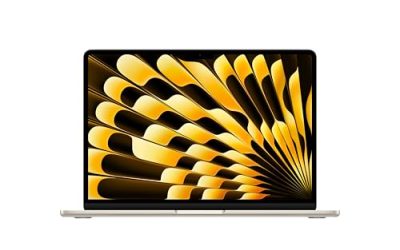
MSI Katana A15 AI
- Best for: Raiders and dungeon runners who play in crowded group content most nights.
- Processor: AMD Ryzen 7 8845HS
- Graphics: NVIDIA GeForce RTX 4060
- Memory: 32GB DDR5
- Storage: 1TB SSD
Raiders and dungeon runners who play in crowded group content most nights.
Check the exact configuration on the listing before ordering, since the Katana A15 AI family ships in several memory and storage combinations.
The MSI Katana A15 AI is the pick for players whose MMO time is mostly raids, dungeons and other group content where the screen stays busy. Its Ryzen 7 8845HS processor has the headroom to track dozens of players and combat events at once, and the 32GB of DDR5 memory keeps voice chat, add-ons and a browser open beside the game without crowding the system. The RTX 4060 graphics card and the 144Hz display keep ability effects readable at speed, and the 1TB solid state drive leaves room for a large MMO install plus future expansions without forcing you to uninstall games to make space.
Watch out for: Check the exact configuration on the listing before ordering, since the Katana A15 AI family ships in several memory and storage combinations.
Lenovo LOQ 15
- Best for: Long nightly sessions with add-ons, voice chat and a browser open beside the game.
- Processor: AMD Ryzen 7 7435HS
- Graphics: NVIDIA GeForce RTX 4060
- Memory: 32GB RAM
- Storage: 1TB SSD
Long nightly sessions with add-ons, voice chat and a browser open beside the game.
Confirm the listed configuration matches the 32GB memory and 1TB storage shown here, since this listing appears in a bundle style format and configurations can vary.
The Lenovo LOQ 15 suits players who treat an MMO as a second home and keep the game running for hours alongside everything else. Its Ryzen 7 7435HS processor and RTX 4060 graphics card cover current MMO titles at high settings, while 32GB of memory gives add-ons, voice chat and a browser the space they need during long sessions. The 15.6-inch Full HD display runs at 144Hz, so movement in combat and crowded towns looks smooth, and the 1TB solid state drive holds a large game install with room left for expansions and a second game or two.
Watch out for: Confirm the listed configuration matches the 32GB memory and 1TB storage shown here, since this listing appears in a bundle style format and configurations can vary.
ASUS ROG Strix G16
- Best for: Players who value the highest refresh rate and a large screen for fast-paced MMO combat.
- Processor: Intel Core i7-13650HX
- Graphics: NVIDIA GeForce RTX 4060 140W
- Memory: 16GB DDR5
- Storage: 512GB SSD
Players who value the highest refresh rate and a large screen for fast-paced MMO combat.
The 512GB drive fills up faster with large MMO installs, so check how much free space your current game and its expansions need before you buy.
The ASUS ROG Strix G16 is the pick for players who want the fastest-feeling screen of the three and a processor built for heavy loads. Its Core i7-13650HX processor and full-power 140W RTX 4060 graphics card handle busy MMO zones without giving up settings, and the 16-inch display runs at 165Hz, which makes fast combat and quick movement feel noticeably smoother than a standard display. The 16GB of DDR5 memory covers the game plus voice chat and a few add-ons, and the 512GB solid state drive keeps load times short, though you will manage space sooner than on a 1TB machine.
Watch out for: The 512GB drive fills up faster with large MMO installs, so check how much free space your current game and its expansions need before you buy.
Which One Fits Your Situation
Raids and Large-Scale Battles
If your week revolves around raid nights and large battles, pick the MSI Katana A15 AI. Its Ryzen 7 8845HS processor and 32GB of DDR5 memory are built for the moments when dozens of players and spell effects fill the screen at once, and the RTX 4060 keeps the frame rate steady while the fight runs long. The 144Hz display keeps movement readable when you need to reposition quickly.
Long Evenings with Add-Ons and Voice Chat
If you play for hours with a full add-on set, voice chat and a browser full of guides, pick the Lenovo LOQ 15. The 32GB of memory gives every open program room to run, the 1TB drive holds your game and its expansions, and the 144Hz Full HD display keeps long sessions looking smooth without demanding more from the graphics card than it can give.
Fast Combat on a Big Screen
If you want the smoothest motion and the largest screen of the three, pick the ASUS ROG Strix G16. Its 165Hz 16-inch display and full-power 140W RTX 4060 make quick turns, dodges and target switching feel immediate, and the Core i7-13650HX processor keeps the game responsive when a zone fills with other players. Plan around the 512GB drive if your game library is large.
A First Gaming Laptop for MMO Play
If this is your first gaming laptop and you mainly quest, level characters and run the occasional dungeon, any of the three will serve you well, but the Lenovo LOQ 15 is the easiest starting point. Its 32GB of memory and 1TB of storage mean you will not need an upgrade soon, and its RTX 4060 graphics card covers current MMO titles at high settings while you learn which settings and add-ons you actually use.
Common Mistakes
- Buying for the graphics card alone and ignoring the processor, even though crowded MMO zones load the processor hardest.
- Choosing 16GB of memory and then running the game, voice chat, a browser and a full add-on set at the same time.
- Picking a 512GB drive for a game that grows with every expansion, then spending evenings uninstalling things to make room.
- Setting every graphics option to maximum in a raid and blaming the laptop when the frame rate falls during the busiest fights.
- Forgetting that a laptop placed on soft bedding blocks its vents, so it heats up and slows down partway through a long session.
Frequently Asked Questions
How much memory does an MMO gaming laptop need?
For most MMO players, 16GB is the workable minimum and 32GB is the comfortable choice. The game alone can use a large share of memory, and voice chat, a browser and add-ons add more on top. With 32GB you can keep everything open during a raid without the system slowing down, while 16GB asks you to close background programs first.
Is an RTX 4060 enough for modern MMO games?
Yes, an RTX 4060 laptop card handles current MMO titles at high settings on a 1080p or 1600p display. MMO graphics are less demanding than the newest single-player blockbusters, so the card has headroom for draw distance and spell effects. If you also play demanding action games at high resolution, that is where a stronger card starts to matter.
Does a 144Hz or 165Hz display matter for MMO play?
It matters more than many players expect. A higher refresh display shows movement and ability effects more smoothly, which helps you notice ground effects and react to boss mechanics sooner. The difference is clearest in fast combat and crowded zones, and once you play on a 144Hz or faster panel, a 60Hz display feels noticeably less responsive.
Should I pick a 15.6-inch or a 16-inch gaming laptop for MMO games?
A 16-inch laptop gives you a slightly larger view of the interface, which helps when your screen holds action bars, raid frames and chat at the same time. A 15.6-inch laptop is a little easier to carry and fits more bags and desks. Both sizes in this guide run at 144Hz or faster, so choose by how much you travel with the machine and how crowded your interface is.
FAQ
How much memory does an MMO gaming laptop need?
Is an RTX 4060 enough for modern MMO games?
Does a 144Hz or 165Hz display matter for MMO play?
Should I pick a 15.6-inch or a 16-inch gaming laptop for MMO games?
More from Amazon
Programs that pair well with the guide above. Offers and eligibility are set by Amazon and may change.
Free shipping on eligible items, Prime Video and more. Eligible new members can start with a free trial.
Start a Prime free trialAd-free music streaming. Eligible new subscribers can start with a free trial.
Try Music Unlimited freeA Prime membership for ages 18-24 with a trial period. Eligibility is set by Amazon.
See Prime for Young AdultsAudiobooks and podcasts to listen to on the go. Eligible new members can start with a free trial.
Try Audible freeAs an Amazon Associate we earn from qualifying purchases.