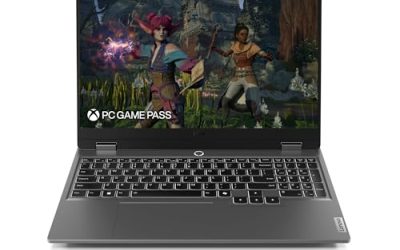
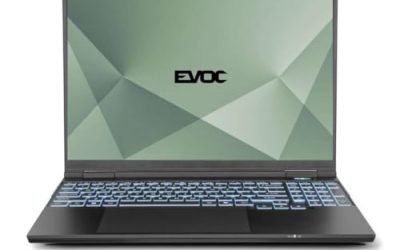
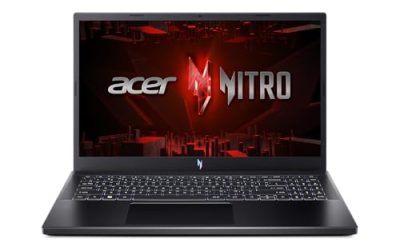
Our Short List of 3

- Best for: Players who want a tough, compact laptop for long sessions and fast-paced games.
- 14-inch WQXGA 16:10 display, 2560 x 1600, 165Hz
- AMD Ryzen AI 9 HX 370 processor
- NVIDIA GeForce RTX 4060 laptop GPU with dedicated MUX switch
- 16GB LPDDR5X memory
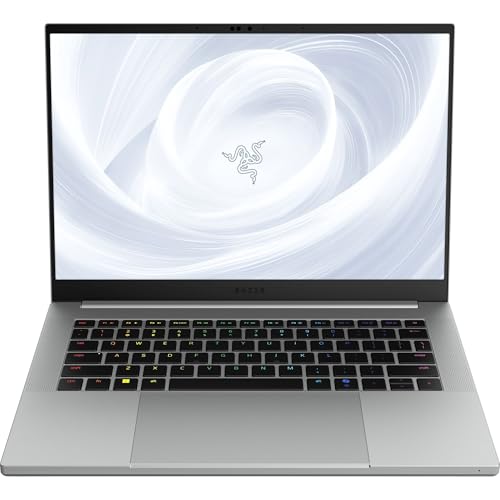
- Best for: Professionals who want one thin laptop for work by day and serious gaming at night.
- 14-inch 3K OLED display, 2880 x 1800, 120Hz, 0.2ms response time
- AMD Ryzen AI 9 365 processor, 10 cores, up to 5.0GHz
- NVIDIA GeForce RTX 5070 laptop GPU, 8GB GDDR7, up to 115W TGP
- 32GB LPDDR5X RAM, 8000MHz

- Best for: Players who want the strongest graphics card in a 14-inch-class body for demanding games.
- 14.5-inch WQXGA+ IPS display, 165Hz, full sRGB colour
- Intel Core Ultra 9 185H processor, up to 5.1GHz
- NVIDIA GeForce RTX 4070 graphics, 8GB GDDR6
- 16GB LPDDR5X memory
All 3 Picks at a Glance
| Product | Specs | Action |
|---|---|---|
| ASUS TUF Gaming A14 |
| Check price on Amazon |
| Razer Blade 14 (2025) |
| Check price on Amazon |
| Acer Predator Helios Neo 14 |
| Check price on Amazon |
Key takeaways
- Four 14-inch gaming laptops compared by GPU, display, memory and storage, from the Zephyrus G14 and TUF A14 to the Blade 14 and Helios Neo 14.
A 14-inch gaming laptop forces a real trade-off. You gain a machine that fits in a backpack and works on a small desk, and you give up screen space, cooling headroom and, in many cases, upgrade options. The mistake is to shop by GPU name alone, because the same graphics chip can run at very different power levels in a compact chassis, and that gap shows up in frame rates. The right question is how much performance the maker squeezed into this exact body, and what you gave up to get it.
This guide is for commuters and students who carry their laptop every day, for players who want one machine for work and evening games, and for anyone downsizing from a 15-inch or 16-inch laptop without losing dedicated graphics. Every pick below was chosen from the model name and specifications on its Amazon product page, so the processors, graphics cards, memory, storage and displays quoted here are the configurations actually listed, not a wider range from the maker.
Quick Picks
As an Amazon Associate we earn from qualifying purchases
| Product | Best for | Key spec from title |
|---|---|---|
| ASUS ROG Zephyrus G14 (2024) | Lightest daily carry with a sharp OLED screen | RTX 4060, 14-inch 3K 120Hz OLED |
| ASUS TUF Gaming A14 | Durable compact pick for long gaming sessions | RTX 4060, 14-inch WQXGA 165Hz display |
| Razer Blade 14 (2025) | Thinnest premium pick for work and play | RTX 5070, 14-inch 3K 120Hz OLED |
| Acer Predator Helios Neo 14 | Strongest graphics in this size for demanding games | RTX 4070, 14.5-inch 165Hz display |
How to Choose
Check the GPU power limit, not just the GPU name
Two laptops can carry the same graphics chip and play very differently, because a 14-inch body limits how much heat the cooling system can move. The listing for the Zephyrus G14 states its RTX 4060 runs with ROG Boost up to 90W, while the Blade 14 listing puts its RTX 5070 at up to 115W TGP, and that difference matters more than the model number printed on the box. Before you buy, look for the wattage figure in the listing description, and treat a listing that hides it as a warning sign. A higher power limit usually means steadier frame rates in long sessions, while a lower one means a quieter, cooler machine that leans on upscaling.
Decide between OLED colour and IPS refresh rate
The display is the part you look at every minute, so it deserves as much attention as the graphics card. OLED panels in this group, such as the 3K 120Hz screens on the Zephyrus G14 and the Blade 14, give deep blacks and vivid colour that suit story-driven games and films, while the 165Hz IPS-level panels on the TUF A14 and the Helios Neo 14 refresh faster and suit fast-paced competitive play. Resolution matters too: a 3K panel looks sharper for reading and editing, but it asks more of the GPU at native resolution. Match the panel to the games you actually play, not to the specification sheet.
Treat soldered memory as a permanent decision
Several 14-inch gaming laptops solder their memory to the board, which means the RAM in the listing is the RAM you keep for the life of the machine. The Zephyrus G14 listing in this guide carries 16GB of LPDDR5X memory, and that is plenty for most current games, but it leaves little headroom if you also stream, edit video or keep dozens of browser tabs open. The Blade 14 avoids the problem by shipping with 32GB, while the Helios Neo 14 pairs 16GB with a stronger GPU. If you plan to keep the laptop for years, favour 32GB now, and check whether the storage slot is accessible before assuming you can add a second drive later.
Weigh the body, not just the specification sheet
A 14-inch laptop earns its place by being carried, so weight, thickness and cooling behaviour decide whether you actually enjoy owning it. The Blade 14 measures 0.62 inches thick and weighs 3.59 lbs, which is easy to slip into a bag, while the Zephyrus G14 weighs about 1.5 kg and the Helios Neo 14 about 4.19 lbs, a difference you feel on a long walk. Thin bodies also run warmer under load, so look for vent placement in the listing images and plan to game on a hard, flat surface. A laptop that is light on paper but loud and hot on your lap is not the portable machine you imagined.
The 4 Best Options
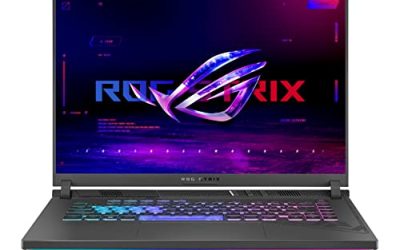
ASUS ROG Zephyrus G14 (2024)
The Zephyrus G14 is the pick for buyers who want the lightest machine in this group without giving up a premium screen. Its 14-inch 3K OLED panel at 120Hz makes games and films look rich, while the Ryzen 9 8945HS and RTX 4060 cover modern titles at 1080p and 1440p with upscaling. At about 1.5 kg it disappears into a backpack, and the aluminium shell looks at home in a lecture hall or an office. It suits commuters and students who carry their laptop everywhere and play in the evening.
Specs
- 14-inch 3K 120Hz OLED display, 2880 x 1800, wide DCI-P3 colour gamut
- AMD Ryzen 9 8945HS processor, 8 cores, up to 5.2GHz
- NVIDIA GeForce RTX 4060 graphics, 8GB GDDR6, ROG Boost up to 90W
- 16GB LPDDR5X-6400 memory, onboard
- 1TB PCIe 4.0 NVMe SSD storage
- Wi-Fi 6E and Bluetooth 5.3 connectivity
- Windows 11 operating system
Best for: Commuters and students who put low weight and a sharp OLED screen first.
Watch out for: The 16GB memory is soldered, and this listing is sold by a third-party seller, so confirm the seller terms and the exact configuration before ordering.
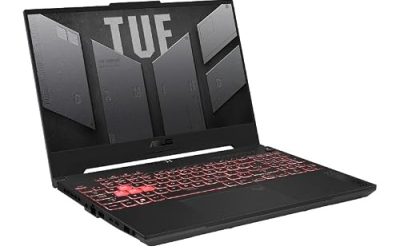
ASUS TUF Gaming A14
- Best for: Players who want a tough, compact laptop for long sessions and fast-paced games.
- 14-inch WQXGA 16:10 display, 2560 x 1600, 165Hz
- AMD Ryzen AI 9 HX 370 processor
- NVIDIA GeForce RTX 4060 laptop GPU with dedicated MUX switch
- 16GB LPDDR5X memory
Players who want a tough, compact laptop for long sessions and fast-paced games.
The listing gives 16GB of memory with no room stated for more, so heavy multitaskers should weigh the 32GB Blade 14 instead.
The TUF Gaming A14 is the durable option in this group, built for buyers who want a compact gaming laptop that can take daily knocks. Its 14-inch WQXGA display runs at 165Hz, which suits fast-paced games, and the Ryzen AI 9 HX 370 with an RTX 4060 handles modern titles while the dedicated MUX switch routes the display directly to the graphics card. The 16GB of LPDDR5X memory and 1TB PCIe Gen 4.0 SSD cover everyday gaming and multitasking, and Wi-Fi 6E keeps wireless play steady. It is the sensible pick when toughness matters as much as speed.
Watch out for: The listing gives 16GB of memory with no room stated for more, so heavy multitaskers should weigh the 32GB Blade 14 instead.
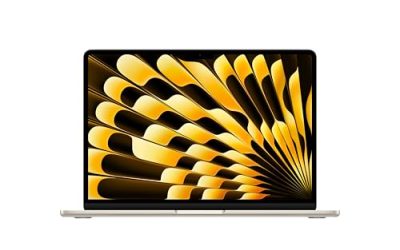
Razer Blade 14 (2025)
- Best for: Professionals who want one thin laptop for work by day and serious gaming at night.
- 14-inch 3K OLED display, 2880 x 1800, 120Hz, 0.2ms response time
- AMD Ryzen AI 9 365 processor, 10 cores, up to 5.0GHz
- NVIDIA GeForce RTX 5070 laptop GPU, 8GB GDDR7, up to 115W TGP
- 32GB LPDDR5X RAM, 8000MHz
Professionals who want one thin laptop for work by day and serious gaming at night.
The memory is soldered, so confirm the listing shows the 32GB configuration before ordering, since it cannot be changed later.
The Blade 14 is the thinnest machine here at 0.62 inches, and it pairs that slim body with the strongest graphics card in this guide. Its RTX 5070 runs at up to 115W TGP with DLSS 4 support, while the 14-inch 3K OLED display at 120Hz with a 0.2ms response time keeps motion crisp and colours vivid. The Ryzen AI 9 365 processor, 32GB of LPDDR5X memory and 1TB SSD mean you rarely wait on the machine, whether you are gaming, editing or juggling work apps. It suits professionals who carry one laptop to meetings and game at native resolution in the evening.
Watch out for: The memory is soldered, so confirm the listing shows the 32GB configuration before ordering, since it cannot be changed later.
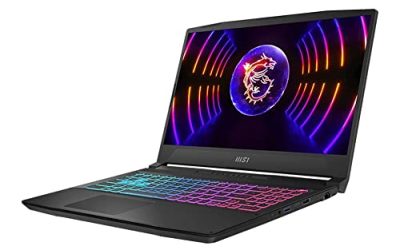
Acer Predator Helios Neo 14
- Best for: Players who want the strongest graphics card in a 14-inch-class body for demanding games.
- 14.5-inch WQXGA+ IPS display, 165Hz, full sRGB colour
- Intel Core Ultra 9 185H processor, up to 5.1GHz
- NVIDIA GeForce RTX 4070 graphics, 8GB GDDR6
- 16GB LPDDR5X memory
Players who want the strongest graphics card in a 14-inch-class body for demanding games.
The screen measures 14.5 inches rather than 14 inches exactly, and the 16GB memory is onboard, so check the fit and the memory before ordering.
The Helios Neo 14 is the pick for buyers who want the most graphics muscle in a compact body. Its RTX 4070 with 8GB of GDDR6 memory outranks the RTX 4060 cards in this group, and the Intel Core Ultra 9 processor running up to 5.1GHz keeps demanding games and creative apps moving. The 14.5-inch WQXGA+ IPS display at 165Hz with full sRGB colour suits competitive play and colour work alike, while 16GB of LPDDR5X memory and a 1TB Gen 4 SSD round out a balanced specification. It is heavier than the Blade 14, but it trades that weight for graphics headroom.
Watch out for: The screen measures 14.5 inches rather than 14 inches exactly, and the 16GB memory is onboard, so check the fit and the memory before ordering.
Which One Fits Your Situation
You carry your laptop everywhere
Take the ASUS ROG Zephyrus G14. At about 1.5 kg it is the lightest machine in this guide, and its 3K OLED screen stays sharp for reading as well as gaming. The Ryzen 9 and RTX 4060 cover everyday play, and the aluminium body survives daily bag duty better than a plastic shell.
You play fast-paced competitive games
Take the ASUS TUF Gaming A14. Its 165Hz display refreshes faster than the 120Hz OLED panels here, and the dedicated MUX switch keeps the graphics card connected directly to the screen. The tough TUF build also suits a laptop that travels to friends’ houses and LAN sessions. Pair it with a fast mouse and a wired connection for ranked matches, since the laptop itself already removes the usual display bottleneck.
One laptop has to do work and gaming
Take the Razer Blade 14. At 0.62 inches thin it looks at home in a meeting, and the 32GB of memory means work apps never fight the game for resources. The RTX 5070 and 3K OLED display then carry the evening session without compromise. Its slim body draws no attention in a meeting room, yet the screen and graphics mean you never need a second machine at home.
You want the most graphics power in a small body
Take the Acer Predator Helios Neo 14. Its RTX 4070 is the strongest graphics card in this guide, and the Core Ultra 9 processor backs it up for demanding titles and creative work. Accept the 14.5-inch screen and the extra weight as the trade for that headroom. The larger screen also gives you more room for timelines and toolbars when you edit, which suits creative work as well as play.
Safety Notes
Use the adapter that ships in the box and keep the vents clear while gaming, since a blocked vent makes a thin laptop run hot quickly. Avoid gaming on soft surfaces such as beds and cushions, which cover the air intakes underneath. If the battery swells, overheats or the laptop shuts down unexpectedly, stop using it and contact the maker support listed on the product page.
Common Mistakes
- Buying by GPU name alone without checking the wattage figure in the listing.
- Choosing a 3K display and then expecting native-resolution play from an entry-level graphics card.
- Ordering 16GB of soldered memory when you stream, edit video or multitask heavily.
- Ignoring weight and thickness, then discovering the laptop rarely leaves the desk.
- Skipping the seller terms on a third-party listing before ordering.
Frequently Asked Questions
Is a 14-inch gaming laptop good for competitive games?
Yes, provided the display refreshes fast enough and the graphics card runs at a healthy power limit. The TUF A14 and Helios Neo 14 in this guide use 165Hz panels, which suit fast-paced play, while the 120Hz OLED models trade a little refresh speed for richer colour. Check the refresh rate and the GPU wattage in the listing before you buy.
Can a 14-inch laptop handle demanding modern games?
Yes, within the limits of its cooling. The RTX 5070 in the Blade 14 and the RTX 4070 in the Helios Neo 14 handle demanding titles, while the RTX 4060 models play best at 1080p or 1440p with upscaling. A thin body throttles sooner than a thick one, so expect shorter sessions at maximum settings.
Is 16GB of RAM enough for a gaming laptop?
For most current games, 16GB is enough, and three picks in this guide ship with it. It becomes tight if you stream, edit video or keep many apps open while gaming. Since several 14-inch models solder their memory, buyers who multitask heavily should favour the 32GB Blade 14 rather than planning an upgrade later.
Should I choose OLED or IPS for a 14-inch gaming laptop?
Choose OLED if you play story-driven games and watch films, since the deep blacks and vivid colour of the Zephyrus G14 and Blade 14 suit that use. Choose IPS if you play competitive titles, since the 165Hz panels on the TUF A14 and Helios Neo 14 refresh faster. Both panel types work well, so match the choice to your games.
FAQ
Is a 14-inch gaming laptop good for competitive games?
Can a 14-inch laptop handle demanding modern games?
Is 16GB of RAM enough for a gaming laptop?
Should I choose OLED or IPS for a 14-inch gaming laptop?
More from Amazon
Programs that pair well with the guide above. Offers and eligibility are set by Amazon and may change.
Free shipping on eligible items, Prime Video and more. Eligible new members can start with a free trial.
Start a Prime free trialAd-free music streaming. Eligible new subscribers can start with a free trial.
Try Music Unlimited freeA Prime membership for ages 18-24 with a trial period. Eligibility is set by Amazon.
See Prime for Young AdultsAudiobooks and podcasts to listen to on the go. Eligible new members can start with a free trial.
Try Audible freeAs an Amazon Associate we earn from qualifying purchases.