Our Short List of 3

- Display: 15.6-inch Full HD (1920 x 1080) IPS, 144Hz
- Processor: AMD Ryzen 7 8845HS, 8 cores
- Graphics: NVIDIA GeForce RTX 4050, 6GB GDDR6
- Memory: 16GB DDR5 RAM

- Display: 15.6-inch Full HD IPS, 165Hz
- Processor: Intel Core i7-13620H
- Graphics: NVIDIA GeForce RTX 4050
- Memory: 16GB DDR5 RAM

- Display: 15.6-inch Full HD IPS, 144Hz
- Processor: Intel Core i5-13420H
- Graphics: NVIDIA GeForce RTX 4050, 6GB
- Memory: 16GB DDR4 RAM
All 5 Picks at a Glance
| Product | Specs | Action |
|---|---|---|
| 1. Lenovo LOQ 15 (83DX00B2US) — Best Value Gaming Laptop |
| Check price on Amazon |
| 2. Acer Nitro V 15 (ANV15-52-76NK) — Best Gaming Laptop for Everyday Play |
| Check price on Amazon |
| 3. HP Victus 15 — Best Gaming Laptop for Casual Gamers |
| Check price on Amazon |
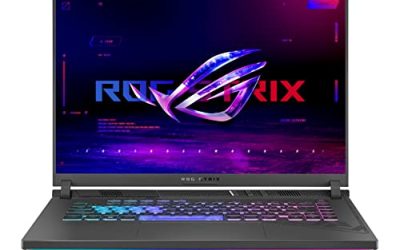
 4. ASUS ROG Strix G16 (G614JV-AS74) — Best Mid-Range Gaming Laptop |
| Check price on Amazon |
 5. MSI Katana 15 (B13VGK-484US) — Best Gaming Laptop for Demanding Games |
| Check price on Amazon |
Our Top Picks
- ASUS ROG Strix G16 Gaming Laptop16GB DDR5 | 1TB SSD13.94 x 0.89 x 10.39 inches5.51 poundsCheck on Amazon
Introduction
A good gaming laptop is a careful compromise. It has to run modern games at smooth frame rates, stay cool enough to hold those frame rates for hours, and still be portable enough to carry to a friend’s house or a dorm room. The five laptops below cover that whole range: three capable value machines built around the GeForce RTX 4050, a well-balanced mid-range option with an RTX 4060, and a stronger RTX 4070 machine for players who want extra headroom for demanding titles and higher settings.
Every pick here is a complete gaming laptop sold on Amazon US, with a dedicated graphics card, a high refresh rate display, and enough memory and storage to play without immediate upgrades. Use the buying guide first to work out which tier fits your games, then compare the picks side by side.
How to Choose a Gaming Laptop
Start with the graphics card
The GPU decides most of what a gaming laptop can do. An RTX 4050 handles 1080p gaming comfortably in competitive titles and most story-driven games at medium to high settings, especially with DLSS enabled. An RTX 4060 adds meaningful headroom for higher settings and 1440p play. An RTX 4070 is the pick for players who want high settings at 1440p, heavier ray tracing, or a machine that stays relevant for longer.
Do not skimp on the CPU
Modern games lean on the processor more than they used to, particularly open-world titles and simulation games. A current-generation Intel Core i5 or i7, or an AMD Ryzen 7, paired with 16GB of memory, is the sensible baseline. Eight gigabytes of memory is workable in a pinch, but 16GB is the safer choice for multitasking while gaming.
The display matters as much as the hardware
A 144Hz or 165Hz panel makes fast-paced games feel noticeably smoother than a standard 60Hz screen, and it is now standard on most gaming laptops. A 15.6-inch or 16-inch Full HD display is the sweet spot for portability and clarity; a 165Hz or higher refresh rate is worth having if you play shooters or racing games.
Storage and upgradability
A 512GB SSD is the minimum for a gaming machine, since modern games routinely take up large amounts of space. A 1TB drive is far more comfortable. Check whether the laptop has a second storage slot or upgradeable memory, because adding storage later is one of the cheapest ways to extend a laptop’s life.
Cooling and build
Sustained performance depends on cooling. Dual-fan designs with multiple heat pipes hold clock speeds better during long sessions. A laptop that runs hot will throttle, and throttling shows up as stuttering and frame drops. Weight matters too: most gaming laptops in this class sit between 2.1 and 2.6 kilograms, so they are portable but not featherweight.
Ports and connectivity
Look for at least one USB-C port, an HDMI output for an external monitor, and Wi-Fi 6 or better. A backlit keyboard is standard on gaming laptops and helps a lot in dim rooms.
The Best Gaming Laptops
1. Lenovo LOQ 15 (83DX00B2US) — Best Value Gaming Laptop
- Display: 15.6-inch Full HD (1920 x 1080) IPS, 144Hz
- Processor: AMD Ryzen 7 8845HS, 8 cores
- Graphics: NVIDIA GeForce RTX 4050, 6GB GDDR6
- Memory: 16GB DDR5 RAM
The Lenovo LOQ 15 is the value pick in this roundup, and it earns that spot by getting the fundamentals right. It pairs an AMD Ryzen 7 8845HS processor with an NVIDIA GeForce RTX 4050 graphics card, 16GB of DDR5 memory, and a 512GB SSD. That combination is enough for smooth 1080p gaming across a wide range of titles, and the 15.6-inch Full HD IPS display runs at 144Hz, so fast-paced games look fluid.
Lenovo’s LOQ line sits below the Legion series, but it borrows the same practical approach to cooling, with dual fans and rear exhaust vents that keep the keyboard deck comfortable during long sessions. The chassis is understated for a gaming laptop, which makes it easy to carry into a classroom or an office without drawing attention.
Connectivity covers the essentials: HDMI, USB-C, and Wi-Fi 6, plus a backlit keyboard and Windows 11 Home. The 512GB drive will fill up quickly if you install several large games at once, so plan on managing your library or adding storage later. For players who want a capable gaming laptop without paying for performance they will not use, the LOQ 15 is the most sensible starting point.
Key specifications:
Check the Lenovo LOQ 15 on Amazon
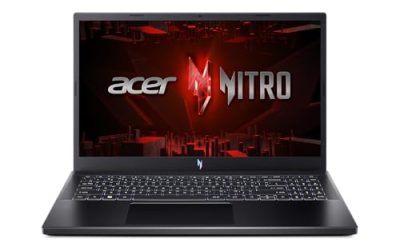
2. Acer Nitro V 15 (ANV15-52-76NK) — Best Gaming Laptop for Everyday Play
- Display: 15.6-inch Full HD IPS, 165Hz
- Processor: Intel Core i7-13620H
- Graphics: NVIDIA GeForce RTX 4050
- Memory: 16GB DDR5 RAM
The Acer Nitro V 15 takes a similar value-first approach with an Intel platform. It runs an Intel Core i7-13620H processor with an NVIDIA GeForce RTX 4050, 16GB of DDR5 memory, and a 1TB Gen 4 SSD. The larger drive is the standout detail here: with 1TB of fast storage, you can keep a proper game library installed without constantly uninstalling titles to make room.
The 15.6-inch Full HD IPS display runs at 165Hz, a step above the 144Hz panels on most value laptops, which gives competitive games a slightly smoother feel. The Nitro V line is Acer’s entry-level gaming range, and it shows in the plain plastic chassis, but the internals are solid and the cooling system handles sustained gaming sessions without drama.
This is a good fit for players who want a dependable daily machine: it games well, handles school or office work, and has the storage to match. The backlit keyboard and Wi-Fi 6 round out a practical package, and the 1TB drive means the laptop is ready for a large library from day one.
Key specifications:
Check the Acer Nitro V 15 on Amazon
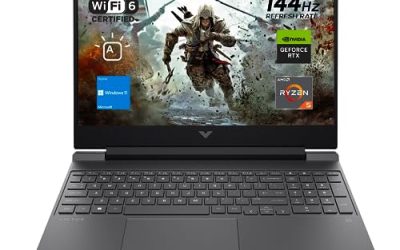
3. HP Victus 15 — Best Gaming Laptop for Casual Gamers
- Display: 15.6-inch Full HD IPS, 144Hz
- Processor: Intel Core i5-13420H
- Graphics: NVIDIA GeForce RTX 4050, 6GB
- Memory: 16GB DDR4 RAM
The HP Victus 15 is built for players who want a gaming laptop that doubles as an everyday machine. It pairs an Intel Core i5-13420H processor with an NVIDIA GeForce RTX 4050 graphics card, 16GB of DDR4 memory, and a 512GB SSD. The 15.6-inch Full HD IPS display runs at 144Hz, and the laptop ships with a backlit keyboard, Wi-Fi 6, and Windows 11.
HP positions the Victus line as the accessible entry to PC gaming, and the design reflects that: clean lines, a Mica Silver finish, and a chassis that looks at home on a desk or a kitchen table. It is a little more subdued than the typical gaming laptop, which suits players who game in the evening and work or study on the same machine during the day.
Performance is squarely in the 1080p sweet spot. Competitive games run smoothly at high frame rates, and story-driven titles play well at medium to high settings. The 512GB drive is the main limitation, so players with large libraries should expect to manage installed games or add storage. For casual gamers who want a reliable, good-looking laptop that handles both play and everyday tasks, the Victus 15 is a strong fit.
Key specifications:
Check the HP Victus 15 on Amazon
4. ASUS ROG Strix G16 (G614JV-AS74) — Best Mid-Range Gaming Laptop
- Display: 16-inch Full HD+ (1920 x 1200), 165Hz, 16:10
- Processor: Intel Core i7-13650HX
- Graphics: NVIDIA GeForce RTX 4060, 8GB GDDR6, 140W max TGP
- Memory: 16GB DDR5 RAM
The ASUS ROG Strix G16 steps up to an NVIDIA GeForce RTX 4060, and that step is the reason it sits in the middle of this list. Paired with an Intel Core i7-13650HX processor, 16GB of DDR5 memory, and a 1TB PCIe Gen4 SSD, it has the headroom for higher settings at 1080p and a credible shot at 1440p gaming on an external monitor.
The 16-inch display uses a 16:10 aspect ratio with a 1920 x 1200 resolution and a 165Hz refresh rate, which gives you a little more vertical space than a standard 16:9 panel — handy for both games and everyday work. ASUS fits its ROG Intelligent Cooling system here, including liquid metal on the CPU and a third intake fan, which helps the laptop hold its performance during long sessions.
ROG Strix machines also bring the extras that enthusiasts expect: per-key RGB lighting, a robust set of ports, and Wi-Fi 6E. The 1TB drive means storage is not an immediate concern. This is the pick for players who want a laptop that can handle demanding games at high settings today and still feel fast in a couple of years.
Key specifications:
Check the ASUS ROG Strix G16 on Amazon
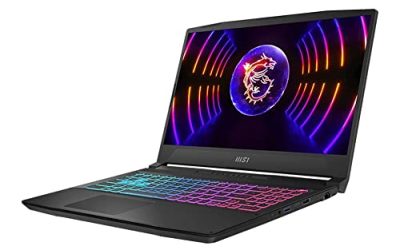
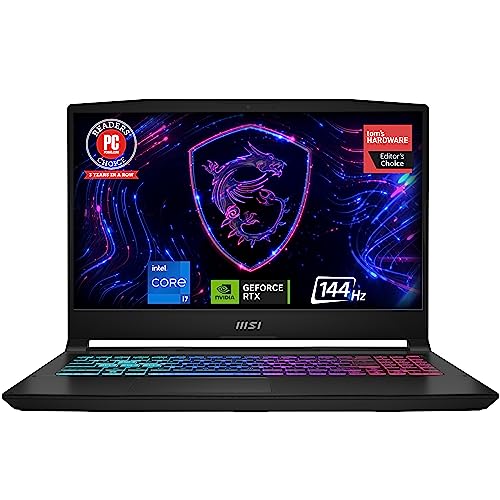
5. MSI Katana 15 (B13VGK-484US) — Best Gaming Laptop for Demanding Games
- Display: 15.6-inch Full HD (1920 x 1080), 144Hz
- Processor: Intel Core i7-13620H
- Graphics: NVIDIA GeForce RTX 4070, 8GB GDDR6
- Memory: 16GB DDR5 RAM
The MSI Katana 15 is the most powerful laptop in this roundup, built around an NVIDIA GeForce RTX 4070. With an Intel Core i7-13620H processor, 16GB of DDR5 memory, and a 1TB NVMe SSD, it is aimed at players who want high settings in demanding titles and the headroom for ray tracing and higher resolutions.
The 15.6-inch Full HD display runs at 144Hz, and MSI’s Cooler Boost 5 system — dual fans with multiple heat pipes — keeps the hardware running at full speed during long sessions. The Katana line is MSI’s value-oriented gaming range, so the chassis is straightforward black plastic, but the internals are where the money went.
This is the right choice if you play graphically demanding games, want to run an external 1440p monitor, or simply want the most performance in this group. The RTX 4070 gives it a clear edge over the RTX 4050 and 4060 machines above, and the 1TB drive and 16GB of memory mean it is ready for a serious library out of the box.
Key specifications:
Check the MSI Katana 15 on Amazon
Comparison
| Laptop | GPU | CPU | Display | RAM | Storage |
|---|---|---|---|---|---|
| Lenovo LOQ 15 | RTX 4050 | Ryzen 7 8845HS | 15.6-inch FHD, 144Hz | 16GB DDR5 | 512GB SSD |
| Acer Nitro V 15 | RTX 4050 | Core i7-13620H | 15.6-inch FHD, 165Hz | 16GB DDR5 | 1TB SSD |
| HP Victus 15 | RTX 4050 | Core i5-13420H | 15.6-inch FHD, 144Hz | 16GB DDR4 | 512GB SSD |
| ASUS ROG Strix G16 | RTX 4060 | Core i7-13650HX | 16-inch FHD+, 165Hz | 16GB DDR5 | 1TB SSD |
| MSI Katana 15 | RTX 4070 | Core i7-13620H | 15.6-inch FHD, 144Hz | 16GB DDR5 | 1TB SSD |
If budget is the priority, the Lenovo LOQ 15 and HP Victus 15 cover 1080p gaming at the lowest tier here. The Acer Nitro V 15 adds a faster display and double the storage for a small step up. The ASUS ROG Strix G16 is the balanced middle ground, with a stronger GPU and a larger, taller display. The MSI Katana 15 is the performance pick, and the one to choose if demanding games and higher settings are the priority.
Frequently Asked Questions
How much RAM do I need in a gaming laptop?
16GB is the right baseline for a gaming laptop in 2026. It covers modern games, background apps, and multitasking without slowdowns. All five laptops in this roundup ship with 16GB, so you do not need to upgrade memory immediately.
Is an RTX 4050 enough for gaming?
Yes, for 1080p gaming. An RTX 4050 handles competitive games at high frame rates and story-driven games at medium to high settings, particularly with DLSS enabled. If you want higher settings, 1440p play, or heavier ray tracing, step up to an RTX 4060 or 4070.
What is the difference between the RTX 4060 and RTX 4070?
The RTX 4070 is a step up in raw graphics power, with more CUDA cores and stronger performance at higher resolutions and settings. The RTX 4060 is still a capable card for 1080p and lighter 1440p gaming, while the RTX 4070 gives you more headroom for demanding titles and future games.
Do gaming laptops overheat?
Gaming laptops run warm by nature, but modern designs manage heat with dual fans, multiple heat pipes, and vent placement that keeps the keyboard deck comfortable. Keeping vents clear, using the laptop on a hard surface, and cleaning dust from the fans helps sustain performance over time.
Can I upgrade a gaming laptop later?
Most gaming laptops allow storage upgrades, and many allow memory upgrades too. A 512GB drive can usually be swapped for a larger SSD, and a second storage slot is common on 15-inch and 16-inch models. Check the specific model’s manual before buying upgrade parts.
Is a 144Hz display worth it for gaming?
Yes. A 144Hz or 165Hz display makes motion look smoother and more responsive, which is noticeable in shooters, racing games, and fast-paced action titles. Every laptop in this roundup has at least a 144Hz panel.
Final Thoughts
There is no single best gaming laptop for everyone — the right choice depends on the games you play and the settings you expect. For most players, the Lenovo LOQ 15 covers 1080p gaming well and keeps things simple, while the Acer Nitro V 15 adds storage and a faster display for everyday play. The HP Victus 15 suits casual gamers who want a laptop that works just as well for study and office tasks. Players who want more headroom should look at the ASUS ROG Strix G16, with its RTX 4060 and taller 16-inch display, or the MSI Katana 15, which brings RTX 4070 power to demanding games.
Whichever tier you choose, prioritise the graphics card first, make sure you have 16GB of memory and at least 512GB of storage, and pick a display with a refresh rate of 144Hz or higher. Get those four things right and the laptop will serve you well for years.
Disclosure: As an Amazon Associate, we earn from qualifying purchases.
FAQ
How much RAM do I need in a gaming laptop?
Is an RTX 4050 enough for gaming?
What is the difference between the RTX 4060 and RTX 4070?
Do gaming laptops overheat?
Can I upgrade a gaming laptop later?
Is a 144Hz display worth it for gaming?
More from Amazon
Programs that pair well with the guide above. Offers and eligibility are set by Amazon and may change.
Free shipping on eligible items, Prime Video and more. Eligible new members can start with a free trial.
Start a Prime free trialAd-free music streaming. Eligible new subscribers can start with a free trial.
Try Music Unlimited freeA Prime membership for ages 18-24 with a trial period. Eligibility is set by Amazon.
See Prime for Young AdultsAudiobooks and podcasts to listen to on the go. Eligible new members can start with a free trial.
Try Audible freeAs an Amazon Associate we earn from qualifying purchases.