Our Short List of 3

- Best for: Casual players who want a silent, ultra-portable MacBook for lighter games and daily work.
- Apple M4 chip with 10-core CPU (4 performance cores and 6 efficiency cores) and 10-core GPU
- Hardware-accelerated ray tracing, 16-core Neural Engine, 120GB/s memory bandwidth
- 13.6-inch Liquid Retina display, 2560-by-1664 native resolution, 500 nits brightness
- Support for 1 billion colors, Wide color (P3), True Tone technology

- Best for: Players who want a portable MacBook with enough storage for several games at once.
- Apple M4 chip with 10-core CPU (4 performance cores and 6 efficiency cores) and 10-core GPU
- Hardware-accelerated ray tracing, 16-core Neural Engine, 120GB/s memory bandwidth
- 13.6-inch Liquid Retina display, 2560-by-1664 native resolution, 500 nits brightness
- Support for 1 billion colors, Wide color (P3), True Tone technology

- Best for: Players who want steadier performance in demanding titles plus a large library on one machine.
- Apple M4 chip with 10-core CPU and 10-core GPU
- 14.2-inch Liquid Retina XDR display with up to 1600 nits peak brightness
- 16GB unified memory, 1TB SSD storage
- All-day battery life, according to the Amazon listing
All 4 Picks at a Glance
| Product | Specs | Action |
|---|---|---|
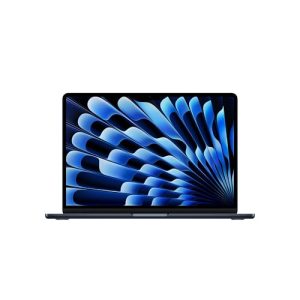
| Apple 2025 MacBook Air 13-inch Laptop with M4 chip, 16GB Unified Memory, 256GB SSD Storage, Starlight |
| Check price on Amazon |
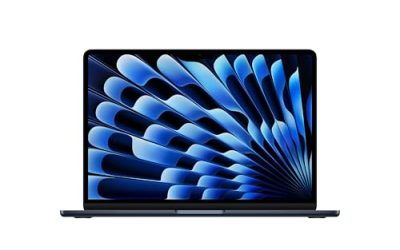
| Apple 2025 MacBook Air 13-inch Laptop with M4 chip, 16GB Unified Memory, 512GB SSD Storage, Sky Blue |
| Check price on Amazon |
| Apple 2024 MacBook Pro Laptop with M4 chip, 16GB Unified Memory, 1TB SSD Storage, Silver |
| Check price on Amazon |
 Apple 2024 MacBook Pro Laptop with M4 Pro, 14-core CPU, 20-core GPU, 16.2-inch Liquid Retina XDR Display, 24GB Unified Memory, 512GB SSD Storage, Space Black |
| Check price on Amazon |
Key takeaways
- Four Apple laptops that handle modern Mac games well, from the light MacBook Air M4 to the powerful MacBook Pro M4 Pro, with clear buying guidance.
Choosing an Apple laptop for gaming means accepting a trade-off: the hardware is fast and quiet, yet the catalogue of native Mac games is smaller, and many popular titles need compatibility layers or cloud services. That makes the chip, the memory, and the screen more important than the badge on the lid, because a machine that struggles with a demanding scene today will not improve with a software update. The real decision is how much graphics headroom to buy for the games you actually play, not for a library you might build someday.
This guide covers four current MacBook models sold on Amazon, from the portable 13-inch Air to the 16-inch Pro with an M4 Pro chip. Each pick is described using the chip, memory, storage, display, and camera details shown on its Amazon listing, so you can compare machines on facts rather than slogans. The sections below suit casual players, students, creators who edit by day and play at night, and buyers who want one machine for everything.
Quick Picks
As an Amazon Associate we earn from qualifying purchases.
| Product | Best for | Key spec from title |
|---|---|---|
| Apple 2025 MacBook Air 13-inch, M4, 16GB, 256GB, Starlight | Light everyday play on the go | M4 chip, 13.6-inch Liquid Retina Display |
| Apple 2025 MacBook Air 13-inch, M4, 16GB, 512GB, Sky Blue | Portable play with more storage | M4 chip, 16GB Unified Memory, 512GB SSD Storage |
| Apple 2024 MacBook Pro 14-inch, M4, 16GB, 1TB, Silver | Demanding games and creative work | M4 chip, 14.2-inch Liquid Retina XDR Display, 1TB SSD Storage |
| Apple 2024 MacBook Pro 16-inch, M4 Pro, 24GB, 512GB, Space Black | The strongest graphics in this guide | M4 Pro, 14-core CPU, 20-core GPU, 16.2-inch Liquid Retina XDR Display |
How to Choose
Match the chip to the games you play
The M4 chip in the Air and the base Pro handles native Mac titles, indie games, and older releases with ease, thanks to its 10-core CPU and 10-core GPU with hardware-accelerated ray tracing. The M4 Pro in the 16-inch model steps up to a 14-core CPU and a 20-core GPU, which matters when a game pushes high resolutions, dense scenery, or ray-traced lighting. Before you pick a tier, list the three games you play most and check whether each one has a native Mac version. If your list is full of Windows-only titles that need a compatibility layer, the extra GPU cores will help more than a larger screen will.
Do not skimp on unified memory
Apple silicon shares one pool of memory between the processor and the graphics cores, so the memory figure does double duty in every game you launch. A 16GB machine runs most current Mac titles well, but background apps, a browser full of tabs, and a voice chat client all draw from the same pool and can push a busy session toward its limit. The 24GB configuration in the 16-inch Pro leaves far more headroom for multitasking and for future titles that expect more memory. Since memory is soldered in and cannot be upgraded later, choosing the larger amount at the start is the safer move for anyone who keeps laptops for several years.
Storage fills faster than you expect
Modern games are large, and a 256GB drive leaves little room once macOS, apps, photos, and a handful of titles are installed. The 512GB Air doubles that breathing room and suits players who rotate between a few games at a time, while the 1TB Pro fits bigger libraries without constant uninstalling. Remember that internal storage cannot be upgraded after purchase, so an external drive can hold extra games but adds a cable and a step every time you play. Count the installed size of your current library before you decide, and treat 256GB as a starting point only for light players.
The screen and cooling shape long sessions
The Air is fanless, which means silent play and a thin body, but sustained heavy scenes can warm the chassis and trim performance over a long session. The Pro models add fans and a Liquid Retina XDR display that reaches far higher peak brightness, so bright scenes hold their detail and long sessions stay steady. Screen size matters too: the 13.6-inch Air slips into any bag, the 14.2-inch Pro balances portability with immersion, and the 16.2-inch Pro feels closest to a desktop setup. Pick the size you will actually carry, not the one that looks best on a desk.
The 4 Best Options
Apple 2025 MacBook Air 13-inch Laptop with M4 chip, 16GB Unified Memory, 256GB SSD Storage, Starlight
- Best for: Casual players who want a silent, ultra-portable MacBook for lighter games and daily work.
- Apple M4 chip with 10-core CPU (4 performance cores and 6 efficiency cores) and 10-core GPU
- Hardware-accelerated ray tracing, 16-core Neural Engine, 120GB/s memory bandwidth
- 13.6-inch Liquid Retina display, 2560-by-1664 native resolution, 500 nits brightness
- Support for 1 billion colors, Wide color (P3), True Tone technology
Casual players who want a silent, ultra-portable MacBook for lighter games and daily work.
The 256GB drive fills quickly with large games, and the fanless design can trim performance during long, heavy sessions.
This is the lightest way into Mac gaming, and it suits players who value silence and portability over raw power. The M4 chip runs native Mac titles smoothly, the 13.6-inch Liquid Retina display keeps text and scenery sharp, and the slim aluminum body disappears into a backpack. It is the right pick for casual sessions, cloud gaming, and indie titles, plus school or office work between matches. Its limits show up in long, demanding scenes, where the fanless design leans on thermal headroom instead of active cooling.
Watch out for: The 256GB drive fills quickly with large games, and the fanless design can trim performance during long, heavy sessions.
Apple 2025 MacBook Air 13-inch Laptop with M4 chip, 16GB Unified Memory, 512GB SSD Storage, Sky Blue
- Best for: Players who want a portable MacBook with enough storage for several games at once.
- Apple M4 chip with 10-core CPU (4 performance cores and 6 efficiency cores) and 10-core GPU
- Hardware-accelerated ray tracing, 16-core Neural Engine, 120GB/s memory bandwidth
- 13.6-inch Liquid Retina display, 2560-by-1664 native resolution, 500 nits brightness
- Support for 1 billion colors, Wide color (P3), True Tone technology
Players who want a portable MacBook with enough storage for several games at once.
It shares the base Air’s fanless cooling, so sustained heavy scenes can warm the chassis, and some Windows-only games still need a compatibility layer.
This Sky Blue Air pairs the same M4 chip and sharp 13.6-inch display as the base model with twice the storage, which makes it the more practical portable pick for most players. You get room for a rotating set of games alongside apps and media, without stepping up to a heavier Pro body. The 12MP Center Stage camera keeps video calls clear, Touch ID speeds up sign-ins, and the fanless chassis stays silent during late-night sessions. It remains a laptop built for lighter and mid-weight titles rather than the most demanding releases.
Watch out for: It shares the base Air’s fanless cooling, so sustained heavy scenes can warm the chassis, and some Windows-only games still need a compatibility layer.
Apple 2024 MacBook Pro Laptop with M4 chip, 16GB Unified Memory, 1TB SSD Storage, Silver
- Best for: Players who want steadier performance in demanding titles plus a large library on one machine.
- Apple M4 chip with 10-core CPU and 10-core GPU
- 14.2-inch Liquid Retina XDR display with up to 1600 nits peak brightness
- 16GB unified memory, 1TB SSD storage
- All-day battery life, according to the Amazon listing
Players who want steadier performance in demanding titles plus a large library on one machine.
It is heavier than the Air, and 16GB of shared memory leaves less headroom than the 24GB Pro for future titles.
The 14-inch Pro is the middle ground in this guide: the same M4 chip as the Air, but with active cooling, a brighter XDR display, and a full terabyte of storage. The fans keep frame rates steadier through long sessions, and the 14.2-inch Liquid Retina XDR display reaches up to 1600 nits peak brightness, which makes bright outdoor scenes and HDR content look vivid. The 1TB drive holds a serious library without juggling installs, and the machine doubles as a capable editing and coding laptop. It is heavier than the Air, yet still easy to carry every day.
Watch out for: It is heavier than the Air, and 16GB of shared memory leaves less headroom than the 24GB Pro for future titles.
Apple 2024 MacBook Pro Laptop with M4 Pro, 14-core CPU, 20-core GPU, 16.2-inch Liquid Retina XDR Display, 24GB Unified Memory, 512GB SSD Storage, Space Black
- Best for: Players who want the strongest graphics and the biggest, brightest screen in this guide.
- Apple M4 Pro chip with 14-core CPU and 20-core GPU
- 16.2-inch Liquid Retina XDR display, up to 1600 nits peak brightness
- Up to 1000 nits sustained brightness, 1,000,000:1 contrast
- 24GB unified memory, 512GB SSD storage
Players who want the strongest graphics and the biggest, brightest screen in this guide.
It is the largest and heaviest pick here, and 512GB of storage can feel tight if you keep many large games installed at once.
This 16-inch Pro is the strongest gaming MacBook in this guide, built around the M4 Pro chip with a 14-core CPU and a 20-core GPU. That extra graphics muscle shows in dense scenes, higher settings, and ray-traced lighting, while 24GB of unified memory keeps multitasking smooth when chat, streaming, and a game run together. The 16.2-inch Liquid Retina XDR display pairs up to 1600 nits peak brightness with up to 1000 nits sustained brightness and a 1,000,000:1 contrast ratio, so dark scenes keep their depth. It is the pick for players who want desktop-class immersion from a laptop.
Watch out for: It is the largest and heaviest pick here, and 512GB of storage can feel tight if you keep many large games installed at once.
Which One Fits Your Situation
You travel light and play casually
Pick the 13-inch MacBook Air with 256GB of storage. It weighs the least, runs silently, and handles native Mac titles, indie games, and cloud gaming without fuss. Keep your library small and uninstall finished games, and the smaller drive will not get in your way.
You want one portable machine with room to grow
Pick the 13-inch MacBook Air with 512GB of storage. The extra room holds several games alongside your apps and media, so you rotate titles less often. You keep the same silent, slim body, which makes it easy to carry between home, class, and a friend’s place.
You play demanding titles and edit on the side
Pick the 14-inch MacBook Pro with the M4 chip and 1TB of storage. Active cooling steadies long sessions, the XDR display makes bright scenes pop, and the large drive fits a full library. It also handles video editing and coding well, so one machine covers work and play.
You want the biggest screen and strongest chip
Pick the 16-inch MacBook Pro with the M4 Pro chip. The 20-core GPU and 24GB of memory give you the most headroom in this guide, and the 16.2-inch XDR display is the most immersive of the four. Accept the extra size and weight in exchange for that performance.
Safety Notes
Charge each MacBook with the adapter and cable that ship in the box, and keep the vents clear during long gaming sessions so heat can escape. Place the laptop on a hard, flat surface rather than on bedding or soft fabric that can block airflow. If the battery shows swelling or damage, or the machine becomes unusually hot, stop using it and contact Apple support.
Common Mistakes
- Buying the smallest storage and then discovering that a few large games leave no room for updates.
- Assuming every Windows game runs on a Mac, instead of checking for a native Mac version first.
- Choosing 16GB of memory for heavy multitasking, then running a game, chat, and streaming software at the same time.
- Picking a fanless Air for long, demanding sessions and being surprised when the chassis warms up.
- Ignoring screen size and ending up with a 16-inch laptop that rarely leaves the desk.
Frequently Asked Questions
Can a MacBook Air run modern games?
Yes, for games with a native Mac version. The M4 chip in the 13-inch Air handles current native titles, indie games, and older releases well, and its 10-core GPU supports hardware-accelerated ray tracing. Windows-only games need a compatibility layer or a cloud service, and results vary by title, so check each game before you buy it.
Is 16GB of memory enough for gaming on a MacBook?
For most current Mac titles, 16GB is enough, because the unified memory serves both the processor and the graphics cores efficiently. Heavy multitasking changes the picture: a game plus chat, streaming, and a browser can push a 16GB machine toward its limit. Players who multitask heavily or keep laptops for years should consider the 24GB Pro.
Do MacBook Pro models play games better than the MacBook Air?
In sustained, demanding scenes, yes. The Pro models add fans that keep performance steadier over long sessions, and the 16-inch M4 Pro adds a 20-core GPU that the Air cannot match. For lighter native titles and shorter sessions, the Air performs well and stays silent, so the gap matters most in the heaviest games.
Should I choose a larger screen or a lighter MacBook for gaming?
Choose the screen you will actually use. A 16.2-inch display is more immersive and suits a mostly stationary setup, while the 13.6-inch Air is far easier to carry every day. The 14.2-inch Pro splits the difference, so it fits players who travel often but still want a bright, detailed display.
FAQ
Can a MacBook Air run modern games?
Is 16GB of memory enough for gaming on a MacBook?
Do MacBook Pro models play games better than the MacBook Air?
Should I choose a larger screen or a lighter MacBook for gaming?
More from Amazon
Programs that pair well with the guide above. Offers and eligibility are set by Amazon and may change.
Free shipping on eligible items, Prime Video and more. Eligible new members can start with a free trial.
Start a Prime free trialAd-free music streaming. Eligible new subscribers can start with a free trial.
Try Music Unlimited freeA Prime membership for ages 18-24 with a trial period. Eligibility is set by Amazon.
See Prime for Young AdultsAudiobooks and podcasts to listen to on the go. Eligible new members can start with a free trial.
Try Audible freeAs an Amazon Associate we earn from qualifying purchases.