
Key takeaways
- USB 3.2 Gen 2×2 (20 Gbps): enough for many external SSDs and found on more boards.
- Add-in USB4 or Thunderbolt cards: offered by some board makers; check the compatibility list for your board, since they often need a specific header.
- B850 boards: some include USB4 as a feature, but it is not required at this tier. Read each specification page.
To choose a motherboard with USB4, first decide whether you need a plain 40 Gbps USB4 port or a certified Thunderbolt port, then confirm the board’s specification page lists the exact ports, speed and Power Delivery you want. On AMD, boards at the X870E and X870 tier carry USB4 as a platform requirement, while on Intel the Thunderbolt option appears on selected Z890 boards.
Our top picks



As an Amazon Associate we earn from qualifying purchases at no extra cost to you.
What USB4 gives you
USB4 is built on the Thunderbolt protocol and uses the USB-C connector. At the top tier it reaches 40 Gbps, double the 20 Gbps of USB 3.2 Gen 2×2 and four times the 10 Gbps of USB 3.2 Gen 2. Tom’s Guide notes that some USB4 devices support only 20 Gbps, particularly cheaper ones, so the label alone does not guarantee 40 Gbps. For a desktop it is useful for fast external SSDs, docks, capture devices, high-resolution displays and occasionally an external graphics enclosure.
USB4 versus Thunderbolt on a motherboard
| Aspect | USB4 40 Gbps port | Thunderbolt 4 port |
|---|---|---|
| Top speed | 40 Gbps | 40 Gbps |
| PCIe tunnelling | Optional by standard | Required, with a guaranteed minimum for PCIe traffic |
| Certification | USB-IF style compliance | Intel Thunderbolt certification |
| Typical on | AMD X870E and X870 boards | Selected Intel Z890 boards |
| Best for | Fast storage, docks, displays | eGPU, high-end docks, guaranteed compatibility |
Reviewers comparing Intel Z890 and AMD X870E report that for plain 40 Gbps ports the two platforms are roughly equal. Where they differ is certification: a port badged only as USB4 does not have to tunnel PCIe, while Thunderbolt does. That matters mainly for eGPUs and external NVMe enclosures that rely on PCIe tunnelling. Some sources also mention Thunderbolt 5 (80 Gbps and a higher boost mode) on a few premium Z890 boards; sources disagree on how broadly it appears, so read each board’s page. A 40 Gbps cable on a Thunderbolt 5 port runs at 40 Gbps.
Step-by-step: choosing the board
- Pick the processor platform first. USB4 ties to the platform. AMD requires it on the X870E and X870 tiers, so those boards reliably carry at least two ports. Intel’s Z890 boards offer Thunderbolt on some models, with the controller connected to the processor.
- Count the ports you need. Most boards have one or two rear USB4 or Thunderbolt ports; flagships sometimes have more. Plan for a dock, an SSD and a display together.
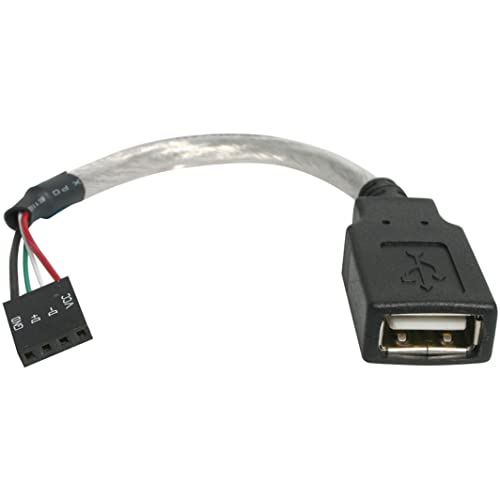
- Check where the port sits. A rear I/O USB-C port is easy to reach. A front-panel header for a case USB-C connector may be USB 3.2 Gen 2 or Gen 2×2 only, not USB4, so read the header description.
- Look at Power Delivery and display output. Some USB4 ports carry DisplayPort output that depends on your processor graphics, and some provide limited charging power. The maker lists these details in the specification.
- Read the lane trade-offs. Reviewers note that USB4 controllers consume PCIe lanes, which can affect how many M.2 slots run at full speed. Look at the manual’s lane-sharing section.
- Check cables and devices. You need 40 Gbps rated cables and devices to benefit. A long or low-grade cable lowers the speed.
Pick X if…
| Need | Choose |
|---|---|
| Fast external SSD and a dock on AMD | X870E or X870 board with USB4 |
| External graphics enclosure or certified dock | Board with Thunderbolt certification |
| Cheapest path, no high-speed ports needed | Mainstream board, USB 3.2 Gen 2 or Gen 2×2 |
| Add USB4 to an older board | PCIe add-in card, if the maker lists compatibility |
Alternatives
- USB 3.2 Gen 2×2 (20 Gbps): enough for many external SSDs and found on more boards.
- Add-in USB4 or Thunderbolt cards: offered by some board makers; check the compatibility list for your board, since they often need a specific header.
- B850 boards: some include USB4 as a feature, but it is not required at this tier. Read each specification page.
Common mistakes
- Assuming every USB-C port is USB4.
- Assuming USB4 means eGPU support. PCIe tunnelling and Thunderbolt certification matter.
- Using a short USB 2.0 style or lower-rated cable and wondering why speeds drop.
- Expecting the case’s front USB-C to run at 40 Gbps.
- Skipping the lane-sharing table.
Reading the spec page correctly
Makers use several phrases that look alike. “USB4 40 Gbps Type-C” tells you the speed class. “Thunderbolt 4” tells you the port passed Intel’s certification. “USB 3.2 Gen 2×2” is 20 Gbps and not USB4. “USB 3.2 Gen 2” is 10 Gbps. A line that says “USB4 (up to 20 Gbps)” exists on some devices, so read the number, not only the name. Also look for whether the port supports DisplayPort output and how much charging power it offers; these are separate from data speed and vary by board.
Which devices benefit
| Device | Benefit from USB4 |
|---|---|
| External NVMe SSD enclosure | Higher sequential speeds than 10 Gbps ports, if the enclosure is rated for it |
| Docking station | One cable for displays, Ethernet and storage |
| Capture card or audio interface | Only if the device itself uses USB4 or Thunderbolt |
| External GPU enclosure | Needs PCIe tunnelling; see the enclosure maker’s list |
| Mouse, keyboard, headset | None; these work on any USB port |
Cables and practical limits
The cable is part of the link. A cable rated for 40 Gbps is needed for full speed, and passive cables at this speed are short, with longer runs needing active or optical designs. Mixing a 40 Gbps device with a basic charging cable gives 480 Mbps or 5 Gbps at best. Keep the cable that came with a USB4 or Thunderbolt device, and look for the 40 Gbps marking on any replacement.
Finally, consider whether you will use the port at all. Plenty of gaming builds never plug in a USB4 device. If you do not own such devices and have no plan to buy them, a board without USB4 saves money you can put towards the graphics card or storage.
Frequently Asked Questions
Is USB4 the same as Thunderbolt?
No, though related. USB4 is based on the Thunderbolt protocol and can reach 40 Gbps, but Thunderbolt adds mandatory features and certification, including PCIe tunnelling.
Do AMD boards have USB4?
AMD requires it on X870E and X870 boards, so those boards carry it. Other tiers vary by model.
Do I need USB4 for gaming?
No. Games do not use it. It helps with external SSDs, docks and capture gear.
Will my USB-C device run at 40 Gbps?
Only if the device, the port and the cable all support 40 Gbps. Many devices are 10 or 20 Gbps.
Can I use USB4 with an external GPU?
It depends on PCIe tunnelling and the enclosure’s compatibility. Thunderbolt-certified ports are the safer route; follow the enclosure maker’s compatibility list.
FAQ
Is USB4 the same as Thunderbolt?
Do AMD boards have USB4?
Do I need USB4 for gaming?
Will my USB-C device run at 40 Gbps?
Can I use USB4 with an external GPU?
More from Amazon
Programs that pair well with the guide above. Offers and eligibility are set by Amazon and may change.
Free shipping on eligible items, Prime Video and more. Eligible new members can start with a free trial.
Start a Prime free trialAd-free music streaming. Eligible new subscribers can start with a free trial.
Try Music Unlimited freeA Prime membership for ages 18-24 with a trial period. Eligibility is set by Amazon.
See Prime for Young AdultsAudiobooks and podcasts to listen to on the go. Eligible new members can start with a free trial.
Try Audible freeAs an Amazon Associate we earn from qualifying purchases.




